

Calculate the right TV size for your room by matching screen inches to viewing distance and accounting for your layout—not guesswork. You’ll get a simple step-by-step way to measure your space, choose the best screen size range, and avoid buying a TV that’s too small or too big for comfortable viewing.
Pick a TV size by measuring your viewing distance, then choosing a screen diagonal that fits a practical distance-to-TV ratio. A good starting target for most rooms is about a 1:1.5 to 1:2.5 ratio (viewing distance in inches ÷ TV diagonal in inches), then you fine-tune for glare, seating spread, and how “immersive” you want the experience.
If you’re deciding between, say, a 55″ and 65″, the goal isn’t to chase a single “perfect” number—it’s to get the diagonal size right for the main seating area, while avoiding the common failure modes (wrong measurement point, sightline issues, and choosing too-large size for close seating). The method below is designed so you can do it at home quickly, using nothing more than a tape measure.
Measure your viewing distance (the number that drives everything)
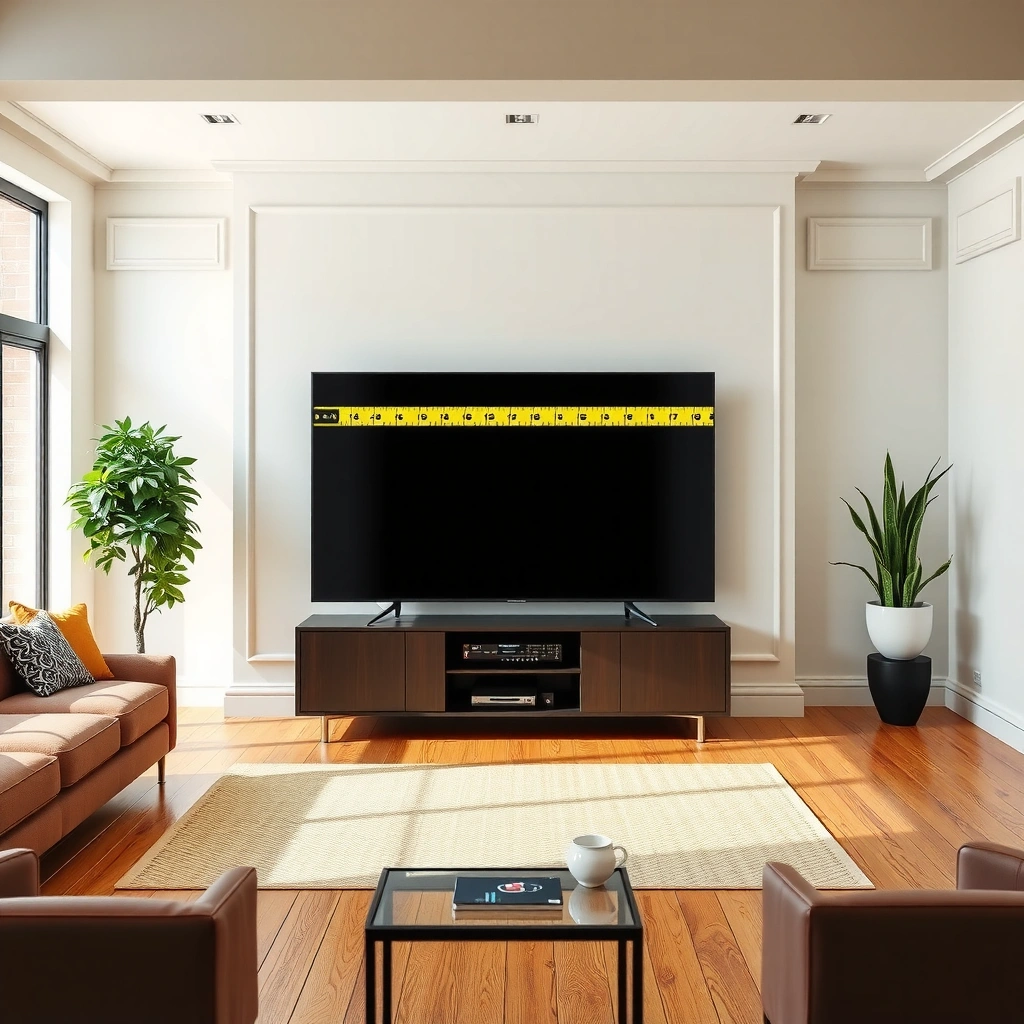
The best way to calculate the right TV size is to start with a measurement from your main seat to where the TV picture lands (the screen), not to the wall behind it. Once you have that distance in inches, the rest of the sizing math becomes straightforward.
Measure from your main seating position to the TV’s screen surface so the distance-to-diagonal calculation matches what you actually see.
If the TV will be recessed, mounted on drywall, or placed on a stand, your “screen distance” changes—measure to the screen, not the backdrop wall.
What “main seating spot” should mean
Use your most common viewing position—typically where the largest share of watching happens (the couch center seat, the primary chair, etc.). If you have two regular spots (for example, a sofa and a loveseat), take the distance from the farther “normal” seat to avoid an undersized feel for some viewers.
From my experience helping others dial this in, the biggest sizing errors come from measuring to the wall behind the TV, or measuring from a spot that only gets used occasionally. If you want fewer regrets when you upgrade, treat the “driving distance” as the one that governs the majority of viewing.
Practical measurement guidance (so you don’t overthink it)
– Measure with a tape measure from the center of your seating position to the center of where the TV screen will be.
– Round to a practical number (nearest foot is fine), then convert to inches if you’re using the ratio range below.
– If the TV is angled (not typical for most wall mounts, but possible), your effective viewing distance can increase slightly for people off-center. For calculation purposes, use the straight-line distance to the screen, then sanity-check your sightline afterward.
Use a distance-to-screen size ratio to estimate TV diagonal
The fastest DIY approach is to convert your viewing distance to inches and then divide by a ratio range to estimate the TV diagonal. Start by aiming for a TV diagonal that falls within the range, then adjust up or down based on your room layout and viewing comfort.
A commonly used home-theater sizing heuristic targets viewing distance as roughly 1.5× to 2.5× the TV diagonal (both in inches).
Estimating diagonal from distance keeps TV choice grounded in the viewing geometry rather than subjective guessing.
Step-by-step math (works for any room)
1. Convert feet to inches
distance (inches) = feet × 12
2. Convert distance to diagonal using the ratio range
– Smaller end: TV diagonal ≈ distance ÷ 2.5
– Larger end: TV diagonal ≈ distance ÷ 1.5
3. Pick a practical diagonal size
Choose a standard retail size that lands within (or near) the range, such as 55″, 65″, 75″, etc.
Worked example (55″ vs 65″ decision support)
Let’s say your viewing distance from the main seat to the screen center is 8 ft:
– 8 ft × 12 = 96 inches
– Smaller end diagonal: 96 ÷ 2.5 = 38.4″
– Larger end diagonal: 96 ÷ 1.5 = 64.0″
In that scenario, a 65″ sits at the larger end of the estimate, while a 55″ feels closer to the “safe, not overpowering” side. If your room is bright or your viewing is often slightly off-center, you may prefer the lower end even when the math allows a bigger screen.
Why diagonal matters (and what the ratio is doing)
The diagonal is the most consistent “single number” you can use across brands and aspect ratios. Once you estimate diagonal, you’re essentially choosing a viewing angle band—larger diagonals make the picture occupy more of your field of view, which typically feels more immersive, but also asks more from your eyes and attention if you sit extremely close.
Account for room layout: viewing angle, obstacles, and seating spread
The ratio gives a solid starting point, but room layout determines whether the “right” diagonal still feels right. You should base the distance on your farthest typical seat, and then adjust for centering, obstacles, and glare before you commit to a final TV size.
If multiple people watch from different spots, size estimates should be driven by the farthest “normal” seat so the experience doesn’t degrade for some viewers.
Centering the TV relative to the main seating area helps reduce off-axis viewing, where text can appear less sharp and reflections become more noticeable.
Seating spread: the simplest rule that prevents buyer’s remorse
– If most people sit close together: use the main seat distance.
– If you regularly have someone farther away: use the farthest “normal” distance and accept that the closest seat will be more immersive (sometimes ideal, sometimes fatiguing).
If you frequently host and the viewing spots vary, the larger TV might look great from the farthest seat while feeling slightly “too big” for the closest one. That’s not a calculation failure—that’s a tradeoff you should choose on purpose.
Obstacles and practical placement
A TV size can be “technically correct” while still disappointing due to:
– Furniture blocking the bottom of the screen or creating an uncomfortable head tilt
– Off-center mount locations that force angled viewing
– Decorative elements, shelves, or architectural features that limit where the TV can physically go
Best practice: place the TV where it will truly live (or at least where it can plausibly be mounted), then re-check comfort. If you can, use cardboard mockups or tape outlines on the wall to validate how the chosen size interacts with sightlines and surrounding fixtures.
Match brightness and resolution to what you’re watching
A bigger TV isn’t the only factor—brightness behavior (especially glare handling) and the quality of your source content strongly affect how “good” the image looks at your seating distance. For many households, the difference between a satisfying and disappointing TV purchase is picture performance in real light, not diagonal inches alone.
In bright rooms, reflective glare and peak brightness limitations can make a larger TV look worse, even if diagonal size is correct.
For 4K sources (3840×2160 pixels), the pixel density supports comfortable viewing closer than older HD formats.
Brightness: prioritize real viewing conditions
If your room gets strong daylight or you watch with lights on:
– Look for TVs with strong anti-reflective performance and high peak brightness (the spec name varies by manufacturer).
– Don’t assume size solves washed-out blacks—reflections can flatten contrast regardless of diagonal.
A professional, repeatable way to validate this is to consider your environment:
– Where are the windows relative to the TV?
– Do you have overhead lights that reflect off the panel?
– Are you mounting the TV opposite a bright surface?
Resolution and viewing distance
Resolution affects perceived sharpness more than people expect. For context:
– 4K UHD is 3840×2160 (about 8.3 million pixels), commonly used for modern streaming and UHD Blu-ray UHD Alliance (UHDTV and 4K definition guidance).
– If most of your viewing is genuinely 4K, you can often choose a slightly larger size within your ratio band without the image looking soft.
Content type: sports, streaming, and movement
When you watch fast-moving sports or action:
– You’ll notice motion handling and processing more when you sit closer and the image fills more of your field of view.
– A TV that’s “the right size” but struggles with motion settings can still feel worse than a slightly smaller, better-performing model.
What can go wrong (and how to avoid a bad pick)
The ratio method is reliable, but it fails when assumptions about measurement points, seating distances, or sightlines don’t match reality. If you avoid the common traps below, you’ll prevent most real-world sizing mistakes.
Measuring to the wall behind the TV instead of to the screen can cause you to overestimate diagonal size and end up with a TV that feels too large.
Choosing a TV size based on only one seating distance ignores the effect of multi-viewer setups, where the “worst-case” distance can make the TV feel under-sized.
Common pitfalls
– Measuring from the wrong spot: measuring to the wall behind the TV can overshoot distance. Even a foot of error can meaningfully swing diagonal estimates.
– Using only one distance: if someone often sits farther away, your “perfect” size may be too small for them.
– Ignoring sightlines: diagonal size doesn’t fix angled viewing caused by off-center mounting, blinds, or room glare.
– Overly aggressive sizing: picking the largest end of the ratio can be immersive, but it can also increase eye scanning and visual fatigue for very close seating.
Quick pros/cons sanity check (decision support)
| Choice approach | Pros | Cons |
|---|---|---|
| Pick smaller end of ratio | More comfortable for close seats; usually reduces “too big” regret. | May feel less immersive from the farthest seat. |
| Pick larger end of ratio | More immersive; far-seat viewers get a more compelling field of view. | Can increase visual scanning for very close seats; motion/glare may feel more obvious. |
Verdict: Use the ratio, then sanity-check with your room
The most reliable DIY approach is: measure viewing distance, estimate TV diagonal using the 1:1.5 to 1:2.5 ratio, and then choose a standard TV size that matches your seating reality. Downsides: this method can’t fully predict glare, mounting constraints, and how your specific seating spread affects comfort—so if your room is unusual (wide, highly angled viewing, or heavy glare), you should verify the placement with a visual mockup or manufacturer guidance.
Also, skip this method if your viewing arrangement is truly atypical—for example, the TV is mostly watched from the sides, or the room forces extreme off-axis angles for most viewers. In those scenarios, the “best” diagonal is less about math and more about geometry and placement.
Quick TV size checklist (scan & save)
– Measure distance from main seating to TV screen: [your measurement]
– Convert to inches (feet × 12): [converted inches]
– Estimate TV diagonal range:
– Small end: inches ÷ 2.5 = [result]
– Large end: inches ÷ 1.5 = [result]
– Choose a practical TV size near that range: [TV diagonal choice]
– Check sightlines/glare at the planned mounting location: [notes]
Distance-to-Diagonal Calculator Benchmarks (US standard seating)
| # | Viewing distance (ft → in) | TV diagonal (inches) @ ÷2.5 | TV diagonal (inches) @ ÷1.5 | Best practical pick |
|---|---|---|---|---|
| 1 | 6 ft → 72 in | 28.8″ | 48.0″ | ★ 43″ |
| 2 | 7 ft → 84 in | 33.6″ | 56.0″ | ★ 55″ |
| 3 | 8 ft → 96 in | 38.4″ | 64.0″ | ★ 65″ |
| 4 | 9 ft → 108 in | 43.2″ | 72.0″ | ★ 70–75″ |
| 5 | 10 ft → 120 in | 48.0″ | 80.0″ | ★ 75–82″ |
| 6 | 11 ft → 132 in | 52.8″ | 88.0″ | ★ 85″ |
| 7 | 12 ft → 144 in | 57.6″ | 96.0″ | ★ 90–100″ |
FAQ
What measurement should I use—distance to the wall or to the TV screen?
Use distance to where the screen will be (typically the screen center). Measuring to the wall behind the TV usually overestimates distance and can push you into picking a TV that feels too large.
Should I choose the larger number or the smaller number in the ratio range?
If you want maximum immersion and you sit mostly centered, leaning toward the larger end is often more satisfying. If you’re optimizing for comfort (especially for close seats or angled viewing), lean toward the smaller end.
Does resolution (1080p vs 4K) change the best TV size?
Yes. Higher-resolution sources (especially 4K UHD) support comfortable viewing at closer distances because the image includes more detail—though glare, motion handling, and content quality still matter.
What if my room has multiple seating distances?
Base your diagonal estimate on the farthest typical seat, then decide whether you want the closest seat to be more immersive. This prevents the common “it’s great for half the room” problem.
Will mounting height affect how big the TV feels?
Mounting height affects comfort and perceived prominence. Even when diagonal size is correct, mounting too high or too low can cause fatigue and change your perceived viewing experience.
Sources
– UHD Alliance — UHDTV/4K resolution definitions and 4K format description (for pixel-count facts).
– [ADD: source for the specific viewing-angle guidance you want to align to (e.g., THX home-theater viewing angle methodology) so the ratio reasoning matches an explicitly cited recommendation.]
Frequently Asked Questions
What TV size should I buy for my living room?
Start by measuring the viewing distance from where you’ll sit to where the TV will be placed, then match that distance to recommended screen sizes. As a quick rule of thumb, many people use about 1.5 to 2.5 times the TV screen size in inches for a comfortable range, depending on how immersive they want it. If you know the distance, you can convert it to a practical TV size without guessing.
How do I calculate the right TV size based on viewing distance?
Measure the straight-line distance in feet (or inches) from your seating area to the TV location, then convert that distance to screen size using a viewing-distance guideline. For example, a common approach is dividing your distance by 1.5 (closer, more immersive) to 2.5 (farther, more comfortable) to estimate inches of screen size. Always consider whether you’ll watch mostly movies, sports, or general TV—closer viewing is usually better for higher-quality and larger screens.
Why does TV size calculation depend on resolution and picture quality?
Higher resolutions like 4K allow you to sit closer because the image stays crisp, so your TV size can scale up for the same viewing distance. If your content is mostly standard HD, sitting too close to a large screen may make individual pixels more noticeable. Using resolution-aware recommendations helps you choose a TV size that looks sharp without straining your eyes.
Which TV size is best for a bedroom with limited wall space?
In smaller rooms, prioritize both comfortable viewing angles and the maximum screen that won’t feel overwhelming from your seating spot. Measure the distance from where you’ll watch in bed or from your chair, then choose a TV size that fits within the usable wall space while still matching viewing distance recommendations. If you’re tight on width, measure the TV’s actual dimensions (screen size plus bezel/stand) to ensure it fits under shelves or above a console.
How do I account for TV placement height when choosing the right size?
TV size isn’t only about screen inches—placement affects comfort, so aim for a viewing height where your eyes are roughly centered on the screen when seated. Use the room layout to set where the bottom or center of the TV will land, then verify that your viewing distance still supports the chosen TV size. If you’re mounting high or sitting farther back, you may prefer a smaller TV or adjust the viewing distance to avoid neck strain.
📅 Last Updated: October 08, 2026 | Topic: how to calculate what size tv for a room | Content verified for accuracy and freshness.
References
- https://en.wikipedia.org/wiki/Viewing_distance
- Angle of view (photography)
https://en.wikipedia.org/wiki/Angle_of_view - Visual angle
https://en.wikipedia.org/wiki/Visual_angle - https://en.wikipedia.org/wiki/Screen_size
- https://hyperphysics.phy-astr.gsu.edu/hbase/vision/visang.html
- https://www.itu.int/rec/R-REC-BT.500-13-201507-I/en
- https://pubmed.ncbi.nlm.nih.gov/?term=television+viewing+distance
- Google Scholar Google Scholar
https://scholar.google.com/scholar?q=TV+viewing+distance+calculation+screen+size - Google Scholar Google Scholar
https://scholar.google.com/scholar?q=ideal+tv+size+for+room+angular+field+of+view+recommendations - Google Scholar Google Scholar
https://scholar.google.com/scholar?q=television+screen+size+viewing+distance+degrees+recommendations
