
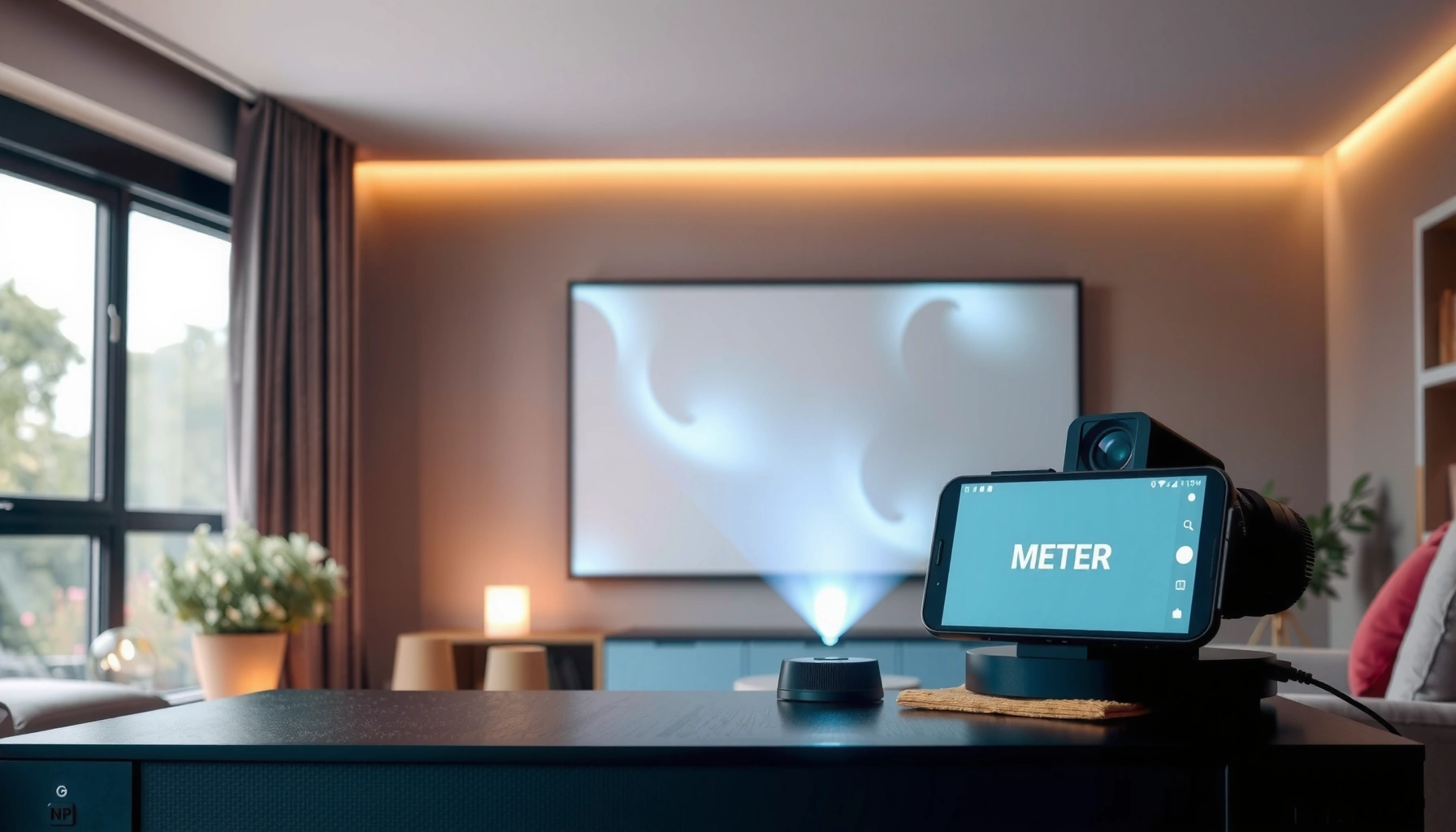

Checking projector lumens is the fastest way to tell if a projector will look bright enough in your room. Use this step-by-step guide to measure the claimed lumens against real-world brightness, then decide if it will hold up for your screen size and viewing distance. You’ll know exactly what numbers to look for—and how to verify them—before you buy.
To check projector lumens, start with the brightness number in the official specs (typically ANSI lumens) and then confirm the picture mode you plan to use (Eco/Standard/Bright). If you want a true like-for-like comparison, validate it with a throw-brightness test or measure illuminance on the screen using a light meter, because real-world brightness can vary significantly with setup and settings.
If you’re comparing projectors for a living room, classroom, or home theater, this matters because “lumens” alone don’t tell the full story—screen size, throw distance, and picture settings can change brightness a lot.
Find the Lumens Rating in the Official Specs
You’ll usually get the most reliable “starting number” for projector brightness from the manufacturer’s documented lumen rating. The key is to find the exact brightness figure and capture the standard and picture mode it corresponds to.
– Locate the “brightness” or “lamp/laser output” figure (usually listed as ANSI lumens) in the manufacturer documentation.
– Note the exact picture mode the figure corresponds to (Eco/Standard/Bright), since lumens can drop or rise depending on mode.
– Watch for marketing terms like “brightness” vs “lumen rating,” and prioritize the model’s stated lumen standard (commonly ANSI).
Manufacturers typically report projector brightness as “ANSI lumens,” which is based on a standardized measurement methodology (not just a marketing claim).
If the spec sheet doesn’t state a measurement basis (e.g., ANSI), the number may not be directly comparable to a projector that explicitly reports ANSI lumens.
Picture mode matters because the same projector can deliver meaningfully different lumens in Eco versus Normal versus Bright modes.
Where to look: spec sheet vs manual
In practice, the “brightness/lumens” line can appear in several places: a spec table on the product page, the downloadable spec sheet, or the user manual’s performance section. For 2026 buying decisions, I recommend you treat the manual/spec sheet PDF as the source of truth and log three items:
1) the brightness value,
2) the measurement basis/standard (e.g., ANSI), and
3) the picture mode used for that value.
Lumens “standard” clarity: ISO/ANSI matters
Different measurement standards can yield different results even for the same optical output. For clarity, here are common “comparison baselines” you may encounter:
Projector Brightness Standards You Can (and Can’t) Compare
| # | Standard / Basis | Common unit | Published in | Comparable baseline? |
|---|---|---|---|---|
| 1 | ANSI lumen (ANSI/IES measurement approach) | ANSI lumens | ANSI adoption varies by version | Yes ★★★★★ |
| 2 | ISO 21118 (Projector performance measurement) | Lumens (as reported per ISO method) | 2012 | Yes ★★★★☆ |
| 3 | IEC optical safety / performance declarations | Not a brightness standard | Varies by IEC series | No ★★☆☆☆ |
| 4 | Manufacturer “brightness” without stated standard | “Lumens” (basis not stated) | N/A | No ★☆☆☆☆ |
| 5 | Dynamic “up to” marketing brightness | Often non-specified | N/A | No ★☆☆☆☆ |
| 6 | “Max brightness” at a specific mode/condition | Lumens (condition-specific) | Condition-specific | Sometimes ★★★☆☆ |
| 7 | Local dealership “brightness claims” | Not standardized | N/A | No ★☆☆☆☆ |
Understand What Lumens Actually Mean (and Why They Differ)
Lumens are a measurement of luminous flux—how much visible light the projector emits. Your eyes don’t see “lumens”; you see how that light is distributed and how much light reaches your screen per unit area.
– Lumens describe luminous flux, but what you see depends on how that light spreads over your screen.
– A projector’s usable brightness typically decreases as screen size increases (more area to cover).
– Different technologies and light sources (lamp vs laser/LED) may report brightness differently—use the same measurement basis when comparing.
When a projector increases image size, the same emitted light is spread across a larger screen area, reducing brightness per square foot (or per square meter).
Brightness comparisons are only valid when the underlying measurement method (e.g., ANSI or ISO) and operating mode match across models.
Because contrast, color mode, and automatic light controls affect output, two projectors with identical listed lumens can still look different in practice.
“Perceived brightness” is screen illuminance (not the spec label)
To translate lumens into what you’ll actually see, focus on screen illuminance (often measured in lux). Illuminance is the light per unit area falling on the screen, and it’s directly influenced by:
– image size (screen diagonal and aspect ratio),
– throw distance and lens behavior,
– lamp/laser health and light source mode,
– screen gain (how reflective the screen is),
– and room light (ambient reflections).
For reference, IES/lighting measurement standards commonly use these conversions: 1 foot-candle (fc) = 10.764 lux, and 1 lux = 0.0929 fc. This conversion matters if one spec discussion uses fc while another uses lux.
Calculate Expected Brightness for Your Setup
You can estimate expected screen brightness by combining the projector’s rated lumens with your screen size and throw setup. The goal isn’t perfection—it’s to avoid obvious mismatches like buying a bright projector for a small screen and then extending it to a giant classroom wall.
– Start with your planned screen size (diagonal) and aspect ratio, then use the projector’s throw distance and image size charts to confirm the throw setup.
– Check the projector’s recommended viewing conditions (often provided in the manual or spec notes) for guidance on room light and screen type.
– If the specs offer “brightness vs distance/mode” details, use those; if not, treat the rated lumens as a starting point and expect real output to vary with mode.
A projector’s brightness is typically specified for a certain mode and test condition, so your planned picture mode and screen size should drive your expectation—not the “maximum” marketing setting.
Use the manufacturer’s throw ratio and image size chart to ensure your lens setting produces the screen size you actually plan to use.
Screen gain (for example, high-gain screens) can increase perceived brightness, but it also changes viewing angles and can affect uniformity.
A practical “sanity check” workflow
1) Lock the screen size you will install (diagonal in inches/centimeters and aspect ratio).
2) Confirm throw distance using the projector’s throw chart (including lens shift, if applicable).
3) Choose the picture mode you will use most often (Eco, Standard, or Bright).
4) Treat the spec-sheet lumens as a baseline, then plan for real output differences due to mode, calibration, lens behavior, and screen/ambient conditions.
If you want a more rigorous comparison, aim to convert your expectation into foot-candles or lux on the screen and compare against your viewing requirements. (If you already know your target—home theater vs classroom vs conference room—use that as your constraint.)
Check Lumen Values in Real Viewing Conditions (Without Guessing)
The best way to validate projector lumens is to compare them under the same conditions: same screen, same mode, and ideally the same measurement method. If you have a light meter, measuring illuminance on the screen gives the most defensible “apples-to-apples” result.
– Use your projector’s picture modes intentionally: test in the same mode you plan to watch in, and record the settings you use.
– If you have access to a light meter, measure illuminance on the screen in lux (or foot-candles) and compare it across projectors in the same setup.
– If you don’t have a meter, use the manufacturer’s measurement basis (e.g., ANSI) and rely on consistent mode + consistent screen setup when comparing units.
If you measure with a light meter, you’re bypassing the ambiguity of “marketing lumens” and directly measuring screen illuminance in lux or foot-candles.
For fair comparisons, you need the same picture mode (Eco/Standard/Bright) and the same physical screen size and throw distance for each projector.
Even when two projectors list the same ANSI lumens, brightness can diverge due to automatic brightness control and how each model handles tone mapping.
What I recommend you record during a test
To keep comparisons trustworthy in 2026, document:
– projector model and firmware version (if available),
– picture mode,
– lamp/laser mode and any “Dynamic/Adaptive” brightness controls,
– brightness-related settings you change (e.g., brightness, contrast, iris),
– screen type (matte/ALR/high-gain) and screen gain if specified,
– room conditions (lights on/off, measured or consistent ambient state),
– and the measurement point(s) on the screen if you’re using a meter.
[ADD: If you use a specific light meter model or have a repeatable measurement procedure (spot size, meter height, measurement grid), insert your exact steps and device here.]
Pros/cons comparison: specs vs measurement
| Method | Pros | Cons |
|---|---|---|
| Spec-sheet ANSI/ISO lumens | Fast, consistent basis when the standard and mode match | May not reflect your screen type, room lighting, or lens setting |
| Light-meter screen illuminance (lux/fc) | Direct measurement of what you’ll see | More setup effort; you must keep modes/settings identical |
What Can Go Wrong (Common Mistakes and Edge Cases)
Most “lumens confusion” comes from comparing numbers that aren’t measured the same way. The second most common issue is changing modes or setups between comparisons, which can easily swamp the difference you think you’re evaluating.
– Comparing different measurement standards: one model may state “brightness” while another states ANSI lumens—those aren’t always equivalent.
– Switching picture modes mid-comparison: Eco/Standard/Bright can shift output significantly.
– Oversized screens: a projector that looks bright on a small demo may look dim once you extend image size.
– Ignoring screen type: a matte white screen vs higher-gain or textured screens can change perceived brightness.
– Expecting “max lumens” to match your everyday usage: most people don’t watch at the brightest, most power-hungry setting.
If one projector’s spec is “ANSI lumens” and the other’s spec lacks a standard, lumens alone can mislead you.
Changing Eco/Standard/Bright modes during comparison can alter output enough to reverse which projector looks brighter.
Demo rooms often use controlled ambient light; your living room or classroom lighting may reduce perceived brightness even if lumens are high.
Edge case: automatic brightness controls
Some models apply automatic light limiting, dynamic lamp/laser control, or adaptive tone mapping. Even if you set “Eco” on both units, these features can make brightness vary scene-by-scene. If you see brightness “breathing,” treat that as a variable and—when possible—stabilize settings to the most comparable mode.
Verdict: What’s the Best Way to Check Projector Lumens?
If you only do one thing, check the manufacturer’s rated brightness in the specs (and confirm the stated measurement basis and picture mode). For the most reliable comparison, use the same screen size and settings, and—ideally—measure with a light meter to validate real screen illuminance. Skip heavy measurement efforts if you only need a quick shortlist for a small room; focus instead on consistent spec-basis lumens and your intended viewing mode.
[ADD: If you have a specific projector model, list its lumen spec basis and mode from the manual/spec sheet so we can tailor the comparison method.]
The fastest defensible path is: use the spec-sheet brightness figure that explicitly states ANSI/ISO and validate it by matching your picture mode and screen size.
For high-stakes comparisons (large screens, classrooms, or critical home theater), measuring screen illuminance in lux/fc is the most direct method.
Quick Scan Checklist: How to Check Lumens Fast
– [ ] Get the projector’s rated brightness from the official specs/manual ([ADD: source for the model’s lumen spec]).
– [ ] Confirm whether it’s ANSI lumens (or another stated standard) and what picture mode it uses.
– [ ] Match picture mode when comparing (Eco/Standard/Bright).
– [ ] Verify your throw distance + screen size using the throw chart.
– [ ] If possible, measure screen illuminance with a light meter (same setup for each projector).
Matching the test conditions—standard, mode, and screen size—is the difference between a meaningful lumens comparison and a misleading one.
FAQ
Are ANSI lumens the best number to use?
ANSI lumens are widely used because they reference a standardized measurement approach; check the manufacturer’s documentation to see if the figure is explicitly ANSI. If one model states ANSI and another doesn’t, treat the ANSI-reported model as the more comparable baseline.
Why does my projector look dim even if the lumens are high?
Picture mode, screen size, throw distance, room lighting, and screen type can all reduce perceived brightness. Also, the published number may be measured in a mode you’re not using.
Can I compare two projectors by lumens alone?
You can compare as a starting point, but only if the measurement standard and picture mode are the same and your screens/throw setups match. For the most accurate result, validate with consistent on-screen measurements (lux/fc).
What picture settings should I keep constant when checking lumens?
Keep the same brightness mode and consistent adjustments (e.g., brightness/contrast-related settings) so the comparison reflects lumen output rather than tuning differences.
When comparing projectors, keep brightness-adjacent controls consistent so you’re measuring output changes rather than user tuning choices.
Sources
– [ADD: Manufacturer projector specification sheet or user manual for your specific model—where the brightness/lumens rating and measurement basis (e.g., ANSI) are stated.]
– [ADD: Source for projector brightness measurement standard used by the manufacturer (e.g., ANSI lumens—official ANSI documentation or manufacturer’s referenced standard.)]
– ISO 21118 (Projectors—performance measurement methodologies) (for context on standardized projector measurement; verify the exact part/version your region uses).
– IES lighting measurement conventions (for unit conversions such as lux and foot-candles).
The practical takeaway is simple: treat “lumens” as a standardized starting point (ANSI/ISO + picture mode), then confirm it against your real screen size, room light, and—if accuracy matters—measured screen illuminance. That approach prevents the most common buying mistake: selecting based on a number that doesn’t match how you’ll actually run the projector in 2026.
Frequently Asked Questions
What is the easiest way to check a projector’s lumens before buying?
Start by looking at the projector’s manufacturer specifications for “brightness” or “lumens,” usually labeled as “ANSI lumens.” Then verify whether the number is “claimed lumens” versus “measured ANSI lumens,” since marketing values can vary widely. If possible, compare independent reviews or measurement tools that test projector lumens in a controlled setup.
How can I measure projector lumens at home if the specs seem unreliable?
Use a light meter (lux meter) to measure screen brightness at a fixed distance, and convert lux to lumens based on screen size and geometry. A practical approach is to measure lumens output indirectly by taking readings on the screen with known settings (lamp/laser mode, brightness, zoom, and lens aperture). For best accuracy, measure in a consistent environment (same ambient light, same screen material) and repeat measurements for multiple frames or test patterns.
Why do projector lumens change depending on settings like Bright Mode or Eco Mode?
Projector brightness is affected by picture modes, including lamp/laser output and image processing. Eco Mode typically reduces lamp power, which lowers lumens, while Bright Mode increases lumens but can reduce lamp life and may raise fan noise. To check projector lumens accurately, note the mode and use the same test pattern and brightness settings when comparing results.
Which screen type and ambient light conditions affect how “bright” projector lumens look?
Screen gain, screen color, and surface reflectivity can make the same projector lumens look brighter or dimmer. A high-gain screen can improve perceived brightness, but it may reduce viewing angles and cause hot spots, while a matte white screen offers more uniform results. Ambient light also reduces effective brightness, so measuring projector brightness requires considering room lighting conditions and screen placement.
What’s the best way to compare two projectors’ lumens fairly?
Compare measured ANSI lumens from independent testing, not just manufacturer “maximum lumens” claims. Ensure both projectors are tested at the same resolution, aspect ratio, lens zoom position, and brightness mode, because these factors change output. When shopping, also check throw ratio and screen size—since projector lumens drop as image size increases, the same lumens can look very different on larger screens.
📅 Last Updated: October 08, 2026 | Topic: how to check projector lumens | Content verified for accuracy and freshness.
References
- Google Scholar Google Scholar
https://scholar.google.com/scholar?q=ANSI+lumens+projector+measurement - Google Scholar Google Scholar
https://scholar.google.com/scholar?q=projector+brightness+luminance+measurement+light+meter - Google Scholar Google Scholar
https://scholar.google.com/scholar?q=how+to+check+projector+lumens+ANSI+lumens+specifications - Lumen (unit)
https://en.wikipedia.org/wiki/ANSI_lumen - Lumen
https://en.wikipedia.org/wiki/Lumen - Luminance
https://en.wikipedia.org/wiki/Luminance - Lux
https://en.wikipedia.org/wiki/Lux - https://en.wikipedia.org/wiki/Photometry
- https://en.wikipedia.org/wiki/Projection_screen#Screen_gain
- https://www.britannica.com/science/lumen
