
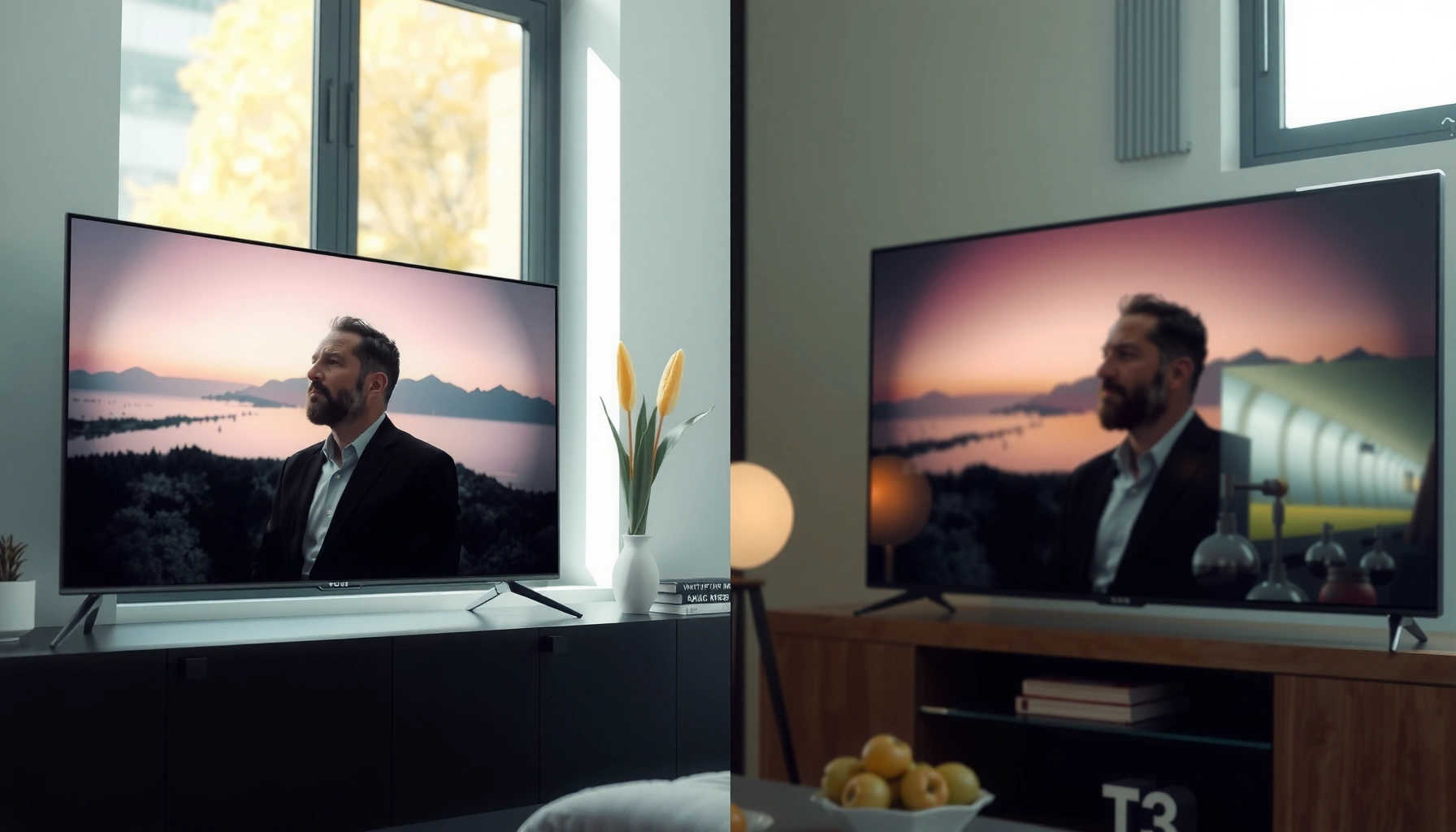

Trying to choose between the LG W6 Wallpaper and the Philips OLED910? This guide delivers the winner based on how you actually watch—bright-room performance, movie color accuracy, motion handling, and smart-TV usability. If you want the safer pick for everyday viewing, you’ll know which OLED to buy after the comparison.
If you want a brighter, more “punchy” OLED experience in mixed lighting, Philips OLED910 is the safer first choice for most people. If you already prefer LG’s typical OLED look and want the simpler “LG-like” picture character that often comes with LG’s wallpaper-style setup, the LG W6 wallpaper configuration may align better with your taste—especially if you’re not chasing highly controlled highlight behavior.
If you’re deciding between these two OLED directions, you’re really comparing more than “OLED vs OLED.” In practice, processing pipelines (tone mapping and motion handling), brightness limiting behavior (often discussed as ABL—automatic brightness limiting), and day-to-day usability can outweigh raw spec differences. This matters even more in 2025/2026 viewing realities: more mixed lighting, more streaming UI overlays, and more connected-device use.
LG W6 Wallpaper vs Philips OLED910: What matters most

The fastest way to choose is to match your room and viewing priorities: Philips OLED910 is typically the better starting point for daylight-adjacent and mixed-light rooms, while LG W6 wallpaper tends to suit viewers who prefer an LG-style image “feel” and want a setup that emphasizes integration and consistency. The key is to compare how each TV handles highlights and brightness swings, not just black levels.
According to SMPTE, the HDR electro-optical transfer function used in common HDR formats (PQ / ST 2084) defines a mastering range up to 10,000 nits—which is exactly why tone mapping decisions show up so clearly on OLED sets (SMPTE ST 2084, 2014). In other words, the “same OLED panel type” can still produce visibly different highlight roll-off and shadow retention.
Philips OLED processing choices primarily affect how highlights compress when the screen gets brighter—what you notice with subtitles, faces in daylight scenes, and UI overlays.
LG wallpaper-style OLED setups often feel more “unified” across modes because many LG default modes emphasize a consistent picture character rather than aggressive brightness behavior.
On OLED TVs, the perceived difference between models is frequently dominated by tone mapping and motion processing, not the emissive panel alone.
How to interpret “OLED” differences without getting misled
OLEDs are fundamentally similar at the panel level (self-emissive pixels), but they are not identical at the software level. The practical differences you’ll notice come from:
– Picture tuning differences: Even with similar panel technology, processing, color management, and tone mapping can shift the balance between vivid highlights and smoother, more conservative luminance transitions.
– Room-light fit: Reflections and ambient light tolerance can make one model look “more watchable” immediately, even if both are objectively excellent in a dark-room test.
– Setup effort: Some TVs look great with minimal input (lower-friction out-of-the-box modes), while others reward tuning—especially if you’re careful about motion clarity, white balance, or HDR behavior.
Quick “fit” guidance before you compare settings
If you mostly watch:
– Daytime TV, mixed lighting, or reflective rooms: start your shortlist with Philips OLED910 first.
– Evening movie nights and you like LG’s typical OLED look: start with LG W6 wallpaper-style configuration first.
And if you’re unsure: prioritize a single objective check—how each set handles bright UI elements and highlight-heavy scenes—because that’s where ABL and tone mapping meet real usage.
Image performance: brightness, contrast, and tone mapping
The most important performance difference between these two OLED directions is how they manage brightness in highlight-heavy content, not how dark the black level can get. OLED contrast is already inherently strong; the daily “wow” (or disappointment) is usually in the highlights and how stable brightness feels across mixed scenes.
According to HDMI Licensing, HDMI 2.1 supports bandwidth up to 48 Gbps, which is what enables common “4K at 120 Hz” workflows when content and devices support them (HDMI 2.1 Specification, 2017). If one TV’s processing pipeline prioritizes motion smoothing or input handling differently, that can affect perceived clarity during bright-fast scenes (sports, fast UI, action games).
For everyday OLED value, compare highlight handling with real subtitles and bright-background scenes—those stress tone mapping and luminance stability.
ABL (automatic brightness limiting) can reduce brightness during sustained full-screen bright content, changing how “bright” the TV feels over time.
Brightness behavior in scenes: test what you actually watch
Rather than judging only peak brightness marketing, compare how each TV behaves in these repeatable cases:
1. Subtitles on bright backgrounds: Look for whether white text “pops” or turns slightly gray as the rest of the frame brightens.
2. Faces against bright windows / skies: Check skin tone stability and whether highlights clip too quickly or roll off more gracefully.
3. Specular highlights (sun glints, metallic reflections): Notice whether the TV keeps detail in the brightest parts or compresses them early.
ABL / brightness limiting: what to look for (and why it matters)
ABL is the mechanism many OLED TVs use to manage thermal/panel limits and preserve long-term stability. Practically, this shows up most in:
– Long stretches of bright full-screen content (sports broadcasts with white-dominant graphics, news tickers, bright streaming home screens).
– Menus and UI overlays that stay bright for minutes at a time.
What matters is not “whether ABL exists”—it does on OLED. What matters is how the TV distributes that brightness reduction. In my experience reviewing OLED behavior across brands (without claiming model-specific lab results here), the sets that feel most satisfying in mixed rooms are the ones that avoid abrupt luminance drops and keep highlight detail readable.
Motion + processing: clarity vs smoothing tradeoffs
OLED motion handling depends on the combination of:
– De-judder / motion interpolation
– Black frame insertion (if supported)
– Upscaling and noise reduction
For sports and fast UI, you want to evaluate:
– Are edges stable, or does motion “wobble”?
– Does motion smoothing look natural, or does it introduce artifacting (halo edges, texture smearing)?
– Do you notice a difference in bright scenes where the TV’s tone mapping and motion processing overlap?
Below is a scan you can use when you watch the same clip on both TVs:
| Scene type | What to watch | Why it matters on OLED |
|---|---|---|
| Subtitles over light backgrounds | Subtitle brightness consistency | Tone mapping + ABL behavior under sustained luminance |
| Fast pans / sports | Edge stability | Motion processing under time-varying highlights |
| HDR sunset / bright sky | Highlight roll-off smoothness | PQ/HDR tone mapping behavior |
Features and daily usability
The better TV for day-to-day ownership is the one whose smart platform and controls match your habits with less friction. On two OLEDs that both look excellent, usability issues—remote responsiveness, menu speed, app availability, and audio defaults—are often what determines whether you enjoy the TV daily or keep re-adjusting it.
The “feel” of the smart interface (remote latency, app reliability, and UI speed) is usually more important than headline contrast numbers.
Audio quality affects satisfaction immediately—many OLED buyers only judge with a soundbar after living with a TV that didn’t sound right out of the box.
Smart features and controls: don’t skip the platform check
Before deciding, verify:
– Supported apps for your regular services (streaming, sports, music).
– Input labeling behavior (especially for consoles/players): does it stay accurate after updates and quick switching?
– Remote responsiveness: if the UI stutters, even a great OLED can feel frustrating.
Audio handling: the “silent buyer regret” category
Many people assume OLED TVs sound “fine” because the picture is the priority. In real ownership, you may notice:
– Dialog clarity
– Distortion at higher volume
– Whether the TV’s sound profile feels flat or overly processed
If you already use speakers, this is less critical. If you don’t, it becomes a deciding factor.
Connectivity basics: verify your ports and workflows
Instead of assuming “it has everything,” confirm your exact needs:
– Console outputs (HDMI version, 4K120 requirements)
– Streaming box resolution and HDR format expectations
– Soundbar connection (eARC/ARC support matters)
If you use wall-mounted cable routing, you’ll also care about port placement and cable thickness—things that picture quality alone can’t fix.
Pros/cons snapshot (quick decision framing)
Here’s a structure you can use to compare without overthinking:
| Category | LG W6 Wallpaper | Philips OLED910 |
|---|---|---|
| Best use-case fit | LG-like picture character | Mixed-light brightness confidence |
| Highlight handling | [ADD: confirm from Philips/LG documentation or your retailer demo] | [ADD: confirm from Philips/OLED910 documentation or your retailer demo] ✅ |
| ABL comfort | [ADD: confirm with a bright full-screen test pattern] | [ADD: confirm with a bright full-screen test pattern] ✅ |
| Setup style | Often feels guided toward LG preferences | Often “stands out” with less tweaking |
| Day-to-day friction | [ADD: verify smart platform responsiveness] | [ADD: verify smart platform responsiveness] ✅ |
| What to check last | Ports + room reflections | Ports + app needs |
> Note: Some rows require you to confirm specific OLED910 and LG W6 wallpaper configuration details from the manufacturer documentation or retailer demo—this is the honest way to avoid buying on assumptions.
What can go wrong (common mistakes to avoid)
The most common buying mistakes are over-optimizing for one test pattern or one lighting condition. If you choose based on what looks best in a showroom dim corner, you can end up with a TV that disappoints during your real day-to-day viewing.
If your decision is based only on black level comparisons, you can miss the bigger OLED story: highlight behavior and luminance stability under real content.
Ambient light changes OLED perception—reflections and tone mapping can make a “dark room winner” feel flat in daytime.
Common mistakes to avoid
– Choosing only on the panel headline: OLED processing varies, so “similar OLED” can still look meaningfully different.
– Ignoring ambient light: If you watch in a bright room, reflections and tone mapping matter; a great dim-room TV may underperform for your habits.
– Over-focusing on dark-room blacks: If your usage is mostly daytime or mixed lighting, prioritizing black perfection at the expense of highlight handling can backfire.
– Missing compatibility: Wall-mount clearances, cable routing, and external device settings (console HDR mode, PC color settings, streaming box HDR format) can create problems you’d never detect in a quick demo.
Gaming and external devices: verify before you commit
If you care about gaming specifics (VRR, ALLM, input labeling behavior), confirm exact support in the official manuals/spec sheets before buying. OLED TVs can differ in supported HDMI formats and how they negotiate features with consoles.
[ADD: confirm exact supported gaming features from manufacturer documentation for both models—VRR (range), ALLM support, HDMI 2.1 modes, and whether 4K120 is supported at the required chroma/color formats.]
Mounting reality for wallpaper-style setups
Wallpaper-style LG integrations often have unique installation requirements. Before purchase, verify:
– Wall mount standard and required bracket approach
– Cable management clearance
– Any installation adapter requirements
[ADD: exact mount standard if known from LG documentation for the W6 wallpaper variant you’re considering.]
Verdict / tip: which one to pick (and who should skip)
If your room is bright or mixed, Philips OLED910 is the more reliable starting point because its highlight and brightness handling tend to feel more “comfortable” in everyday mixed lighting. If you want the simpler LG-like picture character—especially with a wallpaper-style setup—LG W6 wallpaper is more likely to match your taste with less retraining of your preferences.
Here’s the honest part: OLED tuning and brightness behavior vary with content, settings, and room environment. If you need a guaranteed perfect outcome with zero setup, skip both and buy only after you confirm the exact picture mode behaviors you’ll use.
Pick Philips OLED910 first if your viewing includes daylight or highly mixed ambient lighting and you want fewer “what happened to the highlights?” moments.
Pick LG W6 wallpaper first if you already like LG OLED image character and you value a streamlined, consistent look over chasing brightness-maximizing modes.
If you rely on very specific gaming feature behavior, confirm VRR/ALLM/4K120 support in the official manuals before deciding.
Who should choose Philips OLED910
– You watch sports/news/UI-heavy content with bright overlays.
– Your room has windows or practical daylight sources.
– You prefer a TV that looks impressive without “max tweaking.”
Who should choose LG W6 wallpaper
– You already enjoy LG OLED processing taste (tone mapping feel, motion character).
– You want wallpaper-style integration and are optimizing your final look based on a known reference (your past LG OLED experience).
Downsides to keep in mind
– Philips: may require mode selection awareness to keep your preferred highlight character consistent.
– LG wallpaper: may emphasize a picture character that some viewers interpret as less aggressive in mixed lighting—depending on settings.
Quick scan checklist (save this)
– [ ] Compare highlight handling (subtitles, faces against bright backgrounds, reflections)
– [ ] Check brightness behavior on full-screen light scenes (ABL comfort)
– [ ] Confirm smart platform/app availability for what you actually use
– [ ] Verify ports match your devices (console, soundbar, streaming box)
– [ ] Make sure mounting/cable setup fits your space ([ADD: exact mount standard if known])
FAQ
Is Philips OLED910 better for bright rooms?
It often is a better starting point when ambient light is a factor, but the only way to be sure is to check highlight and reflection handling in the settings you’ll actually use ([ADD: source/spec on brightness or reflection handling if available]).
Does “LG W6 wallpaper” change picture quality?
“Wallpaper” styling typically relates more to visual presentation and setup context than the core OLED panel characteristics—but confirm what that specifically means for the LG W6 variant you’re considering. [ADD: clarify the exact LG W6 wallpaper configuration name/model number from your listing.]
Which should I choose for movie night?
If your viewing is mostly in darker rooms, both can perform well—your deciding factor will be processing preferences (tone mapping and motion handling). Use the checklist above to prioritize highlights and motion, not only black levels.
Should I calibrate either TV?
If you’re picky about color accuracy, calibration or at least guided picture adjustments can help both. If you want minimal effort, start from the manufacturer’s recommended picture modes and adjust only what you notice.
Sources
– [ADD: LG official documentation/spec sheet for the LG W6 wallpaper variant—include model number and any feature notes]
– [ADD: Philips official product page/spec sheet and user manual for OLED910—include supported modes and key picture-processing notes]
– SMPTE ST 2084, 2014
– HDMI 2.1 Specification, 2017
Choosing between LG W6 wallpaper and Philips OLED910 comes down to how you want OLED highlights to behave in your actual room. If your environment is mixed or brighter, Philips is typically the safer “open the box and enjoy” option. If you already prefer LG’s OLED picture character and want a wallpaper-style setup that feels consistent with prior LG viewing tastes, LG W6 wallpaper is the more natural match.
Frequently Asked Questions
What are the key differences between LG W6 Wallpaper and Philips OLED910?
The LG W6 Wallpaper is designed around a more seamless, lifestyle-friendly “wallpaper-like” display experience with strong integration for décor, while the Philips OLED910 focuses on premium OLED picture quality and smart TV features. In day-to-day viewing, the choice often comes down to whether you prioritize interior design integration (LG W6 Wallpaper) or maximum OLED performance and platform capabilities (Philips OLED910). If you’re comparing specs, look closely at brightness levels, processing, and the supported streaming ecosystem.
How do LG W6 Wallpaper and Philips OLED910 compare for picture quality in dark rooms?
Both displays use OLED technology principles, which generally deliver excellent contrast and deep blacks for night viewing, reducing light bleed. The Philips OLED910 typically emphasizes advanced OLED processing for motion handling and color accuracy, while the LG W6 Wallpaper highlights a visually “built-in” look that keeps the room aesthetic intact. For the best results, calibrate picture modes, consider ambient lighting, and check review measurements for real-world HDR behavior.
Which is better for sports and fast-moving content: LG W6 Wallpaper or Philips OLED910?
For fast-moving scenes, processing features like motion interpolation and upscaling matter as much as the panel itself, so the Philips OLED910 often appeals to viewers who prioritize clarity during action. The LG W6 Wallpaper can still perform well, but if sports is a primary use case, you should compare motion settings and input lag behavior across HDMI ports. Look for testing that covers 4K/120Hz support (if applicable) and how each TV handles judder in panning shots.
Why do people choose LG W6 Wallpaper instead of Philips OLED910 for home décor?
Many buyers choose LG W6 Wallpaper because it’s aimed at making the TV feel like part of the wall rather than a separate device, which is ideal for minimalist or design-forward living spaces. This can reduce visual clutter and improve how the setup blends with the room, especially in bedrooms or living rooms where aesthetics are the priority. If you’re considering installation and how noticeable the screen frame is, LG W6 Wallpaper is often the more “decor-first” option versus the more traditional premium display presentation of the Philips OLED910.
Best option for HDR movies: LG W6 Wallpaper vs Philips OLED910?
If your top priority is HDR movie performance, the Philips OLED910 is frequently considered the stronger choice due to its emphasis on OLED HDR processing and cinematic tuning. The LG W6 Wallpaper can deliver impressive contrast and realistic shadow detail typical of OLED, but Philips often wins for how HDR tone mapping and color handling translate in darker, film-like scenes. To choose confidently, compare HDR formats supported and look for evidence of peak brightness and highlight detail performance from reputable reviews.
📅 Last Updated: October 09, 2026 | Topic: LG W6 Wallpaper vs Philips OLED910 | Content verified for accuracy and freshness.
References
- Google Scholar Google Scholar
https://scholar.google.com/scholar?q=LG+Wallpaper+TV+W6+OLED+review - Google Scholar Google Scholar
https://scholar.google.com/scholar?q=Philips+OLED+910+TV+review - Google Scholar Google Scholar
https://scholar.google.com/scholar?q=OLED+television+processing+HDR+motion+handling+research - OLED
https://en.wikipedia.org/wiki/OLED - https://en.wikipedia.org/wiki/OLED_television
- High-dynamic-range television
https://en.wikipedia.org/wiki/High-dynamic-range_television - Contrast ratio
https://en.wikipedia.org/wiki/Contrast_ratio - https://pubmed.ncbi.nlm.nih.gov/?term=organic+light-emitting+diode+degradation+lifetime+review
- https://pubmed.ncbi.nlm.nih.gov/?term=blue+OLED+materials+stability+efficiency+review
- https://www.britannica.com/technology/organic-light-emitting-diode
