
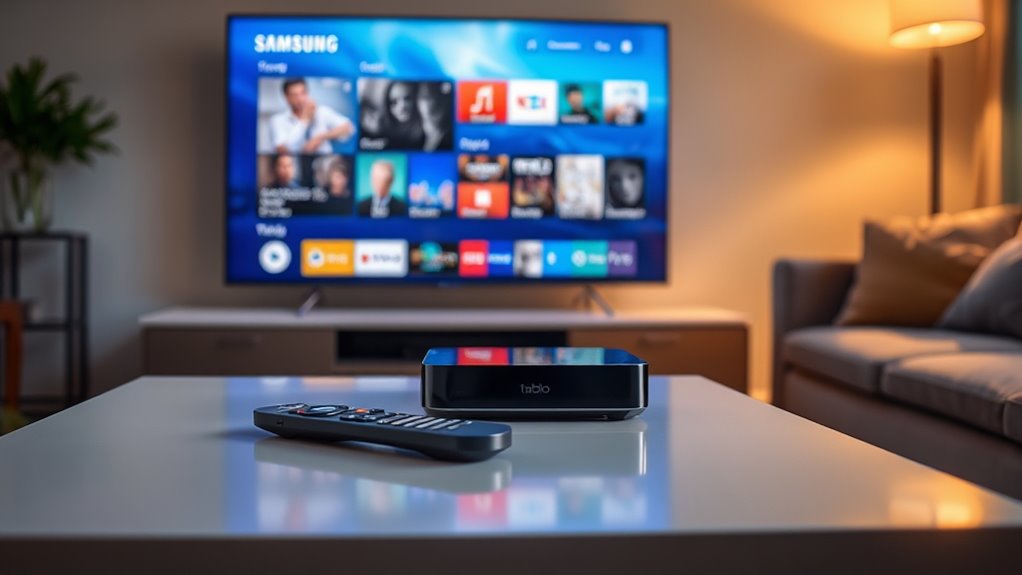

Yes, Tablo works with Samsung Smart TVs, letting you enjoy an enhanced viewing experience with live and recorded content right on your screen. You can easily set up the Tablo app through the Samsung Smart Hub, connect to Wi-Fi, and start streaming. The intuitive interface guarantees smooth navigation, while regular updates improve performance. If you’re curious about more features or troubleshooting tips, there’s plenty more to explore to maximize your streaming experience.
Understanding Tablo and Its Features
When you’re looking to enhance your TV viewing experience, understanding Tablo and its features is essential. Tablo is a powerful DVR that lets you cut the cord while still enjoying live TV. One of its standout Tablo features is the ability to record multiple shows simultaneously, so you won’t miss a thing. You can also access your recordings from various devices, giving you the freedom to watch wherever you are. Another significant advantage is the intuitive interface, making navigation a breeze. With Tablo, you can enjoy ad-skipping options and easy scheduling, transforming how you watch TV. By embracing Tablo, you’re not just getting a device; you’re gaining control over your viewing habits and experiences.
Samsung Smart TV Overview
Samsung Smart TVs have revolutionized the way we interact with our home entertainment systems. With cutting-edge display technology, these TVs deliver stunning visuals that enhance your viewing experience. The user interface is intuitive, making it easy to navigate through countless TV features and access popular streaming services. You’ll love the expansive app ecosystem, allowing you to download your favorite apps and enjoy seamless integration with your smart home devices. Voice control functionality lets you command your TV hands-free, while screen mirroring enables effortless sharing from your smartphone or tablet. Plus, the gaming performance is exceptional, ensuring an immersive experience for gamers. With a Samsung Smart TV, you truly gain the freedom to enjoy entertainment your way.
Compatibility of Tablo With Samsung Smart TVS
If you’re wondering how well Tablo works with your Samsung Smart TV, you’re in the right place. The Tablo app is readily available, making it easy to access your favorite shows. Plus, there are several connection methods to get everything set up smoothly.
Tablo App Availability
Although many users enjoy the convenience of streaming, compatibility can sometimes be a hurdle. If you’re looking to use the Tablo app on your Samsung Smart TV, here’s what you need to know:
- Tablo App Features: The app offers live TV streaming, cloud DVR capabilities, and a user-friendly interface.
- App Availability: You can find the Tablo app in the Samsung Smart Hub, but check your model’s compatibility.
- Tablo App Updates: Regular updates enhance functionality, ensuring you get the latest features and bug fixes.
- Device Compatibility: While some models support the app, not every Samsung Smart TV may be compatible, so verify your specific model.
With this information, you can better navigate the Tablo app landscape on your Samsung Smart TV!
Connection Methods Explained
When it comes to connecting your Tablo to a Samsung Smart TV, there are various methods to contemplate for a seamless experience. You can use Wi-Fi, Ethernet, or screen mirroring as your connection options. If you prefer a wired connection, Ethernet offers stable performance, while Wi-Fi gives you flexibility. For those looking to share content directly, screen mirroring can be a great choice.
Just make sure your Samsung Smart TV and Tablo are on the same network. Once you’ve selected your connection method, head to your device settings to configure everything correctly. Follow the prompts on your TV and Tablo, and you’ll be enjoying your favorite shows in no time. Freedom of choice means you can pick what suits you best!
Setting Up Tablo on Your Samsung Smart TV
Setting up Tablo on your Samsung Smart TV is a straightforward process that opens up a world of over-the-air television content. To get started with your Tablo setup, follow these simple steps:
- Connect your Tablo to your Wi-Fi network using the Samsung settings.
- Download the Tablo app from the Samsung Smart Hub.
- Launch the app and follow the on-screen instructions to link your Tablo device.
- Scan for channels to enjoy a variety of live TV options.
Once you’ve completed these steps, you’ll have access to countless shows and movies. Enjoy the freedom of watching what you love, when you want, all from your Samsung Smart TV!
Using Tablo With Samsung Smart TV: a Step-By-Step Guide
Using Tablo with your Samsung Smart TV enhances your viewing experience by providing seamless access to a variety of over-the-air channels. To get started, make sure your Tablo device is properly set up and connected to your home network. Next, download the Tablo app from the Samsung Smart Hub. Once installed, open the app, and sign in to your Tablo account. You’ll see all available channels based on your Tablo setup. Navigate through the user-friendly interface to explore live TV and recorded shows. Don’t forget to utilize Samsung features like voice control for added convenience. Enjoy the freedom of watching your favorite content without subscription fees, all from the comfort of your Samsung Smart TV.
Benefits of Using Tablo With Your Samsung Smart TV
Using Tablo with your Samsung Smart TV offers a seamless streaming experience that makes watching your favorite shows a breeze. You’ll also enjoy enhanced viewing options, giving you more control over what and when you watch. With these benefits, you can transform your TV time into a more enjoyable experience.
Seamless Streaming Experience
While enjoying your favorite shows, you might find that combining Tablo with a Samsung Smart TV offers a truly seamless streaming experience. This powerful duo guarantees you’ll enjoy a seamless user experience with:
- Uninterrupted Streaming: No more buffering or lagging during your binge sessions.
- User-Friendly Interface: Navigate effortlessly through channels and recordings.
- Multi-Device Compatibility: Stream on your TV, tablet, or phone without hassle.
- High-Quality Picture: Experience crystal clear HD quality that enhances your viewing pleasure.
With Tablo and your Samsung Smart TV, you’ll embrace the freedom to watch what you love, when you want, all while enjoying an uninterrupted streaming experience. It’s the perfect way to elevate your home entertainment setup!
Enhanced Viewing Options
With Tablo and your Samsung Smart TV, you’ll access a world of enhanced viewing options that cater to all your entertainment needs. You can enjoy enhanced resolution for crisp, clear picture quality, making every show and movie a delight. Plus, you can create customizable playlists, allowing you to organize your favorite content effortlessly. Here’s a quick overview of the benefits:
| Feature | Description |
|---|---|
| Enhanced Resolution | Experience stunning picture quality |
| Customizable Playlists | Organize your favorite shows easily |
| Live TV Access | Watch your favorite channels live |
| Cloud DVR Functionality | Record and store your favorite programs |
| Multi-Device Support | Access your content on various devices |
With these features, you’re free to enjoy your entertainment however you want!
Troubleshooting Common Issues With Tablo on Samsung Smart TVS
Have you ever faced issues while streaming Tablo on your Samsung Smart TV? You’re not alone, and there are simple fixes for those pesky connection issues and app crashes. Here are some troubleshooting steps to get you back to binge-watching:
- Check Your Network: Verify your Wi-Fi is stable and connected. Weak signals can cause buffering.
- Restart Your Devices: Power cycle both your TV and Tablo device to refresh the connection.
- Update the App: Make certain your Tablo app is running the latest version to avoid bugs.
- Reinstall the App: If crashes persist, consider uninstalling and reinstalling the Tablo app for a fresh start.
With these tips, you’ll be enjoying your favorite shows in no time!
Frequently Asked Questions
Can I Use Tablo Without an Internet Connection on My Samsung Smart TV?
You can’t use Tablo without an internet connection on your Samsung Smart TV. Ironically, those amazing Tablo features designed for streaming are rendered moot without the web, limiting your Smart TV’s compatibility and viewing freedom.
Is There a Subscription Fee for Using Tablo With Samsung Smart TV?
Yes, there’s a subscription fee for using Tablo. You’ll find various subscription options tailored to your needs, and payment methods include credit cards and PayPal, giving you flexibility in managing your costs.
What Channels Can I Watch Using Tablo on My Samsung Smart TV?
You can watch various channels using Tablo on your Samsung Smart TV, including local news stations and popular sports channels. Enjoy the freedom to catch up on your favorite shows and live events whenever you want!
Can I Record Shows With Tablo on My Samsung Smart TV?
Yes, you can record shows with Tablo on your Samsung Smart TV! Its compatibility means you’ll enjoy freedom to capture your favorite programs effortlessly, making your viewing experience even more enjoyable and customized to your preferences.
Does Tablo Support 4K Resolution on Samsung Smart TVS?
Tablo doesn’t support 4K streaming on Samsung smart TVs. It offers HD resolution compatibility, allowing you to enjoy quality recordings, but you won’t get that ultra-high-definition experience. Keep that in mind when planning your viewing!
