
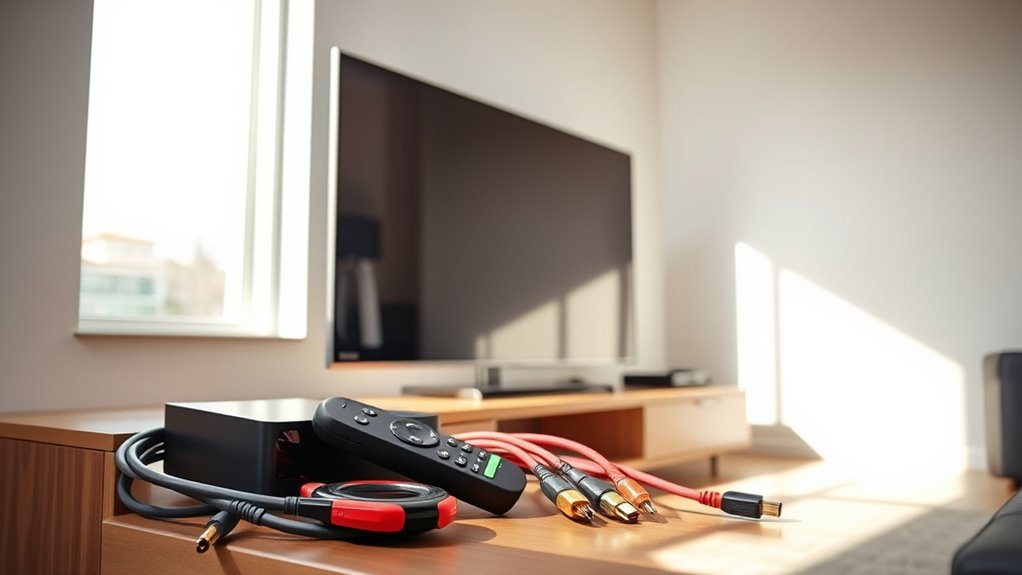

To make your dumb TV smart, consider adding a streaming device like a Roku or Amazon Fire Stick that plugs into the HDMI port, giving you access to popular apps and services. Alternatively, you can connect a game console or Blu-ray player with streaming capabilities. You can also set up a media center using a PC or laptop for a more customized experience. If you’re curious about enhancing your viewing even further, there’s more to discover!
Understanding the Limitations of a Dumb TV
While you might enjoy the simplicity of a dumb TV, it’s important to recognize its limitations. Without built-in internet connectivity, you can’t access the vast world of streaming services or apps that smart TVs offer. You’ll miss out on features like voice control, personalized recommendations, and seamless integration with your smart home devices. Dumb TVs lack the ability to update software, which means you’ll be stuck with outdated technology. Additionally, searching for content can be cumbersome, requiring manual input rather than using a remote or voice commands. Embracing smart TV features can enhance your viewing experience, freeing you from these dumb TV limitations and opening up a new domain of entertainment possibilities. It’s time to reflect on upgrading for a more connected lifestyle.
Streaming Devices: A Game Changer
If you’re looking to overcome the limitations of a dumb TV, streaming devices can be a game changer. These compact gadgets bring a world of content right to your screen, from Netflix to YouTube, enhancing your viewing experience. With the ongoing streaming wars, there’s a plethora of options to choose from, catering to various preferences. You’ll find devices that offer excellent device compatibility, ensuring they work seamlessly with your TV, regardless of its brand or model. Plus, they often come with user-friendly interfaces that make maneuvering through your favorite shows a breeze. Investing in a streaming device not only liberates your entertainment options but also keeps you connected to the latest in streaming technology. Enjoy the freedom to watch what you love!
Using HDMI Dongles for Smart Features
If you want to transform your dumb TV into a smart one, HDMI dongles are a simple and effective solution. Popular options like Chromecast and Roku stick offer a range of streaming features with minimal setup. Let’s walk through the process of choosing and installing one of these handy devices for a smarter viewing experience.
Popular HDMI Dongles
As you explore ways to enhance your viewing experience, you’ll find that popular HDMI dongles offer a simple solution for adding smart features to your dumb TV. These devices, like the Amazon Fire Stick, Roku, and Chromecast, enable you to stream your favorite content effortlessly. When doing an HDMI dongle comparison, consider factors like ease of use, available apps, and performance. Each option has its strengths, but many users report that the Fire Stick is among the best streaming choices for its vast library and user-friendly interface. With a dongle, you can access a world of entertainment, bringing your TV into the modern age without breaking the bank. So, get ready to enjoy a smarter viewing experience!
Setup Process Explained
Now that you’ve chosen an HDMI dongle to enhance your TV’s capabilities, it’s time to get started with the setup process. First, plug the dongle into an available HDMI port on your TV. Next, connect the power adapter if required, and switch your TV to the corresponding HDMI input.
You might encounter some setup challenges, like device compatibility. Below are common dongles and their compatible systems:
| HDMI Dongle | Device Compatibility |
|---|---|
| Chromecast | iOS, Android, Windows |
| Fire Stick | Fire OS, Android |
| Roku Stick | iOS, Android, Windows |
| Apple TV | iOS, Mac |
| Nvidia Shield | Android |
Follow the on-screen prompts, and you’ll be streaming in no time!
Connecting a Game Console for Streaming
Connecting a game console to your TV opens up a world of streaming possibilities. Not only does it allow you to play the latest games, but it also enhances your viewing experience with access to popular streaming services. When choosing a console, check for game console compatibility with your TV’s inputs and features. Most modern consoles, like the PlayStation and Xbox, support a wide range of streaming apps, giving you the freedom to watch movies, shows, and live events. Plus, online gaming advantages come into play, enabling you to connect with friends and enjoy multiplayer experiences while streaming. With just a few simple steps, you’ll transform your dumb TV into a versatile entertainment hub. Enjoy the freedom!
Leveraging Your Smartphone as a Streaming Hub
How can your smartphone transform your dumb TV into a smart streaming device? By leveraging smartphone apps, you can easily cast your favorite shows and movies directly to your TV. Apps like Netflix, Hulu, and YouTube allow you to stream content seamlessly, enhancing your viewing experience. Simply connect your phone and TV to the same Wi-Fi network, and use features like Chromecast or AirPlay to mirror the screen. This method not only provides a wide range of entertainment options but also guarantees excellent streaming quality. You’ll enjoy the freedom to control your viewing from anywhere in the room, making it a convenient solution for those who want to upgrade their dumb TV without breaking the bank.
Utilizing Blu-Ray Players With Smart Capabilities
If you’ve got a Blu-Ray player with smart capabilities, you’re in luck! These devices not only play your favorite movies but also grant you access to popular streaming services. Just make sure you have the right HDMI connections to get everything set up seamlessly.
Blu-Ray Player Features
Blu-ray players have evolved far beyond their original purpose of playing discs; they now serve as powerful hubs for streaming and smart technology. With impressive Blu-ray benefits, you can enjoy high-definition content while accessing various smart features that enhance your viewing experience.
Here’s a quick look at some standout features:
| Feature | Description |
|---|---|
| Streaming Capability | Access to popular apps like Netflix, Hulu, and more. |
| Upscaling | Enhances standard definition content to near 4K quality. |
| Wi-Fi Connectivity | Connects wirelessly to your network for easy access. |
Streaming Services Access
While many traditional TVs lack built-in smart features, utilizing a Blu-ray player with streaming capabilities can transform your viewing experience. These players often come equipped with popular apps, allowing you to access various streaming subscriptions like Netflix, Hulu, and Amazon Prime Video. With just a few clicks, you can enjoy a vast library of content availability, from binge-worthy series to the latest movies. Plus, they typically support high-definition playback, enhancing your viewing pleasure. You won’t need to invest in a new TV; instead, connect your Blu-ray player to your existing setup, and you’re ready to stream. Embrace this solution to enjoy the freedom of smart viewing without the hefty price tag of a new television.
HDMI Connection Essentials
To make the most of your Blu-ray player’s streaming capabilities, understanding HDMI connections is key. An HDMI specifications overview reveals that these cables transmit high-definition video and audio, ensuring a seamless viewing experience. You’ll want to choose the right HDMI cable types—Standard, High Speed, and Ultra High Speed—based on your needs.
For streaming, High Speed cables are often sufficient, but if you’re exploring 4K content, consider Ultra High Speed cables for ideal performance. Make sure your Blu-ray player and TV support the same HDMI version to access features like HDR and enhanced audio formats. Connecting your Blu-ray player via HDMI not only enhances your setup but also expands your entertainment choices, giving you the freedom to enjoy a smarter viewing experience.
Setting up a Media Center With a PC or Laptop
If you want to transform your dumb TV into a smart one, setting up a media center with a PC or laptop can be an excellent solution. Start by connecting your PC to the TV using an HDMI cable for easy media center setup. Once connected, install media center software like Kodi or Plex. These platforms allow you to stream content from various sources, giving you the freedom to watch what you want, when you want. You can also integrate your PC with streaming services like Netflix and Hulu, expanding your viewing options. Customize your media center setup by organizing your libraries and adding plugins for enhanced functionality. With PC integration, you’ll enjoy a seamless entertainment experience right on your TV.
Exploring Smart Remote Controls
As you set up your media center, don’t overlook the importance of a smart remote control. A good smart remote can enhance your experience by combining multiple devices into one, giving you freedom from clutter. Here are some key smart remote features to take into account:
| Feature | Benefit |
|---|---|
| Voice Control | Effortless navigation with commands |
| App Integration | Access to streaming services easily |
| Customizable Buttons | Personalize functions to your liking |
| Remote Control Compatibility | Works with various devices seamlessly |
Choosing the right smart remote guarantees compatibility with your setup, allowing you to control everything effortlessly. Embrace the convenience, and elevate your home entertainment experience with a smart remote that fits your lifestyle!
Tips for Enhancing Your Viewing Experience
While you may have upgraded your TV with smart features, enhancing your viewing experience goes beyond technology. Here are some tips to elevate your enjoyment:
- Invest in a soundbar for enhanced audio that brings movies and music to life.
- Calibrate your TV settings to optimize picture quality, adjusting brightness and contrast for your space.
- Use streaming services that offer 4K content for a clearer, more immersive visual experience.
- Create the right environment with dim lighting and comfortable seating to keep distractions at bay.
Frequently Asked Questions
Can I Turn Any TV Into a Smart TV?
Absolutely, you can turn any TV into a smart TV! With streaming options like Roku or Chromecast, and checking device compatibility, you’ll open up a whole new world of entertainment. Embrace your freedom to watch what you love!
What Are the Costs Associated With Upgrading a Dumb TV?
Upgrading a dumb TV can cost anywhere from $30 for streaming devices to $200 for more advanced options. Consider the cost comparison of devices, as your choice impacts features and your viewing freedom considerably.
Do I Need Internet for Smart Features?
Yes, you’ll need an internet connection for most smart features. Without it, you won’t be able to access streaming services or online content, limiting your TV’s capabilities and overall entertainment experience.
Are There Limitations to Using HDMI Dongles?
Yes, there’re HDMI limitations. You might encounter issues like reduced streaming quality or compatibility hiccups. These can feel like chains, constraining your viewing experience, but with the right dongle, you can break free and enjoy!
How Do I Update Software on My Streaming Device?
To update your streaming device, check its compatibility first. Most devices allow automatic updates via settings. Alternatively, you can manually download updates from the manufacturer’s website, ensuring you enjoy the latest features and performance enhancements.
