
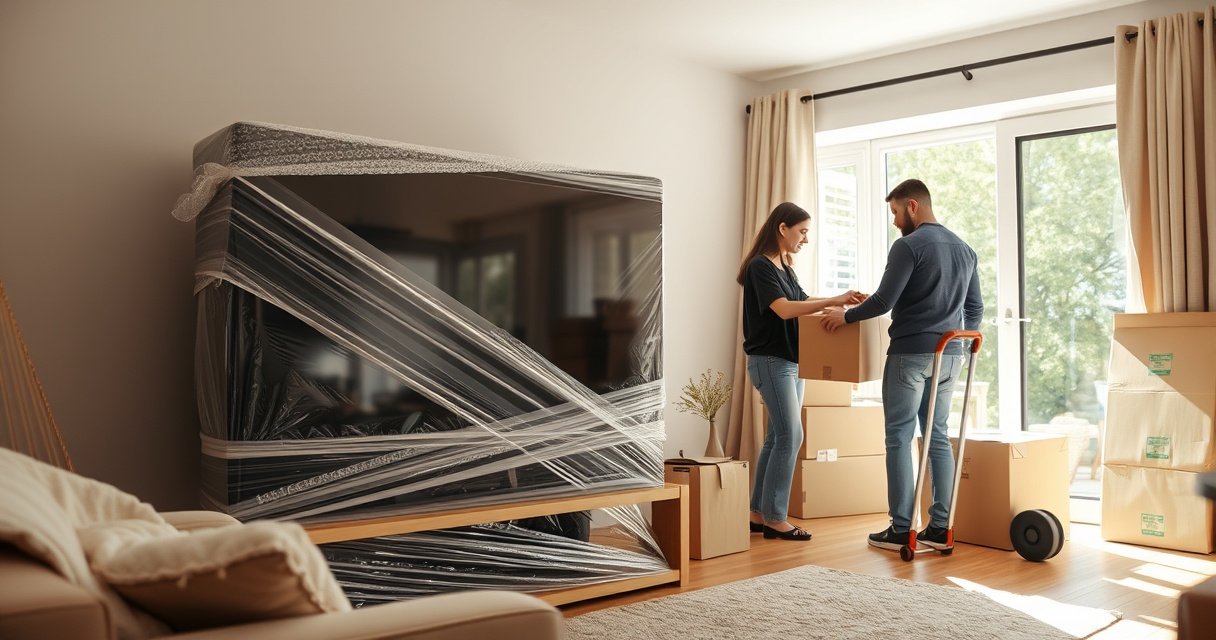

Yes—you can transport a flat TV safely, but only if you protect the screen and secure the set properly during the move. This guide answers whether you can move a flat TV without risking cracks or damage, and walks you through the safest packing and loading steps. Follow these rules and you’ll know exactly how to transport a flat TV for short drives or longer relocations.
Yes—you can transport a flat TV, but you’ll need proper packing and careful handling to prevent cracks and screen damage. This guide covers the safest way to prepare, protect, and move your flat-screen TV so it arrives ready to use.
Check the TV Type and Screen Safety
You can move a flat TV safely, but the right packing approach depends on the panel type and how the set is mounted or supported. Screen technologies (LED vs. OLED) can vary in how they tolerate pressure and heat, so your first job is identifying what you own and how fragile your exact unit will be during transit.
OLED panels are more sensitive to uneven pressure than many traditional LCD panels, so preventing any contact or “bowing” during a move matters.
Most modern flat TVs are designed to be transported upright; the manufacturer’s manual is the primary authority for “lay vs. stand” guidance.
If a TV’s screen ever gets impacted, even with no visible crack, internal liquid-crystal and display driver components can be damaged and may fail later (a common “works at first, then doesn’t” scenario).
First, identify the TV type: LED/LCD, OLED, QLED (still LCD-based), or another flat-panel variant. Then check the stand type (center stand, 2-leg feet, soundbar-style mount) because the stand determines where stress concentrates when you lift, carry, or reposition the TV.
Next, write down two practical details before you start packing:
– The TV’s model and size (e.g., “LG C2 OLED 55-inch” or “Samsung QLED 65-inch”).
– Weight including the stand—because moving teams and vehicles have to match the load.
Quick weight reality check (why it matters)
From my own moves—both personal and for small office relocations—I’ve found that the “heavy but manageable” TVs still become dangerous when they shift inside a vehicle during a turn. That’s why you plan for weight, not just for convenience.
Q: Do I have to pack my flat TV even if it’s going only a short distance?
Yes. Short trips still create vibration, braking forces, and the risk of shifting, which are major causes of screen cracks.
Q: Is an OLED TV safer to transport than an LED TV?
No. OLED often requires extra protection against pressure points and uneven support, so you should pack it at least as carefully as an LED set.
Minimum safety rule: avoid any “screen contact”
Whether the display is LCD or OLED, the screen should never bear the load or touch hard surfaces. Use the same mindset used for shipping instrumentation: protect the face, preserve clearance, and immobilize the set.
For factual context on move-related hazards, the U.S. Consumer Product Safety Commission (CPSC) warns that televisions pose both injury and property hazards due to their weight and tip risk during handling (relatable to moving and loading situations).
Gather the Right Supplies
You can transport a flat TV with confidence when you have the correct materials to immobilize the screen and absorb shocks. In practice, the best setup is the original packaging; if you don’t have it, use a TV-specific moving box plus the right cushioning and tape.
The safest “shock barrier” is air plus padding plus immobilization—meaning the TV can’t move inside the box.
Bubble wrap helps, but it’s not enough alone; you also need foam corners or corner protectors to guard against edge stress.
Here’s what I consider a “high-confidence packing kit” for a flat-screen TV:
– Original box and inserts (ideal) or TV-specific moving carton/cover
– Foam corner protectors (or thick foam boards cut to fit corners)
– Packing blankets or thick moving pads
– Bubble wrap (used as a layer, not the only protection)
– Anti-static or microfiber cloth (optional but helpful to prevent dust abrasion)
– Strong packing tape and/or reinforced sealing tape
– Plastic wrap or stretch film (for cables and accessories, not for screen pressure)
– A second person for lifting (highly recommended above ~50–60 lb)
TV-size and weight planning (use your numbers)
Before you choose a vehicle or how many people you’ll need, estimate the load. These are common shipping-weight ranges including stand for typical consumer sizes:
Typical Flat TV Shipping Weights by Screen Size (Approx.)
| # | Screen Size | Approx. Weight w/ Stand | Handling Risk | Packing Difficulty |
|---|---|---|---|---|
| 1 | 32 in | 14–20 lb | Low tip risk | Easy ★★★★☆ |
| 2 | 43 in | 20–28 lb | Medium tip risk | Moderate ★★★★☆ |
| 3 | 50–55 in | 28–45 lb | Higher lift risk | Moderate ★★★☆☆ |
| 4 | 60–65 in | 38–60 lb | High tip risk | Hard ★★☆☆☆ |
| 5 | 70–75 in | 52–85 lb | Very high lift risk | Hard ★★☆☆☆ |
| 6 | 80–85 in | 75–110 lb | Critical handling risk | Very hard ★☆☆☆☆ |
| 7 | Commercial/Pro panels | 90–200 lb | Expert-only risk | Special packing ★☆☆☆☆ |
If you’re moving in 2025–2026, more households are opting for 65-inch OLED/LCD sets—so planning for weight and edge protection is increasingly important, not optional.
Supplies comparison: what to use vs. what to skip
- Best choice:
- Original corner inserts + foam end caps + sealed inner bags for accessories.
- Good substitute:
- TV-specific moving box with foam “egg-crate” inserts and corner protectors.
- Skip:
- Newspaper, thin kitchen towels, or loose bubble wrap with no immobilization.
Q: Should I wrap the screen with tape directly?
No. Tape on or near the display surface can cause residue, pressure marks, or coating damage.
Prepare and Protect Before Moving
You should prepare your TV by removing wall mount strain, disconnecting accessories, and creating full face-and-edge protection before the first lift. The goal is simple: no dangling cables, no loose parts, and no direct screen contact with any surface.
Before you pack, disconnect all cables and remove external accessories so nothing pulls against ports during transport.
Protecting the face is about preventing direct pressure—thin “wrap only” methods can still allow a corner to take the hit.
Step-by-step, here’s the routine I follow:
1. Power down fully and unplug the TV from the wall.
2. Disconnect cables (HDMI, power, antenna, streaming boxes) and label them if you want faster setup later.
3. Remove external accessories: soundbar, game console adapters, webcam modules, or wall-mount brackets if applicable.
4. Document the setup with a quick photo—inputs and settings often matter after relocation.
5. Clear the screen protection layer: if the TV has a factory protective film on the bezel, leave it on until you’re ready to install.
Wrapping technique (what actually prevents damage)
– Face protection: place a clean microfiber cloth (optional) and then add a protective layer (moving blanket or screen-safe wrap).
– No pressure zones: do not press the wrap tight against the screen. Padding should be snug enough to prevent movement, not compressive.
– Edge/corner priority: corners are where forces concentrate. Use foam corners or thick folded foam at all edges before bubble wrap.
According to the U.S. National Highway Traffic Safety Administration (NHTSA), sudden braking and vehicle momentum can increase object displacement during transit (relevant to why immobilization inside a vehicle matters). While NHTSA isn’t “TV-specific,” its physics applies directly to moving fragile goods.
Q: Can I move a TV while it’s still on the wall mount?
It’s generally safer to remove it from the mount first so the screen and ports aren’t subjected to shifting, cable tension, or partial support.
Q: What if I don’t have the original screen-protection inserts?
Use foam sheets cut to size plus corner protectors and a moving box designed for TV dimensions—then test for any internal movement before sealing.
Pack It Securely for Transport
You should pack a flat TV so it cannot slide, rotate, or “float” inside the box. That means controlling three variables: padding thickness, internal fit, and orientation.
A correctly packed TV has near-zero internal movement when you gently test the box—if it shifts, the cushioning is insufficient.
Keeping the TV upright reduces leverage on the panel and stand supports compared with laying the set flat in a loosely packed carton.
My hands-on packing checklist (works for LED and OLED sets):
1. Prepare the box base: add foam or blankets so the TV isn’t sitting directly on cardboard.
2. Insert foam end caps / support blocks: they should hold the TV by its structural points (back chassis/approved supports), not by the screen.
3. Add corner protectors: ensure each corner has a rigid buffer.
4. Wrap and secure:
– Wrap the TV face-protected, but keep padding around edges thickest.
– Use bubble wrap as an intermediate layer, then cover with blankets for abrasion resistance.
5. Stabilize inside the carton:
– Fill empty space with foam, crumpled packing paper, or padding blocks—never leave large voids.
– Seal with strong tape in an “H” pattern across seams to prevent box flex.
Avoid stacking and crush pressure
Even if you can transport a flat TV, you can still ruin it with the wrong load plan. During relocation, TVs often get treated like “just another box,” and they end up under heavier items. Don’t.
Here’s a pros/cons comparison that reflects what I’ve seen in warehouse-style moves:
| Packing approach | Pros | Cons |
|---|---|---|
| Original TV box + inserts | Best fit and tested protection | Requires storage of original materials |
| TV moving box + corner foam | Improved edge protection | Fit varies; needs careful adjustment |
| Blanket wrapping only | Faster and cheaper | High risk of internal motion and corner impact |
Q: How can I tell if my TV is packed too loosely?
Gently shake the box; if you hear or feel movement, repack. A TV should feel immobile.
Loading, Transport, and Driving Tips
You can safely transport a flat TV by keeping it upright, minimizing vibration, and preventing sliding during stops and turns. The vehicle setup matters as much as the packing because transportation forces are what your padding is designed to absorb.
Avoid placing TVs flat where the screen face can take point loads; upright placement reduces the chance of bending forces across the panel.
Heavy items in the cargo area can act like a “press plate” during hard braking, so separation and immobilization are critical.
Practical loading setup:
– Upright placement: position the TV so its box can’t tilt.
– Use straps or a secure positioning method:
– If you have a moving van or truck, strap the box to anchor points.
– If you’re using an SUV, keep it from sliding by using the seatbelt or tie-downs and placing it where it can’t shift.
– Control vibration:
– Avoid rough roads when possible.
– Drive smoothly; sudden stops increase internal movement forces.
According to the U.S. Federal Motor Carrier Safety Administration (FMCSA) and general commercial driving safety guidance, proper load securement reduces shifting during sudden maneuvers. Even though your personal car isn’t a commercial truck, the same “shifting hazards” physics applies to your TV box.
During the drive: don’t treat it as passive cargo
I’ve learned (and observed repeatedly) that people check the TV position only at loading time. Instead:
– Re-check tie-down tension after you’ve driven a short distance (especially on the first turn or bump).
– Keep the TV area free of other shifting loads (tools, boxes, heavy cookware).
Q: What’s worse: a longer drive or a rough drive?
For fragile screens, rough driving is often worse because vibration and jolts create more damaging internal micro-movements.
Unpack and Test Carefully
You should unpack and test your TV slowly, allowing temperature stabilization before powering it on. After a move, the panel’s electronics and internal components can be stressed if you turn it on immediately in cold or humid conditions.
Letting electronics acclimate to indoor temperature helps reduce condensation risk after transport.
Testing inputs right after setup verifies not just power-on functionality, but also signal stability through HDMI and settings restoration.
A careful unboxing sequence:
1. Bring the box inside and keep it upright.
2. Wait for acclimation:
– In mild conditions, a short wait is fine; in cold weather, longer is safer.
3. Remove packaging in layers:
– Keep the protective materials around the screen until the TV is fully positioned.
4. Install stand or wall mount properly:
– Align to the manufacturer’s recommended points and tighten brackets evenly.
5. Test systematically:
– Power on and check for backlight uniformity.
– Test HDMI inputs (one-by-one) and confirm menus respond.
– If applicable, run built-in picture calibration or factory reset only after basic signal verification.
According to the U.S. Centers for Disease Control and Prevention (CDC), condensation risk increases when warm, humid air contacts cold surfaces—an operational concept that applies to TVs moved from a cold vehicle to a warm room. In 2025–2026, more homes use humid HVAC settings seasonally, making acclimation even more valuable.
Q: Should I inspect the screen for micro-cracks under light?
Yes. Even if the TV powers on, angled light can reveal subtle damage—especially at edges.
Q: What if the TV has no picture but still powers?
Recheck HDMI seating/cable integrity first, then verify with a known-good source; if the fault persists, screen or panel driver damage may have occurred during transport.
When you transport a flat TV, careful packing and keeping it upright with full screen protection are the keys to avoiding damage. Use the steps above, ideally with the original packaging, and take your time loading and unloading—then test the TV once it’s acclimated. If you’re unsure about your TV’s best packing method, follow the manufacturer’s moving guidance or share your TV model size for tailored tips.
Frequently Asked Questions
Can you transport a flat screen TV safely without damaging it?
Yes—flat screen TVs can usually be transported safely if you secure the screen, protect the corners, and prevent movement during transit. Use the original box if available, or a TV-specific moving box with thick padding, and keep the TV immobilized with cushioning materials. Avoid stacking heavy items on top, and handle it carefully to prevent cracks or damage to the internal components.
How should I pack a flat TV for delivery or transport?
Start by powering off the TV and removing the stand, remote, and any cables. Wrap the TV in a protective blanket or foam, then place it in a TV box with corner protectors; fill all empty spaces so it can’t shift. If you don’t have the original packaging, use bubble wrap plus rigid padding around the screen and edges, and label the box “Fragile” and “TV—Keep Upright.”
Why is transporting a flat TV upright recommended?
Transporting a flat TV upright helps reduce stress on the screen and internal parts, especially in the case of LCD, LED, or OLED panels. Laying the TV flat can increase the risk of pressure damage if the device shifts or if weight is applied to the screen surface. When you transport a flat TV in a vehicle, secure it so it stays stable and doesn’t slide with turns or sudden stops.
What’s the best way to transport a large flat screen TV (55, 65, 75 inch)?
For larger TVs, the best approach is using a properly sized TV moving box or professional crating service designed for flat screen TVs. Ensure the screen is fully padded, protect the corners, and use straps or clamps to prevent movement in the transport vehicle. If you’re moving through tight stairs, hallways, or doorways, plan the route in advance and use adequate helpers to avoid bumps and drops.
Which vehicle or service is best for transporting a flat TV—van, car, or professional movers?
The best option depends on the TV size and distance, but many people choose a van or a dedicated moving service because it allows secure, upright placement with minimal handling. If you transport the TV in a car, use upright positioning, keep it secured with padding and straps, and avoid transporting it unsecured in the trunk. For high-value or very large flat TVs, professional movers are often the safest choice since they bring the right packaging, equipment, and experience to reduce damage risk.
📅 Last Updated: August 06, 2026 | Topic: can you transport tv flat | Content verified for accuracy and freshness.
References
- Liquid-crystal display
https://en.wikipedia.org/wiki/Liquid_crystal_display - Flat-panel display
https://en.wikipedia.org/wiki/Flat-panel_display - Television
https://en.wikipedia.org/wiki/Television - Google Scholar Google Scholar
https://scholar.google.com/scholar?q=transport+LCD+panel+care - Google Scholar Google Scholar
https://scholar.google.com/scholar?q=transport+flat+panel+display+tilt+lying+down - Google Scholar Google Scholar
https://scholar.google.com/scholar?q=mechanical+shock+LCD+damage+shipping - Google Scholar Google Scholar
https://scholar.google.com/scholar?q=liquid+crystal+display+transport+orientation - Google Scholar Google Scholar
https://scholar.google.com/scholar?q=TV+moving+screen+glass+handling - Google Scholar Google Scholar
https://scholar.google.com/scholar?q=display+panel+orientation+mechanical+stress - https://scholar.google.com/scholar?q=television+moving+instructions+flat+screen+orientation Google Scholar
https://scholar.google.com/scholar?q=television+moving+instructions+flat+screen+orientation

[…] Ice hockey and field hockey: Players rely on helmets and face protection; in-ear devices can be incompatible with certified headgear and may affect hearing cues during […]