
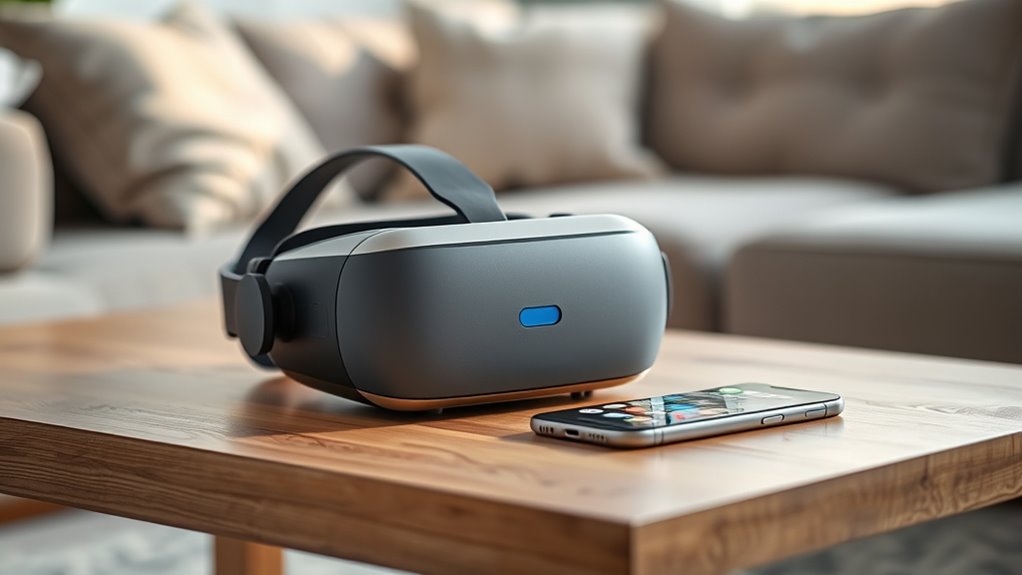

Not all VR headsets need a phone. There are standalone headsets that operate independently, giving you a fully immersive experience without any external devices. Tethered headsets connect to gaming PCs for high-quality visuals, while some smartphone-compatible headsets transform your mobile into a VR platform. Each offers unique benefits and limitations. Understanding these differences will help you choose the right headset for your needs. Keep exploring to uncover insights on enhancing your VR experience.
Understanding Virtual Reality Headsets
As you immerse yourself in the world of virtual reality (VR) headsets, it’s vital to grasp what these devices are and how they function. At their core, VR headsets are advanced pieces of headset technology that create an immersive experience, simulating realistic environments. Understanding virtual reality basics is essential; they typically consist of a display, sensors, and input devices that work together to transport you into these digital environments. The headsets track your movements, allowing you to look around and interact with the virtual setting. This technology grants you the freedom to explore, learn, and play in ways that traditional media simply can’t match. By comprehending how VR works, you’ll reveal new dimensions of entertainment and creativity.
Types of VR Headsets
While exploring the world of virtual reality, it’s essential to recognize that not all VR headsets are created equal. You’ve got mobile VR headsets, which use your smartphone to deliver immersive experiences, perfect for casual gaming on the go. Then, there are tethered VR headsets that connect to powerful gaming PCs, offering high-quality visuals and vast gaming libraries, ideal for hardcore gamers seeking depth and realism. Ultimately, standalone VR headsets provide a middle ground, packing the necessary hardware within the headset itself. This means you can enjoy mobile gaming freedom without relying on a phone or computer. Each type caters to different needs, so understanding these distinctions can help you choose the right headset for your VR journey.
Standalone VR Headsets
Standalone VR headsets are game-changers in the virtual reality landscape, offering fully integrated systems that don’t rely on external devices. This means you can enjoy immersive experiences without the hassle of wires or needing a phone. With their wireless functionality, these headsets provide the freedom to move and interact in virtual spaces like never before.
Fully Integrated Systems
Fully integrated systems, commonly known as standalone VR headsets, represent a significant leap in virtual reality technology. These devices are self-sufficient, eliminating the need for external hardware like phones or PCs. You can dive straight into immersive experiences without the hassle of wires or complicated setups. With powerful processors and built-in displays, these headsets deliver stunning visuals and interactive environments that captivate your senses. The convenience of a fully integrated system means you can enjoy VR anytime, anywhere—whether you’re at home or on the go. This freedom enhances your overall experience, allowing you to explore virtual worlds with ease and spontaneity. If you’re seeking a more liberated way to engage with VR, standalone headsets might just be your ideal choice.
Wireless Functionality Advantages
The freedom offered by fully integrated systems is further amplified by the wireless functionality of standalone VR headsets. With no wires tying you down, you can truly immerse yourself in experiences and explore virtual worlds without limitations. Imagine the thrill of wireless gaming, where you can move freely while engaging with your environment. Plus, mobile integration enhances the experience, allowing you to access games and applications effortlessly.
| Advantage | Standalone Headsets | Traditional Headsets |
|---|---|---|
| Mobility | High | Limited |
| Setup Complexity | Minimal | Extensive |
| Content Accessibility | Broad | Device Dependent |
In essence, standalone VR headsets redefine the gaming experience, providing the ultimate freedom to enjoy virtual reality.
Tethered VR Headsets
When you consider tethered VR headsets, you’re looking at a wired connection that offers some significant advantages. This setup typically delivers superior performance and graphics quality, enhancing your overall experience. Plus, compatibility with gaming systems means you can tap into a broader range of immersive content right away.
Wired Connection Advantages
While tethered VR headsets may seem less convenient than their standalone counterparts, they offer significant advantages that enhance the overall experience. Embracing a wired connection can elevate your immersion with several tethered advantages:
- Wired Performance: Enjoy lower latency and minimal lag, allowing for a more responsive experience that keeps you fully engaged.
- Higher Fidelity: With a direct connection, you can access superior graphics and sound quality, enhancing realism in your virtual world.
- Extended Playtime: Tethered headsets generally provide longer usage without the need to recharge, giving you the freedom to explore without interruption.
In short, if you’re looking for a more robust VR experience, the benefits of a wired connection might just outweigh the convenience of going wireless.
Performance and Graphics Quality
Although many users appreciate the freedom of wireless VR, tethered headsets excel in performance and graphics quality that can’t be ignored. When you connect your headset directly to a powerful PC, you reveal superior graphics performance and stunning visual fidelity. Tethered systems can handle more complex rendering and higher resolutions, creating immersive environments that truly enhance your experience. The ability to process intensive graphics in real-time means smoother gameplay and more detailed worlds, which can be a game-changer for any VR enthusiast. If you prioritize visual richness and realism in your VR adventures, tethered headsets offer a level of performance that wireless options simply can’t match. Ultimately, the choice between freedom and fidelity depends on what you value most in your virtual experiences.
Compatibility With Gaming Systems
Tethered VR headsets not only excel in performance but also offer compatibility with various gaming systems, making them an appealing choice for serious gamers. If you’re considering a tethered VR headset, here are three key points to keep in mind regarding console compatibility and your gaming preferences:
- Cross-Platform Support: Many tethered headsets work seamlessly with popular consoles like PlayStation and Xbox, expanding your gaming options.
- Enhanced Graphics: Tethered headsets leverage the power of your gaming system, delivering superior graphics and immersive experiences that standalone devices struggle to match.
- Exclusive Titles: Some gaming systems offer exclusive VR titles, which can greatly enhance your gaming library and overall enjoyment.
Ultimately, tethered VR headsets cater to a dedicated gaming experience that aligns with your preferences.
Smartphone-Compatible VR Headsets
Smartphone-compatible VR headsets offer a unique blend of convenience and accessibility for users looking to immerse themselves in virtual reality without the need for a high-end gaming PC or console. With seamless smartphone integration, these headsets allow you to transform your mobile device into a powerful VR platform. You’re not limited to just watching content; mobile gaming experiences become incredibly engaging as you interact within a virtual world. This compatibility means you can enjoy a diverse range of apps and games, making VR more approachable for casual users. Plus, you can easily take your headset on the go, ensuring your virtual adventures fit into your lifestyle. Embracing this technology opens up exciting possibilities for everyone interested in VR.
Benefits of Using a Phone With VR
Using a phone with VR headsets brings several advantages that enhance your overall experience. By integrating your smartphone, you open up exciting possibilities in both mobile gaming and augmented reality. Here are three key benefits:
- Portability: You can easily carry your VR setup anywhere since your phone acts as the core device, making it convenient for on-the-go adventures.
- Access to Apps: Your phone provides a vast library of apps tailored for VR, allowing you to immerse yourself in experiences that suit your interests.
- Enhanced Interactivity: With your smartphone, you can interact seamlessly with augmented reality elements, enriching gameplay and social experiences.
Incorporating your phone into your VR experience truly amplifies the freedom and enjoyment you can achieve.
Limitations of Phone-Dependent VR
While incorporating your phone into a VR headset offers numerous advantages, it also comes with considerable limitations that can hinder the overall experience. One major issue is the phone limitations regarding processing power and battery life. Many mobile devices can’t handle the demanding graphics and processing requirements of immersive VR, leading to lagging visuals and a less engaging user experience. Additionally, the constant need to connect your phone can restrict your movement, tethering you to a power source or limiting your freedom to explore. Moreover, relying on a phone for VR means you’re often confined to a smaller library of content, as not all apps are optimized for VR. These factors can greatly detract from the immersive potential of virtual reality.
Choosing the Right VR Headset for You
With the limitations of phone-dependent VR in mind, it’s important to take into account what type of headset best suits your needs. Here are three key factors to bear in mind:
Considering the limitations of phone-dependent VR, choose a headset that aligns with your budget, user experience, and compatibility needs.
- Budget Considerations: Determine how much you’re willing to spend. There are options for every price range, from affordable to high-end systems.
- User Experience: Think about what you want to do in VR. Whether it’s gaming, socializing, or exploring virtual environments, different headsets offer unique experiences.
- Compatibility: Verify the headset you choose works seamlessly with your existing devices, whether they’re PCs, consoles, or standalone systems.
Frequently Asked Questions
Can VR Headsets Connect to Gaming Consoles?
Yes, many VR headsets offer VR console compatibility, allowing you to connect with gaming consoles for immersive experiences. Explore various gaming headset options to find the perfect fit for your gaming adventures and preferences.
Are VR Headsets Suitable for Children?
VR headsets can be suitable for children, but age recommendations typically suggest 12 and up. A study shows 80% of parents prioritize child safety, so ensuring proper usage and supervision is essential for a positive experience.
How Do I Clean My VR Headset?
To clean your VR headset, use a microfiber cloth for lens cleaning, avoiding harsh chemicals. Regular headset maintenance guarantees peak performance, so wipe down surfaces and store it properly to prolong its lifespan. Enjoy your immersive experiences!
Do VR Headsets Work With Glasses?
Yes, most VR headsets accommodate glasses with specific glasses compatibility features. Have you considered lens adjustments? They can enhance comfort, ensuring you enjoy immersive experiences without sacrificing your vision. Explore options that fit your needs!
What Are the Minimum Specs for a PC VR Setup?
For a PC VR setup, you’ll need at least an Intel i5 or AMD Ryzen 5 processor, 8GB RAM, and a compatible GPU like the GTX 1060. This guarantees ideal graphics settings and immersive experiences.
