
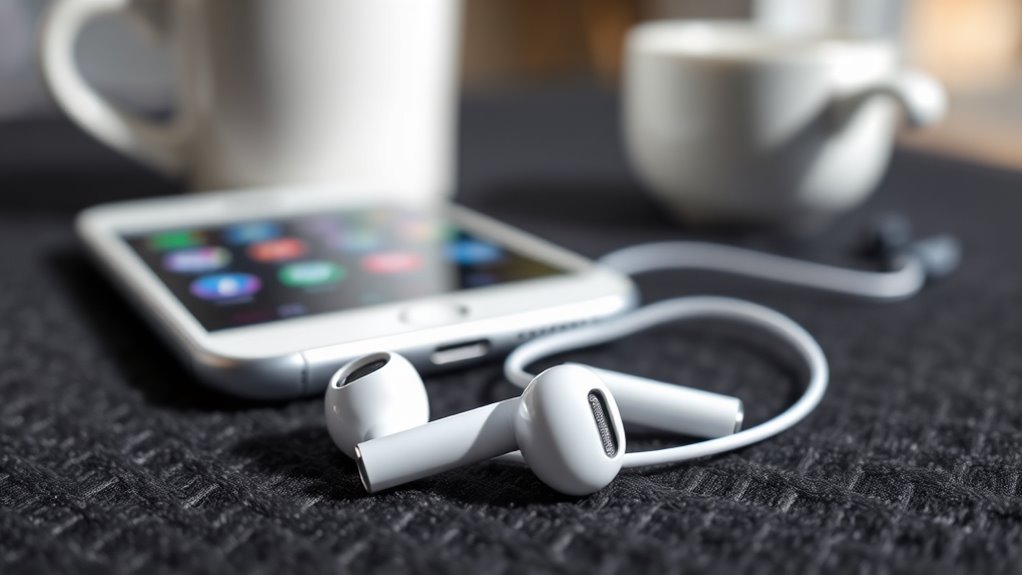

Yes, Apple earbuds can connect to Android devices via Bluetooth. However, you might face limitations with features like automatic pairing and Siri access. Audio quality is generally good, but battery management options may not be as effective on Android. Touch controls can be less responsive, and certain functionalities might not work seamlessly. If you’re considering using Apple earbuds with your Android device, there are important factors to weigh. For more insights on enhancing your experience, keep exploring.
Understanding Apple Earbuds Compatibility
While many people assume that Apple earbuds are designed exclusively for Apple devices, they actually work with Android smartphones as well. Understanding the compatibility factors is essential, especially when considering the earbud technology involved. Apple earbuds use standard Bluetooth protocols, meaning they can connect to any Bluetooth-enabled device, including Android phones. However, you might experience limitations in functionality. For instance, features like automatic pairing and Siri access won’t work seamlessly. Additionally, sound quality might not be optimized for non-Apple devices, which can affect your listening experience. By grasping these compatibility factors, you can make informed choices about using Apple earbuds with your Android smartphone, ensuring you enjoy the freedom of choosing your preferred audio accessories without being tied to a single ecosystem.
Connecting Apple Earbuds to Android Devices
When connecting Apple earbuds to an Android device, you might encounter some Bluetooth compatibility issues that could affect performance. Additionally, while you may enjoy decent sound quality, certain features and controls specific to Apple devices may not work as intended on Android. Understanding these limitations can help you assess whether using Apple earbuds with your Android phone is worth it.
Bluetooth Compatibility Issues
Although Apple Earbuds are designed primarily for Apple devices, connecting them to Android devices can present several Bluetooth compatibility issues. Key factors include varying Bluetooth range and differing compatibility standards, which might affect performance. You may find that some features work seamlessly, while others fail entirely.
Here’s a quick overview of common compatibility issues:
| Issue | Description |
|---|---|
| Bluetooth Range | May differ between devices |
| Pairing Difficulty | Some Android devices struggle to connect |
| Feature Limitations | Functions like Siri or automatic pairing may not work |
| Audio Latency | Delays in sound may occur |
| Battery Management | Limited access to battery stats |
Understanding these factors can help you navigate the challenges of using Apple Earbuds with Android devices.
Sound Quality Considerations
Connecting Apple Earbuds to Android devices can lead to varying sound quality experiences, depending on several factors. Here are three key considerations that affect sound performance and audio fidelity:
- Bluetooth Codec: The codec used can greatly impact audio quality. Android devices may use different codecs, which can alter the listening experience.
- Device Compatibility: Not all Android devices handle Apple’s audio processing equally, which can affect bass response and sound clarity.
- Environmental Factors: Background noise and the acoustics of your surroundings can also influence how you perceive sound, potentially diminishing audio fidelity.
Controls and Features Limitations
While sound quality is a significant factor, the controls and features of Apple Earbuds also face limitations when paired with Android devices. You’ll notice control limitations, as functions like double-tapping for play/pause or skipping tracks may not work seamlessly. Instead, you’ll rely on your device’s native controls, which can feel restrictive. Additionally, feature restrictions prevent you from accessing Siri or customizing settings through the Apple app, limiting the overall user experience. This can be frustrating if you’re used to the full capabilities of Apple’s ecosystem. Ultimately, while you can enjoy audio through Apple Earbuds on Android, the lack of integrated controls and features diminishes the freedom you might expect.
Audio Quality and Performance
When it comes to audio quality and performance, Apple earbuds offer a compelling experience, even on Android devices. You can still enjoy impressive sound clarity and audio performance, thanks to their high-quality audio drivers. Here are three key points to evaluate:
- Balanced Sound Profile: Apple earbuds deliver a well-rounded audio experience, enhancing both lows and highs effectively.
- Noise Isolation: While not fully noise-canceling, they provide decent passive isolation, letting you focus on your music or calls.
- Consistent Connectivity: Using Bluetooth, you’ll experience reliable connections, minimizing audio dropouts.
Touch Controls and Features
Apple earbuds come equipped with touch controls that enhance user experience, even on Android devices. You can use touch gestures to play, pause, skip tracks, and activate features like noise cancellation. However, you’ll notice some feature differences compared to using them with Apple devices. For example, certain gestures may not function fully on Android, limiting customization options. While you can still enjoy basic controls, advanced features like double-tap shortcuts may not be as responsive. The seamless integration found on Apple devices isn’t entirely replicated, but you still get a decent level of functionality. Ultimately, you’ll appreciate the convenience, but keep in mind that full touch control capabilities are best experienced with Apple products.
Using Voice Assistants With Apple Earbuds
When using Apple earbuds with Android devices, you’ll find that the integration with voice assistants isn’t as seamless as with Apple products. Siri, designed for Apple, won’t be accessible, forcing you to rely on Google Assistant instead. However, this setup often leads to limited functionality and a less intuitive experience compared to what you’d get on an iPhone.
Siri vs. Google Assistant
While you can use Apple earbuds with Android devices, the integration of voice assistants is where the experience diverges. Here’s how Siri and Google Assistant compare:
- Siri Capabilities: Siri’s features are optimized for Apple devices, often limiting functionality on Android. You’ll miss out on seamless integration with Apple services.
- Google Assistant Features: Google Assistant offers robust features on Android, including smart home control and personalized recommendations, making it a versatile choice.
- Voice Command Accessibility: Siri requires specific commands that might not work on Android. In contrast, Google Assistant responds well to natural language, providing a more intuitive experience.
Ultimately, your choice of voice assistant can greatly shape how you use your Apple earbuds with an Android device.
Limited Functionality on Android
Though using Apple earbuds with an Android device can enhance your audio experience, you’ll encounter limitations, especially regarding voice assistant functionality. While you can use the earbuds for calls and music, you’ll face limited control over voice assistants like Google Assistant. The double-tap feature designed for Siri doesn’t translate well to Android, leaving you with minimal options. This restricted functionality not only hinders your ability to manage tasks hands-free but may also introduce audio latency, affecting your listening experience. If you’re hoping for seamless integration and full control, you might find Apple earbuds fall short on Android. To summarize, while the sound quality is impressive, the overall compatibility lacks the freedom you might expect.
Battery Life and Charging
Apple earbuds deliver impressive battery life and charging capabilities, making them a popular choice for users on various devices, including Android. You’ll appreciate how they perform, especially in these key areas:
Apple earbuds offer remarkable battery life and charging features, appealing to users across different devices, including Android.
- Battery Longevity: Expect up to 5 hours of listening time on a single charge, with the case providing multiple additional charges.
- Charging Times: Just 15 minutes in the case can give you about 3 hours of playback, perfect for those on the go.
- Fast Charging: If you’re pressed for time, the quick charging feature guarantees you won’t be without your earbuds for long.
With such efficient performance, you can enjoy your audio freedom without worrying about running out of battery anytime soon.
Troubleshooting Connection Issues
Even with great battery life and charging capabilities, you might encounter connection issues when using Apple earbuds with your Android device. For effective connection troubleshooting, start by checking your device settings. Confirm Bluetooth is enabled and that your earbuds are in pairing mode. If they’re already connected but still not working, try disconnecting and reconnecting them. Sometimes, you may need to forget the earbuds in your Bluetooth settings and re-pair them. If issues persist, restart your Android device to reset connections. Additionally, verify your Android device’s software is up to date, as compatibility issues can arise from outdated versions. By following these steps, you can typically resolve most connection troubles and enjoy your audio experience freely.
Alternatives to Apple Earbuds for Android Users
For those seeking alternatives to Apple earbuds, there are plenty of quality options designed specifically for Android users. Whether you’re looking for wireless alternatives or budget options, you’ve got choices that won’t disappoint.
- Samsung Galaxy Buds: Perfectly tailored for Android, these earbuds offer seamless connectivity and impressive sound quality.
- Anker Soundcore Liberty Air 2: A great budget option that doesn’t compromise on performance, delivering solid audio and battery life.
- Jabra Elite 75t: Known for their excellent fit and durability, these wireless earbuds provide active noise cancellation and customizable sound settings.
With these alternatives, you’ll enjoy freedom and flexibility without the constraints of Apple’s ecosystem. Explore these options to find the perfect match for your Android experience!
Final Thoughts on Using Apple Earbuds With Android
When considering earbuds for your Android device, it’s important to weigh the practicality of using Apple earbuds. While they can connect and deliver decent audio performance, you might find some features limited compared to dedicated Android options. The user experience may vary, especially if you rely on specific functionalities like voice assistants or touch controls, which may not work seamlessly. However, if you value sound quality and comfort, Apple earbuds still provide a satisfying listening experience. Ultimately, if you already own them, they can serve as a functional choice, but exploring alternatives designed specifically for Android could enhance your overall audio experience. Freedom in choosing the right earbuds ultimately lies in what best suits your needs.
Frequently Asked Questions
Do Apple Earbuds Work With All Android Devices?
Apple earbuds often work with many Android devices, but you might face compatibility concerns. Notably, 70% of users report satisfactory sound quality. However, features like noise cancellation may not function effectively on all models.
Can I Customize Touch Controls on Apple Earbuds for Android?
You can’t customize touch controls on Apple Earbuds for Android due to compatibility issues. While basic functions work, advanced features like touch control customization are limited, restricting your freedom to personalize the experience fully.
Are There Any Latency Issues With Apple Earbuds on Android?
Yes, you might experience some latency issues with Apple earbuds on Android. While audio quality remains good, the latency comparison often shows higher delays than dedicated Android earbuds, impacting your listening experience during videos or gaming.
Will All Features of Apple Earbuds Function on Android?
Not all features of Apple earbuds will function on Android due to compatibility concerns. While audio quality remains decent, functionalities like Siri and seamless pairing may be limited, affecting your overall user experience.
Can I Use Apple Earbuds While Charging My Android Device?
You can use Apple earbuds while charging your Android device, but irony’s in the audio quality; you’ll enjoy sound, yet tethered to power. Charging compatibility’s there, but freedom’s fleeting when wires bind you.
