
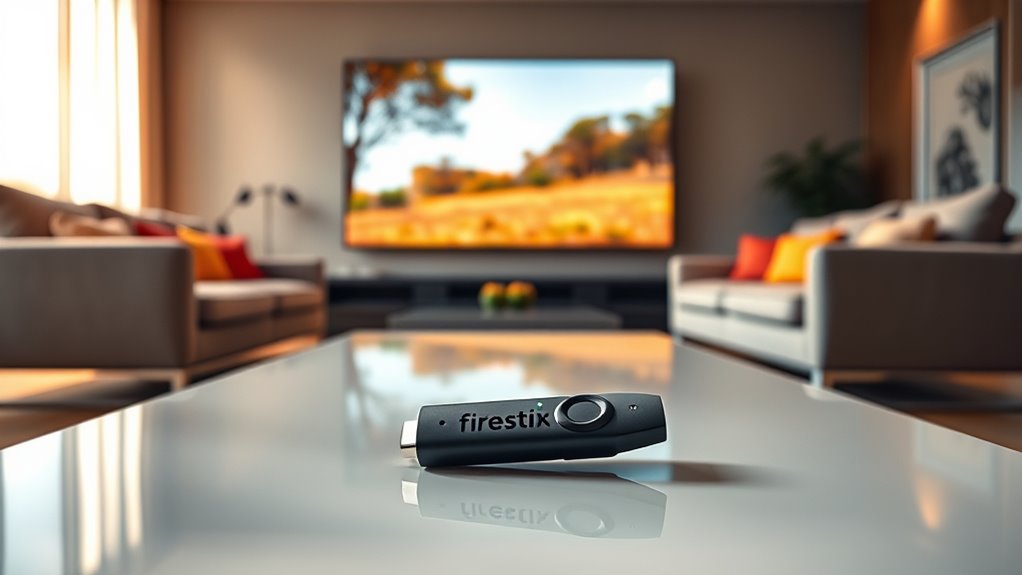

You don’t need a smart TV to use a Fire Stick; just an HDMI port will do. Simply plug it into your TV, connect to Wi-Fi, and you’re ready to stream. Even if your TV isn’t smart, you can enjoy access to popular services like Netflix and Amazon Prime Video. Plus, the Fire Stick offers voice control with Alexa for added convenience. Keep exploring to find more tips and tricks about enhancing your viewing experience!
Understanding the Amazon Fire Stick
Although you might think a smart TV is essential for streaming, the Amazon Fire Stick offers a versatile solution that can transform any standard TV into a smart entertainment hub. With an easy Firestick setup, you’ll be streaming your favorite shows and movies in no time. Simply plug the Fire Stick into your TV’s HDMI port, connect to Wi-Fi, and follow the on-screen prompts to get started.
Once set up, you’ll have access to countless streaming options, including popular services like Netflix, Hulu, and Amazon Prime Video. The user-friendly interface makes navigation a breeze, allowing you to explore new content effortlessly. Plus, you can enjoy the freedom of voice control with Alexa, enhancing your viewing experience further. Immerse yourself in endless entertainment possibilities!
What Is a Smart TV?
A Smart TV is a television that connects to the internet, allowing you to stream content directly from various apps and services. With features like built-in Wi-Fi, voice control, and access to popular streaming platforms, it enhances your viewing experience. Understanding these capabilities can help you decide if a Smart TV is the right fit for your needs.
Definition of Smart TV
Smart TVs have revolutionized how we consume entertainment by combining traditional television functionalities with internet connectivity and smart applications. Fundamentally, a smart TV allows you to access a plethora of content and features beyond standard broadcasts. Here are some key aspects:
- Internet Connectivity: Stream your favorite shows effortlessly.
- Apps: Download popular streaming services like Netflix and Hulu.
- User-Friendly Interfaces: Navigate easily with intuitive menus.
- Smart TV Brands: Choose from leading manufacturers like Samsung, LG, and Sony, each offering unique smart TV advantages.
With a smart TV, you can enjoy a more interactive viewing experience, making it a great addition to your home entertainment setup. So, are you ready to embrace the future of TV?
Smart TV Features Explained
With the rise of digital streaming, understanding the features of a smart TV can greatly enhance your viewing experience. Smart TVs come equipped with internet connectivity, allowing you to access apps like Netflix and YouTube directly. One of the main smart TV benefits is the convenience of having everything in one place—no extra devices needed. You can easily browse, stream, and even control your TV with voice commands. However, there are smart TV drawbacks, too. Some models can be pricey, and you may face privacy concerns due to data collection. Additionally, software updates might be required to keep your TV running smoothly. Weighing these pros and cons will help you decide if a smart TV is right for you.
Compatibility of Fire Stick With Non-Smart TVS
If you’ve got a non-smart TV, you might be wondering if a Fire Stick will work for you. As long as your TV has an HDMI port, you can easily connect the Fire Stick and access streaming capabilities you never thought possible. Let’s explore how this handy device can transform your viewing experience!
HDMI Port Requirement
To use a Fire Stick, you’ll need a TV that has an HDMI port, which is essential for connecting the device. If your TV lacks this port, you won’t be able to use the Fire Stick, regardless of its features. Here’s what to keep in mind regarding HDMI specifications and port types:
- HDMI 1.4 or higher: Confirm your TV supports at least this version for peak performance.
- HDMI Type A: This is the standard port type found on most TVs.
- HDMI Compatibility: Most devices should work, but double-check your TV manual.
- Adapters: If your TV only has older ports, consider HDMI adapters to bridge the gap.
With these points, you’re one step closer to enjoying a world of streaming!
Streaming Capabilities Explained
While many people assume that a Smart TV is necessary for streaming, the Fire Stick actually offers a solution for non-Smart TVs as well. This device plugs into your TV’s HDMI port, allowing you to access a variety of streaming services like Netflix, Hulu, and Amazon Prime Video. You don’t need a Smart TV to enjoy these platforms; the Fire Stick transforms your standard TV into a smart one. Just make sure your TV has an HDMI port for compatibility. With an internet connection and the Fire Stick, you can stream your favorite content without limitations. So, if you’ve got a non-Smart TV, you’re not missing out—embrace the freedom of streaming with the Fire Stick!
Benefits of Using Fire Stick With a Smart TV
Using a Fire Stick with your Smart TV can considerably enhance your viewing experience in several ways. Here are some key benefits:
- Improved Firestick Performance: The Fire Stick optimizes streaming speeds, ensuring smoother playback of your favorite shows.
- Expanded Content Library: Enjoy access to a wider range of apps and channels beyond what’s typically available on your Smart TV.
- Voice Control Features: With Alexa integration, you can control your TV hands-free, making it easier to find and play content.
- Regular Updates: Fire Stick receives frequent updates, enhancing functionality and adding new features without needing to buy a new device.
Combining the Fire Stick’s capabilities with Smart TV advantages gives you a more versatile and enjoyable entertainment experience.
Setting Up Fire Stick on Different TV Types
If you’re looking to set up a Fire Stick, it’s important to know that it can work with various types of TVs, not just Smart TVs. First, verify your TV has an HDMI port, as that’s essential for connecting the Fire Stick. If you’re using an older model without HDMI, you may need an adapter to achieve compatibility. Once connected, simply plug the Fire Stick into the HDMI port, power it on, and follow the on-screen instructions to connect to your Wi-Fi. Regardless of your TV type, setting up the Fire Stick is straightforward, giving you access to streaming services and apps. Embrace the freedom to enjoy your favorite content, no matter what TV you have!
Enhancing Your Viewing Experience Without a Smart TV
Although you might think a Smart TV is necessary for a great streaming experience, you can actually enhance your viewing pleasure with just a Fire Stick and a standard TV. Here are some tips to improve your streaming options and viewing quality:
- Use an HDMI Cable: Guarantee a secure connection for ideal quality.
- Adjust Display Settings: Tweak your TV’s picture settings for better contrast and brightness.
- Stream Over Wi-Fi: A strong internet connection can greatly improve streaming performance.
- Invest in External Speakers: Good audio can elevate your viewing experience considerably.
With these simple adjustments, you’ll be able to enjoy your favorite shows and movies without the need for a Smart TV, giving you the freedom to choose how you watch!
Alternatives to Smart TVs for Fire Stick Users
For those looking to upgrade their streaming setup without investing in a Smart TV, there are several alternatives that work seamlessly with a Fire Stick. You can consider various streaming devices that offer great performance at budget-friendly prices. Here’s a quick overview of some popular options:
| Device | Price Range |
|---|---|
| Roku Streaming Stick | $30 – $50 |
| Google Chromecast | $30 – $40 |
| Apple TV HD | $150 – $180 |
| Nvidia Shield TV | $150 – $200 |
These devices not only enhance your viewing experience but also provide you the freedom to access a wide range of streaming services. With these budget options, you won’t have to compromise on quality or content.
Frequently Asked Questions
Can I Use Fire Stick With a Projector?
Yes, you can use a Fire Stick with a projector. Just verify your projector has HDMI compatibility. It opens up a world of streaming options, letting you enjoy your favorite content on a larger screen!
Does Fire Stick Require a Subscription?
No, Firestick doesn’t require a subscription. It offers various streaming options, allowing you to access content from services like Netflix or Prime. Enjoy the flexibility and advantages of streaming without being tied to a subscription!
Can I Connect Fire Stick to a Computer Monitor?
Yes, you can connect a Firestick to a computer monitor. Just make certain the monitor has HDMI ports for proper Firestick compatibility. This setup lets you enjoy streaming freedom without needing a traditional TV.
Is Internet Speed Important for Fire Stick Performance?
Yes, internet speed’s essential for ideal Fire Stick performance. For smooth streaming, aim for at least 25 Mbps. Meeting these internet requirements guarantees you enjoy your favorite shows without buffering interruptions. Happy streaming!
Does Fire Stick Work in Different Countries?
Yes, your Fire Stick can work in different countries, but its compatibility depends on the region. For international streaming, you might need a VPN to access content restricted to specific locations. Enjoy your freedom!
