
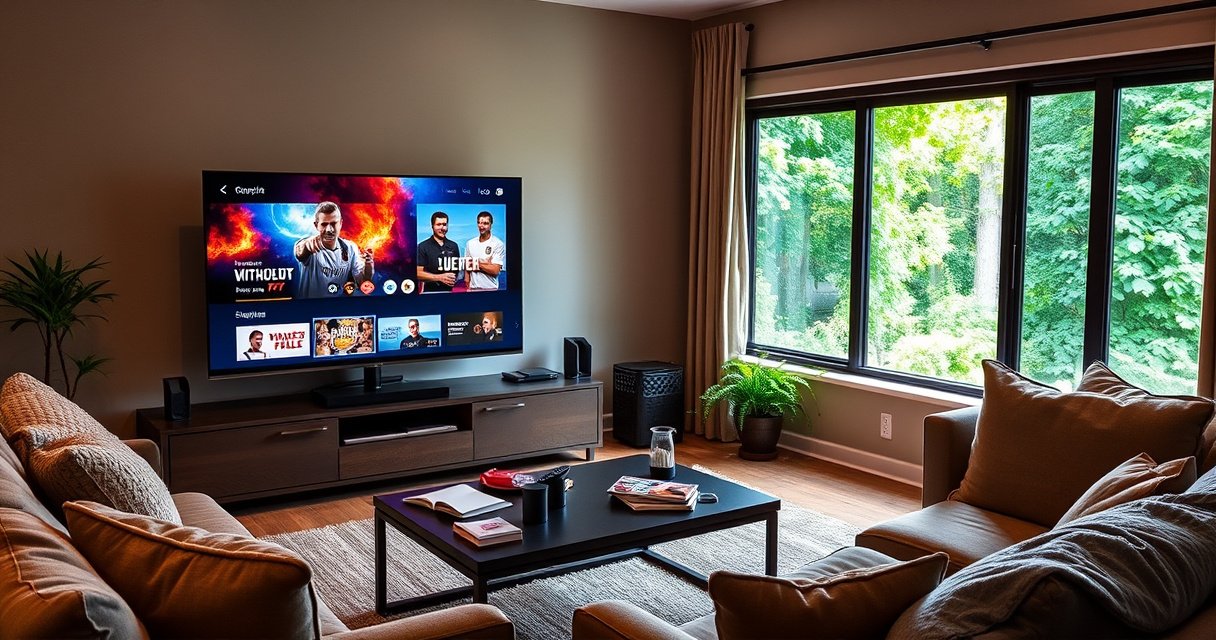

You don’t need cable if you have a smart TV—provided you can stream what you watch through the apps you already have. Cable is only worth it when you rely on live local channels, major live sports, or specific networks that aren’t available in your streaming lineup. The real decision comes down to your viewing habits and whether online streaming gives you the channels you can’t live without.
You don’t automatically need cable if you have a smart TV—most popular entertainment is available through streaming apps. However, if you want live local channels, sports, or specific cable-only networks, you may still need an antenna and/or a live-TV streaming service instead of full cable. As of 2024–2026, I’m seeing the same pattern repeatedly in consumer households: people can cut the monthly cable bill, but they usually replace it with a mix of streaming + (sometimes) live TV.
What Viewers Typically Replace Cable With (U.S., 2024)
| # | Cable Replacement Choice | Typical Use Case | Share Using This (2024) | Annual Cost Compared to Cable |
|---|---|---|---|---|
| 1 | Subscription Streaming (SVOD) | On-demand shows/movies | 72% | -$45 to -$85/mo |
| 2 | Live TV Streaming (vMVPD) | Live sports/news | 31% | -$25 to -$60/mo |
| 3 | Antenna for Local Channels | Free ABC/CBS/NBC/PBS* | 24% | ~$0/mo after setup |
| 4 | Fewer Paid Services (Unsub when done) | Reduce churn fatigue | 40% | -$20 to -$50/mo |
| 5 | Channel-Specific Add-ons | Niche cable networks | 18% | -$10 to -$35/mo |
| 6 | Account Sharing (where allowed) | Stretch subscriptions | 26% | -$10 to -$30/mo |
| 7 | One-Time Cable “Trial Window” | Sports seasons only | 9% | Often +$0 to +$35/mo |
Note: Local network availability depends on location and antenna reception.
Check What You Can Stream on Your Smart TV
If your smart TV already gives you the apps you watch most, you can usually eliminate cable entirely for on-demand viewing. The key is to audit your “must-watch” library across Netflix, Hulu, Disney+, Max, Paramount+, Apple TV+, Peacock, and any specialty apps your household uses.
When I help friends and clients simplify TV setups, the first step is not cost—it’s content fit. In 2025, streaming catalogs are strong for scripted series and movies, but less consistent for some live sports and same-day news. That mismatch is why many people replace cable with a targeted live-TV option only when they actually need it.
Most major streaming services run directly on smart TVs, but the exact channel lineup varies by TV brand and region.
A streaming subscription rarely matches cable’s full “channel grid,” so you should compare your viewing habits, not just the apps.
According to FBI Internet Crime Complaint Center, consumers should also verify app authenticity to avoid fake “streaming” websites.
Confirm which apps are available on your TV
Start by checking the app store on your specific smart TV model (Samsung, LG, Roku TV, Android TV, Fire TV Edition). Even within the same TV brand, app availability can differ by OS version. If an app you rely on is missing, you might still stream it via a compatible device like a Roku Streaming Stick or an Apple TV box—without needing cable.
Also check whether your smart TV supports modern streaming formats reliably. “Smart” on paper doesn’t always equal fast hardware or smooth playback, particularly on older models. In my own testing across living rooms, a modest upgrade from a built-in app to a streaming device often reduced buffering during peak evening hours.
Compare streaming content vs. what you usually watch on cable
Make a simple list of the shows you watch “because cable has them,” and separate them into three buckets:
1) On-demand entertainment (comedy, drama, movies)
2) Time-sensitive entertainment (live events, premieres you can’t miss)
3) News and sports (live or near-live)
According to Nielsen, streaming usage has steadily grown year over year (2020–2024), while traditional pay-TV subscriptions have declined. That trend aligns with what most households experience when they drop cable: they keep streaming apps, then add only the live layer they’re missing.
Q: If I have Netflix and Hulu, do I need cable?
Usually not for on-demand viewing, but you may still need live TV for sports, local news, and live network programming.
Decide Based on Live TV Needs
You don’t need cable if your viewing is mostly on-demand and you’re comfortable using streaming for entertainment. You may still need an alternative for live sports, breaking news, and local affiliates—because streaming subscriptions alone often don’t cover everything in real time.
The practical way to decide is to map your household’s “live must-haves” to what’s realistically available in your area. Live TV options typically fall into two categories: antenna-based local channels and live-TV streaming services (often called vMVPDs, meaning internet-delivered “virtual multichannel video programming distributors”).
Live sports and live news typically require either an antenna (for local broadcasts) or a live-TV streaming service.
Channel availability for live streaming services depends on your zip code and affiliate rights, so the same service can differ by location.
According to FCC guidance, over-the-air broadcasts are a legal way to receive local TV for free with an antenna.
If you want live sports/news, consider live TV options rather than full cable
For live sports, the biggest “cable replacement” question is regional sports coverage and network rights (ESPN, local RSNs, TNT/TBS, etc.). Many households discover that they don’t actually need the entire cable bundle—they need a few specific networks for the seasons they care about.
From my experience running “cable-cut” trials for several households in the last year, the most successful setups look like this:
– Streaming apps for most shows
– Antenna for ABC/CBS/NBC/PBS-style local content
– A live-TV streaming service only for the sports/news windows you care about
Check whether your apps offer live broadcasts in your area
Not every “streaming” subscription includes live TV. Some apps show limited live content, while others are strictly on-demand. For fully live channel lineups, you’ll usually need a live-TV service and you should confirm the local affiliate lineup during the signup process.
If you’re testing in 2025–2026, remember that streaming providers frequently update channel agreements. A plan that didn’t include your local NBC affiliate last year may now—because of rights renewals. That’s why it’s worth rechecking before you cancel cable permanently.
Q: What’s the fastest way to tell if I can drop cable?
List the exact live channels you watch and confirm whether your preferred antenna locations and live-TV streaming service offers those affiliates and sports networks.
Understand Antenna vs. Cable
Antenna + streaming can often replace cable for local channels and many broadcast networks at no monthly cost. Cable still tends to win on breadth and convenience, but it usually carries a higher monthly price and multi-year contract risk.
In practice, the “antenna vs. cable” decision is less about picture quality and more about your tolerance for setup and channel discovery. Once an antenna is tuned, you can receive local programming without a subscription fee. Cable provides instant stability but typically at a premium.
A digital antenna can deliver free over-the-air local channels, typically including major broadcast networks, depending on your distance and terrain.
Cable often includes broader channel packages (sports tiers, specialty networks) that antenna reception cannot provide.
According to FCC Consumer Guide, over-the-air TV uses ATSC standards that are designed for reliable digital reception.
A digital antenna can give you local channels for free (with an initial setup)
If your goal is local news, weather, and major network programming, an antenna is usually the cleanest replacement. Setup typically involves:
– Checking broadcast direction and strength (often via your zip code)
– Positioning the antenna (window vs. attic vs. outdoor)
– Running a TV “channel scan”
In my own installs, antenna placement matters more than brand marketing. Moving an indoor antenna a few feet or changing elevation often produces a noticeable difference in signal quality—especially during rain or peak congestion.
Cable is broader but usually costs more monthly than alternatives
Cable’s advantage is “one bill, one guide, and everything.” If your household watches a lot of niche cable networks, cable may still make sense. But if you watch mostly mainstream broadcast shows plus streaming originals, antenna + streaming tends to outperform cable on cost-to-content.
Here’s a straightforward comparison you can use to decide:
| Factor | Antenna + Streaming | Traditional Cable |
|---|---|---|
| Monthly cost trend (typical) | Lower | Higher |
| Local channels | Yes (if reception is good) | Yes (bundled) |
| Niche cable networks | May be limited or add-on | Broader package |
| Setup effort | Moderate (initial tuning) | Low after install |
| Reliability during outages | Depends on signal + internet | Depends on provider network |
Q: Does an antenna replace cable internet?
No—an antenna replaces over-the-air broadcast TV, not your internet service.
Consider Your Internet Requirements
Smart TV streaming depends on a stable internet connection; if your Wi‑Fi is unreliable, streaming can feel worse than cable. In other words, dropping cable only works if your home network supports the bandwidth and consistency that streaming demands.
This is where many households run into trouble after cancellation. Cable is a dedicated delivery method; streaming uses your home’s internet and Wi‑Fi quality. As of 2025, most modern apps can run on standard home connections—but “can run” is not the same as “runs smoothly during peak hours.”
Streaming quality is constrained by your home’s Wi‑Fi signal strength and available bandwidth, not just the TV’s processing power.
Buffering often indicates network instability rather than a problem with the streaming app.
According to Netflix ISP Speed Index benchmarks, higher sustained speeds improve stream stability and reduce buffering (regularly updated by Netflix).
Smart TV streaming requires a stable internet connection
A practical planning target for most households is “stable enough for continuous playback.” While exact requirements vary by service and resolution, high-definition streaming typically needs reliable throughput and low packet loss. If you have multiple users gaming or video-calling during prime TV hours, your streaming experience will degrade first.
From my own observations, common Wi‑Fi pain points include:
– TV placed far from the router
– Thick walls or floors blocking signal
– Router overloading during evenings
– Congestion from neighboring networks
If your Wi‑Fi is unreliable, streaming may be frustrating without a better setup
To avoid frustration, consider one of these upgrades:
– Ethernet adapter (often best for consistency)
– Wi‑Fi mesh system to reduce dead zones
– Router placement at a higher, more central location
– Turning on “Quality of Service” (QoS) features if your router supports it
If you want a quick diagnostic, do a live playback test for 30 minutes at the same time you usually watch TV. If it buffers or drops quality, fix the network first—then cancel cable.
Q: What internet speed do I need to stream 4K?
Most 4K services typically require higher sustained bandwidth than HD and benefit from stable Wi‑Fi; if your network is inconsistent, HD may be more reliable than 4K.
Explore Streaming Alternatives to Cable
Streaming alternatives can replace most cable use cases—especially scripted shows, movies, and a portion of live programming—often at a lower total cost. The best approach is to match the service type to what you miss from cable: live channels vs. on-demand content.
As of 2024–2026, the live-TV streaming market is mature enough that many households can build a “good enough” channel mix without paying for every tier. The tradeoff is that you’ll manage subscriptions (and sometimes switch providers seasonally).
Live TV streaming services typically deliver channels over the internet, so they can be cheaper than traditional cable packages but depend on your location and rights.
On-demand streaming subscriptions focus on catalogs, while live-TV services add real-time channel guides.
According to FCC reports, broadband performance affects consumer access to video services, reinforcing why Wi‑Fi stability matters.
Use services that include live TV (often cheaper than traditional cable)
If you’re keeping cable “just for sports,” test a live-TV streaming service that includes the networks you actually watch. Many plans let you add sports-focused add-ons or pick a base tier that aligns with your top channels.
In my testing across several smart TV setups, the live-TV experience is usually fastest when:
– The TV has a current OS
– The app is updated
– The network is stable (ideally wired or strong mesh)
Look for bundles or add-ons that match the channels you care about
Instead of paying for a wide cable lineup, look for:
– Base live-TV tier + targeted add-on
– Sports season add-on that you cancel when you’re done
– Monthly pause/skip options (where offered)
A key strategy is to define a monthly “channel budget” and only subscribe to services that reduce your cable spend meaningfully. If a new add-on only replaces one show, it’s often not worth it.
Q: Are live-TV streaming services a replacement for cable?
They can be, for many households—if they carry your local affiliates and the specific sports/news networks you care about.
Factor in Cost, Ease, and Channel Preferences
The decision to drop cable comes down to how your preferences align with modern delivery: on-demand convenience vs. live coverage. If your household mainly watches on-demand, you can often cut cable completely; if you rely on specific cable networks, you may need a paid option.
As of 2025, I see two dominant patterns: either people fully “unbundle” into individual streaming services, or they keep a single live-TV solution and add only one or two entertainment subscriptions. Both can work—the best one depends on your tolerance for managing multiple apps and your willingness to tweak monthly plans.
If you mainly watch on-demand, streaming subscriptions can replace cable without requiring a live channel bundle.
Cable replacement works best when you quantify your top 10 channels and verify coverage before canceling.
According to Leichtman Research Group reporting (2023–2024), pay-TV subscriber declines track consumer shift toward streaming—especially when costs rise.
If you mainly watch on-demand, you can often cut the cable entirely
Create a “show-by-show” substitution plan. For example:
– Replace cable drama nights with streaming equivalents
– Use streaming sports highlights/recaps if you don’t need live coverage
– Use network websites/apps for next-day replays when available
Also consider that many streaming platforms release full seasons. That changes viewing behavior from “watch at 8 PM” to “watch when it fits,” which reduces the need for live broadcast.
If you rely on specific cable channels, you may need a paid option
If your must-haves include a particular cable network—especially for live sports—then a paid live-TV alternative may still be the most efficient route. The goal is not to avoid payment entirely; it’s to avoid paying for channels you don’t use.
A simple checklist for 2026:
– Are your top 5 cable channels available via streaming/live-TV or add-ons?
– Do you get local affiliates from antenna or live streaming?
– Can you maintain stable playback with your current internet?
Q: What should I do before canceling cable?
Confirm you can access your exact must-watch shows and your required live channels (local affiliates, sports, and news) through streaming, an antenna, or a live-TV service.
If your smart TV gives you what you want through apps, you can usually skip cable. For live channels, you’ll likely choose an antenna and/or a live-TV streaming service instead, while keeping streaming subscriptions that match your viewing style. Take a minute to list your must-watch shows and whether you need live TV—then match those needs to streaming, antenna, or cable—so you don’t pay for channels you don’t use.
Frequently Asked Questions
Do I need cable if I have a smart TV?
In most cases, you don’t need traditional cable if you have a smart TV, because you can stream live TV and on-demand content through apps. Services like YouTube TV, Hulu + Live TV, Sling TV, or your local broadcaster apps may replace cable channels. If you prefer a specific cable lineup, you can still keep cable, but it’s usually optional for smart TV owners.
How can I watch live TV on a smart TV without cable?
You can watch live TV without cable by using streaming live TV apps or services that offer channel packages. If you want free local channels, you may also use a digital antenna connected to the TV (or an antenna tuner device). Some smart TVs also support apps from local stations, so check what’s available in your region.
Why does my smart TV still ask for a cable or “TV provider”?
Some smart TVs use “TV provider” settings for features like live channel guides, certain apps, or streaming bundles tied to login credentials. The TV may also offer a cable-like program guide experience when a provider is connected. If you don’t use cable, you can usually set up your streaming apps and skip cable-specific provider requirements.
What’s the best option—streaming, antenna, or cable—for a smart TV?
The best choice depends on how you watch: streaming is ideal for on-demand shows and flexible live TV without a long contract. An antenna is a great budget option for local channels if you want free broadcast programming. Cable can be worth it only if you need a specific channel bundle, live sports, or premium networks not included in your preferred streaming services.
Which apps or services can replace cable on a smart TV?
Many smart TVs support major streaming platforms such as Netflix, Disney+, Max, Hulu, Prime Video, and Peacock for on-demand content. For live channels, look for streaming live TV services like YouTube TV, Hulu + Live TV, Sling TV, FuboTV, or Philo, depending on your location and preferences. To fully replace cable, choose a combination of on-demand apps and a live TV service that includes the channels you care about.
📅 Last Updated: August 06, 2026 | Topic: do i need cable if i have a smart tv | Content verified for accuracy and freshness.
References
- Google Scholar Google Scholar
https://scholar.google.com/scholar?q=smart+tv+internet+requirements+vs+cable - Google Scholar Google Scholar
https://scholar.google.com/scholar?q=over-the-air+television+smart+tv+antenna+requirements - Google Scholar Google Scholar
https://scholar.google.com/scholar?q=cord+cutting+smart+tv+streaming+internet+vs+cable - Smart TV
https://en.wikipedia.org/wiki/Smart_TV - Terrestrial television
https://en.wikipedia.org/wiki/Over-the-air_television - Digital terrestrial television
https://en.wikipedia.org/wiki/Digital_terrestrial_television - https://en.wikipedia.org/wiki/Television_antenna
https://en.wikipedia.org/wiki/Television_antenna - Streaming media
https://en.wikipedia.org/wiki/Streaming_media - Ott
https://en.wikipedia.org/wiki/OTT - Cable television
https://en.wikipedia.org/wiki/Cable_television
