
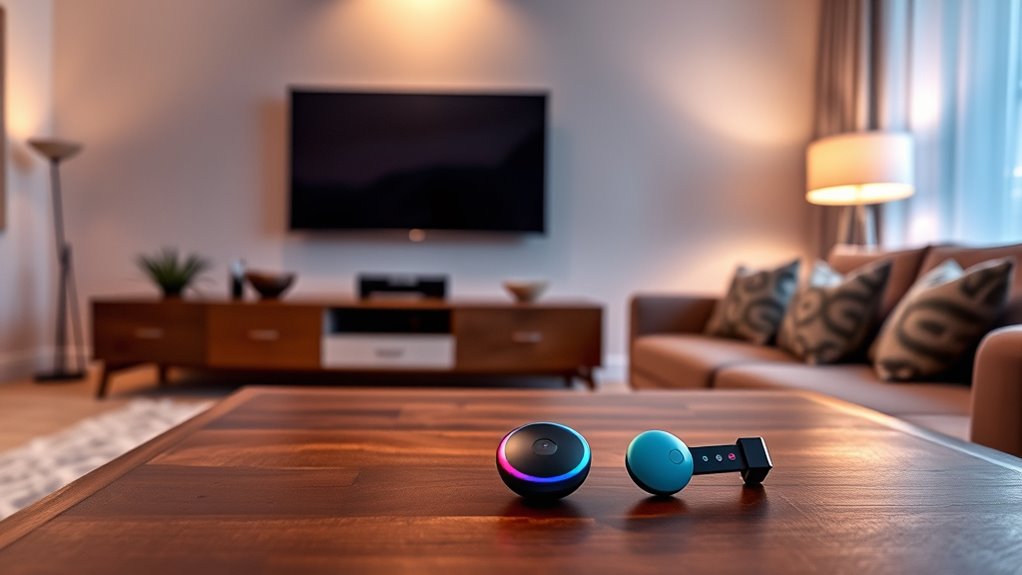

You don’t need a smart TV for Chromecast. It connects to any traditional TV with an HDMI port, turning it into a streaming device. This setup allows you to stream from your smartphone, tablet, or computer easily, as long as you have a stable Wi-Fi connection. While there are some limitations with non-smart TVs, using Chromecast can greatly enhance your viewing experience. Explore the details to discover how to optimize your Chromecast setup further.
Understanding Chromecast and Its Functionality
If you’re curious about how Chromecast works, it’s fundamentally a streaming device that allows you to cast content from your smartphone, tablet, or computer directly to your TV. One of the standout Chromecast features is its compatibility with various streaming protocols, like Google Cast and DIAL, which enhance your viewing experience. Whether you’re streaming movies, music, or photos, Chromecast connects seamlessly to your existing Wi-Fi network, letting you control playback from your device. This freedom means you can enjoy content without being tethered to your TV. By using apps like Netflix or YouTube, you can effortlessly share what you love on a larger screen, making it a versatile addition to any entertainment setup.
Smart TVs vs. Traditional TVs: What’s the Difference?
When it comes to choosing a television, you’ll find two primary categories: smart TVs and traditional TVs. Smart TVs come packed with features like internet connectivity, built-in apps, and streaming capabilities, allowing you to access content directly from the screen. This means you can binge-watch your favorite shows without any additional devices. On the other hand, traditional TVs have limitations, such as lacking internet access and requiring external devices for streaming. While they may still deliver good picture quality, they miss out on the convenience and versatility that smart TV features offer. Ultimately, your choice depends on whether you value connectivity and streaming access or prefer a simpler viewing experience.
How Chromecast Works Without a Smart TV
While smart TVs provide built-in streaming capabilities, you don’t need one to enjoy the benefits of Chromecast. With a simple Chromecast setup, you can transform your traditional TV into a smart one. Just connect the Chromecast device to your TV’s HDMI port, and you’re ready to stream content from your mobile device or computer.
Here’s a quick look at TV compatibility with Chromecast:
| Feature | Details |
|---|---|
| HDMI Port | Required for connection |
| Resolution Support | Up to 4K on newer models |
| Audio Output | Supports various formats |
| Power Source | USB port or wall adapter |
| Remote Control | Controlled via smartphone |
This flexibility allows you to access a vast range of streaming services without needing a smart TV.
Requirements for Using Chromecast
To effectively use Chromecast, you’ll need a few essential components besides the device itself. First, verify you have a compatible TV with an HDMI port. Then, set up your Chromecast by connecting it to the TV and power source. You’ll also need a stable Wi-Fi network; this is vital for seamless streaming. Download the Google Home app on your smartphone or tablet to manage the Chromecast setup and control your device. Finally, you’ll want access to streaming apps that support Chromecast, like Netflix, YouTube, or Spotify. With these elements in place, you can enjoy a smooth experience casting your favorite content directly to your TV without fuss.
Benefits of Using Chromecast With a Smart TV
Using Chromecast with a smart TV greatly enhances your streaming experience by allowing for seamless content casting from your devices. You’ll also enjoy multi-device compatibility, which enables you to connect smartphones, tablets, and laptops without hassle. This combination makes it easier than ever to access and enjoy your favorite shows and movies.
Enhanced Streaming Experience
Since Chromecast seamlessly integrates with your smart TV, it greatly enhances your streaming experience by providing greater flexibility and convenience. You’ll enjoy a user interface that’s intuitive, allowing you to navigate effortlessly between shows and apps. Plus, the streaming quality is often superior, ensuring you get the best visuals and sound.
- Stream your favorite content from anywhere in your home
- Access a vast library of apps without the need for extra devices
- Customize your viewing experience to match your mood
These benefits empower you to enjoy your entertainment on your terms, making your TV time more enjoyable than ever. With Chromecast, you’re not just watching; you’re fully engaged in the experience.
Multi-Device Compatibility
One of the standout features of Chromecast is its exceptional multi-device compatibility, allowing you to connect a variety of smartphones, tablets, and computers seamlessly. This means you’re not limited to just one device; you can easily switch between your mobile device and tablet for streaming. With Chromecast’s mobile device compatibility, you can effortlessly cast content from popular apps, providing you with the freedom to choose how you enjoy your media. Plus, the tablet streaming capabilities enhance your viewing experience, giving you a larger screen for movies or shows. Whether you’re hosting friends or enjoying a solo night in, Chromecast adapts to your needs, making it a versatile choice for any entertainment setup.
Limitations of Using Chromecast With Non-Smart TVS
Using Chromecast with a non-smart TV comes with several limitations that can affect your viewing experience. You might face challenges with screen mirroring, encounter limited streaming options, and need additional devices for ideal functionality. Understanding these drawbacks can help you decide if Chromecast is the right choice for your setup.
Screen Mirroring Challenges
While Chromecast offers a convenient way to stream content, you may encounter several challenges when trying to use it with a non-smart TV. One major hurdle involves screen mirroring issues, as not all devices are fully compatible with Chromecast. You might find that:
- Your TV’s resolution limits streaming quality.
- Frequent disconnections disrupt your viewing experience.
- Setting up your devices can feel frustrating and time-consuming.
These limitations can hinder your freedom to enjoy content seamlessly. It’s essential to guarantee that your devices work well together for a smooth experience. If you’re determined to make the most of your Chromecast, understanding these challenges upfront can help you navigate potential pitfalls and open up a more enjoyable viewing experience.
Limited Streaming Options
Although Chromecast can enhance your viewing experience, it often brings limited streaming options when paired with non-smart TVs. Without the built-in capabilities of a smart TV, you may encounter streaming limitations that restrict your access to certain apps or services. Many popular platforms require a smart device for seamless integration, leaving you with fewer content choices. Additionally, some apps impose content restrictions, preventing you from casting specific shows or movies. This can be frustrating, especially if you’re looking to enjoy a wide range of entertainment. To fully access Chromecast’s potential, consider investing in a smart TV or compatible device, as this will allow you to overcome these streaming limitations and enjoy a broader selection of content.
Additional Device Requirements
When you pair Chromecast with a non-smart TV, you may quickly discover additional device requirements that can complicate your streaming experience. To guarantee a smooth Chromecast setup, you’ll need to take into account several factors regarding device compatibility.
- An HDMI port is essential; without it, your Chromecast won’t connect.
- A Wi-Fi network is mandatory, as Chromecast relies on internet access for streaming.
- You might need an external power source, as some TVs may not provide sufficient power through HDMI.
These limitations can feel restrictive, especially when you desire the freedom to stream effortlessly. Understanding these requirements will help you navigate your Chromecast journey and enhance your viewing experience.
Alternatives to Chromecast for Non-Smart TV Users
If you’re looking for ways to stream content on a non-smart TV, you might be wondering what alternatives exist besides Chromecast. One popular option is the Amazon Fire Stick, which offers wireless streaming capabilities and broad device compatibility. It plugs directly into your HDMI port and allows access to various streaming services. Another alternative is the Roku Streaming Stick, which also provides an easy setup and supports a plethora of channels. If you prefer a more budget-friendly solution, consider using an HDMI cable to connect your laptop or smartphone directly to your TV. This method gives you complete control over your streaming content without worrying about wireless connectivity issues. Explore these options to enjoy your favorite shows on a non-smart TV!
Making the Most of Your Chromecast Experience
To fully enjoy your Chromecast experience, it’s essential to understand its features and how to optimize its use. Focus on enhancing your casting performance by ensuring your Wi-Fi connection is strong and stable. Familiarizing yourself with the user interface can streamline your navigation, making it easier to access your favorite apps.
- Explore diverse casting options to release creativity.
- Discover personalized content that resonates with you.
- Enjoy seamless connectivity for uninterrupted streaming.
Frequently Asked Questions
Can I Use Chromecast With a Projector Instead of a TV?
Absolutely, you can use Chromecast with a projector! Just verify your projector’s compatible and supports HDMI input. With this setup, you’ll enjoy diverse streaming options, turning your space into a personal cinema experience.
Does Chromecast Support 4K Streaming on Non-Smart TVS?
Yes, Chromecast supports 4K streaming on non-smart TVs, provided your projector or TV has the necessary 4K capabilities. Just guarantee you’ve got the right HDMI port and your internet connection is strong enough.
Is There a Monthly Fee for Using Chromecast?
No, there’s no monthly fee for using Chromecast. Curiously, about 75% of users enjoy streaming without subscriptions. Chromecast pricing is straightforward, as you only pay for the device and any content subscriptions you choose.
Can I Control Chromecast With Voice Commands?
Yes, you can control Chromecast with voice commands through devices like Google Home. Its voice recognition features and smart home integration allow you to easily stream content, giving you the freedom to enjoy hands-free entertainment.
What Devices Are Compatible With Chromecast?
Chromecast compatibility includes most smartphones, tablets, and computers running iOS, Android, or Chrome. You’ll need Wi-Fi and a compatible device to cast content seamlessly, ensuring you enjoy your favorite shows and movies without hassle.
