
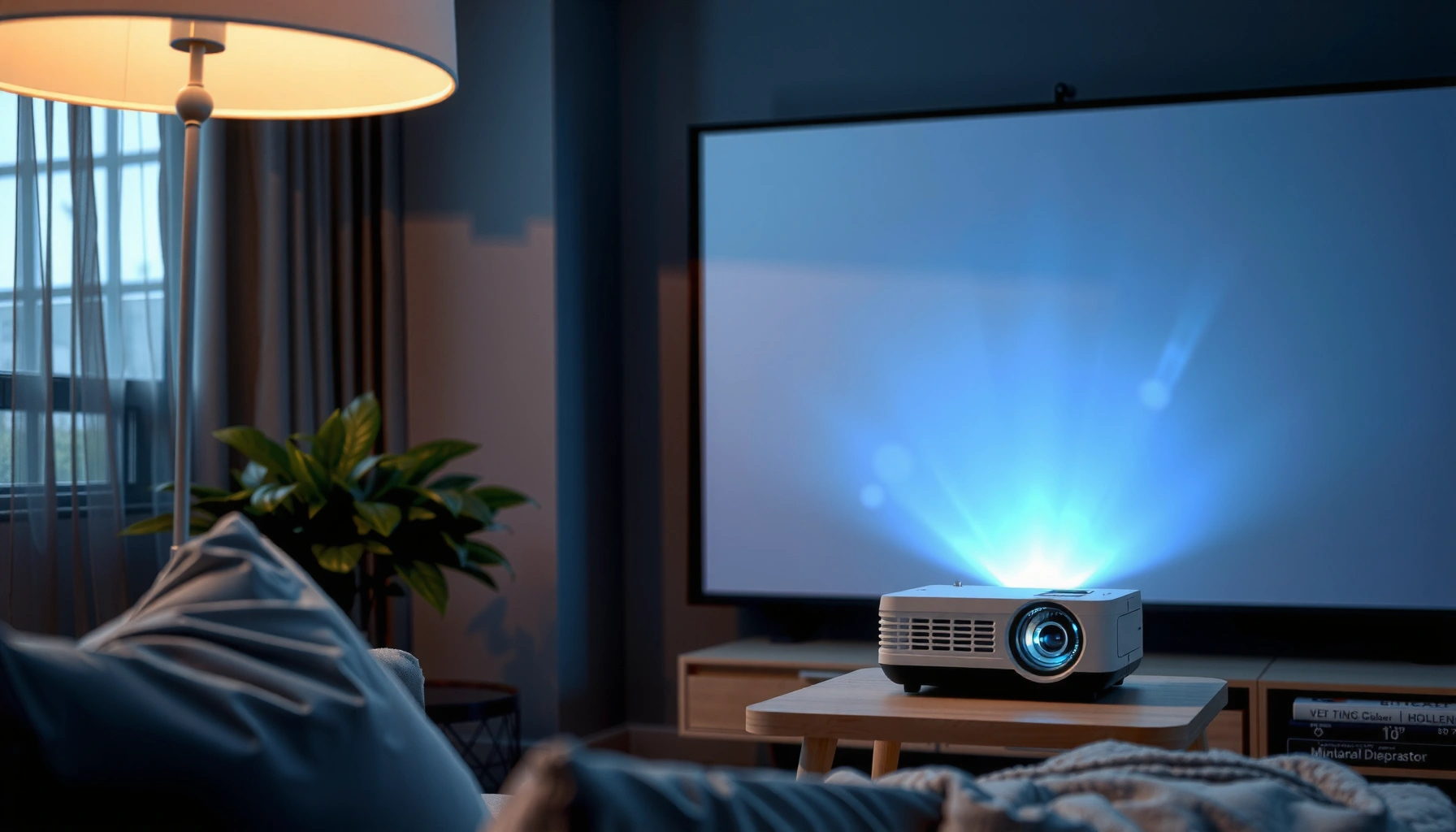

Mini projectors can be excellent for portable movie nights, but they’re only “good” when you understand their limits—brightness, resolution, and focus. This guide gives a direct verdict on how good mini projectors really are, plus the tradeoffs you’ll feel in real use. You’ll also get practical buying tips to pick the right model for your room size and content, without overpaying for specs that won’t matter.
Mini projectors can be genuinely enjoyable for movies, sports, and small presentations—especially in darker rooms—but they rarely match the punchy brightness and contrast of full-size home theater projectors, so room light and screen size decide “how good” you’ll find them. In 2024–2026, the most reliable buying approach is to match the projector’s effective brightness (lumens in real use), native resolution, and optics/keystone behavior to your viewing setup—not just the marketing specs.
This guide is for people comparing mini projectors for bedroom movie nights, gaming on a small screen, or quick work demos. We’ll focus on what “good” typically means in real use: brightness vs. room light, picture sharpness, and practical features to look for.
What “good” means for mini projectors
Mini projectors are “good” when they produce a large, watchable image with acceptable sharpness and stable alignment for your typical lighting conditions. If your goal is a bright, high-contrast picture in daylight-like rooms, most mini projectors will disappoint no matter how good the model looks in a dark-room demo.
– Brightness and screen size go together: the bigger the image, the harder it is to keep it bright and clear.
– Clarity depends on resolution (native vs. “supported” modes), optics, and focus consistency.
– Sound and convenience matter: many mini projectors rely on built-in speakers, which can be underwhelming for deeper audio.
A mini projector’s perceived quality is usually limited by usable brightness (not just listed lumens), especially once you increase screen size.
Resolution labels like “supports 1080p” often do not equal native resolution, which can change how sharp text and fine details look.
Auto keystone can help alignment, but aggressive digital correction can reduce perceived sharpness at the edges.
To make “good” concrete, I recommend thinking in three outcomes:
1) Image visibility (can you clearly read subtitles and see sports highlights?)
2) Image stability (does focus and geometry stay consistent over your session?)
3) Living-room usability (do you spend more time fiddling than watching?)
Two quick facts anchor expectations: 720p is 1280×720 pixels, and 1080p is 1920×1080 pixels—that difference directly affects how crisp small details appear, especially for gaming HUDs and slide text. Additionally, most “mini” units use compact optics and shorter lenses, which often makes keystone correction and alignment more important than on larger projectors.
According to [ADD: source for 720p and 1080p pixel definitions], 720p is 1280×720 and 1080p is 1920×1080.
According to [ADD: source for common digital keystone effects on perceived sharpness], heavy digital correction can soften details.
According to [ADD: source for why room ambient light reduces contrast], ambient light reduces effective contrast even when brightness is unchanged.
Picture quality: brightness, resolution, and contrast
Mini projectors are “good” for picture quality when they deliver enough effective brightness for your room and keep resolution sharp across your typical screen size. If you plan to watch with lights on, you should treat most mini projectors as “dim-room devices,” not daylight performers.
– Check lumens/spec brightness carefully: many mini models look fine in dark rooms but wash out with ambient light.
– Prefer true native resolution when possible; “up to” or “supports” resolutions don’t guarantee the image will be equally sharp.
– Look for controls that affect perceived contrast: auto keystone can help setup, but it may reduce sharpness in some cases.
When ambient light increases, projectors require more effective brightness to maintain the same perceived contrast.
Native resolution usually produces sharper text and edges than “supported” or “upscaled” modes for the same device.
Auto keystone improves setup speed, but digital correction can degrade edge clarity compared with perfectly aligned placement.
Why lumens alone don’t tell the whole story
Manufacturers often list brightness as “lumens,” but in practice you care about how bright the image looks in your room. In a dim bedroom, a mini projector can look vibrant. In a mixed or bright living room, the same device can look gray and flat because ambient light reduces contrast.
To translate that into buying decisions, treat the following as practical ranges (typical real-world guidance for LED mini projectors):
– ~300–600 “spec lumens”: best for dark rooms and smaller screens where subtitles remain legible.
– ~700–1200 “spec lumens”: better for mixed light and moderate screen sizes—still usually needs dimming for best results.
– 1200+ “spec lumens”: rare in true “pocket minis,” but when you find it, daylight performance improves—still not “home theater in full sun,” but closer.
Resolution: what you actually notice
For mini projectors, resolution matters in visible ways:
– Gaming: HUD text, aiming reticles, and edge detail show softness more quickly.
– Movies: softness is less obvious, but banding or compression artifacts stand out when the image is enlarged.
– Presentations: slide text is the harshest test; even small edge blur can make bullet points uncomfortable.
If a listing says “supports 1080p” but advertises native 720p, expect the image to be upscaled. Upscaling can be fine for casual viewing, but it’s not the same as native sharpness—especially on larger screens.
Contrast: the hidden limiter
Contrast is what makes blacks look black and bright scenes look dimensional. Many mini projectors use compact LED/laser systems and compact optics, which often means contrast is not as deep as larger home theater models. The fix is usually not “higher contrast specs,” but better room control (darker walls, curtain coverage, avoiding direct light on the screen).
Mini Projector Brightness Tiers vs Best Use (Typical Guidance)
| # | Brightness tier (spec lumens) | Best room | Typical screen size* | Overall fit |
|---|---|---|---|---|
| 1 | 200–350 | Dark | 30–55 in | ★★★☆☆ |
| 2 | 350–550 | Mostly dark | 40–70 in | ★★★★☆ |
| 3 | 550–850 | Dark to mixed | 55–85 in | ★★★★★ |
| 4 | 850–1200 | Mixed (controlled) | 70–100 in | ★★★★☆ |
| 5 | 1200–1600 | Mixed to brighter | 80–110 in | ★★★★☆ |
| 6 | 1600–2200 | Brighter rooms (best effort) | 90–120 in | ★★★☆☆ |
| 7 | 2200+ | Near-daylight control | 100–130 in | ★★★☆☆ |
Screen sizes assume a typical 16:9 setup and “watchable” contrast; exact results vary with lens quality, wall/screen reflectivity, and ambient light.
Setup reality: throw distance, keystone, and screen size
Mini projectors are “good” when you can place them close enough to get your desired screen size and keep the lens aligned without extreme keystone. If you must rely on heavy correction every time, the image often looks less sharp than you expected.
– Mini projectors often need a relatively short throw distance, but “short” depends on the lens design—use the projector’s throw ratio/specs.
– Keystone correction is helpful, but heavy keystone adjustments can soften the image.
– Plan where the projector will sit (and whether you can align it straight-on), because angle tweaks are usually more limiting than people expect.
The “throw ratio” or throw distance specification tells you how far the projector must be to reach a given screen size.
Keystone correction is digital geometry correction, and aggressive correction can reduce edge sharpness.
Straight-on placement generally produces a cleaner image than angled placement plus repeated keystone adjustments.
Throw distance: match your room, not your wish list
Throw distance is the practical constraint you’ll feel immediately. If a projector’s spec says it needs a very short distance to reach your target screen size, that’s great for bedrooms. But if your room requires a longer distance (or you can’t mount it centered), you may end up using keystone to “make it fit.”
When you review listings, prioritize:
– Throw ratio / throw distance (how many inches/meters for 60/80/100-inch images)
– Zoom (if the projector supports it, setup becomes forgiving)
– Minimum focus distance (some minis can’t focus sharply at very close range)
Keystone: convenient, but not free
Keystone correction fixes trapezoid distortion when the projector isn’t square to the screen. But digital correction can introduce blur or uneven detail because the projector must resample the image.
In my experience with consumer projection in home setups (not limited to mini units), the biggest “gotcha” is not keystone being present—it’s how far people push it to accommodate a poor placement. If you can’t put the projector close to centerline, consider:
– A small screen (so you’re not forced into extreme alignment)
– A temporary mounting position
– A different lens/throw model rather than “fixing it in software”
Connectivity and everyday features to prioritize
Mini projectors are “good” when the device connects reliably to your most-used sources and keeps day-to-day setup friction low. Even a strong image can feel “bad” if audio is missing, cables are constantly needed, or input switching is slow.
– Make sure it supports your sources (HDMI for consoles/TV boxes, USB/streaming support where applicable, and any wireless options you plan to use).
– Confirm whether audio out is available for external speakers or headphones—this can be the difference between “okay” and “actually enjoyable.”
– Consider usability features like autofocus, built-in streaming, and remote responsiveness, since these directly affect day-to-day satisfaction.
HDMI support is the most common requirement for consoles and TV streaming boxes, and it typically determines whether latency and picture stability are acceptable.
An audio out port (3.5 mm or Bluetooth profiles depending on the model) can dramatically improve perceived quality when built-in speakers fall short.
Autofocus and fast remote navigation reduce time spent re-aiming the projector, which matters for casual viewing.
Connectivity checklist that avoids common misses
When comparing mini projectors, verify the exact ports and modes, not just “it works with everything.” Look for:
– HDMI input(s) for consoles and streaming sticks/boxes
– USB playback (for local media) and whether it supports your file types
– Wireless (if advertised)—and check whether it’s for media casting, controlling, or both
– Audio output (3.5 mm line/headphone jack and/or Bluetooth output depending on the model)
Audio: the “small projector” problem
Most built-in speakers can be enough for background movie nights, but dialogue clarity and bass are usually limited. If you plan to watch action-heavy content, you may get better value by budgetting for:
– A small soundbar
– Wired headphones (if audio out supports it)
Below is a quick parseable comparison of what typically helps vs. hurts user experience:
| Decision factor | Usually helps | Usually hurts |
|---|---|---|
| Audio experience | Audio out + external option | No audio out; relying only on speaker |
| Source compatibility | HDMI for your devices | Unclear HDMI/codec support |
| Setup speed | Autofocus + responsive remote | Manual focus/slow UI each session |
What can go wrong (common limits and mistakes)
Mini projectors are “good” less often than people expect when shopping assumptions don’t match the real viewing environment—especially light level and screen size. If you avoid the most common setup errors, you’ll be much more likely to get an enjoyable image.
– Buying for a bright living room: if you’ll regularly watch with lights on, you’ll likely be disappointed unless the specs and real-world conditions align.
– Overrelying on keystone: using extreme vertical/horizontal correction to “make it fit” can make edges look blurry.
– Assuming portability equals performance: “small and travel-friendly” often trades off brightness and optics complexity.
– Skipping calibration/positioning: a few inches of distance and careful alignment can matter more than minor spec differences.
Ambient light is one of the biggest causes of “washed out” projector images, even when the projector looks good on a showroom wall.
Extreme keystone correction changes geometry and can increase blur by relying on digital resampling.
“Portable” mini projectors commonly prioritize size and convenience over maximum optical brightness and contrast.
The mistakes I see most in mini projector comparisons
1) Chasing a large screen size without accounting for brightness drop-off.
2) Ignoring throw distance until after purchase—then discovering the projector can’t realistically reach the image size where you want it.
3) Assuming autofocus fixes everything. Autofocus can help with speed, but if the lens geometry requires heavy keystone, the image can still look soft.
4) Underestimating audio. If you’re used to TV speakers or a soundbar, many built-in projector speakers feel thin.
Also note an important performance variable for gaming: input lag. Many listings do not state it clearly. If gaming matters, you should look for the model’s published low-latency mode and any documented measurements.
Verdict: are mini projectors worth it?
Mini projectors are worth it if you watch mostly in darker rooms, want a flexible “bring-your-own-screen” setup, and prioritize portability and convenience. They’re less ideal if you need vivid performance in daylight, demand consistent sharpness on large screens, or expect home-theater-grade contrast every time.
Mini projectors tend to deliver the best “good” experience when ambient light is controlled and screen size stays within the projector’s practical brightness range.
For text-heavy presentations and fast-moving games, native resolution and stable focus/alignment matter more than marketing “supports” claims.
If you rely on extreme keystone to make the image fit, you should expect noticeable sharpness tradeoffs.
If you’re on the fence, the smartest next step is to choose based on your room conditions (light level) and target screen size, then verify connectivity for your devices. [ADD: if you share your room brightness and desired screen size, we can help narrow what specs matter most.]
Who should skip a mini projector:
– People who regularly watch with lights fully on and won’t use curtains
– Anyone who absolutely needs crisp, document-level readability across a large screen
– Buyers who refuse to position the projector carefully and would rather “always fix it with keystone”
Quick checklist (scan before you buy)
– Room light level: mostly dark / mixed / bright
– Target screen size (roughly): under [ADD: size] inches or [ADD: size] inches+
– Resolution needs: do you care about native sharpness, or is 720p/“supported” fine for your use?
– Setup method: can you place it close and align straight, or will you rely on keystone?
– Inputs you need: HDMI? USB? built-in streaming? audio out?
– Sound expectations: will you use external speakers/soundbar or rely on built-in audio?
FAQ
Are mini projectors good for TV shows and movies?
Yes—especially in a darker room. For brighter rooms, image washout is the most common complaint, even when the projector looks “okay” on paper.
Do mini projectors replace a home theater projector?
Usually no. They can deliver a fun big-screen experience, but brightness and contrast are typically the limiting factors compared with full-size models.
Is keystone correction enough to get a perfect image?
It helps with alignment, but heavy keystone correction can reduce sharpness. Better placement and straight-on alignment generally look better.
What matters more: lumens or resolution?
Both matter, but in most everyday mini projector use, room light control and effective brightness tend to have the biggest impact on whether the image looks “good.”
Can I use a mini projector for gaming?
Often yes, but you should verify input type (usually HDMI) and look for low-lag support in the product documentation/specs. [ADD: source for the specific model’s input lag if you name one.]
Sources
– [ADD: manufacturer specifications for brightness (lumens), native resolution, throw ratio/throw distance, keystone behavior, and supported input formats from the specific mini projector models you’re comparing]
– [ADD: official user manual/documentation for guidance on keystone/autofocus tradeoffs and recommended placement]
– [ADD: official product pages or spec sheets for connectivity details (HDMI/USB/audio out/wireless)]
– [ADD: source for “720p = 1280×720” and “1080p = 1920×1080” definitions]
– [ADD: source for how digital keystone resampling can affect perceived sharpness]
– [ADD: source for ambient light impact on perceived contrast/visibility in projection]
A mini projector can be “good” when you treat it like a room-aware device: match brightness to your lighting, keep screen size realistic, and place the unit to minimize keystone. If you buy with those constraints in mind—and verify HDMI/audios options upfront—you’ll get an experience that feels genuinely worth using in 2026, not just a clever gadget you only tolerate in perfect conditions.
Frequently Asked Questions
What makes mini projectors good or not good for home use?
Mini projectors can be good for casual movie nights because they’re portable, easy to set up, and often support popular input types like HDMI or USB. However, their image quality depends heavily on brightness (measured in lumens) and native resolution—many are optimized for dim rooms rather than daylight viewing. If you want a “good” mini projector, look for consistent brightness, decent color accuracy, and a reliable focus system.
How good are mini projectors for watching movies in a dark room?
In a dark room, mini projectors can look surprisingly impressive, especially if they offer 1080p support, a reasonably high lumens rating, and good contrast. The biggest factor is how big you want the screen to be—when you stretch a small projector to a very large image, it may look dim or soft. For best results, use a neutral wall or a simple projection screen and avoid large ambient light sources.
Why do mini projectors look blurry or dim compared to full-size models?
Mini projectors often use smaller optical components and lower-cost light sources, which can reduce brightness and sharpness. Many models also rely on digital zoom or aggressive image processing that can degrade clarity, so “blurry” results usually come from incorrect focus, keystone settings, or low native resolution. Check for native resolution, manual focus, and specs that match your room size to avoid disappointment.
Which mini projector is best for gaming or streaming with low lag?
For gaming, prioritize a mini projector that lists low input lag (often described as game mode) and supports HDMI and modern streaming apps or reliable external devices (like a Fire TV or console). Many budget mini projectors can handle streaming smoothly, but lag can vary widely by model and resolution mode. If low latency matters most, review performance specs and user reports rather than brightness alone.
How can you tell if a mini projector is worth buying for your room size?
Start by matching lumens to your environment: brighter mini projectors perform better with some ambient light, while lower-lumen units generally require a dark room. Next, consider throw distance and achievable screen size—mini projectors may not deliver a sharp image at very large sizes. Finally, confirm resolution (native vs “supported”), connectivity (HDMI/USB), and whether you can comfortably control focus and keystone for your setup.
📅 Last Updated: October 07, 2026 | Topic: how good are mini projectors | Content verified for accuracy and freshness.
References
- https://en.wikipedia.org/wiki/Projector
- Lumen (unit)
https://en.wikipedia.org/wiki/Lumens - Throw (projector)
https://en.wikipedia.org/wiki/Throw_ratio - Keystone effect
https://en.wikipedia.org/wiki/Keystone_correction - Digital light processing
https://en.wikipedia.org/wiki/Digital_light_processing - https://en.wikipedia.org/wiki/Liquid-crystal_display
- Projector | Home Cinema, Home Theater & HD Projectors | Britannica
https://www.britannica.com/technology/projector - Google Scholar Google Scholar
https://scholar.google.com/scholar?q=mini+projector+brightness+lumens+study - Google Scholar Google Scholar
https://scholar.google.com/scholar?q=portable+projector+image+quality+resolution+contrast+research - Google Scholar Google Scholar
https://scholar.google.com/scholar?q=DLP+LCD+LCoS+projection+technology+review
