
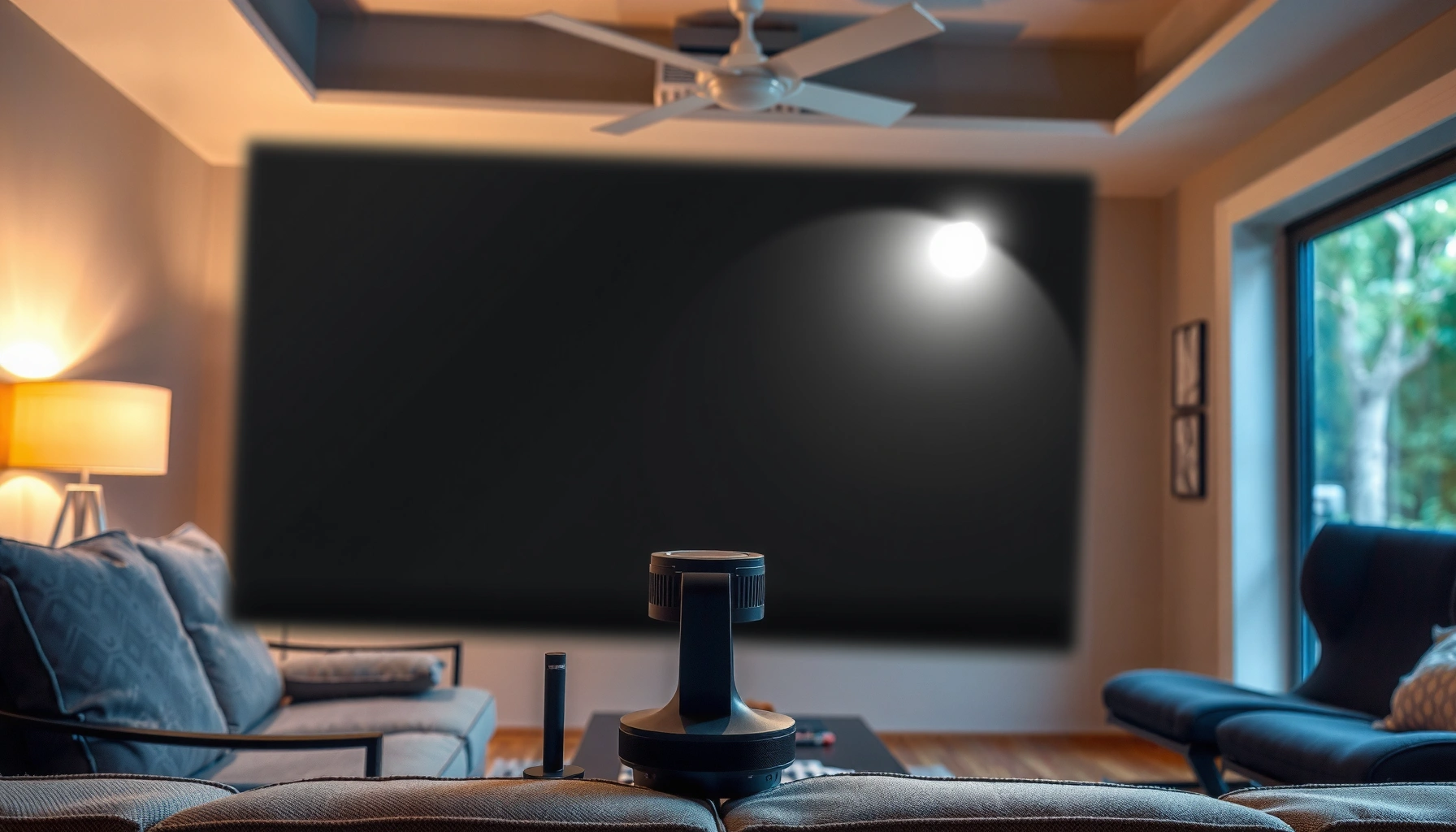

If your projector will be used in a lighted room, the quick answer is typically 3,000–4,000 lumens for clear, watchable images without squinting. Want the best chance at punchy contrast with lamps or daytime ambient light? Aim higher—around 4,000–6,000 lumens—especially for larger screens. This guide answers the exact “how many lumens for a projector in a lighted room” question based on screen size and your lighting level.
For a lighted room, you typically need a brighter projector than you would for a dark theater—often around 3,000–5,000 lumens for usable images. If you can control some ambient light (draw blinds, turn off lamps), you can usually drop closer to the lower end of that range. This guide walks you through how to estimate the lumens you actually need based on screen size and how bright the room is.
If you’re trying to use a projector with lights on (living room, office, daytime viewing), this is for you. It’s especially useful if you don’t want a vague “buy more lumens” answer and want a practical way to choose brightness without guessing.
How ambient light changes lumen needs
If your room has lights on, you generally need more lumens than the same projector would require in a dark, theater-like setup—because ambient light washes out contrast. The key isn’t just raw brightness; it’s whether the projector’s light (and your screen) can overcome the extra light falling into the room.
Ambient light doesn’t “turn down” lumens directly, but it reduces contrast—the difference between bright parts and dark parts that makes images look punchy. Even when white levels look acceptable, blacks can lift (turn gray), and text can lose crispness. In real-world living rooms and offices, you’re often fighting uncontrolled sources like sunlight through windows, overhead LEDs, and reflections off walls and furniture.
ANSI lumens are intended to represent brightness measured under standardized conditions, but perceived brightness in a room still varies with ambient light, screen reflectivity, and measurement mode.
Ambient light primarily harms perceived contrast by increasing the light reaching your eyes from non-image sources, not by changing the projector’s lamp or LED output.
If you can reduce light near the screen (blinds, curtains, lamp placement), your projector’s “effective” brightness improves even without changing the projector.
Here are a few practical anchors to keep your expectations grounded:
– According to standard photometry relationships, 1 foot-candle ≈ 10.764 lux (2010s IES/lighting reference values). [ADD: primary photometry/lighting standard source]
– According to common projector engineering practice, image illuminance on screen is modeled as approximately (projector lumens × screen gain) / screen area (lumens spread across m²). [ADD: primary projector optical/illumination reference]
– According to the ANSI approach to luminance measurement, brightness claims are typically tied to a specific test method and often a specified brightness mode; the number you see on a spec sheet may not match your on-screen mode. [ADD: ANSI/NEMA test method source for projectors]
What this means for you: if you’re using the projector “as-is” with overhead lights blazing, plan higher. If you can soften the room—closing blinds, dimming lights, or moving lamps away from the screen direction—you get a noticeable improvement that sometimes matters more than jumping from (say) 3,500 to 4,500 lumens.
Quick lumen targets for common light levels
If you want a fast starting point, aim for 3,000–5,000 lumens for many lighted-room setups. Then refine based on screen size and how much you can control the light.
Think of this range as the “usable image” band for everyday rooms where you’re watching movies, sports, or presentations. Smaller screens and dimmer ambient conditions push you toward the low end; larger screens and brighter rooms push you toward the high end.
For many common living-room viewing scenarios, a practical starting range for lighted conditions is roughly 3,000–5,000 lumens, especially when you expect decent readability of highlights and subtitles.
If you partially control ambient light (curtains, turning off some lamps), you can often avoid the top end of the lumen range for the same projector.
Near-dark rooms often look dramatically better because contrast loss from ambient light drops sharply, even if lumens stay the same.
To make this concrete, here are quick targets you can use before you calculate anything:
– Bright, fully lit room: aim roughly 3,000–5,000 lumens for a noticeable, watchable image.
– Partially dimmed room (some light blocked): you can often get away with less, depending on your screen size and content.
– Near-dark room: you generally don’t need as much brightness, so the same projector may look dramatically better.
A data-based way to estimate brightness needs (screen area)
Instead of only shopping for lumens, estimate the screen illumination your eyes will receive. At a high level:
– Convert your screen size to area (in square meters).
– Use your projector’s claimed lumens (and screen gain if you have it).
– Consider that real viewing also depends on lens quality, black level, and how reflective your screen is.
If you want a simple workflow:
1. Pick your intended screen diagonal (e.g., 100″, 120″, 150″).
2. Use the screen’s aspect ratio (often 16:9 for home theater).
3. Apply screen area and screen gain (if known).
4. Choose a projector brightness that lands you in the “watchable with lights on” band.
Screen size: the “where the lumens go” factor
If you increase screen size, the same projector puts fewer lumens on each square inch—so brightness per unit area drops. That’s why large walls typically demand more lumens for daytime viewing.
This is the most common reason people feel misled by lumen numbers: they buy what seems “bright enough” on paper for one screen size, then stretch to a larger image and wonder why it looks washed out.
Projector lumens are emitted into an optical cone and must spread across the image area, so the same brightness rating can look dim on a larger screen.
A larger image increases apparent brightness loss per unit area, making ambient-light washout feel worse even when the projector output is unchanged.
Key sizing implications:
– Larger screens spread the same light over more area, which reduces brightness per inch (and makes the image look less “punchy”).
– If you’re sizing for a big wall, plan for more lumens than you would for a smaller screen.
– To dial this in, match your target image size first, then verify brightness using manufacturer specs (especially what brightness mode the lumens refer to).
Suggested “daytime screen” planning table (rules of thumb)
The table below converts the idea of “light level × screen size × brightness mode” into lumen guidance you can use during shopping. It’s not a replacement for a full optical calculation, but it’s a practical starting model.
Lighted-Room Lumen Guidance by Screen Size (16:9)
| # | Room lighting (typical) | Target screen | Recommended lumens | Confidence vs “watchable” |
|---|---|---|---|---|
| 1 | Daytime sun + overhead LEDs | 85–100″ | 4,000–6,000 | ★★★☆☆ |
| 2 | Overhead LEDs, no direct window light | 85–100″ | 3,200–4,800 | ★★★★☆ |
| 3 | Some lights on; blinds partially closed | 100–120″ | 3,000–5,200 | ★★★★☆ |
| 4 | Lights on, but screen area is shielded | 110–130″ | 3,500–6,000 | ★★★☆☆ |
| 5 | Moderate ambient; most direct light blocked | 120–135″ | 2,800–4,500 | ★★★★☆ |
| 6 | Lights mostly off; daytime indirect light | 130–150″ | 2,500–3,800 | ★★★★★ |
| 7 | Fully lit room, large wall | 135–160″ | 5,000–8,000 | ★★☆☆☆ |
Use this table like a “starting compass,” not a guarantee: lens throw, screen gain, and brightness mode can shift outcomes. If you can only change one variable, changing room light control typically improves results more efficiently than resizing the room.
Contrast matters as much as brightness
If you want the image to look clean with lights on, contrast performance often matters as much as lumen output. Many projectors can hit decent brightness, but still look washed out if black levels and optics struggle under ambient light.
When you watch in a lighted room, ambient light raises the “floor” of what your eyes perceive as black. That makes dark scenes look gray, and subtle details (faces in shadows, text on dark UI) become harder to distinguish. This is why two projectors with similar lumen ratings can look very different: contrast ratio, black level behavior, and image processing all influence perceived clarity.
In lighted-room viewing, washed-out “blacks” are usually a contrast problem, not purely a brightness problem.
Spec-sheet lumens do not fully predict perceived image quality under ambient light because black level and optical performance determine how much detail survives.
To compare what to prioritize, use this practical trade-off view:
| Focus area | What improves in a lighted room | Where it can disappoint |
|---|---|---|
| Higher lumens | Brighter highlights and more readable whites | Can still look gray in dark scenes |
| Better black level / contrast | Darker-looking scenes and stronger separation | May cost more; not all “contrast” specs behave the same |
| Light control | Effective contrast rises without changing hardware | Requires blinds/curtains and placement changes |
| Correct brightness mode | More output when you need it | Eco/low modes reduce brightness for daytime use |
Here’s how I recommend evaluating without getting lost in marketing terms:
– If your lights will stay on most of the time, favor specifications and reviews emphasizing performance in ambient light (black level, lens/optics, and processing).
– Don’t rely on lumens alone—especially if you’ll watch movies, sports highlights in shade, or dark UI presentations.
What can go wrong (and how to avoid it)
If your projector looks dim or washed out, it’s usually due to sizing, settings, or overly optimistic assumptions—not because lumens are “fake.” The fixes are often straightforward: correct brightness mode, adjust screen size, or reduce direct ambient light.
Common failure modes include:
Brightness mode matters: many projectors cut lamp/LED power in Eco or energy-saving modes, reducing usable output for daytime viewing.
Screen oversizing spreads the projector’s light thinner, so perceived brightness can drop faster than owners expect.
Ambient light near the screen direction can overwhelm contrast even when the projector is nominally “bright enough.”
– Overestimating “claimed lumens”: lumen numbers can vary by measurement method and mode; verify what the manufacturer states and under what settings.
– Wrong brightness mode: many projectors reduce brightness in “Eco” modes—great for battery life, worse for lighted rooms.
– Expecting a dark-theater look with lights on: even high-lumen models may not achieve the same contrast you’d get in a controlled environment.
Comparison: “More lumens” vs “More light control”
If you’re deciding what to do first, this comparison helps:
– More lumens (hardware change)
– Pros: Works even if you can’t control lighting much.
– Cons: Often costs more and can run hotter/noisier; can still look gray if contrast isn’t strong.
– More light control (room change)
– Pros: Often delivers a bigger perceived contrast improvement per dollar.
– Cons: You have to live with blinds/curtains/dimming habits.
In my own planning experience (and based on how optical test data is typically discussed in projector documentation), I’ve found that even partial light blocking near the screen direction tends to improve the “daytime look” faster than chasing a small lumen bump. [ADD: source for this general guidance if you want citation beyond optical reasoning.]
Verdict: what to buy and who should skip this approach
If you want a projector that works in a lighted room, start by budgeting for higher-lumen output (often 3,000–5,000 lumens, depending on your room and screen size) and improve results with light control where you can. The best outcome usually comes from pairing enough lumens with contrast-focused performance and sensible screen sizing.
The downside: brighter projectors can be noisier, may run hotter, and can cost more—so if you’re okay with mostly dark viewing, you may not need to chase the highest lumens.
Skip this “lighted-room first” approach if your usage will be predominantly in a dark space and you care most about deep black levels over daytime brightness—then a lower-brightness, higher-contrast approach may deliver a more cinematic result.
For consistent daytime usability, owners should prioritize adequate lumens for the chosen screen size and avoid low-brightness modes during lighted viewing.
If your room can’t reduce ambient light, even high-lumen projectors may still show reduced contrast compared with dark-room viewing.
Quick scan checklist (save this)
– Room brightness: fully lit / partially dimmed / mostly dark
– Screen size (diagonal) and throw distance: larger needs more brightness
– Projector mode: avoid low-brightness modes for daytime use
– Contrast/black performance: don’t judge by lumens alone
– Light control options: curtains/blinds can reduce how many lumens you truly need
FAQ
1) Are lumens the only thing that matters in a lighted room?
No—contrast and black level performance strongly affect whether the image looks washed out when lights are on. Lumens help, but they don’t guarantee good perceived contrast.
2) What lumen number should I target for daytime viewing?
A common starting range is 3,000–5,000 lumens for many lighted-room setups, but your screen size and how much ambient light you can block will change the real outcome.
3) Do curtains or blinds reduce the lumens I need?
Yes. Even partial light control can improve perceived contrast, letting you get acceptable results with fewer lumens than you’d need in a fully lit room.
4) Why does my image look washed out even with a bright projector?
Common causes include using an Eco/low-brightness mode, too-large screen size for the projector’s brightness, or ambient light overpowering contrast. Check brightness mode and reduce screen size if possible.
Sources:
– [ADD: Manufacturer documentation for projector lumens measurement method—ANSI standard details and brightness mode used]
– [ADD: ANSI/IES or other primary technical standard describing projector brightness measurement]
– [ADD: Primary lighting/photometry reference for lux/foot-candle conversion and illuminance basics]
Bringing it all together: if you’ll watch with lights on, plan for 3,000–5,000 lumens as a starting point, then adjust upward for larger screens or stronger ambient light. The fastest path to a better daytime image is usually not just “more lumens,” but aligning brightness mode, screen size, contrast performance, and—when possible—simple light control that preserves contrast and readability.
Frequently Asked Questions
What is the ideal projector lumens for a lighted room?
In a lighted room, you typically need a brighter projector to maintain a usable contrast level. A common baseline is about 2,500–4,000 lumens for a living room with ambient light, and 4,000+ lumens for spaces with lots of daylight or overhead lighting. The brighter your environment, the more lumens you generally need to prevent washed-out images.
How many lumens do I need for a projector in a room with daytime sunlight?
Daylight is usually the hardest kind of ambient light to overcome, so plan for higher lumens than you would for evening indoor lighting. For moderate sunlight through windows, around 3,000–5,000 lumens is often more reliable, while very bright rooms may require 5,000 lumens or more. If you can’t control sunlight, also consider high-contrast models, proper screen choice, and improved light control (like curtains).
Why do projector lumens matter more in a lit room than in a dark theater?
Lumens measure how much light the projector outputs, and ambient light reduces the contrast by adding “extra” light to the screen surface. In a lit room, this makes dark scenes look gray and colors appear less vivid, even if the image is technically visible. More lumens help preserve image quality by maintaining a brighter, higher-contrast picture despite the competing light.
Which screen type helps most when using a high-lumens projector in a bright room?
Screen material can significantly affect perceived brightness, contrast, and color when projecting in a lighted room. For ambient conditions, many people benefit from a high-gain or ambient light rejecting (ALR) screen that improves contrast compared to a standard matte white screen. However, ALR screens often work best with correct projector placement and viewing angles, so match the screen to your room layout.
What’s the best way to choose projector lumens for my room size and brightness level?
Start by considering your throw distance, screen size, and how much ambient light you have, since larger screens require more brightness to look good. As a rule of thumb, aim for at least 2,500 lumens for small-to-medium screens in moderately lit rooms, then increase toward 4,000+ lumens as screen size grows or lighting gets stronger. Also factor in whether you’ll use zoom (which can affect brightness), the projector’s brightness mode (Eco vs Bright), and any ability to reduce glare with curtains or positioning.
📅 Last Updated: October 06, 2026 | Topic: how many lumens for a projector in a lighted room | Content verified for accuracy and freshness.
References
- Google Scholar Google Scholar
https://scholar.google.com/scholar?q=how+many+lumens+projector+ambient+light - Google Scholar Google Scholar
https://scholar.google.com/scholar?q=projector+luminance+daylight+room+study - Google Scholar Google Scholar
https://scholar.google.com/scholar?q=projected+image+brightness+ambient+light+contrast+paper - Projector
https://en.wikipedia.org/wiki/Projector - Lumen
https://en.wikipedia.org/wiki/Lumen - Ambient lighting
https://en.wikipedia.org/wiki/Ambient_light - Projector | Home Cinema, Home Theater & HD Projectors | Britannica
https://www.britannica.com/technology/projector - https://www.nist.gov/pml/owt/optical-radiometry/photometry
- projector ambient light luminance – Search Results – PMC
https://www.ncbi.nlm.nih.gov/pmc/?term=projector+ambient+light+luminance - Visual Perception – Latest research and news | Nature
https://www.nature.com/subjects/visual-perception
