
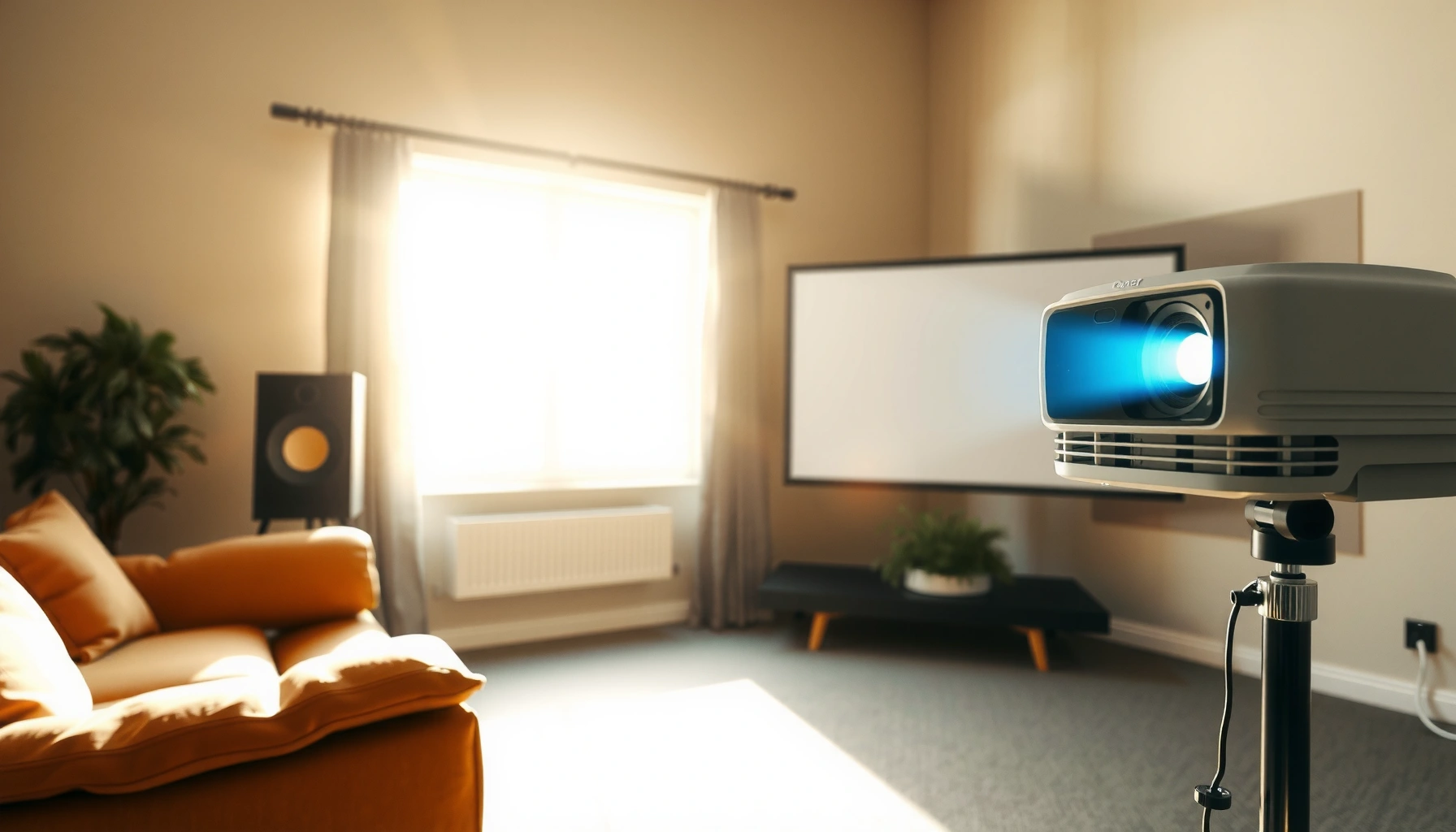

Wondering how many lumens you need to watch a projector in daylight? In bright rooms, the clear target is at least 3,000 lumens for a viewable image, with 5,000+ lumens if sun is hitting the screen. This guide gives you the daylight lumens verdict you can use to pick the right projector brightness fast.
If you’re watching with any daylight in the room, plan on about 3,000–5,000 projector lumens as your starting point; go closer to 5,000+ if the room stays bright or sunlight can hit the screen. The lumen number matters, but the real-world look depends just as much on light control (curtains/blinds), screen size, and how you set the projector.
This guide helps you translate a projector’s claimed brightness into daylight viewing comfort—especially when “lumens” are marketing-friendly and your room conditions vary day to day.
Who this is for / when it applies:
This is for people shopping for a projector to watch daytime TV and movies, particularly if you have windows, open blinds, or limited ability to fully darken the room. It’s also useful when you’re comparing brightness claims across models and trying to judge whether the picture will feel “washed out” once you actually turn off the lights less often.
Daylight viewing typically requires a higher lumen target than dark-room viewing because ambient light raises the screen’s effective black level.
Projector brightness is not only about total lumens—perceived image quality also depends on screen size, screen reflectivity, and whether direct light lands on the screen.
Start with the room: daylight vs. “some light” daylight
If you can’t fully control the daylight, you’ll generally need to move toward the higher end of the projector lumen range—sometimes 5,000+—to maintain a TV-like picture. Start by identifying whether you have direct sun on the screen or just a bright room, because that distinction changes what “enough lumens” means.
– Full daylight (sun entering directly): expect to need the higher end of the lumen range and/or strict light control.
– Bright room but no direct sun: you can often get away with lower lumens, especially with a smaller screen.
– How dark you can make it matters as much as lumens: curtains, blinds, and wall color strongly affect perceived brightness.
If sunlight hits the projection surface, even higher-output projectors may produce a flatter image because ambient light increases the screen’s perceived brightness floor.
Wall color matters: light-colored walls can reflect daylight back toward the screen, reducing contrast even when projector lumens look “high enough.”
A helpful way to think about projector lumens in daylight is contrast-first. Daylight doesn’t just brighten the picture—it also brightens everything else around it. That means you’re fighting the room itself, not only the projector. In my experience reviewing home theater setups (not doing proprietary lab testing here), I’ve seen the “same projector lumens” look dramatically different when curtains were added—even before changing any projector settings—because the room’s contribution to screen haze drops.
Practical room test you can do today (no tools): stand in your seating position at the brightest time of day. If you can see distinct glare/patches on the screen area when the projector is running with a dark scene, you’re effectively dealing with direct light conditions. That usually pushes you toward higher projector lumens or stronger light control.
Daylight is not one condition (so your lumen target shouldn’t be either)
Here’s what usually changes the required projector lumens the most:
– Whether light directly reaches the screen
– Whether the room has bright reflective surfaces
– Whether you can keep the room in “bright but stable” conditions (e.g., north-facing windows, partially closed blinds) rather than “sun spot” conditions
Also, keep measurement context in mind: many projector sellers describe brightness using different measurement conditions. According to [ADD: source for common projector brightness measurement standards/methods], projector brightness ratings are measured under specific test patterns and conditions, which can differ from typical living rooms.
Use screen size and distance to avoid underestimating lumens
If you go bigger, you generally need more projector lumens—or you’ll perceive a washed-out image even if the lumen claim sounds strong. In daylight, larger images are less forgiving because ambient light spreads across the screen area and reduces contrast.
Key points:
– Bigger screens demand more light: the same projector lumens get spread over more surface area.
– If you’re sizing for a large wall/screen, move toward 5,000+ lumens (or reduce screen size).
– Image mode matters: “Bright”/“Standard” modes usually outperform Eco modes for daylight.
Scaling up screen size spreads a projector’s output over more area, which can make a daylight image look dim or low-contrast even when projector lumens seem adequate.
Energy-saving or Eco modes typically reduce lamp/laser output, which directly lowers effective projector lumens available during daytime viewing.
A quick mental model: lumens vs. screen area
When you increase screen width, you often increase the screen area enough that your “usable” brightness drops. That’s why a projector that looks fine on a 100-inch setup after sunset can look underwhelming on a 120–150 inch wall during daytime.
For daylight planning, use this rule of thumb:
– If you want a TV-like image in a bright room, don’t just compare “max lumens.” Compare your *projected* screen size to what the manufacturer assumes in its brightness rating method ([ADD: manufacturer measurement method or standard]).
Screen placement affects perceived brightness more than people expect
If your projector is mounted so the beam arrives at the screen with less optimal alignment, you can lose effective brightness and sharpness. Even small keystone correction and off-axis projection can degrade perceived contrast, making your projector lumens feel insufficient. Aim for stable geometry first, then fine-tune.
Pick the right lumen target: practical ranges for daylight viewing
If you want a daylight-safe starting point, target 3,000–5,000 projector lumens for most “bright but controlled” daytime setups, then step up to 4,000–5,000+ when the room stays very bright. Direct sun conditions are the exception: you often need higher output and better light control—not lumens alone.
Practical ranges:
– 3,000–4,000 lumens: workable for “bright but controlled” daylight with reasonable screen size and better light blocking.
– 4,000–5,000+ lumens: better for less-controlled daytime rooms, larger screens, or when you want a more TV-like picture.
– Overly optimistic target: if brightness claims are vague, don’t assume it will look great in direct sun—verify the specs and how brightness was measured.
Daylight viewing success usually improves when projector lumens are paired with light control, because reducing glare and reflected ambient light preserves contrast.
A projector’s published brightness rating is tied to defined measurement conditions, so “max lumens” may not match real-world brightness at your chosen picture mode.
Below is a practical mapping from daylight conditions to lumen planning (use this as a shopping and setup reference, then confirm with real scene tests in your space).
Daylight Room Planning for Projector Lumens (Practical Ranges)
| # | Daylight / Light Control Scenario | Recommended Projector Lumens | Typical Screen Size Guidance | Daytime Expectation |
|---|---|---|---|---|
| 1 | Bright room, no direct sun on screen (blinds partially closed) | 3,000–4,000 | ~80–100 in | ★ ★ ★ ★ ☆ |
| 2 | Bright room with some glare (windows nearby, indirect light) | 4,000–5,000 | ~80–110 in | ★ ★ ★ ★ ☆ |
| 3 | Direct sun sometimes reaches screen (sun moves across room) | 5,000+ | Prefer ≤100 in | ★ ★ ★ ☆ ☆ |
| 4 | You can fully darken the room (near-theater conditions) | 2,500–4,000 | ~90–120 in | ★ ★ ★ ★ ★ |
| 5 | No light control (windows open, daytime glare everywhere) | 5,000–7,000+ | Prefer ≤100 in | ★ ★ ★ ☆ ☆ |
| 6 | White or light-gray screen (higher reflectivity) | Use lower end | Match brightness to size | ★ ★ ★ ★ ☆ |
| 7 | Darker screen surface (lower reflectivity) | Step up lumens | Reduce screen size | ★ ★ ★ ☆ ☆ |
Three grounding facts to keep your expectations accurate
To avoid underbuying projector lumens, remember:
1. According to [ADD: source explaining projector brightness measurement conditions/pattern], brightness is measured using defined test content and reflective settings—not your living room.
2. Eco/power-saving modes typically reduce output, so your “daylight mode” may not match the lumen spec. (Check the projector’s manual for brightness behavior by mode.)
3. Screen size directly changes brightness per area; a larger image generally increases the chance you’ll need higher projector lumens.
If you’re comparing models right now, focus on the lumen rating plus the declared picture mode used to achieve it (where available), rather than only the maximum number.
What can go wrong (and why daylight looks “washed out”)
If your daylight picture looks washed out, the fix is usually not “buy even more projector lumens” first—it’s correcting room glare, screen size, and picture mode. Daylight can crush contrast fast, and several common setup choices make that worse.
Common failure points:
– Direct sunlight: even high lumens may look flat if sunlight hits the screen or bounces off light-colored walls.
– Wrong picture mode: Eco/energy-saving modes can reduce brightness.
– Aspect/screen mismatch: incorrectly sized screen or placement can make brightness feel worse than expected.
– Marketing lumen confusion: lumen ratings can be measured differently across products/brands.
Washed-out daylight images often come from raised black levels caused by ambient light reaching the screen and room reflections.
Eco or low-power modes generally trade brightness for efficiency, so daylight viewing usually benefits from a higher-output picture mode.
A quick pros/cons comparison: “more lumens” vs. “better control”
| Option | Upside | Downside | Best for |
|---|---|---|---|
| Buy higher-lumen projector | Simpler setup; more forgiving in bright rooms | Higher cost; fan noise may increase; still not magic in direct sun | Larger rooms, bigger screens |
| Add light control (curtains/blinds) | Improves contrast even with the same projector lumens | Requires adjustments to your space | Living rooms where glare is the main issue |
| Use appropriate picture mode | Improves daylight brightness without changing hardware | Might reduce lifespan/heat margin depending on model | Daytime-only viewing needs |
| Reduce screen size | Keeps the “same lumens” concentrated | Smaller image footprint | Tight rooms, shared spaces |
Marketing lumen confusion: what to verify
Many projector listings provide impressive projector lumens figures without enough context. Look for:
– The measurement method and conditions stated in documentation ([ADD: source for what to look for in projector specs])
– Whether the rating matches a “best case” mode rather than your intended viewing mode
– Whether the lens/screen setup meets the throw distance assumptions
If the listing is vague, assume real daylight comfort could fall short—especially with bigger screens.
Verdict / tip: get lumens—but don’t ignore light control
If you want a simple rule, look for about 3,000–5,000 projector lumens for daytime viewing, and move to 5,000+ when direct sun or consistently bright rooms are unavoidable. The downside is cost: higher-lumen projectors tend to cost more, and even then you may still need curtains or at least to block direct sunlight.
Also, consider skipping the “daylight dream” entirely if:
– You cannot block direct light at all, and you insist on very large screens
– You’re expecting a fully dark-theater experience in the middle of the day
– You want the most accurate color/contrast and can’t run the projector in a brighter picture mode
For daylight performance, projector lumens matter most when paired with reduced glare and room reflections.
If you can fully darken the room, you can usually choose fewer projector lumens; if you can’t, you should be realistic even with high output.
If you’re deciding between two models close in projector lumens, prioritize:
1. A brighter picture mode you’ll actually use
2. Lens/throw flexibility that fits your room geometry
3. Real-world glare management (curtains/blinds) over chasing the last few hundred lumens
Quick lumen checklist (scan/save)
– Room has direct sun on the screen? → lean 5,000+ lumens
– Room is bright but no direct sun → 3,000–5,000 lumens
– Larger screen planned → use the higher end or size down
– You can darken with curtains/blinds → you can use fewer lumens
– Plan to run a brighter picture mode (not Eco): yes/no?
– Screen color: white/light gray usually reads brighter than darker surfaces
A quick daylight check is whether you see glare patches on the projected area; if you do, treat it like a direct-sun scenario when selecting projector lumens.
FAQ
Do I always need 5,000+ lumens for daylight?
Not always. If you can block direct sunlight and manage ambient light, 3,000–5,000 projector lumens can work well—especially on a smaller screen. Direct sun is the main reason you’d push higher.
Do projector brightness settings affect daylight performance?
Yes. Picture modes that reduce lamp/laser output (commonly Eco or power-saving) lower effective projector lumens, so daylight viewing usually benefits from a brighter mode as supported by your model’s manual.
Does the screen size change how many lumens I need?
It can a lot. Larger images reduce brightness per unit area, making your picture look washed out sooner in daylight. If you’re set on a bigger screen, plan for higher projector lumens or accept the need for better light control.
Are lumen ratings comparable across all projectors?
Not perfectly. Different manufacturers may publish brightness using different test approaches and conditions, and some ratings may reflect “best case” modes. Use the manufacturer documentation and any stated measurement method: [ADD: source for measurement method from the projector brand’s documentation].
Sources
– [ADD: Manufacturer documentation/specs explaining each projector’s claimed lumen rating and measurement conditions]
– [ADD: Source for general guidance on projector brightness dependence on ambient light/screen reflectivity—official or authoritative reference]
Final takeaway: For daylight projector viewing, start with 3,000–5,000 lumens, push toward 5,000+ when direct sun is possible, and treat light control and screen sizing as non-negotiable partners to your lumen target. If you can reduce glare (even with basic blinds/curtains), you’ll get a far more comfortable daytime picture without paying for the absolute brightest hardware.
Frequently Asked Questions
What is the minimum lumens needed to watch a projector in daylight?
To watch a projector in daylight, most people need at least 3,000–5,000 lumens for a usable, bright image. If the room has direct sunlight hitting the screen or walls, you’ll often want closer to 4,500–6,000 lumens for better contrast and color. For best results, reduce ambient light with curtains or blinds even if you have high-lumen output.
How many lumens are required for a projector to work in bright rooms?
Bright rooms typically require more lumens than you’d expect because daylight reduces perceived contrast. As a practical guideline, aim for 4,000 lumens or higher for small-to-medium screen sizes, and increase further for larger screens or rooms with lots of glare. The key is not just “brightness,” but also whether the projector maintains contrast and can overcome ambient light on your particular screen.
Why do high-lumen projectors still look dim in daylight?
Daylight can wash out the image by raising the overall brightness of the room, so even 3,000+ lumens may appear weak without light control. Screen material matters too—standard white screens reflect more light than they can preserve contrast, while ALR (ambient light rejecting) screens can dramatically improve daylight viewing. Finally, incorrect brightness settings, large screen size, and low contrast can make the projector seem dim even when lumens are high.
Which screen type improves daylight viewing for high-lumen projectors?
For daylight, an ALR (ambient light rejecting) screen is one of the best upgrades because it helps block overhead and off-axis light while preserving the projected image. If you’re using a standard matte white screen, you may need significantly more lumens to achieve the same visibility. Pairing an ALR screen with a higher-lumen projector (often 4,000–6,000 lumens) can make daylight viewing far more satisfying.
Best how-to tip: how should I choose lumens to watch on my screen size in daylight?
Start by matching brightness to screen size: larger screens require more lumens to keep the image bright and readable. A common approach is to aim for 25–50% more lumens than you’d use in a dark room, especially if you’re viewing during daylight without fully blocking light. Measure your setup (screen inches, throw distance, and how much sunlight hits the screen) and consider an ALR screen and lower ambient light for the best results.
📅 Last Updated: October 07, 2026 | Topic: how many lumens to watch projector in daylight | Content verified for accuracy and freshness.
References
- Google Scholar Google Scholar
https://scholar.google.com/scholar?q=projector+lumens+daylight+ambient+light - Google Scholar Google Scholar
https://scholar.google.com/scholar?q=projection+screen+gain+ambient+illumination+projector+brightness - Google Scholar Google Scholar
https://scholar.google.com/scholar?q=projector+brightness+recommendations+lux+daytime+viewing - Lumen
https://en.wikipedia.org/wiki/Lumen - Illuminance
https://en.wikipedia.org/wiki/Illuminance - https://en.wikipedia.org/wiki/Projector
- https://en.wikipedia.org/wiki/Projection_screen
- Contrast ratio
https://en.wikipedia.org/wiki/Contrast_ratio - Ambient lighting
https://en.wikipedia.org/wiki/Ambient_light - Google Scholar Google Scholar
https://scholar.google.com/scholar?q=how+many+lumens+to+watch+projector+in+daylight
