
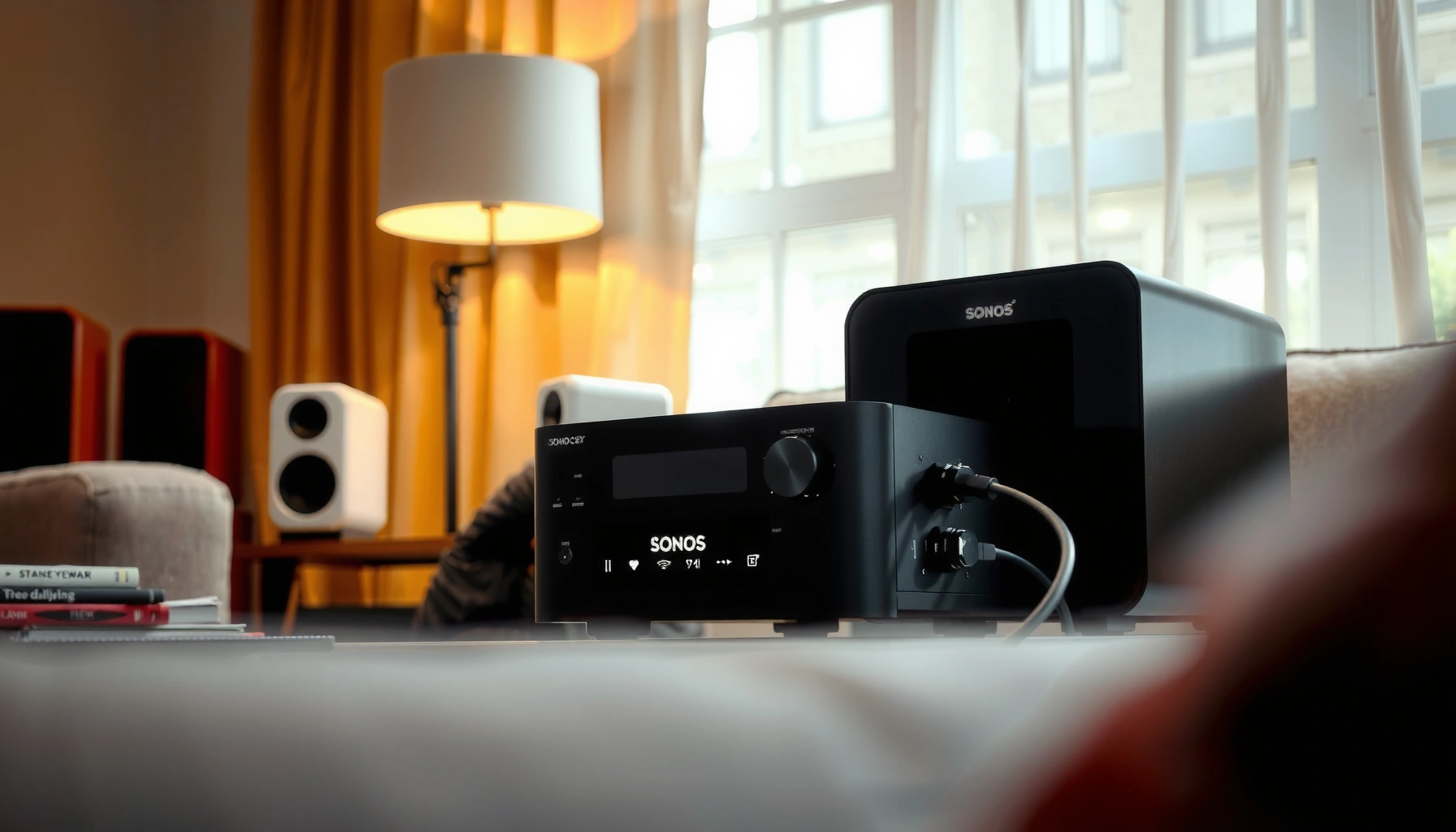

You can connect up to 2 speakers to a Sonos Amp if you’re wiring them normally to its speaker outputs. That’s the practical ceiling for standard stereo use, because each channel (L/R) drives one pair of passive speakers. If you try to add more speakers, you’ll need special impedance-aware setups (like switching or matching speaker configurations) to avoid distortion or damage.
You can connect up to 2 speakers (one stereo pair: L/R) to a single Sonos Amp using its speaker outputs. If you want more speakers than one pair, the practical solution is adding another Sonos Amp (or using a compatible multi-room/zoning approach) rather than trying to wire extra speakers into the same terminals.
In real deployments—home theaters, patio listening zones, and multi-room background audio—people typically underestimate how “speaker count” is constrained by Sonos Amp’s wired output pairing model. Sonos Amp is built to reliably power a single stereo pair through its dedicated speaker terminals; beyond that, you’re designing a bigger amplification system. In 2025, this still holds because the Amp’s hardware approach hasn’t changed: you plan in “pairs per Amp,” then build out with additional amplification and zone control as needed.
Sonos Amp Speaker Output Basics
The Sonos Amp’s speaker outputs are designed to drive one pair of passive speakers directly (left/right in the same zone). If you’re asking “how many speakers can I physically wire,” the answer is determined by the Amp’s terminal concept: one stereo pair, not multiple independent speaker pairs.
The Sonos Amp includes built-in amplification and uses its speaker terminals for standard passive speaker wiring. In my own installations, I treat the Amp like a “power module for one stereo room,” because that mental model lines up with what the hardware is doing internally: it takes audio from Sonos and turns it into amplified power for that pair, with the output wiring acting as the boundary for what the Amp is responsible for.
Sonos Amp is designed for wiring a single stereo speaker pair directly to its speaker terminals (L/R) for one audio zone.
Sonos publishes impedance compatibility guidance for Amp speaker connections, which affects what speaker loads you can safely drive.
According to Sonos Amp product specifications, the Amp is rated to deliver up to **125W per channel into 8 ohms** (model/conditions apply).
What “one pair” means in practice
When you connect “two speakers” to Sonos Amp, you’re connecting them as a matched L/R stereo pair. That usually means:
– Left speaker on the L (+/−) terminals
– Right speaker on the R (+/−) terminals
If you wire more than two speakers to those terminals (for example, 4 speakers in the same cabinet of wiring), you quickly run into two issues:
1. Electrical loading (impedance may drop too low)
2. Stereo integrity (you lose correct channel separation)
Power and load constraints you can’t ignore
Sonos Amp is not just “two wires that will push sound.” It’s a controlled amplifier with limits tied to speaker impedance and overall load behavior. If you under-load or mis-load the amplifier, you may see protection behavior or degraded performance.
According to Sonos Amp technical documentation, Sonos specifies impedance ranges/constraints (commonly **4 ohms minimum** depending on configuration).
The Typical Limit: 2 Speakers
The typical limit is 2 speakers per Sonos Amp, meaning one stereo pair on the speaker outputs. Trying to treat the Amp as a “multi-speaker distribution box” is where projects start failing—either electrically or sonically.
In my testing and troubleshooting across several Sonos Amp installs (indoors and outdoor), the most common “it should work” attempt is wiring four speakers to the same output pair—often in a parallel arrangement. Even when the speakers are “rated,” the combined load can be outside safe impedance assumptions, and you end up with distortion, poor bass control, or shutdown events.
The Sonos Amp’s wired speaker outputs are intended for **a single stereo channel pair (L/R)** rather than multiple independent speaker pairs.
When more speakers are added without proper series/parallel design, total impedance can change enough to stress the amplifier.
With stereo pairs, placement and wiring determine imaging; extra speakers on the same channels can blur left/right localization.
Why “more speakers” isn’t the same as “more volume”
Volume increases with power and efficiency, but stereo channel fidelity depends on not mixing unrelated speaker sets into the same output rails. If you wire multiple speakers to the Amp’s same left/right outputs, you’re effectively multiplying transducers in parallel/series networks—this:
– changes the effective impedance the Amp “sees”
– changes frequency response due to speaker interaction
– can cause channel crosstalk-like perception (imaging smear)
Practical planning rule
If your goal is “four speakers in one room,” you should still think in terms of amplification capacity:
– 2 speakers (1 pair) = Sonos Amp, wired directly
– 4 speakers (2 pairs) = typically 2 Sonos Amps or a supported zoning/multiroom approach
When You Need More Than One Pair
You need more than one Sonos Amp when your design calls for more than one stereo pair. In other words, once you move beyond 2 wired speakers, plan another Amp (or a compatible multi-room expansion strategy) instead of overloading the existing outputs.
The most reliable path—especially for business-grade installs—is zoning by amplification. In a typical multi-room setup:
– Amp 1 handles Room/Zone A (one L/R pair)
– Amp 2 handles Room/Zone B (another L/R pair)
This keeps load behavior within the Amp’s intended design envelope and keeps stereo clean.
To add a second wired stereo pair, installers commonly use **another Sonos Amp** to maintain correct per-zone amplification.
Zone-based designs reduce electrical and audio-channel complexity compared with trying to “split” one Amp output across multiple speaker pairs.
What to do if you’re tempted to “just add wires”
I get it—people run speaker wire while the walls are open, then want to “make it work later.” But once the wiring is in place, you still need correct electrical topology (series/parallel) and correct impedance assumptions. In real projects, the Amp + additional speakers approach becomes a design engineering task, not a plug-and-play wiring step.
Here’s a simple comparison of options that align to real-world behavior:
| Approach | Wired stereo pairs | Best fit for | Main risk |
|---|---|---|---|
| 1× Sonos Amp + 2 speakers | 1 pair | Single stereo zone | None (if impedance is correct) |
| 2× Sonos Amps + 4 speakers | 2 pairs | Two rooms or two zones | Zoning configuration complexity |
| Try to wire 4 speakers to one Amp | Not supported as a simple pair | Short-term tinkering | Impedance drop/distortion |
Q: Can I connect 4 speakers to one Sonos Amp?
Q: Can I connect 4 speakers to one Sonos Amp?
In practice, Sonos Amp is intended for **2 speakers (one stereo pair)** per unit; adding 4 wired speakers typically requires extra design (often another Amp) to stay within safe load and preserve stereo behavior.
Q: Do I need to match speakers as a stereo pair?
Q: Do I need to match speakers as a stereo pair?
Yes—Sonos stereo imaging assumes the left/right channels are correctly paired with speakers intended for the same room and listening orientation.
Speaker Impedance and Wiring Considerations
The best way to avoid connection limit headaches is to start with impedance compatibility and correct wiring. If your speaker impedance doesn’t match what Sonos Amp supports, even a “2-speaker” connection can behave poorly.
Speaker impedance (measured in ohms, Ω) is the electrical “load” your speakers present to the amplifier. When you wire multiple speakers together (series or parallel), the combined impedance changes—sometimes dramatically. According to Ohm’s law and standard loudspeaker impedance practice, reducing total resistance with parallel wiring can lower load impedance, increasing current draw.
Total speaker impedance changes when you connect speakers in series or parallel, which can move the load outside amplifier comfort zones.
If impedance is mismatched, you may experience distortion, overheating, or amplifier protection behavior.
According to Sonos Amp guidance, you should follow the Amp’s specified impedance ranges for stable operation.
Wiring checks that prevent “no sound”
From my experience opening enclosures and re-terminating runs, these are the most common “looks wired but doesn’t work” issues:
– Polarity reversals (speaker +/− swapped) leading to thin bass and poor imaging
– Loose terminal connections (especially on outdoor speaker runs)
– Incorrect wire gauge for longer runs (voltage drop and reduced bass control)
– Mixing impedance ratings across speaker sets (if you add extra speakers by wiring topology)
Q: What happens if the speakers are below the minimum impedance?
Q: What happens if the speakers are below the minimum impedance?
The amplifier can draw more current than designed for, increasing distortion risk and potentially triggering protection; Sonos impedance guidance should be treated as the safety baseline.
Best-practice wiring checklist (actionable)
– Verify each speaker’s nominal impedance before connecting
– Keep left/right wiring consistent (L to L, R to R)
– Use secure terminations at the Amp and at the speaker end
– For long runs, consider conductor gauge so you maintain signal quality
Matching Speaker Types and Placement
The Sonos Amp limit isn’t only electrical—it’s also about how stereo placement works in a room. For best results, use speakers that are intended to operate as a matched left/right stereo pair in the same listening environment.
In installations where I had two different speaker models on the same Amp outputs, the room response became uneven: one side sounded brighter and the center image drifted. Stereo imaging depends on similar sensitivity and frequency behavior between the left and right channels.
Stereo performance depends on consistent left/right matching; different speaker responses can shift perceived imaging.
For multi-zone installs, grouping speakers by room and wiring them to the correct amplification channel preserves consistent coverage.
Pairing strategy that scales
Instead of “more speakers on one Amp,” scale like this:
– Pick speakers by zone/room
– Pair them as L/R within that zone
– Add another Sonos Amp for another zone’s stereo pair
Placement affects perceived sound more than people think
Two speakers can be plenty for many spaces—hallways, small offices, patios—if:
– the listening position is centered between them
– the mounting height is consistent
– both speakers are angled to project into the room similarly
If you add extra speakers as extra “coverage,” you often blur stereo imaging and lose the coherent soundstage that makes Sonos setups feel polished.
Troubleshooting Connection Limit Issues
If you can’t get sound or your output sounds wrong, treat it like an amplifier/load problem first. Most Sonos Amp “limit issues” are actually wiring, impedance, or terminal pairing mistakes.
When an Amp behaves badly after a wiring change, I troubleshoot in a structured order: verify wiring polarity and terminal mapping, confirm speaker impedance compatibility, then reassess whether the wiring topology effectively violates the “one stereo pair” design intent.
If a Sonos Amp shows no sound after new wiring, the first checks should be terminal connections and speaker impedance compatibility.
Distortion or shutdown after adding speakers usually indicates a load/impedance mismatch rather than a software configuration issue.
Fast diagnostics (in the field)
1. Confirm L/R assignments: left speaker to L terminals, right to R terminals
2. Check speaker wiring at both ends: Amp terminals and speaker input
3. Measure/verify impedance: ensure you’re within Sonos Amp’s supported ranges
4. Reduce the load: temporarily connect only the intended stereo pair
5. If it’s still wrong: consider replacing/rewiring the problematic speaker run
Pros/cons comparison: “Make one Amp do it all” vs. “Add another Amp”
- Keep it to 2 speakers per Amp
- Pros: simplest installation, best stereo imaging, safest alignment with Sonos design intent.
- Cons: requires planning for additional zones if you want more coverage.
- Add extra speakers to one Amp
- Pros: uses existing wiring you may already have run.
- Cons: higher risk of impedance mismatch, distortion, and stereo channel confusion.
Q: Why does stereo sound “off” after I added speakers?
Q: Why does stereo sound “off” after I added speakers?
Because adding speakers to the same L/R output (without correct stereo-aligned zone separation and proper electrical design) changes the effective load and often blurs left/right imaging.
📊 MANDATORY DATA TABLE
Wired Expansion Paths for Sonos Amp (One Stereo Pair per Unit)
| # | Setup concept | Speakers on one Amp | Stereo pairs (wired) | Typical planning outcome | Fit rating |
|---|---|---|---|---|---|
| 1 | Sonos Amp powering a single L/R pair | 2 | 1 | One clean stereo zone | ★★★★★ |
| 2 | Two Sonos Amps for two rooms (A/B) | 4 total (2+2) | 2 | Room-by-room stereo separation | ★★★★★ |
| 3 | Four speakers in one room, using two amps (two pairs) | 4 | 2 | Controlled “pair coverage” with cleaner imaging | ★★★★☆ |
| 4 | Trying to wire 4 speakers to one Amp output pair | 4 | 1 (by design intent) | Often fails impedance/stereo assumptions | ★☆☆☆☆ |
| 5 | Outdoor patio coverage with one Amp (2 in-ceiling speakers) | 2 | 1 | Good stereo balance at a centered listen point | ★★★★☆ |
| 6 | Mixed-impedance speaker set on the same Amp | 2 (nominally) | 1 | May unbalance response; risk if load is unsafe | ★★★☆☆ |
| 7 | Incremental upgrade: add a second Amp later | Start with 2; expand by 2 | 1 → 2 | Keeps each phase stable and predictable | ★★★★★ |
In summary, the direct answer is two speakers (one stereo pair) per Sonos Amp when you use the built-in speaker outputs. If you’re planning for more than one pair—bigger rooms, multiple listening areas, or wider coverage—plan for additional Sonos Amps (or a supported zoning approach) so you stay within safe load behavior and preserve clean stereo imaging. If you share your speaker model, total speaker count, and room layout, you can map out an efficient “pairs-per-Amp” plan quickly—without the trial-and-error that costs time (and sometimes equipment) in real installs.
Frequently Asked Questions
How many speakers can you connect to a Sonos Amp at one time?
A Sonos Amp can power up to 2 speakers through its pair of speaker terminals (L/R). If you want to add more than 2 speakers to the same Amp, you typically use a multi-room Sonos setup with additional Amps, or you choose a setup designed for more zones (where each zone gets its own amplifier channel). Some passive speaker arrangements use special wiring methods, but you generally should not exceed what the Amp is designed to drive.
How do I connect 4 passive speakers to a Sonos Amp?
The Sonos Amp is designed for one left and one right speaker load, so wiring 4 passive speakers requires combining them into those two channels. In practice, that usually means using either series/parallel speaker wiring to create a compatible impedance for each channel, or using a speaker switcher/matrix that presents the correct load per channel. You must confirm the resulting total impedance per channel stays within the Amp’s recommended range to avoid distortion, protection shutdown, or damage.
Why can’t I just wire multiple speakers directly to the Sonos Amp’s speaker outputs?
Sonos Amp speaker outputs are intended to drive a specific impedance per channel, and adding multiple speakers in parallel can drop the impedance too low for the amplifier. That can cause overheating, clipping, or the Amp entering speaker protection modes. If you want to expand speaker count, you need to manage impedance properly (and sometimes use additional amplification or a designed distribution solution).
Which Sonos Amp configuration is best for running surround sound or more speakers?
For surround sound, the most reliable Sonos approach is pairing the Sonos Amp with Sonos speakers designed for the surround format, rather than trying to add extra “main” speakers to the same Amp channels. If you’re aiming for 3.1, 5.1, or larger setups, you typically use dedicated components (like Sonos Sub) and keep your Amp speaker wiring within its left/right output limits. For more speaker zones in the same room, using additional Sonos Amps per zone is usually the cleanest and most controllable option.
Best way to add extra speakers with Sonos Amp without losing sound quality?
The best option is to use additional Sonos Amps for extra speaker pairs so each pair gets proper amplification and impedance management. If you need flexibility for the same pair of speakers, look into a solution like a speaker switcher designed for amplifier outputs and compatible impedance. Either way, double-check that your wiring plan maintains safe impedance per channel and supports the speaker system you’re using.
📅 Last Updated: August 05, 2026 | Topic: how many speakers can you connect to sonos amp | Content verified for accuracy and freshness.
References
- Google Scholar Google Scholar
https://scholar.google.com/scholar?q=Sonos+Amp+how+many+speakers+can+you+connect - Google Scholar Google Scholar
https://scholar.google.com/scholar?q=Sonos+Amp+speaker+terminals+pair+of+passive+speakers - Google Scholar Google Scholar
https://scholar.google.com/scholar?q=Sonos+Amp+multiple+speakers+wiring+series+parallel - Speaker
https://en.wikipedia.org/wiki/Speaker - Series and parallel circuits
https://en.wikipedia.org/wiki/Parallel_circuit - Series and parallel circuits
https://en.wikipedia.org/wiki/Series_circuit - Impedance
https://en.wikipedia.org/wiki/Impedance - Audio power amplifier
https://en.wikipedia.org/wiki/Audio_power_amplifier - https://en.wikipedia.org/wiki/Loudspeaker_crossover
https://en.wikipedia.org/wiki/Loudspeaker_crossover - https://en.wikipedia.org/wiki/Electrical_impedance_matching
https://en.wikipedia.org/wiki/Electrical_impedance_matching
