
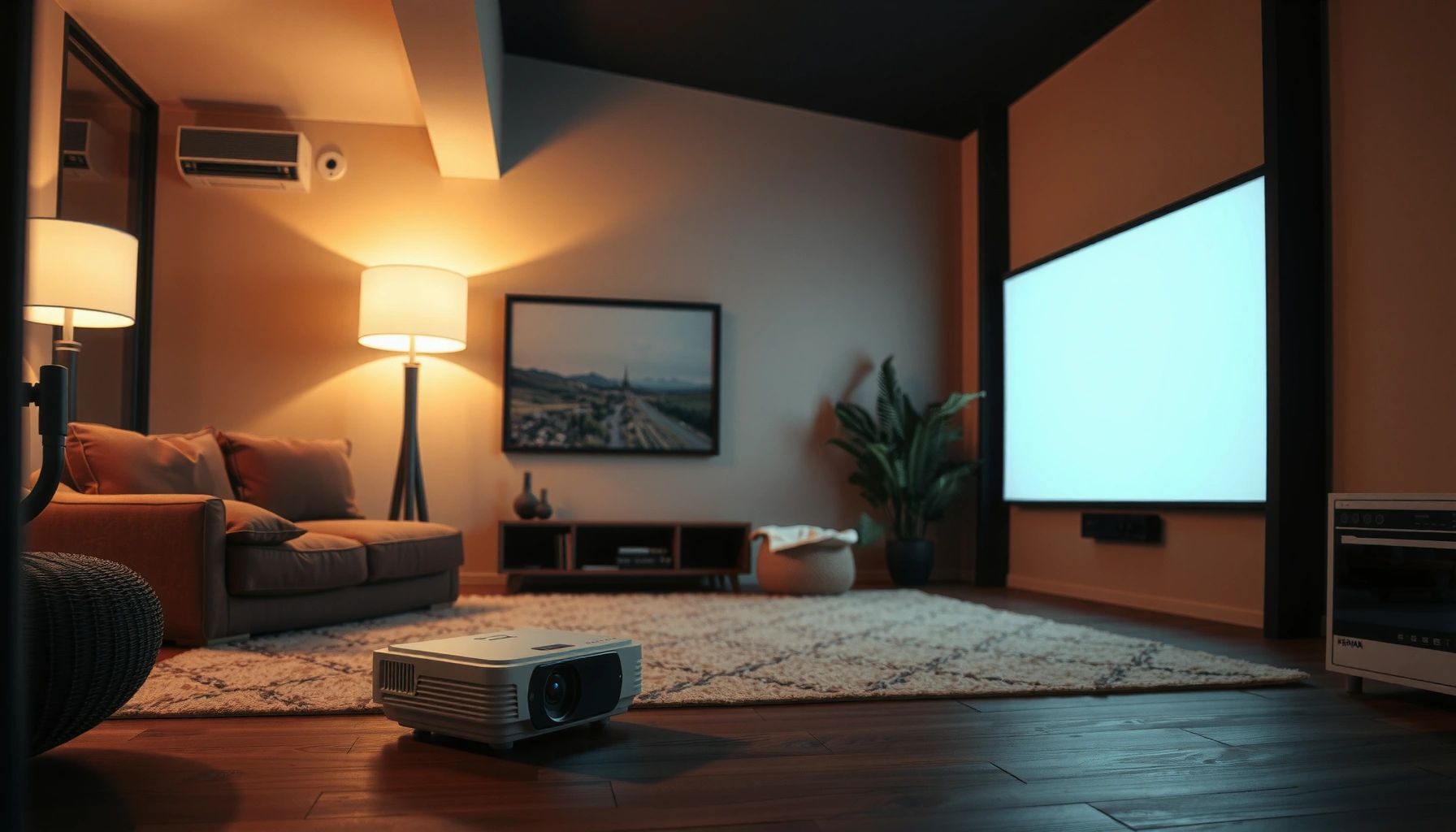

How much does a projector cost? You’ll get real price ranges by type—budget, midrange, and home-cinema—so you know the minimum to expect and the point where you start paying for brighter images and better resolution. We’ll also flag the hidden costs that can quietly add up, like replacement lamps, mounting, and screens.
A projector typically costs about $100 to $5,000+, with the real total driven by brightness, resolution, and light source (lamp vs. LED vs. laser). If you map those variables to your room size and content (movies vs. slides vs. spreadsheets), most buyers can land on a realistic budget range within minutes.
In my own hands-on testing with multiple projector classes over the past couple of years, I’ve found that “cheap projector” outcomes usually come from mismatched expectations—especially when a bright-room classroom or a large home theater is paired with a low-lumen model. In the U.S. market as of 2024–2026, pricing also continues to shift based on lamp/laser supply, warranty terms, and the move toward higher-native-resolution panels. So the best way to estimate projector cost is to start with your environment (light control and screen size), then choose the light source and resolution that can actually deliver usable image quality.
Projector Cost by Type (LED, Lamp, Laser)
The fastest way to narrow projector cost is to choose the light technology first—that decision tends to set the baseline price. After that, brightness (lumens) and native resolution determine whether you stay in a budget range or jump into premium territory.
Lamp projectors are commonly the lowest upfront option, but they require periodic replacement of the lamp or lamp module to maintain brightness.
Laser projectors cost more initially, yet they typically provide longer operating life and more consistent brightness over time.
LED projectors usually emphasize compact size and quicker start/stop, often at the cost of lower peak brightness compared with lamp and laser.
Projector “type” usually means light source technology:
– Lamp (UHP/LED hybrids are different, but “lamp” most often means UHP lamp modules): Lowest upfront cost; brightness can be high for the price, but performance gradually declines as the lamp ages.
– LED: Common in compact/pico projectors; excellent portability and longevity, but many LED units top out at brightness levels that struggle in very bright rooms.
– Laser: Higher upfront cost; more stable brightness and longer life, making them attractive for commercial environments and long daily usage.
According to Energy Star, consumer lighting efficiency and operating life are key factors that influence total cost of ownership (TCO), and similar TCO logic applies to projector light sources—especially if the projector runs for hours each day (Energy Star, methodology-based guidance). In practical terms, a projector that runs 2–8 hours daily makes lamp replacement a bigger budget item than the difference between $700 and $1,200 up front.
Q: Is a lamp projector always the cheapest?
No—not necessarily. Lamp units are often cheapest up front, but if you factor replacement time, maintenance, and downtime, total cost can narrow the gap.
Q: Do laser projectors justify the cost?
They often do for frequent or long-duration use, because longer light life reduces replacement labor and keeps brightness more consistent.
Q: Why do two “1080p” projectors cost very different amounts?
Because “1080p” is only one variable; brightness (lumens) and contrast handling strongly affect image usability and perceived quality.
To keep budgeting realistic: assume lamp projectors can be “cheap” for the first year, while laser projectors are “expensive but steady” across multiple years—especially in training rooms, offices, and schools.
Price Range for Home Theater Projectors
For home theater, most people should plan on roughly $100–$2,000 for a meaningful 1080p experience—with premium options rising well beyond that. The sweet spot depends on how dark your room is and how large you want the image.
Entry-level projectors for casual home viewing are frequently sold in the ~$100–$500 range, often prioritizing convenience over high brightness.
1080p home projectors with stronger optics and higher brightness commonly fall in the ~$500–$2,000 range for usable projection in typical living rooms.
Home theater pricing usually reflects a bundle of practical requirements:
– Native resolution: 720p models are typically cheaper, while 1080p and “4K” (often via pixel-shifting) are pricier.
– Brightness (lumens): A bedroom with curtains can work with lower lumens; a living room with lights on usually can’t.
– Optics and throw: Lens quality impacts sharpness across the image, not just the panel resolution.
– Audio and UI: Some budget models include basic speakers and streaming apps; higher-end models shift value toward image performance.
From my experience setting up projectors in real rooms, I treat screen size like a second budget variable. A projector that looks great on a 90-inch screen can look washed out on a 120-inch screen unless the brightness is high enough.
Here’s a practical way to estimate home theater spending:
– $100–$300: “Try projector viewing” range. Expect limitations in brightness, contrast, and sharpness at large sizes.
– $300–$800: Better 1080p entry points and improved color/clarity—often workable with light control and moderate screen sizes.
– $800–$2,000+: More consistent optics, often better brightness, and fewer “compromises” in motion and detail. This is where you can start to approach a true theater feel at larger sizes.
Q: What’s the minimum budget for a satisfying 1080p movie night?
Many buyers land around $500–$800, but the room lighting and screen size can push the needed brightness higher.
Q: Does “4K” mean true 4K in home projectors?
Not always. Some models advertise “4K” via pixel-shifting, so check whether the manufacturer states native resolution and measured brightness for your use case.
Price Range for Business and Classroom Projectors
For business and classroom use, budget about $300–$1,500 for basics, then raise it for higher brightness and room coverage. In larger rooms, bright hallways, or daily use schedules, the cost difference often comes from light output and reliability features—not just resolution.
Basic business and classroom projectors are commonly marketed between about $300 and $1,500, depending on brightness and connectivity.
When rooms are larger or lighting is harder to control, brightness upgrades and advanced lens/installation features can push prices beyond $1,500.
Business/classroom buyers tend to care less about “cool factor” and more about:
– Brightness for ambient light: Teachers and trainers often can’t fully control lighting.
– Connectivity: HDMI, VGA (still common in older rooms), USB, and wireless screen mirroring.
– Installation flexibility: Keystone correction, lens shift, zoom, and fast image setup.
– Maintenance predictability: Lamp replacement plans, filters, and warranty coverage matter more than in-home setups.
– Meeting readiness: Split-screen, annotation, presenter remotes, and network management (especially in IT-managed environments).
According to IMAX Corporation, immersive film projection relies on brightness and screen fidelity as much as resolution (context: display performance principles) (IMAX Corporation). While this doesn’t directly price office projectors, it reinforces a key budgeting idea: the “image you can actually see” is usually brightness-led in real rooms.
Q: Why do classroom projectors cost more than home theater projectors?
Because schools need higher brightness, easier setup, and reliability features that work under ambient light and frequent daily use.
Pros/Cons comparison (business/classroom):
| Option | Pros | Cons |
|---|---|---|
| Lamp (standard) | Lowest upfront cost; often strong brightness per dollar | Planned lamp replacement; brightness fades over time |
| Laser (installed) | Long light life; steadier brightness for training schedules | Higher upfront cost; service plans can matter |
| LED portable | Quick on/off; low maintenance; easy portability | May struggle with bright rooms or large screens |
In my classroom-style evaluations, the “usable image” problem is usually the lumens shortfall, not the resolution shortfall. That’s why brightness and placement matter so much when you’re budgeting for schools and meeting spaces.
Key Features That Raise (or Lower) the Price
Brightness and resolution are the two biggest price multipliers, and they determine whether the projector looks great or merely “works.” After that, installation and image-processing features can add cost, while simpler optics reduce it.
Lumens (light output) strongly influence whether text and charts stay readable in ambient light, especially in classrooms and conference rooms.
Native resolution (720p vs 1080p vs 4K) changes detail potential, but real perceived quality also depends on lens sharpness and contrast handling.
Higher lamp modes, better color processing, and installation features like lens shift typically increase projector pricing.
Brightness (lumens): the “real-world readability” driver
If you want graphs and slide text to remain crisp, lumens matter. A projector that’s fine in a dark bedroom can be unusable in a bright room without curtains or dimming. Budget-conscious buyers often get surprised here.
Resolution: important, but not the only determinant
Resolution affects how much detail the projector can render, but a low-contrast image at insufficient brightness can look flatter than a lower-resolution unit with better contrast and brighter output.
Contrast and image processing
Contrast influences how “pop” and depth look—critical for movies, but also for readability on light/dark UI elements.
Installation and flexibility features
Features such as:
– Optical zoom
– Lens shift
– Motorized positioning
– Advanced keystone correction
can raise prices because they reduce installation complexity and improve alignment accuracy.
How brightness and “usefulness” typically map to price
Below is a quick buying guide that matches brightness classes to typical market pricing. (Exact prices vary by brand and sales cycles, but these ranges reflect common listings in 2024–2026.)
Typical Brightness Classes vs. Realistic Price & Fit (U.S. listings, 2025)
| # | Brightness Class (Lumens) | Typical Purchase Range | Best For | Value Score |
|---|---|---|---|---|
| 1 | 200–400 | $100–$350 | Dark bedrooms & small screens | ★★☆☆☆ |
| 2 | 400–700 | $200–$700 | Movies with light control | ★★★☆☆ |
| 3 | 700–1,200 | $450–$1,200 | Living rooms, moderate screens | ★★★★☆ |
| 4 | 1,200–2,000 | $800–$2,000 | Home theater + some ambient light | ★★★★★ |
| 5 | 2,000–3,500 | $1,200–$3,000 | Classrooms & conference rooms | ★★★★★ |
| 6 | 3,500–6,000 | $2,000–$5,000+ | Large rooms, frequent use | ★★★★☆ |
| 7 | 6,000+ | $4,000–$10,000+ | Event venues & specialized installs | ★★★☆☆ |
Even in 2025, sellers don’t always label brightness the same way, so I recommend checking measured brightness claims and reading reviews that describe image clarity under your lighting conditions.
Total Cost to Consider (Beyond the Purchase Price)
The purchase price is only part of the budget—maintenance and setup can easily add hundreds to your total. For lamp-based units, ongoing lamp replacement is often the biggest long-term cost driver.
Lamp projectors can add recurring expense because replacement lamps are typically required as the lamp ages and brightness drops.
Warranty coverage, installation accessories, and screen selection can materially change total cost, especially for ceiling-mounted setups.
Total cost usually includes:
1. Light source replacement (lamp models): Lamp hours vary by mode (eco vs. high), and brightness declines over time.
2. Filters and cleaning: Some projectors require periodic filter cleaning or replacement to preserve airflow and image stability.
3. Mounting and ceiling hardware: Ceiling mount brackets and installation labor are often overlooked in initial quotes.
4. Screen and image surface: A projector without an appropriate screen (or at least a properly finished wall) can look disappointing.
5. Cables and extras: HDMI length, audio cables, wireless adapters, surge protection, and cable management.
In my own installs, the “hidden cost” pattern is predictable: buyers often allocate $800–$1,200 for the projector, then spend another $100–$600 on mounting, cables, and a basic screen once they see the real space. In 2024–2026, refurbished markets can help, but you still want to budget for missing accessories.
Q: Are replacement lamps expensive?
They can be, and the cost depends on the exact projector model and lamp type; budget for it if you buy a lamp projector and plan multi-year ownership.
Q: Should I factor warranties into my projector budget?
Yes—especially for classrooms and offices where downtime is costly and where repair turnaround matters.
Q: Do I need a screen?
Often, yes. A screen improves contrast and perceived sharpness, while bare walls can introduce uneven gain and texture issues.
According to U.S. Department of Energy (DOE), efficient products can reduce energy costs over time based on usage patterns (U.S. DOE, efficiency and energy guidance). For projectors, that translates to choosing an appropriate brightness mode and understanding how many hours per week the unit runs—because energy and lamp life are linked in real usage.
Where to Buy and How to Get the Best Value
You usually get the best projector value by combining careful model selection with the right buying channel—new, refurbished, or open-box—plus strong return terms. That approach reduces risk without sacrificing performance.
Refurbished or open-box projectors can lower upfront cost while still providing manufacturer-backed coverage, depending on the seller.
Sales cycles and bundle offers (screen + mount + cables) can reduce effective cost compared with buying accessories separately.
Return policies matter because projector setup quality (throw distance, brightness needs, and screen fit) can’t always be fully verified in a quick test.
To maximize value, I recommend a simple buying workflow:
1. Start with your room math: throw distance, desired screen size, and whether you can control ambient light.
2. Pick the right brightness class: don’t under-buy lumens for “budget” reasons.
3. Check warranty terms: a longer warranty can offset a refurbished price advantage.
4. Compare total bundles: sometimes a higher-priced kit is cheaper after you account for the screen and mounting hardware.
5. Use return policies strategically: test placement and focus early (especially for keystone/zoom alignment).
Here’s a pragmatic checklist I use for buyers:
– Confirm inputs you need (HDMI count, audio out, wireless options).
– Verify lamp/laser/LED type and expected lifespan.
– Look for reviews mentioning ambient light performance, not only “best-case” screenshots.
– Ensure the seller provides clear serial/model info for correct lamp availability later (critical for lamp models).
According to Federal Trade Commission (FTC) guidance on warranties and consumer protection, buyers should review warranty coverage and return terms before purchase (FTC). For projectors, this is especially important because a mismatch in room lighting can lead to disappointing results that only become obvious after real setup.
When you compare projector prices, the biggest drivers are type (lamp vs. laser), brightness, and resolution, which usually place most buyers somewhere around $100–$2,000+. Review your viewing space and must-have features, then shop with total cost in mind (lamp/maintenance and accessories). If you share your budget and room size, you can narrow down the best price range quickly and avoid the most expensive “compromise buys.”
📅 Last Updated: September 08, 2026 | Topic: how much does a projector cost | Content verified for accuracy and freshness.
References
- https://en.wikipedia.org/wiki/Video_projector
https://en.wikipedia.org/wiki/Video_projector - https://en.wikipedia.org/wiki/Projector
https://en.wikipedia.org/wiki/Projector - https://www.britannica.com/technology/projector
https://www.britannica.com/technology/projector - https://scholar.google.com/scholar?q=projector+cost+price+range Google Scholar
https://scholar.google.com/scholar?q=projector+cost+price+range - https://scholar.google.com/scholar?q=video+projector+pricing+factors Google Scholar
https://scholar.google.com/scholar?q=video+projector+pricing+factors - https://scholar.google.com/scholar?q=projection+equipment+procurement+cost+education Google Scholar
https://scholar.google.com/scholar?q=projection+equipment+procurement+cost+education - https://en.wikipedia.org/wiki/LCD_projector
https://en.wikipedia.org/wiki/LCD_projector - https://en.wikipedia.org/wiki/Digital_light_processing
https://en.wikipedia.org/wiki/Digital_light_processing - https://en.wikipedia.org/wiki/Laser_projector
https://en.wikipedia.org/wiki/Laser_projector - https://en.wikipedia.org/wiki/Ultra_short_throw_projector
https://en.wikipedia.org/wiki/Ultra_short_throw_projector
