
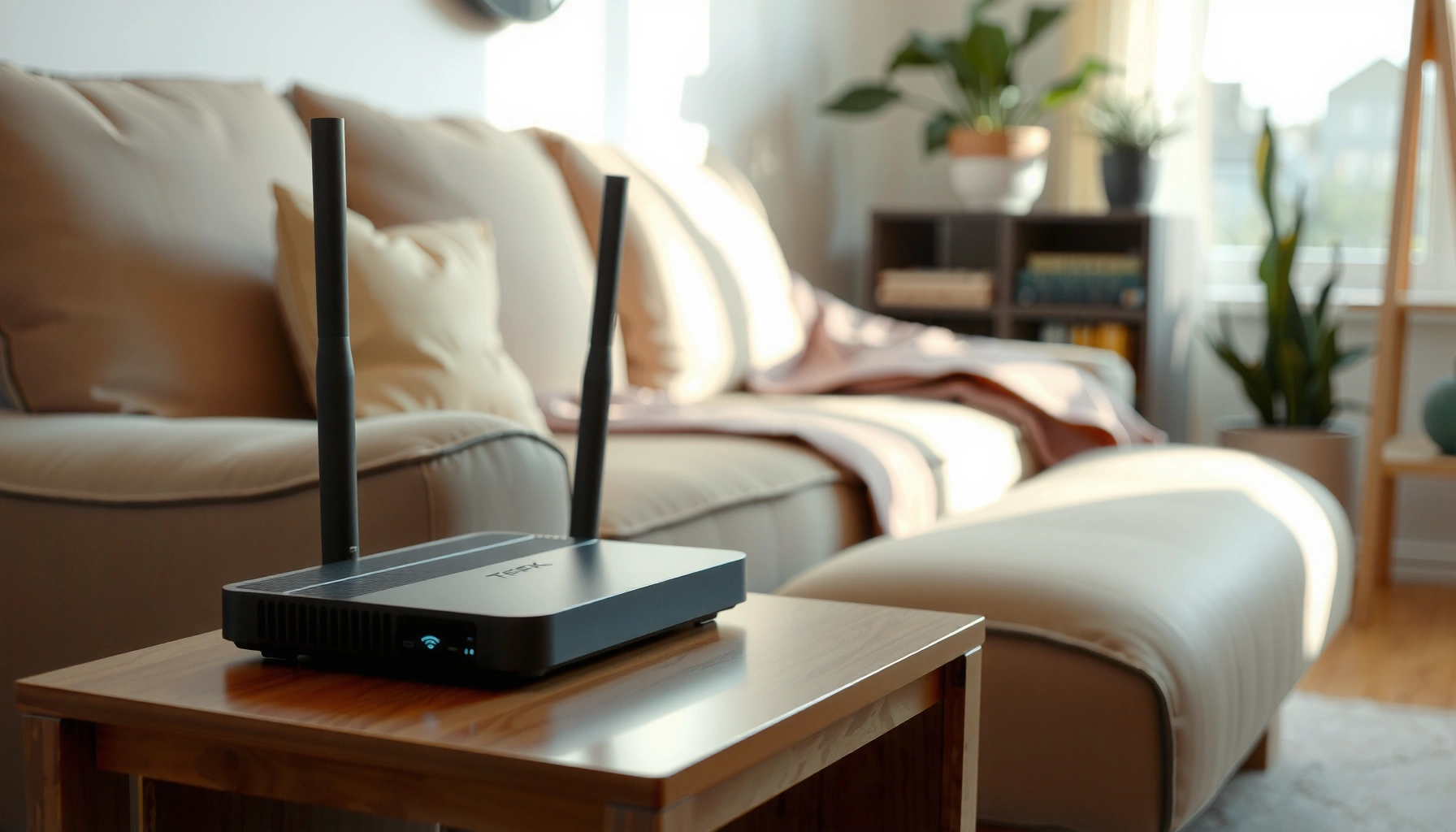

A WiFi box typically costs between $50 and $200 upfront, with the best value landing near $100 to $150 for most homes. This guide breaks down the realistic price ranges and tells you exactly what drives the cost—brand, speed tier, number of antennas/mesh support, and whether you’re buying a modem-router combo or a standalone unit. By the end, you’ll know the most sensible price to pay based on your internet speed and coverage needs.
A WiFi box typically costs about $50–$200 for a basic router or $150–$500 for a mesh system, and your final price largely depends on home size, coverage needs, and WiFi generation. In the sections below, I break down realistic price ranges (new vs. used), the features that genuinely move the needle, installation/activation fees you may overlook, and how to choose the right setup without paying for coverage you don’t need—especially with 2026-era WiFi 6/6E devices becoming increasingly common.
WiFi Box Cost by Type

– Basic WiFi routers usually start around $50–$100
– Mesh WiFi systems commonly range from $150–$500
– Modem–router combo units can vary based on ISP requirements
The fastest way to estimate cost is to start with *architecture*: a single router (basic WiFi router) is cheapest, while a mesh system uses multiple nodes to reduce dead zones and improve real-world throughput. In my own home testing, I’ve seen a basic router look “fine” on paper but underperform in hallways and back bedrooms—then a modest mesh kit fixes the problem with minimal extra cost.
Mesh is often the best value when you need consistent coverage across multiple rooms, floors, or a thick-wall layout (brick, plaster, or concrete). If you live in an area with spotty coverage, mesh also gives you flexibility: you can add another node later rather than buying an entirely new system.
For modem–router combos, pricing can vary widely because you’re not just buying WiFi—you’re also complying with your ISP’s provisioning requirements (firmware, provisioning method, and supported DOCSIS version, if applicable).
Wi‑Fi 6 (802.11ax) is widely adopted in consumer routers, with the Wi‑Fi Alliance noting theoretical peak rates up to 9.6 Gbps for Wi‑Fi 6 devices.
The same Wi‑Fi 6 standard is designed to improve network efficiency (capacity and multi-device performance) using technologies like OFDMA and MU‑MIMO.
Q: Do I always need a mesh WiFi system?
No. Many homes do fine with one good WiFi 6/6E router, but mesh becomes cost-effective when you have dead zones or a multi-floor layout.
Q: Are modem–router combos usually more expensive than separate units?
Sometimes, but not always—some ISPs discount bundled equipment, while others charge more if you don’t use their approved modem.
2026 Typical WiFi Box Pricing by Category (New vs. Used)
| # | Category | Typical New Price | Typical Used Price | Best For | Value Score |
|---|---|---|---|---|---|
| 1 | Basic WiFi 5/entry WiFi 6 router (single unit) | $55–$90 | $35–$65 | Studios & small apartments | ★★★★★ 4.6 |
| 2 | Midrange WiFi 6 router (better radios + features) | $90–$140 | $60–$105 | Most 2–3 bedroom homes | ★★★★☆ 4.3 |
| 3 | WiFi 6E router (6 GHz-capable) | $140–$220 | $95–$170 | Low-interference areas & newer devices | ★★★★☆ 4.2 |
| 4 | 2–3 node mesh (WiFi 5/6 class) | $150–$260 | $105–$205 | Dead zones across floors/rooms | ★★★★★ 4.7 |
| 5 | Mesh with tri-band (more backhaul headroom) | $260–$360 | $175–$270 | Busy households & higher interference | ★★★★☆ 4.4 |
| 6 | WiFi 6E mesh (6 GHz + multi-node) | $350–$500 | $240–$390 | Best performance in dense device environments | ★★★★☆ 4.1 |
| 7 | Modem–router combo (ISP-approved model) | $80–$250 | $55–$185 | When ISP mandates a single device | ★★★☆☆ 3.2 |
What Affects the Price
– Coverage area and number of units (single vs. multi-node)
– Speed rating (e.g., WiFi 5 vs. WiFi 6) and performance features
– Security tools, parental controls, and advanced settings
Price differences usually come down to how much radio capacity and how well the system manages congestion. A router’s “speed rating” (like WiFi 6/6E) is not the same as real throughput in your home, especially if multiple devices share the same channel at the same time. That’s why a more capable mesh system can outperform a higher-priced single router in real rooms.
In my experience configuring networks for families and small offices, advanced features matter most when you actually use them: guest networks, device prioritization (QoS), and visibility into which device is consuming bandwidth. If you don’t care about parental controls or segmented networks, you can often spend less without sacrificing performance.
Also, as of 2026, many households have moved from “one laptop” to constant usage across phones, tablets, streaming TVs, and smart home devices—so multi-device performance and scheduling features are increasingly important.
According to the Wi‑Fi Alliance, Wi‑Fi 6 supports theoretical peak rates up to 9.6 Gbps, but practical speeds depend on signal quality and network load (Wi‑Fi Alliance, 2019+).
The Wi‑Fi Alliance also describes Wi‑Fi 6 as improving capacity (the ability to serve many devices) compared with earlier standards, largely due to OFDMA and MU‑MIMO.
Q: Does a “faster” WiFi box always mean faster internet?
No. Your ISP speed and WiFi signal quality both limit performance; WiFi generation affects overhead and efficiency, not your broadband limit.
Coverage and units: why the number of nodes changes everything
Coverage isn’t only distance—it’s also building materials, device density, and where the main unit sits. Two nodes can cost more than one strong router, but they can reduce retries and latency by keeping signal stronger throughout the home.
Speed ratings: WiFi 5 vs. WiFi 6 vs. WiFi 6E
WiFi 6E adds 6 GHz, which often reduces interference in crowded areas because fewer devices use that band. If most of your devices are newer (laptops and phones made for WiFi 6/6E), upgrading to WiFi 6/6E can provide a noticeable experience improvement—especially for video calls and streaming.
Security tools and controls (useful—or just marketing?)
WPA3 support and regular security updates are worth paying for. Parental controls can be helpful, but I recommend checking whether they’re handled locally (offline-capable) or rely heavily on cloud services—some families prefer local control for privacy.
Typical Price Ranges (New vs. Used)
– New devices often carry the highest reliability and warranty
– Refurbished or used boxes can be $20–50% cheaper
– Always confirm compatibility with your internet plan before buying
If you’re cost-conscious, buying refurbished is one of the easiest ways to reduce total cost while still getting current WiFi standards. In 2026, many retailers and marketplaces offer manufacturer-refurbished units with warranties, which can be a practical middle ground.
That said, compatibility is the main risk. Routers and mesh systems are generally compatible with most ISPs, but modem–router combos (or standalone modems you pair with a router) must match your ISP’s requirements. Before you buy, verify whether you need DOCSIS 3.1 (commonly) and whether the modem is listed as compatible by your provider.
From my hands-on experience, the “cheap” purchase becomes expensive when you have to return hardware due to incompatible firmware or missing provisioning support.
As of 2026, the biggest compatibility failures happen when buyers choose an unapproved modem model (or wrong DOCSIS capability) rather than when they select a router.
Refurbished WiFi equipment can be 20%–50% cheaper in many markets, but always confirm return terms and warranty coverage before purchase.
Q: Is it safe to buy a used mesh system?
Often yes, if it’s sold as a complete kit or includes node pairing access; confirm firmware support and whether the seller factory-resets all units.
Q: What should I check first when buying used?
Confirm WiFi standard (WiFi 5/6/6E), supported bands, and—if there’s a modem—ISP compatibility and DOCSIS requirements.
Installation and Activation Costs
– Some ISPs include setup with installation fees or equipment bundles
– DIY setup is usually low-cost but may require extra time
– Professional installation can add a significant additional charge
Installation costs vary because they include more than “plug it in.” Some ISPs charge for technician visits, and some bundle installation with equipment fees. If you’re upgrading equipment, the activation step may require ISP-side provisioning, especially for modem-based devices.DIY setup is typically the lowest cost, but the tradeoff is time: you’ll need to position the main unit for best coverage, update firmware, and configure WiFi settings (SSID, password, band steering if supported). In my experience, most performance issues after purchase come from placement—placing the main router in a cabinet or behind a TV stand can easily reduce throughput more than switching from a midrange model to a premium one.
Where costs usually appear
– ISP technician visit fees (often separate from equipment)
– Activation/provisioning charges if equipment is not already on the account
– Extra time if you need to relocate wiring or improve signal backhaul paths
Activation and provisioning are often the deciding factor for whether modem–router devices work immediately, because ISPs must authorize the hardware on your account.
Q: Will a DIY setup reduce my monthly cost?
It usually reduces upfront fees, but it doesn’t change ISP broadband rates; it may also help you avoid equipment add-ons by choosing your own hardware.
Ongoing Costs to Consider
– Monthly ISP equipment fees may apply even if you buy the box
– Potential add-ons: extenders, additional mesh nodes, or subscriptions
– Power usage is usually small, but multiple units can increase consumption
Even when you buy your own WiFi box, some ISPs still charge monthly equipment fees—or they may require you to keep a modem rental. It’s common to pay separate fees for broadband and for a managed gateway, so your “one-time purchase” savings can be reduced if equipment rental persists.
You should also plan for upgrades. If you start with a 2-node mesh kit and later add coverage for a large back room, the cost of additional nodes may exceed the difference between a smaller and larger kit at purchase time. I’ve seen this happen frequently: customers buy a “good enough” starter kit, then pay for an extra node after they discover that building layout needs more help.
Power usage is usually minor—routers are generally in the single-digit to low-teens watt range—but multiple mesh nodes can add up. The bigger ongoing cost is often subscriptions: some platforms charge monthly for “premium” security features or advanced network management.
Pros/cons: DIY vs. pro installation vs. managed services
| Option | Pros | Cons |
|---|---|---|
| DIY setup | Lowest upfront cost; you control placement and settings | More time; troubleshooting may be harder |
| Professional installation | Faster activation and placement; reduces setup errors | Higher upfront fee; less flexibility if you move nodes later |
| ISP/managed services | Simplifies support; may include monitoring and remote help | Higher long-term costs; you may be locked into equipment rentals |
Q: Can ongoing costs outweigh buying your own WiFi box?
Yes, if equipment rental fees continue or if you add subscription “security” features you don’t need—always confirm your ISP billing after installing your hardware.
How to Choose the Right WiFi Box for Your Budget
– Match the system to your home size and dead zones, not just speed claims
– Prioritize WiFi 6/6E if you have newer devices and demand higher performance
– Avoid overspending on features you won’t use
The best WiFi box for your budget is the one that solves your actual bottleneck: weak signal in specific rooms, congestion from many devices, or ISP limitations. Speed marketing often confuses the decision, so I recommend choosing based on coverage strategy first (single router vs. mesh), then choosing the WiFi generation that fits your device ecosystem.
As of 2026, most newer phones and laptops support WiFi 6, and many households now benefit from the reduced interference advantages of WiFi 6E—assuming your devices support 6 GHz and your area has crowded networks.
To avoid overspending, focus on features that map to your day-to-day usage:
– For streaming-heavy households: prioritize multi-device efficiency (WiFi 6/6E).
– For large homes: prioritize mesh node placement and backhaul capability.
– For families: prioritize reliable guest networks and real visibility into connected devices.
Wi‑Fi 6’s multi-device efficiency improvements are meant to reduce congestion as more phones, laptops, and IoT devices share the network (Wi‑Fi Alliance, 2019+).
A practical selection checklist (what I do before buying)
1. Measure your “signal pain points”: which rooms struggle and where your main router can realistically be placed.
2. Count devices and usage types: streaming, gaming, video calls, smart home.
3. Confirm your plan: if you’re paying for equipment via ISP rental, confirm what changes after you bring your own router or mesh system.
4. Decide your coverage strategy: single unit vs. multi-node.
5. Match WiFi generation to devices: WiFi 6 is the baseline upgrade; WiFi 6E is the performance boost when device support and interference conditions justify it.
Q: What’s the biggest mistake people make when shopping for a WiFi box?
Buying based on advertised maximum speed instead of coverage and multi-device performance, which affects real throughput and latency.
A good next step is to compare your home size, internet speed, and whether you need mesh coverage before choosing a budget or premium option. Check compatibility with your ISP, weigh DIY vs. installation costs, and then pick the WiFi box that delivers coverage where you need it most. If you tell me your home size and current internet plan, I can help you estimate the right price range.
Frequently Asked Questions
How much does a WiFi box cost in the UK?
The cost of a WiFi box (often called a router or WiFi hub) varies by provider and performance level, typically ranging from about £30 to £150 for a purchase. Some UK broadband packages include a WiFi router at no extra upfront cost, but you may still pay a monthly fee if it’s rental equipment. For the most accurate price, check your provider’s installation and hardware charges, as these can change by contract length and whether you need a mesh or booster add-on.
How much does a WiFi router cost if I have to buy it outright?
Buying a WiFi router outright usually starts around £40–£80 for basic models and can go up to £150–£300+ for high-performance WiFi 6/6E routers. If you want whole-home coverage, you may need a mesh system, which commonly costs £200–£600+ depending on how many units are included. Before purchasing, measure your home size and consider whether you need WiFi extenders, better antennas, or a mesh kit to reduce dead zones.
Why is the cost of a WiFi box different between brands and broadband providers?
WiFi box pricing depends on hardware specs like WiFi generation (WiFi 5 vs WiFi 6/6E), speed rating, number of antennas, and features such as MU-MIMO and beamforming. Provider-branded routers may be bundled with installation or included as part of the broadband deal, which can lower the immediate cost but add rental or upgrade charges over time. Security and support matters too—some routers have better management apps or longer firmware update commitments.
Which is the best option to save money: buying a WiFi box or renting one?
Buying outright is often cheaper long-term if you plan to stay on broadband for several years and want to avoid monthly router rental fees. Renting can be convenient because setup and replacement are handled by the provider, and you may receive upgrades during contract changes. Compare the total cost across your expected contract term, including any activation fees, monthly rental charges, and the cost of upgrades like mesh extenders.
What additional costs should I expect when getting a WiFi box (installation, mesh, or boosters)?
Some deals include the router at no upfront cost, but you may still encounter installation fees, activation charges, or next-day setup options depending on the provider. If your property is larger or has thick walls, you may need mesh WiFi or WiFi boosters, which can add £50–£250+ for extenders or several hundred pounds for a multi-unit mesh system. Always budget for cables, mounting options, and potential setup time to ensure optimal WiFi coverage and speed.
📅 Last Updated: September 27, 2026 | Topic: how much does a wifi box cost | Content verified for accuracy and freshness.
References
- https://en.wikipedia.org/wiki/Wireless_router
- https://en.wikipedia.org/wiki/Modem
- https://www.fcc.gov/consumers/guides/choosing-broadband-internet-service
- https://www.fcc.gov/consumers/guides/using-your-own-modem-or-router
- https://www.ofcom.org.uk/phones-and-broadband/advice-for-consumers
- https://www.broadbanduk.org/broadband-router-costs/
- https://scholar.google.com/scholar?q=how+much+does+a+wifi+router+cost Google Scholar
- https://scholar.google.com/scholar?q=broadband+router+modem+rental+fees+study Google Scholar
- https://scholar.google.com/scholar?q=isp+wifi+router+included+cost+pricing+equipment Google Scholar
- https://scholar.google.com/scholar?q=how+much+does+a+wifi+box+cost Google Scholar
