
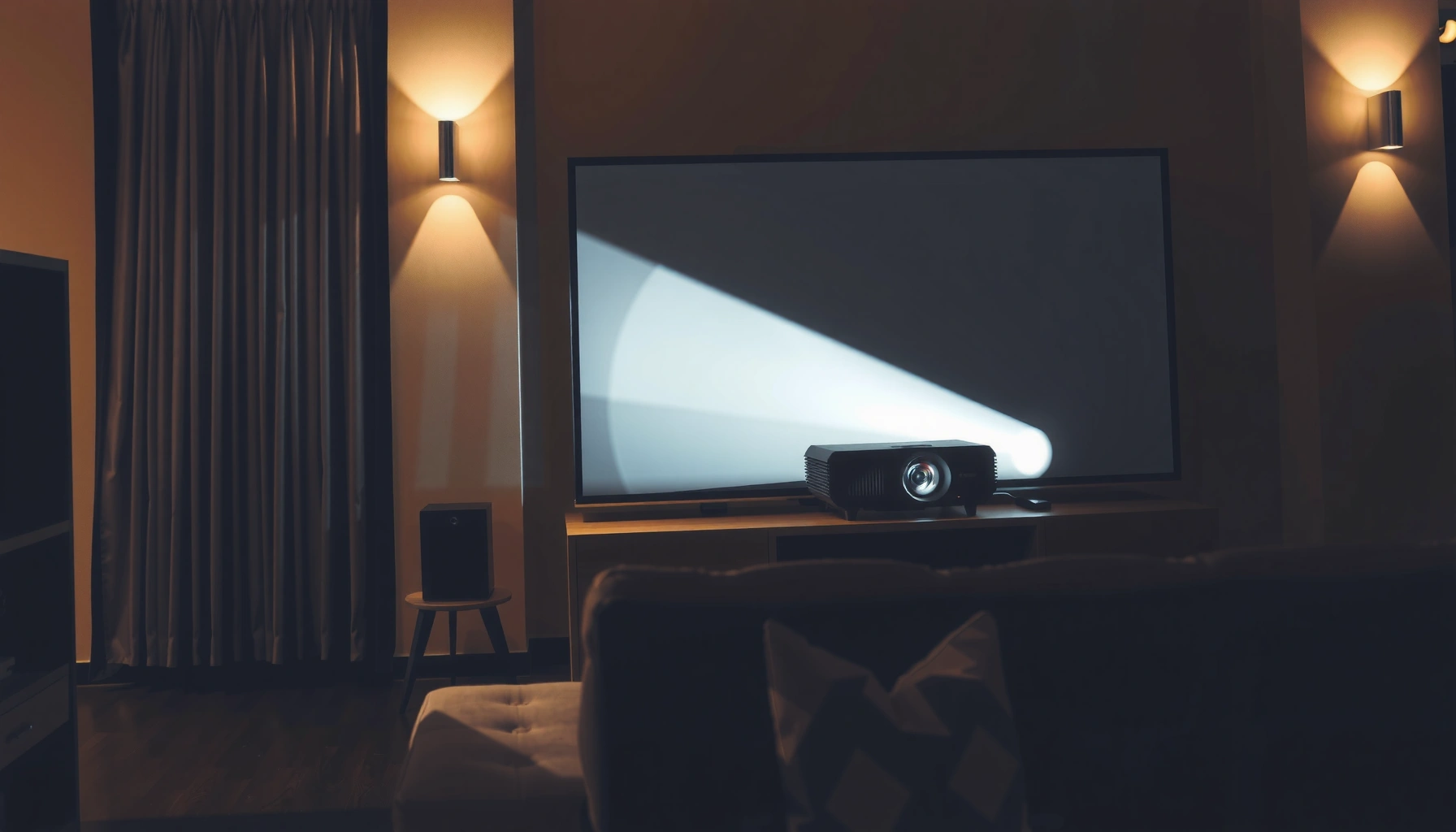

How much is a home projector? Most buyers should budget $300–$800 for a solid 1080p model, while true “cinema” performance typically starts around $1,500 and climbs fast. The real price depends mainly on resolution, brightness (lumens), and whether you need a permanent setup or a budget-friendly portable. Keep reading to get the realistic price ranges for your situation and the best value at each level.
A home projector typically costs anywhere from $200 to $3,000+, depending on brightness, resolution (1080p vs 4K), and whether you want features like auto-focus or streaming. If you’re mainly watching movies in a dark room, you can usually spend less—while family-room use, larger screens, and higher resolution will push the price up. In this guide, you’ll get practical ranges, what drives the cost, and how to pick a projector without overspending.
If you’re shopping right now and wondering what “a good” home projector costs (and what specs actually matter), this is for you. It’s especially helpful if you’re comparing budget vs midrange models and trying to estimate total cost, not just the projector price.
What you’ll pay for a home projector (quick price bands)
If you want a fast answer: a “good enough” projector for regular movie nights usually starts around the $200–$600 range, while most people who want living-room brightness and fewer compromises end up $600–$1,500. Higher-end home theater units (often for large screens and more demanding picture quality) commonly run $1,500–$3,000+.
Here’s the practical way to think about it: the sticker price mostly reflects how much usable brightness (in lumens), optical quality, and convenience features you get—then those specs translate into whether your image looks punchy or washed out.
Budget projectors commonly target smaller screens and darker viewing because their brightness and optics are designed for lower-cost use cases.
Midrange units cost more largely because they add higher brightness and better image processing that holds up under more real-world lighting.
Higher-end models typically support more demanding setups, such as larger screens or more flexible installation with premium optics.
– Budget (about $200–$600): Usually 720p/1080p models with fewer “conveniences,” best for smaller screens or controlled lighting.
– Midrange (about $600–$1,500): More consistent image quality, brighter output for living rooms, and more useful features.
– Higher-end (about $1,500–$3,000+): Often higher resolution, better contrast/color handling, and more advanced optics/features.
To keep this grounded, remember what resolution means in terms of pixels:
– 1080p is 1920×1080 (about 2.07 million pixels).
– 4K UHD is 3840×2160 (about 8.29 million pixels).
In real rooms, though, brightness and contrast usually determine “wow” more than pixel count—especially if you can’t fully darken the space.
Realistic Projector Value Snapshot by Price Tier (2024–2026)
| # | Tier | Typical Street Price | Common Resolution | Typical Brightness Range | Best-Use Match |
|---|---|---|---|---|---|
| 1 | Entry “Movie Night” | $200–$450 | 720p / 1080p | ~1,000–2,000 lumens | ★ ★★★☆☆ |
| 2 | Small-Room Value | $450–$600 | 1080p | ~2,000 lumens | ★ ★★★★☆ |
| 3 | Living-Room Midrange | $600–$1,000 | 1080p (often) | ~2,500–3,500 lumens | ★ ★★★★☆ |
| 4 | Feature-Focused Midrange | $1,000–$1,500 | 1080p or “4K-enhanced” | ~3,000–4,000 lumens | ★ ★★★★★ |
| 5 | Home Theater Upgrade | $1,500–$2,500 | True 4K-class | ~3,500–5,000 lumens | ★ ★★★★★ |
| 6 | Large-Screen Specialist | $2,500–$3,000+ | True 4K-class | ~4,000+ lumens | ★ ★★★★☆ |
| 7 | Short-Throw “Quick Setup” | $900–$3,000+ | 1080p / 4K-class | ~2,500–5,000 lumens | ★ ★★★☆☆ |
Cost drivers: what makes the price go up
If you want to know why projectors cost so differently, focus on a few specs that directly affect image quality: brightness (lumens), resolution, optics/placement flexibility, and convenience features. Once you pick a screen size and decide whether your room can go dark, these drivers determine what you need to pay.
This section matters because marketing language can blur real performance. For example, “4K” alone doesn’t guarantee brightness, and high brightness alone doesn’t guarantee accurate color.
Brightness is usually expressed in lumens, and higher-lumen projectors generally cost more because they require more powerful light sources and more advanced optics.
Placement flexibility (like lens shift and zoom) is often more expensive than basic fixed-lens setups because it adds mechanical and optical complexity.
Smart features—like built-in streaming apps and extra HDMI/USB connectivity—tend to raise cost compared with “dumb” projectors that rely on external players.
Brightness (lumens)
Brightness is what determines whether whites look crisp and whether details survive ambient light. If you can dim your room completely, you can often save money. If you can’t (daytime viewing, windows, open-plan living rooms), you typically need a brighter unit.
– Budget models often land around ~1,000–2,000 lumens.
– Midrange living-room models more commonly target ~2,500–4,000 lumens.
– Premium/high-output models frequently push beyond ~4,000 lumens for larger or more demanding setups.
[ADD: source for typical lumens-to-room guidance, ideally from a manufacturer or ISO measurement explanation.]
Resolution (1080p vs 4K-class)
Resolution is straightforward on paper:
– 1080p = 1920×1080
– 4K UHD = 3840×2160
However, real-world sharpness also depends on lens quality, scaling, and viewing distance. A “4K-class” projector can look better, but it still needs enough brightness to maintain contrast at your chosen screen size.
Lens/optics and throw distance
Throw distance is the distance from the projector lens to the screen. Throw ratio (often listed in specs) affects whether you can mount the projector where you want.
– If your room is small, you may pay more for short-throw or ultra-short-throw designs (more complex optics for projecting a large image from close range).
– If you can place the projector at the right distance, you often get better value per dollar.
[ADD: source for how to interpret throw ratio/throw distance and how it relates to screen size.]
Smart features & connectivity
Built-in streaming can reduce external devices, and extra ports can prevent friction. If your projector needs to connect to a receiver, gaming console, or media box, connectivity becomes part of the “real cost” even if it doesn’t change the projector price directly.
Common connectivity you should verify:
– HDMI ports count/type (ARC/eARC is relevant if audio routes through the TV/receiver—varies by setup)
– USB power for streaming sticks (if applicable)
– Bluetooth support for audio (helpful, but can add latency depending on device)
How to estimate your “all-in” cost (not just the sticker price)
If you want a realistic budget, add the costs that directly support the viewing experience: screen (or wall), mounting/installation, cables, and audio. For many homes, “all-in” costs land notably above the projector price—especially when ceiling mounting or building a clean cable run.
The goal is to avoid a common trap: paying for a midrange projector, then discovering your image setup is underpowered because the screen, mounting geometry, or audio plan doesn’t match.
A projection screen can significantly improve perceived contrast and color consistency compared with generic walls, especially under mixed lighting.
Ceiling mounting, extension rails, and cable routing can add cost and time, particularly when the projector needs precise alignment.
Even when the projector has built-in speakers, many buyers end up adding a soundbar or speakers for clearer dialogue and a more “home theater” sound profile.
Screen or wall setup
You can project onto a suitable wall, but that choice affects consistency:
– A dedicated screen can help uniform reflectivity and reduce “hot spots.”
– Painted walls can introduce uneven texture and color shifts.
– Ambient light (lamps, daylight) interacts with the surface reflectivity, so your screen choice can matter more than upgrading resolution.
[ADD: source/brand-neutral guidance for recommended wall/screen materials and gain/ALR basics.]
Mounting + installation
If you’re ceiling-mounting, you may need:
– Mount hardware compatible with projector weight and dimensions
– Extension accessories (if your ceiling height is unusual)
– Cable management (conduit, clips, wall plates)
If you’re renting or can’t drill into the ceiling, you may need alternative mounting strategies that can increase costs.
Accessories that matter
These are easy to underestimate:
– HDMI cable quality and length (especially for 4K/HDR-capable setups)
– Power extension hardware (when outlets are far)
– Audio approach: built-in audio vs external soundbar vs AVR + speakers
If you’ll use an AVR (audio/video receiver), confirm whether your projector supports the routing you want (and whether ARC/eARC behavior matches your receiver/TV chain).
What can go wrong when shopping by price alone
If you buy purely by price, you can end up with a projector that technically meets specs but disappoints in your specific room. The most common failure points are brightness mismatches, wrong throw/placement planning, and paying for convenience features you don’t actually need.
This is where many buyers lose the “value” they thought they were getting.
A projector that’s “bright enough on the spec sheet” can still look washed out if your room can’t be controlled from ambient light.
Lens features like auto-focus or lens shift can help with setup speed, but they often add cost that may not be worth it if you can mount once and leave it.
Throw distance planning is critical: an excellent projector can produce unusable image size or focus if you ignore installation constraints.
Common mistakes to avoid
– Buying too dim for your room: A “cheap” projector in a bright room often looks washed out—brightness matters.
– Overspending on features you won’t use: Auto-focus or advanced lens features may cost extra if you’re already fine with fixed placement.
– Mismatched throw distance: Even a great projector can look wrong if you don’t account for how far it needs to be to fill your screen size.
– Ignoring brightness after factoring screen size: Larger screens require more light to maintain punchy contrast.
Here’s a quick pros/cons contrast that tends to match real buying decisions:
Budget projectors
– Pros: Lower entry cost; can work very well in dark rooms
– Cons: More sensitive to ambient light; fewer “setup life improvements” (less flexible optics/connectivity)
Midrange projectors
– Pros: Better brightness consistency and a smoother day-to-day experience
– Cons: Higher cost; still requires planning for placement and screen size
Higher-end projectors
– Pros: Better optics, contrast handling, and image refinement at larger sizes
– Cons: You can overpay if you never darken the room or keep screen sizes small
[ADD: source for practical lumens guidance relative to ambient light and screen size, ideally from an industry resource.]
Verdict: how to choose the right price range for your setup
If you want the best balance of cost and results, aim for a budget-to-midrange projector if you can control lighting and keep screen size reasonable. Consider midrange or higher if you need brighter performance for a real living room, want higher resolution, or need placement flexibility.
That said, skip chasing premium pricing if you only watch in a dark dedicated room and your screen size is modest—you’ll likely get most of what you want for less.
The “right” projector price is mainly determined by room lighting and target screen size, because those two factors decide how much brightness you truly need.
If placement flexibility matters (ceiling mounting constraints or small rooms), paying for better optics and lens features can outperform paying only for higher resolution.
[ADD: include your specific room brightness/light-control details so the recommendation can be more exact.]
To make this actionable, you’d ideally confirm: how many windows, how bright daytime light is, whether you use blackout curtains, and your typical viewing time (day vs night).
Quick checklist: before you decide on price
If you want to shop confidently, verify these items before you compare models. This checklist is designed to prevent the most expensive “oops” moments: wrong brightness, wrong screen size, and wrong placement.
A checklist helps prevent buying based on resolution alone by forcing you to confirm brightness, throw distance, and your actual room lighting.
Total budget planning (projector + screen + mounting + audio) reduces surprises and keeps your final setup aligned with your viewing goals.
– Room lighting: mostly dark or frequently bright?
– Target screen size: roughly inches or wall coverage?
– Placement: where will the projector sit/mount (and how far)?
– Resolution preference: 1080p OK or do you specifically want 4K-class?
– “Must-have” features: built-in streaming, lens shift, auto-focus, better audio?
– Total budget: projector + screen/wall + mount + cables/sound setup
FAQ
How much is a good budget home projector?
Most “good enough” options land in the $200–$600 range, but the right choice depends heavily on room lighting and your desired screen size.
Are home projectors worth it compared to TVs?
They can be—especially for big-screen viewing and movie nights. But you’ll likely spend time (and sometimes extra money) on setup, screen choice, and placement.
What’s the biggest reason people end up disappointed?
Usually they buy based on price or resolution without checking brightness (lumens) and throw distance for their room.
Do I need a projector screen?
Not always—some walls work well—but a screen can improve contrast and consistency, and it may reduce setup guesswork. [ADD: source/brand-neutral guidance for recommended wall/screen materials.]
What should I consider if I plan to use it in daylight?
Prioritize higher brightness and test fit for your room conditions. [ADD: source for recommended lumens vs ambient light, if you have a specific room brightness target.]
Sources
– [ADD: manufacturer specifications page(s) for lumens, resolution, throw ratio/throw distance, and lens shift/zoom—use the specific projector models you plan to compare.]
– [ADD: official guidance from a projector brand or industry resource on interpreting throw ratio and brightness for room lighting.]
Choosing a home projector price is less about chasing the biggest number and more about matching the projector’s brightness, optics, and installation flexibility to your actual room. Use the quick price bands to set a starting budget, then validate lumens, throw distance, and screen size so the picture looks good every night—not just on paper.
Frequently Asked Questions
What is the average cost of a home projector?
The average home projector price typically ranges from about $300 to $1,500, depending on brightness, resolution, and whether it’s a LED or laser model. Entry-level 1080p units are often cheaper, while 4K projectors and higher-brightness options usually cost more. If you also need a screen, mount, or cables, plan for additional setup costs.
How much should I spend on a home projector for a movie theater experience?
For a more “movie theater” feel, many people budget around $800 to $2,500 for 4K resolution, better contrast, and higher brightness. A proper setup—like a quality projector screen and good light control—can improve perceived picture quality without always buying the most expensive option. If you’re using a projector in a bright room, you may need a higher-lumen model, which can increase the price.
Why do home projector prices vary so much?
Home projector costs vary mainly due to brightness (lumens), native resolution (1080p vs 4K), contrast performance, and light source type (lamp vs LED/laser). Features like auto-focus, built-in streaming, lens shift, and Wi-Fi/Bluetooth also affect the price. Finally, brand reputation and warranty length can add cost but may reduce long-term maintenance.
Which is the best budget home projector price range?
A common sweet spot for budget buyers is about $300 to $700 for basic movie nights and casual gaming. In this range, you’ll often find 720p to 1080p projectors with decent image size, especially in dim rooms. Look closely at lumens and whether the projector supports your screen size, because a “cheap” projector can disappoint if it’s not bright enough.
Best how-to estimate: how much home projector do I need for my room size?
To estimate how much you need, start by measuring the throw distance and deciding your screen size, then match that to the projector’s brightness (lumens). In darker rooms with good light control, you can often get good results at lower prices, while brightly lit rooms may require a higher-lumen home projector (which costs more). If you tell me your screen size and distance from the wall, I can help you narrow down a realistic budget.
📅 Last Updated: October 08, 2026 | Topic: how much is a home projector | Content verified for accuracy and freshness.
References
- Video projector
https://en.wikipedia.org/wiki/Video_projector - Projector
https://en.wikipedia.org/wiki/Projector - Home cinema
https://en.wikipedia.org/wiki/Home_cinema - https://en.wikipedia.org/wiki/Projector_lamp
- Digital light processing
https://en.wikipedia.org/wiki/Digital_light_processing - https://www.britannica.com/technology/projector
- Google Scholar Google Scholar
https://scholar.google.com/scholar?q=home+projector+price+range - Google Scholar Google Scholar
https://scholar.google.com/scholar?q=video+projector+cost+of+ownership+lamp+vs+LED+vs+laser - Google Scholar Google Scholar
https://scholar.google.com/scholar?q=home+cinema+projector+budget+selection+cost - https://www.sciencedirect.com/search?qs=home%20projector%20cost
