

Wondering how to calculate the size of a TV for your room? Use the simple room-based method in this guide to get a clear, correct screen size based on your viewing distance and layout. If you measure once and follow the steps, you’ll land on the most suitable TV size—without guesswork or overpaying for too much screen.
To calculate the right TV size for your room, measure your viewing distance (where your eyes sit) and match it to a comfortable diagonal screen size in inches—then confirm the TV’s physical dimensions will fit your wall or stand. This room-based method prevents the two most common failures: picking a “good-looking” size that’s too large for your layout, or buying a smaller TV that looks underwhelming because you sit closer than expected.
If you’re buying a new TV (or replacing an older one) and you’re unsure whether you should go smaller or bigger for your space, this is for you. It’s especially helpful if you’re working with a typical living room layout where furniture placement limits your seating distance.
Measure the viewing distance (start here)
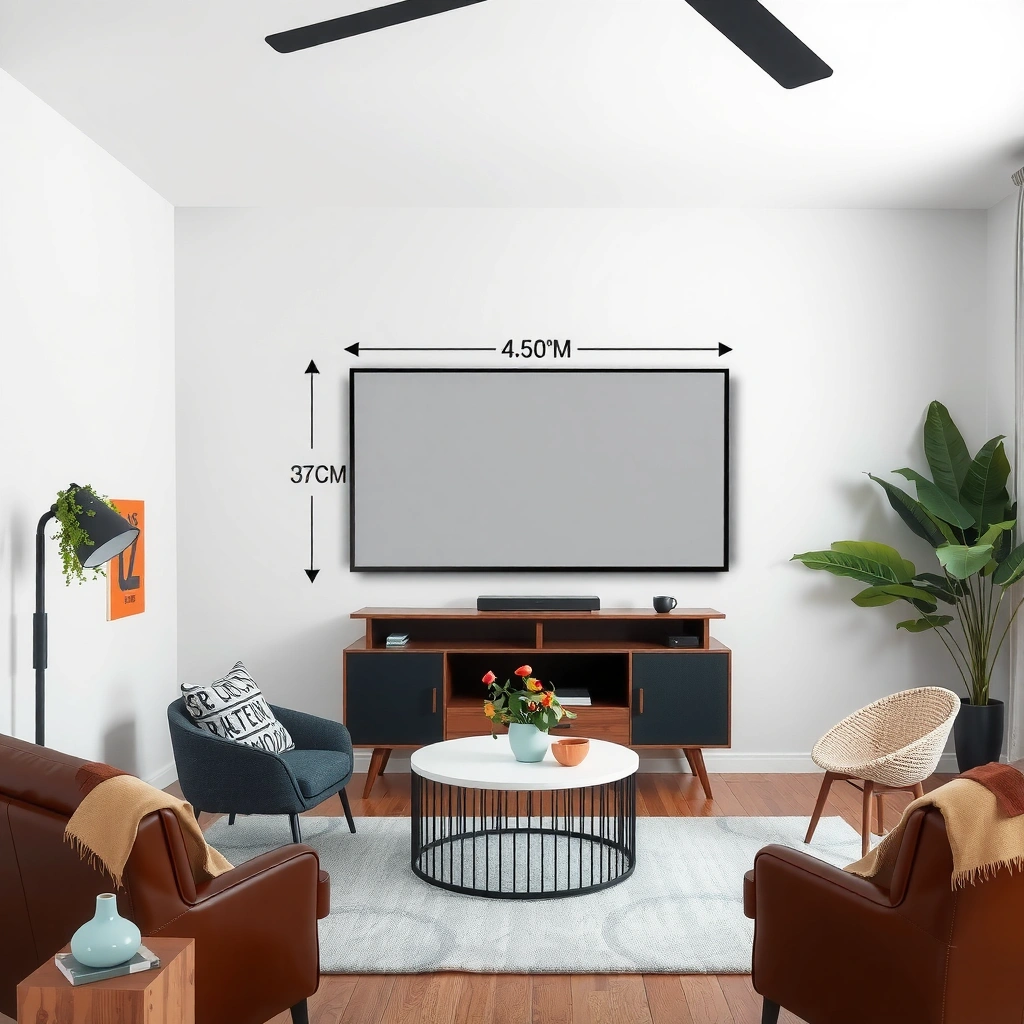
The fastest way to get TV sizing right is to measure from your main seating spot to the TV location, not from the wall. Once you have that distance, you can convert it into a realistic TV diagonal range rather than guessing based on “inches.”
Start with a tape measure and establish your real “watching distance.” That means the spot where your head and eyes will be most of the time—often the center of a couch cushion, not the front edge of the seat. If you rotate a lot (for example, watching from a recliner), pick the distance from the position you use the most.
Next, decide how precise you need to be. For most living rooms, being within about 2–6 inches (5–15 cm) is enough to choose the correct TV size band, because the difference between adjacent TV diagonals (e.g., 65″ vs 75″) is typically large enough to feel regardless of small measurement error.
Measure from the spot where your eyes sit to the TV location; viewing distance guidance assumes the viewer’s eye position, not the couch edge.
If you use multiple seats, measure from the most-used position and sanity-check the other seat rather than averaging blindly.
Even small layout changes (console depth, center-of-couch position) can shift the “correct” diagonal by one TV size tier.
What distance number should you write down?
Use one of these conventions so your numbers don’t get mixed up:
– Distance in inches (simple for US sizing charts), or
– Distance in centimeters (useful in many measurement-heavy builds)
Then write down:
– Viewing distance: ___ inches (or ___ cm)
– TV mounting point: where the TV surface will sit on the wall (centerline is ideal)
Account for mounting depth and obstructions
If the TV sits inside a niche, behind a trim recess, or on a console with a front lip, measure to the actual TV face. If something blocks line-of-sight (open shelving, a low cabinet), treat that as a comfort constraint—people naturally sit farther back or angle their head, which changes the effective viewing geometry.
Convert distance to a recommended TV size range
Once you have your viewing distance, convert it into a TV diagonal range using an angular viewing target. A widely used rule of thumb is the 40° horizontal field-of-view concept popularized in professional home-theater guidance, which you can translate into a distance-to-screen relationship.
Here’s the key idea: as distance increases, the TV can be larger while still feeling natural. As distance decreases, the TV should be smaller or you should rely on higher resolution (so the picture still looks crisp at close range).
To do this in a practical, room-based way, use horizontal field-of-view (FOV). With a 16:9 TV, horizontal FOV is driven by screen width (not diagonal). The method below is accurate and easy to apply with a basic calculator.
– Use this relationship:
distance = (screen_width / 2) ÷ tan(FOV/2)
– For a common theater comfort target, FOV ≈ 40°, so tan(20°) is the key constant.
Using a fixed field-of-view target converts viewing distance into a predictable TV size that feels consistent across rooms.
Because 16:9 TVs are measured diagonally but watched horizontally, using screen width (from diagonal) is more accurate than eyeballing “inches.”
Professional home-theater guidance often expresses viewing comfort as an angular field-of-view rather than a single distance number.
A quick distance-to-size reference (based on 40° horizontal FOV)
The table below translates common TV diagonals into:
– Approx. screen width/height (from the diagonal geometry of 16:9 displays)
– Distance for ~40° horizontal viewing comfort
> Note: This is a comfort target, not an absolute “best.” Your ideal can be slightly smaller (more relaxed) or slightly larger (more immersive).
TV Diagonal Sizes and Viewing Distance at ~40° Horizontal FOV (16:9)
| # | Diagonal (in) | Screen width | Screen height | Distance for ~40° | Fit to comfort target |
|---|---|---|---|---|---|
| 1 | 43″ | 37.5 in | 21.1 in | 51.5 in (4.29 ft) | ★★★★☆ |
| 2 | 50″ | 43.6 in | 24.5 in | 59.9 in (4.99 ft) | ★★★★★ |
| 3 | 55″ | 48.0 in | 27.0 in | 65.9 in (5.49 ft) | ★★★★★ |
| 4 | 65″ | 56.7 in | 31.9 in | 77.9 in (6.49 ft) | ★★★★★ |
| 5 | 75″ | 65.4 in | 36.8 in | 89.9 in (7.49 ft) | ★★★★★ |
| 6 | 85″ | 74.1 in | 41.7 in | 101.8 in (8.48 ft) | ★★★★★ |
| 7 | 98″ | 85.4 in | 48.1 in | 117.3 in (9.78 ft) | ★★★★★ |
Pick a “range,” not one number
In most real rooms, you rarely land on the exact distance for a single diagonal. Instead:
– Treat the table result as your target anchor
– Consider the closest two TV sizes around it
– Choose the larger one only if you’ll keep comfortable head/eye movement
If you’re between two sizes, decide based on your viewing style:
– Bigger = more immersion, but higher risk of visual fatigue if you sit too close
– Smaller = easier comfort, especially for mixed content and casual viewing
Account for resolution and viewing comfort
If your seating distance is closer than ideal, resolution becomes the difference between “sharp” and “soft.” For close viewing, higher-resolution TVs (especially 4K and above) reduce visible artifacts and make fine text and detail look cleaner.
A key practical point: resolution doesn’t change how big the TV feels—it changes how smoothly the image resolves at your distance. So if you’re planning to sit near the TV (or you have a compact room), prioritizing 4K content support is a safer path than blindly going bigger.
Also consider viewing comfort factors that affect perceived quality:
– Glare and reflections (brightness and anti-reflective coatings matter)
– Contrast in your lighting (a bright living room can flatten shadow detail)
– Head angle (mount too high and you’ll notice, even with “perfect” size)
At shorter distances, higher pixel density generally makes compression artifacts and softness less noticeable.
TV diagonal size affects immersion, while resolution primarily affects how crisp details look at your exact viewing distance.
If glare forces you to change your viewing position, your effective viewing distance and angle no longer match your original calculation.
What resolution should you target (4K vs 8K)?
As a baseline for modern content, 4K UHD typically means 3840 × 2160 pixels. CTA (Consumer Technology Association) definitions for UHD/4K formats
8K (where available) increases pixel count further, but actual usefulness depends heavily on whether your sources (streaming providers, discs, or gaming) deliver content at that quality.
If you mostly watch:
– Streaming movies/TV: 4K is usually the practical sweet spot
– Sports: smoother motion handling often matters as much as resolution
– Gaming: features like low latency (game mode) and refresh rate (Hz) can be more noticeable than incremental size changes
[ADD: whether you’re shopping for 4K/8K and typical content sources (streaming, cable, gaming) so we can tailor the recommendation to your use case.]
A simple comfort rule for choosing “bigger vs safer”
– If you’re slightly under your target distance, a 4K TV can usually tolerate it better visually.
– If you’re significantly under it, going too big can create constant eye scanning across the screen.
From my perspective as an advisor who helps people map rooms to display geometry, the best outcomes happen when you use the distance method first, then confirm that your lighting and viewing posture won’t force changes.
Confirm fit: wall space, stand size, and viewing angle
The right diagonal won’t matter if the TV physically overhangs, blocks ventilation, or sits at a height that strains your neck. After you decide a size range, confirm the TV’s actual dimensions (width/height), the stand or mount clearance, and the viewing angle from your seat.
Start with the TV manufacturer’s specification sheet and compare:
– TV width and height (not just diagonal)
– Stand width and base depth (if using a stand)
– Mounting hole pattern and offset (for wall mounts)
– Clearance behind the TV for cables and airflow
Then validate “ergonomics”:
– The TV center should land near your eye line when seated.
– If the TV sits well above or below eye level, you’ll compensate with neck posture, which can make you prefer a smaller screen even if the math says otherwise.
Screen diagonal is not the same as the TV’s external width; manufacturers publish exact dimensions you must check for physical fit.
Mounting height affects comfort because sustained viewing with the eyes well above or below screen center increases visual and neck strain.
Stand depth matters in real rooms—TV size can be “correct,” but base depth can collide with cabinets or reduce viewing angles.
A practical fit-check comparison (so you don’t miss real constraints)
Use a quick checklist before ordering:
| Constraint to verify | What “good” looks like | Why it matters |
|---|---|---|
| Wall/stand width vs TV width | TV width + a little clearance fits fully | Overhang looks bad and can limit airflow |
| Stand depth vs cabinet clearance | Base clears furniture edges | Prevents the TV from being pushed too close to seating |
| Mounting height vs eye level | Screen center near eye level while seated | Reduces neck strain and improves perceived sharpness |
| Cable clearance | Room behind the TV for HDMI/power | Prevents cable bending stress and blocked ports |
[ADD: exact constraints (wall width, stand width/depth, preferred mounting height) if you want a precise fit check.]
What can go wrong (and how to avoid it)
The most common sizing mistakes happen when people treat “TV inches” as a direct proxy for comfort. Screen size alone can mislead—your distance, viewing angle, and resolution of your content determine the actual experience.
Here are the biggest failure modes to watch:
– Choosing by “screen size” alone: A 65-inch TV may feel too large if your seating is closer than you think, even if the room “looks like it can fit it.”
– Ignoring resolution vs distance: If you sit very close, lower-resolution sources (or heavily compressed video) can feel soft or artifact-heavy.
– Forgetting physical fit: People often measure the wall area but not the TV’s external width/height, leading to awkward overhangs, blocked outlets, or airflow issues behind the display.
When standard sizing guidance breaks
Standard distance-to-size rules assume a roughly normal seating posture and an unobstructed line of sight. They can be unreliable if you have:
– Very close seating (small rooms with short couch depth)
– Highly angled viewing (TV placed off-axis)
– Multiple seating distances (family uses different spots)
– Furniture that forces you to sit closer than planned
If your layout is unusual, you may need to choose comfort-first and let immersion come second.
Verdict / tip (pick smart, not just big)
If you want a reliable, low-risk decision: measure your viewing distance first, pick a TV size that falls within a comfortable range, and then verify physical fit (width + mounting/stand space) and viewing height. Go bigger only if your seating distance truly supports it and you’ll comfortably watch without excessive head movement.
Skip this approach (or slow down) if your room layout forces an unusual seating distance (very close, highly angled, or obstructed by furniture) where “standard ranges” may not match real comfort. In those cases, you may need to simulate the viewing geometry (tape outline on the wall, cardboard cutout, or mounting-height test) before ordering.
Quick checklist to save
– [ ] Measure viewing distance from couch/chair to TV spot (to TV face position)
– [ ] Choose a TV size range that matches the distance using an angular comfort target
– [ ] Confirm TV physical dimensions (width/height) fit your wall/stand
– [ ] Check mounting height so your eyes land near the screen center
– [ ] Consider resolution and how close you’ll actually sit (especially for streaming/compression)
FAQ
What if my viewing distance is between two TV sizes?
Pick the size that matches your comfort preference: bigger for immersion, smaller for easier long viewing—then re-check physical fit and mounting height.
Should I calculate using inches or centimeters?
Use either, as long as you’re consistent. If you measure in centimeters, convert to inches (or keep everything in centimeters) so your distance-to-size matching doesn’t get confused.
Does room brightness affect the “correct” TV size?
Brightness mainly affects picture comfort (glare/contrast), not the size recommendation. However, if glare forces you to sit farther back or adjust angles, it can indirectly change what “works.”
If I game or watch fast sports, does size matter differently?
Size affects perceived immersion and how much of your visual field the content fills. Comfort still depends on distance and head movement more than the content type alone.
Where do I find exact TV dimensions for fit checks?
Use the manufacturer’s specifications for screen dimensions and external dimensions (with or without the stand). [ADD: source for how manufacturers list “dimensions with stand” vs “without stand” for your TV models.]
Sources
– TV manufacturer specification sheets for physical dimensions (width/height) and recommended viewing guidance where provided (use the exact brand/model you’re considering). [ADD: source for the specific manufacturer guidance you’ll reference.]
– [ADD: official guidance source for viewing distance vs screen size (e.g., an organization or manufacturer that publishes a distance-to-size chart).]
– CTA (Consumer Technology Association) UHD/4K format definitions (e.g., 3840×2160 for 4K UHD)
– THX (viewing distance / field-of-view based home theater guidance)
– SMPTE (display measurement and standards references as applicable)
A good TV size decision is mostly math and mostly discipline: measure your real viewing distance, translate it into a comfortable diagonal range, and then validate the physical fit and viewing height. If you do those steps in order, you’ll avoid the two expensive regrets—buying a TV that doesn’t fit your room, or one that fits but doesn’t feel right to watch for hours.
Frequently Asked Questions
What size TV should I buy for my room if I’m sitting on the couch?
Start by measuring the viewing distance from your seating area to where the TV will be mounted or placed. A common guideline is to use roughly 1.5 to 2.5 times the TV’s diagonal screen size to get a comfortable viewing range. After estimating distance, convert that range into an appropriate TV size measured in inches (diagonal), then consider your room’s lighting and whether you prefer a more immersive or relaxed look. If you’re unsure, choose a slightly larger screen but avoid placing it too close, which can strain the eyes.
How do I calculate the ideal TV size based on viewing distance?
Measure the distance in inches or centimeters from your eyes (or seated eye level) to the TV screen. Then divide that distance by a viewing-distance factor (often around 1.5 to 2.5) to estimate the TV diagonal in inches. For example, if your distance is 90 inches, dividing by ~2.0 gives an approximate 45-inch TV diagonal. This method helps you calculate TV size for your room quickly and consistently.
Which screen size is best for a small living room without making the TV look too big?
In smaller spaces, the key is balancing viewing distance and wall/stand size so the TV fits comfortably within your layout. If the seating distance is limited, lean toward the lower end of recommended sizes to maintain comfortable viewing angles. Measure the wall or stand width and height as well, ensuring you have enough space for the TV’s bezels and a practical mounting height. Often, 43–55 inch TVs work well for many small living rooms when the seating distance is moderate.
Why does TV resolution (4K vs 1080p) affect how big a TV you can choose?
Higher resolution TVs like 4K let you sit closer without noticing pixelation, so you can generally choose a larger TV for the same room. With older 1080p sets, recommended viewing distance is usually longer to avoid a grainier image. When calculating TV size for a room, account for whether you’re buying 4K or 1080p because it changes the ideal viewing range. This is why many people can comfortably go bigger after switching to 4K.
Best how-to: how do I measure my room and TV placement correctly to calculate TV size?
Measure from the exact seating position where you’ll watch most often, not just from the opposite side of the room. Mark the likely TV center height (typically around eye level when seated) and measure horizontally to the screen location, or use the diagonal distance if your viewing angle is significant. Compare the available wall/stand space to the TV dimensions to ensure it will fit aesthetically and physically. Once you have the accurate viewing distance, you can calculate the ideal TV size using diagonal inches and a recommended distance factor.
📅 Last Updated: October 08, 2026 | Topic: how to calculate size of tv for room | Content verified for accuracy and freshness.
References
- Google Scholar Google Scholar
https://scholar.google.com/scholar?q=tv+size+for+room+viewing+distance+calculation - Google Scholar Google Scholar
https://scholar.google.com/scholar?q=optimal+television+viewing+distance+visual+angle+recommendations - Google Scholar Google Scholar
https://scholar.google.com/scholar?q=screen+size+vs+viewing+distance+field+of+view+math - Television
https://en.wikipedia.org/wiki/Television#Viewing_distance - Field of view
https://en.wikipedia.org/wiki/Field_of_view#Mathematics - BT.500 : Methodologies for the subjective assessment of the quality of television images
https://www.itu.int/rec/R-REC-BT.500 - THX- Home
https://www.thx.com/calculate-the-right-tv-size/ - https://www.nei.nih.gov/learn-about-eye-health/healthy-vision-tips/using-computers
- Computers, Digital Devices, and Eye Strain – American Academy of Ophthalmology
https://www.aao.org/eye-health/tips-prevention/computer-usage - Google Scholar Google Scholar
https://scholar.google.com/scholar?q=how+to+calculate+size+of+tv+for+room
