
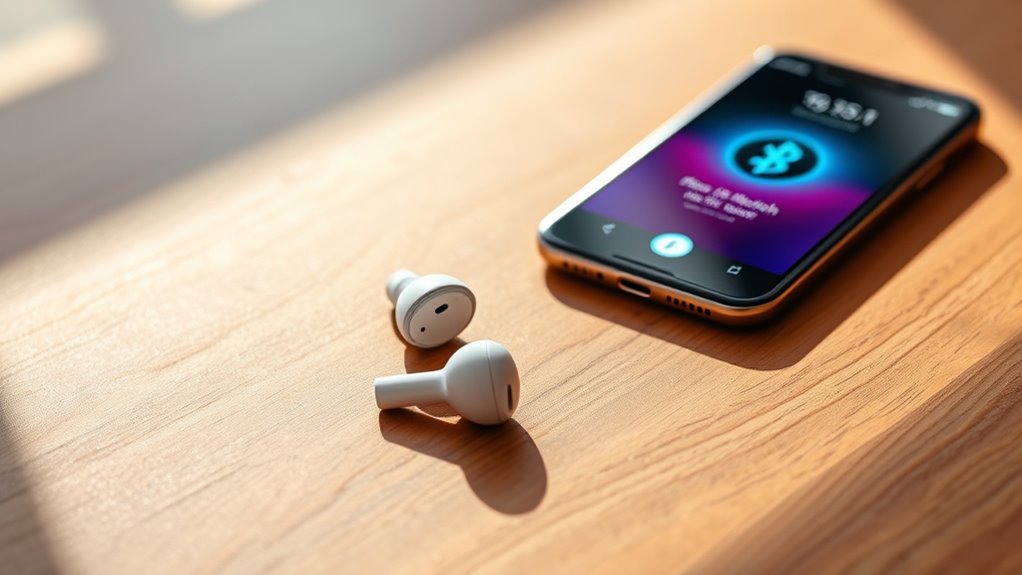

To connect your TWS earbuds, first verify they’re charged and out of the charging case. Activate pairing mode by pressing the power button until you see a blinking light. Then, enable Bluetooth on your device and select your earbuds from the available list. Confirm the connection, and you’re good to go! If you encounter any issues or want to enhance your listening experience, there are tips and tricks to take into account.
Understanding True Wireless Stereo (TWS) Earbuds
True Wireless Stereo (TWS) earbuds are a revolutionary take on portable audio, offering a completely wire-free experience. With TWS technology, you can enjoy the freedom of movement without being tethered by cables. These earbuds pair seamlessly with your devices, providing an immersive listening experience that’s perfect for music lovers and podcast enthusiasts alike. The audio quality of TWS earbuds is impressive, delivering rich sound and clear vocals that enhance your audio experience. You’ll appreciate the convenience of touch controls and built-in microphones for hands-free calls. Plus, their compact design makes them easy to carry wherever you go. Embrace the freedom of TWS earbuds, and elevate your audio lifestyle without the hassle of wires.
Checking Compatibility With Your Device
Before connecting your TWS earbuds, you’ll want to check their compatibility with your device. Look at the Bluetooth version, audio codec support, and your device’s operating system to guarantee they work seamlessly together. This simple check can save you from connection issues down the line.
Device Bluetooth Version
To guarantee your TWS earbuds connect smoothly with your device, it’s crucial to check the Bluetooth version compatibility. Different Bluetooth versions have varying features and limitations that can affect performance. Generally, newer versions offer better range and improved audio quality.
Here’s a quick comparison of Bluetooth versions:
| Bluetooth Version | Key Features |
|---|---|
| 4.0 | Low energy, basic audio |
| 4.1 | Improved connections, stability |
| 4.2 | Enhanced security, speed |
| 5.0 | Longer range, better audio |
Make sure your device supports the Bluetooth features of your TWS earbuds to avoid connection issues. Ignoring these device limitations can lead to frustrating experiences.
Audio Codec Support
While checking your device’s Bluetooth version is vital, it’s equally important to take into account audio codec support for ideal sound quality with your TWS earbuds. Different codecs, like SBC, AAC, and aptX, can greatly impact audio quality. For instance, if your device only supports SBC, you might miss out on the enhanced clarity and detail offered by higher-quality codecs. Codec differences can lead to variations in latency and sound fidelity, making it essential to confirm your device supports the same codecs as your earbuds. Before connecting, check the specifications of both your device and earbuds to maximize your listening experience. With the right codec match, you’ll enjoy crisp audio and a more immersive sound environment.
Operating System Compatibility
Ensuring your TWS earbuds are compatible with your device’s operating system is essential for a seamless connection. Different operating systems, like iOS, Android, and Windows, may present compatibility issues that can affect performance. To avoid frustration, check the specifications of your earbuds and confirm they support your device’s OS version. Most modern TWS earbuds are designed to work with a range of operating systems, but double-checking can save you time. You can usually find compatibility information on the manufacturer’s website or in the user manual. If you encounter any issues, updating your device’s software might resolve them. By ensuring compatibility, you can enjoy your music and calls without interruptions, giving you the freedom you desire.
Charging Your TWS Earbuds
Charging your TWS earbuds is a simple yet essential process to keep them ready for use. Follow these charging tips to guarantee a longer battery lifespan. Always use the original charging cable and avoid overcharging.
| Charging Tips | Do’s | Don’ts |
|---|---|---|
| Charge regularly | Keep them in the case | Leave them uncharged |
| Ideal temperature | Charge in a cool place | Expose to extreme heat |
| Clean charging ports | Wipe ports gently | Use harsh materials |
| Monitor battery level | Check before use | Ignore low battery |
Activating Pairing Mode
To connect your TWS earbuds to a device, you’ll first need to activate pairing mode. This process is straightforward, but there are some pairing tips to keep in mind. Start by ensuring your earbuds are charged and out of their case. Most TWS earbuds require you to press and hold the power button for a few seconds. You’ll typically see a blinking light or hear a tone indicating that mode activation is successful. If you’re having trouble, consult the user manual for specific instructions, as different models may have unique steps. Once in pairing mode, your earbuds will be discoverable, allowing you to connect with your device seamlessly. Enjoy the freedom of wireless listening!
Connecting to Your Device
Now that your TWS earbuds are in pairing mode, it’s time to connect them to your device. This process is usually straightforward, but sometimes you might run into connection issues. Let’s look at the pairing steps and how to troubleshoot any problems that arise.
Pairing Process Overview
Connecting your TWS (True Wireless Stereo) earbuds to your device is a straightforward process that typically involves just a few steps. First, make certain your earbuds are charged and in pairing mode. This often involves holding down a button until you see a flashing light. Next, go to your device’s Bluetooth settings and search for available devices. When your earbuds appear, select them to connect.
For successful pairing, remember these pairing tips: verify your earbuds are close to your device and that Bluetooth is turned on. Avoid common mistakes like trying to pair with multiple devices or having another Bluetooth connection active. Following these steps will help you enjoy your wireless freedom without hassle!
Troubleshooting Connection Issues
If you’re having trouble connecting your TWS earbuds to your device, don’t worry; these issues are often easy to resolve. Common issues include earbuds not pairing or disconnecting unexpectedly. First, verify your earbuds are fully charged and in pairing mode. If they still won’t connect, try resetting them according to the manufacturer’s instructions. Make sure Bluetooth is enabled on your device and that it’s not connected to another Bluetooth accessory. If you’re experiencing interference, moving away from other electronic devices may help. Consult the solutions guide that came with your earbuds for specific troubleshooting steps. With a little patience, you’ll be back to enjoying your music wirelessly in no time!
Troubleshooting Connection Issues
While TWS earbuds are designed for easy connectivity, issues can sometimes arise that hinder the pairing process. If you’re experiencing common issues like not being able to find your earbuds in Bluetooth settings, start by ensuring they’re charged and turned on. Sometimes, simply turning off Bluetooth on your device and turning it back on can resolve the problem. If they still won’t connect, try resetting your earbuds according to the manufacturer’s instructions. Additionally, make sure there aren’t too many devices connected to your Bluetooth, as this can interfere with the pairing. If you follow these troubleshooting tips, you’ll likely get your TWS earbuds connected in no time and enjoy the freedom of wireless audio.
Enjoying Your Audio Experience
Once your TWS earbuds are successfully connected, you can fully immerse yourself in your audio experience. Enjoying exceptional audio quality is just a play button away. Whether you’re listening to music, podcasts, or audiobooks, the immersive sound delivered by your earbuds can transport you to another world. To enhance your experience, find the right volume level that suits you, avoiding extremes that can damage hearing. Experiment with different genres to discover how your earbuds bring out detail in each track. Don’t forget to update your device’s software for peak performance. Finally, take advantage of any equalizer settings in your audio app to tailor the sound to your personal preference, ensuring every listening session feels uniquely yours.
Frequently Asked Questions
Can I Use TWS Earbuds With Multiple Devices Simultaneously?
No, you can’t use TWS earbuds with multiple devices simultaneously. They usually support multi-device connectivity, allowing quick switching, but simultaneous pairing isn’t possible. You’ll need to disconnect from one device before connecting to another.
How Long Do TWS Earbuds Typically Last on a Single Charge?
If you think your TWS earbuds are powered by fairy dust, think again! Typically, they boast a battery life of 4 to 8 hours on a single charge, with charging time around 1 to 2 hours.
Are TWS Earbuds Water-Resistant or Sweat-Proof?
Yes, many TWS earbuds offer water resistance and sweat protection, making them suitable for workouts and outdoor activities. However, check the specifications to verify they meet your needs for durability and performance in wet conditions.
Can I Customize the Sound Settings of My TWS Earbuds?
You can indeed tailor your TWS earbuds’ auditory experience! Immerse yourself in the sound profiles and equalizer settings, adjusting them to your liking, so you can enjoy every note exactly how you want it.
What Should I Do if My TWS Earbuds Won’t Charge?
If your TWS earbuds won’t charge, check for charging issues like dirty connectors or a faulty cable. Verify proper battery maintenance by regularly cleaning the contacts and using a compatible charger for peak performance.
