
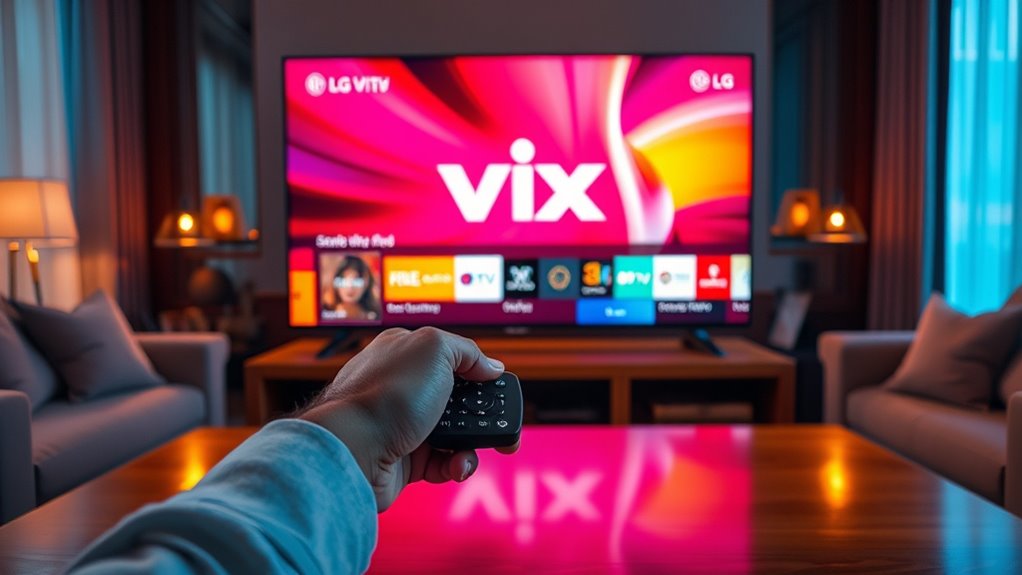

To download the Vix app on your LG Smart TV, make sure your TV is connected to the internet. Open the LG Content Store from the main menu and use the search function to find “Vix.” Once you locate the app, select it to start the download and installation process. After installation, you can launch Vix and sign in to explore content. There’s more to discover about using Vix to enhance your viewing experience!
Ensure Your LG Smart TV Is Connected to the Internet
Before you can download Vix on your LG Smart TV, it’s essential to guarantee that your TV is connected to the internet. Start by checking your internet connection. Go to your TV settings and navigate to the network section. Here, you can see if your TV is connected to Wi-Fi or a wired network. If it’s not connected, select your Wi-Fi network and input the password. Once connected, you’ll notice a signal strength indicator—make sure it’s strong enough for streaming. This connection is vital for a seamless experience while downloading apps like Vix. With a stable internet connection, you’re one step closer to enjoying your favorite shows and movies without interruptions. So, get that connection sorted!
Access the LG Content Store
To get started, you’ll need to access the LG Content Store on your Smart TV. Once you’re in, navigate to the app section where you’ll find a variety of applications. From there, simply search for the Vix app to begin your download.
Locate the LG Content Store
Finding the LG Content Store on your LG Smart TV is a straightforward process that opens the door to a variety of apps, including Vix. To get started, follow these simple steps:
- Turn on your LG Smart TV and grab your remote.
- Press the “Home” button to access the main menu.
- Look for the “LG Content Store” icon, usually found on the home screen.
- Select it to enter the store and browse available apps.
Once you’re in the Content Store, you’ll find a range of applications that cater to your interests. Enjoy the freedom to explore and download new content that enhances your viewing experience on your LG Smart TV.
Navigate to App Section
Once you’re inside the LG Content Store, the next step is to navigate to the App Section. This part of the store is essential for enhancing your user experience. To start, look for the menu options on the left side of the screen. You’ll find “Apps” listed there; click on it to open the app navigation interface. Here, you can explore various categories, making it easy to find what you need. Whether you’re searching for popular apps or diving into specific genres, this section offers a streamlined approach to discovering new content. Keep in mind that a smooth navigation process will save you time and help you enjoy your LG Smart TV to the fullest.
Search for Vix App
Looking for the Vix app on your LG Smart TV is a straightforward process that can enhance your viewing experience. To get started, you’ll need to access the LG Content Store. Here’s how you can search for the Vix app:
- Open the LG Content Store from your home screen.
- Use the search function to type in “Vix.”
- Review the Vix app features and available streaming options.
- Select the app to begin the download process.
Once installed, you’ll reveal a world of content that caters to your entertainment needs. With its diverse streaming options, you’re sure to enjoy a variety of shows and movies. So, plunge in, and elevate your viewing experience with Vix!
Search for the Vix App
How can you easily locate the Vix app on your LG Smart TV? First, grab your remote and press the “Home” button. This takes you to the main menu where you can explore various apps. Use the search function—look for the magnifying glass icon—to enter “Vix.” As you type, suggestions will pop up, making it easier for you to find it. The Vix app features a rich library of movies and shows, catering to diverse tastes. You’ll love the Vix app benefits, including free access and no subscriptions, allowing you to enjoy content without financial constraints. Once you find the app, you’ll be one step closer to revealing endless entertainment options.
Download and Install the Vix App
To download and install the Vix app on your LG Smart TV, start by selecting the app from the search results you found earlier. Follow the prompts to initiate the installation process. Here’s what you need to keep in mind:
- Make sure your TV’s software is up to date for peak app functionality.
- Confirm you have a stable internet connection during the installation.
- Accept any necessary permissions for the app to function properly.
- Wait for the installation to complete before moving away.
Once the installation is done, you’ll have access to a variety of content that enhances your viewing experience. Enjoy the freedom of streaming your favorite shows and movies with ease!
Launch the Vix App and Sign In
Open the Vix app on your LG Smart TV by selecting its icon from the home screen. Once the app launches, you’ll be greeted by its sleek interface showcasing various app features. To access all content, you’ll need to complete the sign in process. Simply click on the “Sign In” button and enter your credentials. If you don’t have an account yet, you can easily create one by following the on-screen prompts. Signing in grants a personalized experience, allowing you to save favorites and receive recommendations tailored to your tastes. Embrace the freedom of streaming your preferred content without limits. Once you’re signed in, you’re ready to immerse yourself in everything Vix has to offer!
Explore and Enjoy Content on Vix
Now that you’ve signed in, it’s time to explore Vix’s diverse content library. With a user-friendly interface, you can easily navigate through various genres and find something that suits your taste. Get ready to enjoy a fantastic selection of movies and shows right from your LG Smart TV!
Diverse Content Library
Whether you’re in the mood for a gripping drama or a light-hearted comedy, Vix offers a diverse content library that caters to all tastes and preferences. With its impressive content variety, you’ll find something for every occasion. The streaming options available on Vix are extensive, ensuring you’re never short on entertainment.
- Engaging telenovelas that keep you on the edge of your seat
- Hilarious comedies perfect for a fun night in
- Eye-opening documentaries that expand your horizons
- Classic films that evoke nostalgia and joy
Explore Vix and immerse yourself in its rich selection of content. You’ll appreciate the freedom to choose what you want to watch, making every viewing experience enjoyable and unique!
User-Friendly Interface
A user-friendly interface makes exploring and enjoying content on Vix a seamless experience. With its intuitive design, you’ll find it easy to navigate through various genres and shows. The layout promotes an engaging user experience, allowing you to quickly locate your favorite movies or discover new ones. The search functionality is straightforward, ensuring that you can find what you want with minimal effort. Plus, personalized recommendations based on your viewing habits enhance your exploration, making every session enjoyable. Vix’s clear menus and simple controls empower you to take charge of your entertainment choices. Immerse yourself in the rich world of content without any hassle, and embrace the freedom of effortless streaming on your LG Smart TV.
Frequently Asked Questions
Is Vix Available in All Regions on LG Smart TVS?
Vix isn’t available in all regions on LG Smart TVs due to regional restrictions. You might need to check your specific location’s availability or consider using a VPN to access the content if it’s restricted.
Can I Use Vix Without Creating an Account?
You can enjoy Vix without an account, but picture missing out on personalized recommendations and exclusive content. Creating an account opens up fantastic features, enhancing your viewing experience and offering more tailored options you’ll love.
What to Do if Vix App Won’t Open?
If the Vix app won’t open, try restarting your device, clearing the app cache, or checking for updates. Common errors can often be fixed with these simple vix app troubleshooting steps. You’ve got this!
Are There Subscription Fees for Vix Content?
Yes, Vix offers subscription options for premium content. While some content is available for free, subscribing grants access to additional features and a broader range of shows, giving you more freedom to explore diverse entertainment options.
How to Update the Vix App on LG Smart TV?
To update the Vix app on your LG Smart TV, navigate to the app installation section, select Vix, and choose “Update.” Just like watering a plant, regular software updates keep your viewing experience fresh and vibrant.
