
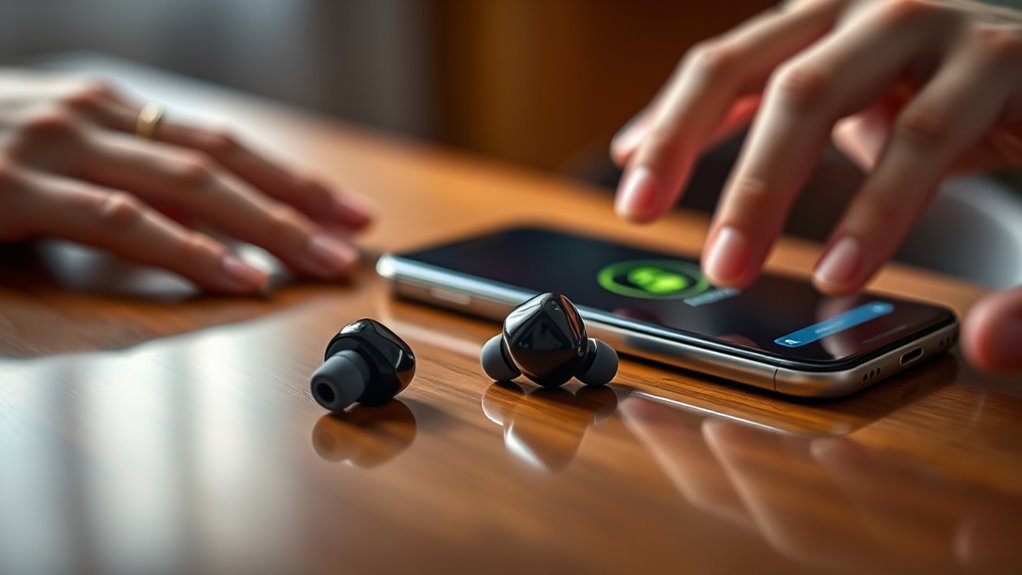

To set up your earbuds, start by unboxing them and charging fully using the included case. Power on the earbuds by pressing the button until the light indicator shows. Confirm they’re in pairing mode and access your device’s Bluetooth settings to connect. Adjust sound settings for the best audio experience and check for a snug fit. If you encounter issues, troubleshooting tips can help. You’ll discover more about enhancing your experience as you proceed.
Unboxing Your Earbuds
Unboxing your earbuds is an exciting first step toward enjoying your new audio experience. As you carefully peel back the packaging, take a moment to appreciate the sleek earbud design. It’s not just about looks; a well-crafted design enhances comfort and fit, which is essential for long listening sessions. Once you have them in hand, examine the various ear tips included to guarantee a snug fit that maximizes sound quality. Quality earbuds can deliver crisp highs and deep lows, elevating your music and podcasts. Remember, the right earbud design not only impacts aesthetics but also directly influences your overall enjoyment. So, as you unpack, envision how these little devices will transform your daily routine into a personal audio journey.
Charging Your Earbuds
After you’ve unboxed your earbuds, the next step is to make certain they’re fully charged for ideal use. Most earbuds come with a charging case, which is one of the most convenient charging methods. Simply place your earbuds in the case, ensuring they’re properly seated, and close the lid. This keeps them charged while protecting them from damage.
You might also find that your earbuds can be charged via USB-C or micro USB cables. Always use the recommended charger to maintain battery lifespan. It’s a good practice to charge them regularly, especially before long trips or workouts. Keeping a close eye on their charge level will help you enjoy uninterrupted listening and maximize their performance.
Powering On and Off
To get your earbuds ready for use, it’s important to know how to power them on and off correctly. You’ll typically find a button or touch sensor that activates the earbuds, ensuring they’re ready to connect. When you’re done using them, knowing the proper way to turn them off will help preserve battery life.
Powering On Instructions
Before you can enjoy your music or take calls, you’ll need to power on your earbuds. Typically, you can do this by pressing and holding the power button until you see a light indicator. This action activates your earbuds and guarantees they’re ready for use.
To help you understand the basics, here’s a quick reference:
| Action | Description |
|---|---|
| Press and Hold | Turns on your earbuds |
| Indicator Light | Shows power status |
| Battery Life Tips | Use power saving mode when not in use |
Powering Off Instructions
When you’re finished using your earbuds, powering them off is just as simple as turning them on. To conserve battery life and minimize power consumption, locate the power button on your earbuds. Press and hold this button until you hear a confirmation tone or see a light indicator. This action guarantees your earbuds aren’t draining battery unnecessarily while they’re not in use. If your earbuds have an automatic shut-off feature, they’ll power down after a period of inactivity, which is another great way to extend their battery life. Remember, keeping your earbuds powered off when not in use helps you enjoy longer listening sessions during your next adventure. So always make it a habit to turn them off!
Connecting to Your Device
Connecting your earbuds to your device is a straightforward process that can usually be done in just a few steps. First, verify your earbuds are charged and in pairing mode. This often involves holding down a button until you see a flashing light. Next, check your device for Bluetooth compatibility. On your device, navigate to the Bluetooth settings and turn on Bluetooth. Your earbuds should appear in the list of available devices. Select them to initiate device pairing. Once connected, you might see a confirmation on your device. If you encounter any issues, try turning Bluetooth off and on again. Now you’re ready to enjoy your music or calls wirelessly, giving you the freedom to move without being tethered!
Adjusting Sound Settings
Once your earbuds are connected, it’s essential to adjust the sound settings for the best experience. You can optimize equalizer settings, tweak the volume levels, and enable noise cancellation features to enhance your listening. Let’s explore how to make these adjustments effectively.
Equalizer Settings Optimization
To optimize your sound experience with earbuds, it is essential to fine-tune your equalizer settings. Start by exploring the equalizer presets available in your audio app. These presets offer different sound profiles tailored to various genres, enhancing your listening experience. If you prefer more control, consider manually adjusting the frequency bands to suit your taste. Boosting the bass can add depth to your music, while tweaking the treble can clarify vocals and instruments. Don’t hesitate to experiment until you find the perfect balance that resonates with you. Remember, the goal is to create a sound that feels just right, allowing you to enjoy your favorite tunes without any constraints. Get creative and enjoy the freedom of personalized audio!
Volume Level Adjustment
After fine-tuning your equalizer settings, the next step is adjusting the volume level to suit your environment and listening preferences. Start by using volume control tips to find a comfortable level that doesn’t strain your ears. Most earbuds allow for fine adjustments, so don’t hesitate to play with the volume until it feels just right. Remember, sound balance adjustments are vital; you want to guarantee that bass, mids, and treble are all clear. If you’re in a noisy setting, a slightly higher volume may be necessary, but be cautious not to exceed safe listening levels. Finding that sweet spot enhances your audio experience, allowing you to enjoy your favorite tunes without sacrificing sound quality or risking hearing damage.
Noise Cancellation Features
While enjoying your music or podcasts, you might find that noise cancellation features can greatly enhance your listening experience. Many modern earbuds offer active noise cancellation, which uses advanced technology to block out unwanted sounds. This allows you to immerse yourself fully in your audio without distractions. On the flip side, if you want to stay aware of your surroundings, consider using the ambient sound mode. This feature lets some outside noise in, so you can hear announcements or conversations while still enjoying your tunes. To adjust these settings, simply access your earbud’s companion app or touch controls. Experiment with both options to find the perfect balance that suits your listening needs and lifestyle. Enjoy the freedom to customize your sound!
Ensuring Proper Fit
Finding the right fit for your earbuds is essential for both comfort and sound quality. Start by experimenting with different earbud sizes included in your package. Many models come with multiple earbud tips, allowing you to find the perfect match for your ears. Try on each size to see which feels most comfortable and secure. If they’re too loose, you might miss out on sound quality, while a tight fit could cause discomfort over time. Once you’ve selected the right earbud tips, verify they sit snugly without excessive pressure. A proper fit can enhance your listening experience, providing better noise isolation and richer sound. So, take the time to adjust and enjoy freedom in your audio experience!
Troubleshooting Common Issues
If you encounter issues with your earbuds, don’t worry—many problems can be easily resolved with a few simple steps. Common earbud connectivity issues often stem from Bluetooth settings or interference. Make certain your device is paired correctly and try resetting your earbuds.
For audio quality problems, check the volume level and verify there’s no debris in the earbud speakers.
Here’s a quick reference table to help you troubleshoot:
| Issue | Solution |
|---|---|
| Connectivity Issues | Re-pair your earbuds |
| Audio Quality Problems | Clean the earbud speakers |
| Battery Drain | Charge fully before use |
| Sound Dropouts | Move closer to the device |
With these tips, you’ll be back to enjoying your music or podcasts in no time!
Maintaining Your Earbuds
Maintaining your earbuds is essential for ensuring they last and perform at their best. Start with regular cleaning techniques to remove dirt and wax buildup. Use a soft, dry cloth to wipe the exterior and a cotton swab for the speaker mesh. For deeper cleaning, a mixture of water and isopropyl alcohol can work wonders—just be cautious not to get moisture inside the earbuds.
Equally important are storage tips. Always store your earbuds in a protective case to prevent tangling and damage. Avoid leaving them in hot or humid places, as this can affect their performance. By following these simple practices, you’ll enjoy clear sound quality and extend the life of your earbuds, giving you the freedom to enjoy your favorite tunes without interruption.
Frequently Asked Questions
Can I Use My Earbuds While Exercising?
Yes, you can definitely use your earbuds while exercising! Just make certain they fit comfortably and provide good sound quality. A secure fit will enhance your experience, letting you focus on your workout without distractions.
Are My Earbuds Water-Resistant?
Your earbuds might be like a trusty raincoat, shielding you from moisture. Check their water resistance features; if they’re rated for sweat or rain, follow some moisture protection tips to keep them safe during workouts.
How Do I Clean My Earbuds?
To clean your earbuds, use a soft, damp cloth and mild soap for earbud maintenance. For stubborn dirt, try a toothbrush with gentle cleaning techniques. Avoid moisture in openings to keep them functioning well.
Can I Use My Earbuds With Multiple Devices?
Yes, you can use your earbuds with multiple devices. Just guarantee they have good earbud compatibility. For seamless device pairing, disconnect from one device before connecting to another, allowing for smoother changes between your favorite gadgets.
How Long Do Earbuds Typically Last?
When it comes to earbud lifespan, you’re looking at about two to three years with proper battery maintenance. Treat ’em well, and they’ll keep you grooving, but don’t push your luck too far!
