
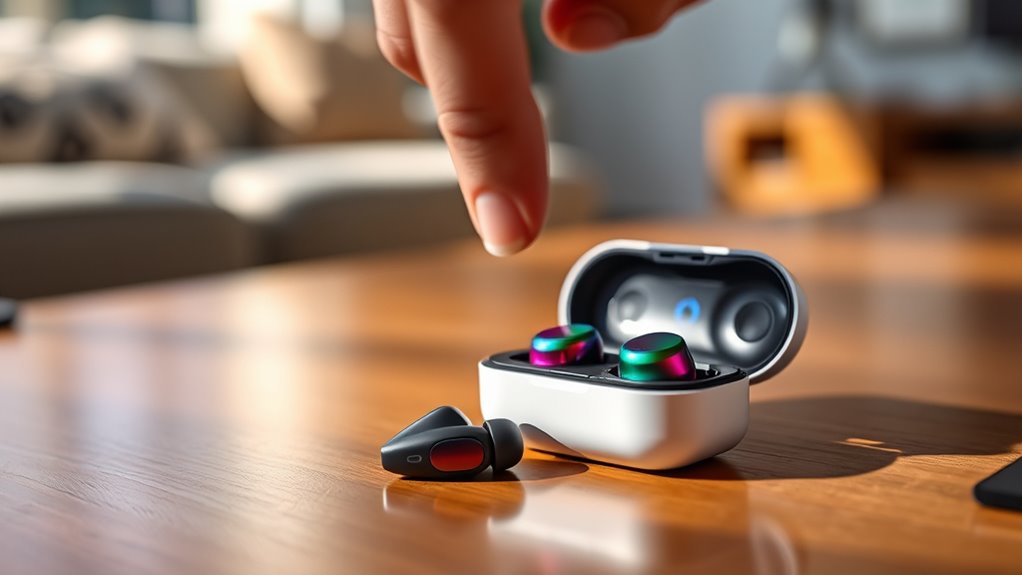

To turn on your Soundcore earbuds, just find the power button on the casing. Press and hold it for a few seconds until the LED indicator lights up, confirming they’re on. If your earbuds have touch options, a quick tap might work too. Once powered on, they’ll be ready to connect to your device. If you want to know how to optimize your listening experience, stick around for more helpful tips!
Understanding Your Soundcore Earbuds
To get the most out of your Soundcore earbuds, it’s essential to understand their features and functions. These earbuds are designed for a seamless listening experience, offering impressive sound quality that makes every note resonate. You’ll find features like active noise cancellation, which helps you focus on your music without distractions. The customizable equalizer lets you tweak sound settings to match your preferences, ensuring a personalized audio experience. Battery life is another highlight, allowing you to enjoy hours of uninterrupted playback. With intuitive touch controls, you can easily manage your audio without fumbling for your device. Familiarizing yourself with these earbud features will enhance your overall experience and give you the freedom to enjoy your favorite tunes anytime, anywhere.
Locating the Power Button
Finding the power button on your Soundcore earbuds is a straightforward task that sets the stage for your listening experience. To locate the power button, look for a small, round or rectangular button on the earbuds’ casing. It’s typically near the charging port or on the side. The button function is simple: press it once to turn your earbuds on or off. If your model includes touch controls, a tap may suffice. Make sure you’ve got a good grip on the earbuds while you’re searching for that power button location. Once you’ve found it, you’re one step closer to enjoying your favorite tunes wirelessly. Now you’re ready to immerse yourself in the music without any hassle!
Charging Your Earbuds Before Use
Once you’ve located the power button, the next step is ensuring your Soundcore earbuds are fully charged before use. Start by connecting the charging case to a power source using the provided cable. A quick charging tip is to check the LED indicator; it’ll show red while charging and switch to green when fully charged. For ideal battery life, avoid letting your earbuds drain completely before recharging. Aim to keep them between 20% and 80% for longevity. If you’re planning a long listening session, consider charging them for at least an hour before use. This way, you’ll enjoy uninterrupted music and calls, giving you the freedom to move without worrying about battery issues.
Turning On Your Earbuds
Power on your Soundcore earbuds by pressing and holding the power button for a few seconds until you see the LED indicator light up. Once they’re on, you’ll enjoy impressive earbud features and sound quality that enhances your listening experience. Here’s what to keep in mind:
- LED Indicator: A steady light means they’re powered on and ready to use.
- Automatic Pairing: Once powered, they can automatically connect to previously linked devices, saving you time.
- Battery Life: Check the battery level through the app to verify you’re not caught off guard during your sessions.
Connecting to Your Device
Now that your Soundcore earbuds are powered on, it’s time to connect them to your device. First, make sure your device is compatible and then follow the Bluetooth pairing process. This will help you enjoy your favorite tunes in no time.
Bluetooth Pairing Process
To connect your Soundcore earbuds to your device, start by ensuring Bluetooth is enabled on your device. Once you’ve done that, follow these steps for smooth Bluetooth connectivity:
- Activate Pairing Mode: Press and hold the power button on your earbuds until you see a blinking light. This indicates they’re in pairing mode.
- Select Your Earbuds: Open your device’s Bluetooth settings and look for your Soundcore earbuds in the available devices list.
- Complete the Pairing: Tap on your earbuds’ name to connect. You’ll hear a confirmation sound when they’re successfully paired.
Now you’re free to enjoy your audio without any hassle!
Device Compatibility Check
Before connecting your Soundcore earbuds, it’s vital to verify that your device is compatible with them. Check your device specifications to guarantee they support Bluetooth connectivity, as this is essential for pairing. Most modern smartphones, tablets, and laptops meet the compatibility requirements, but older models may not. If you’re using a computer, make certain the Bluetooth drivers are updated. For peak performance, consider the Bluetooth version—Soundcore earbuds typically work best with devices using Bluetooth 4.0 or higher. If you’re unsure about your device’s capabilities, consult the user manual or the manufacturer’s website. By confirming compatibility, you’ll enjoy a seamless audio experience without interruptions or connectivity issues.
Troubleshooting Power Issues
If your Soundcore earbuds aren’t turning on, the first thing you should check is the battery charge. Make sure they’re properly charged before moving on to other solutions. If they still won’t power up, try resetting them to see if that resolves the issue.
Check Battery Charge
Even when you’re enthusiastic to use your Soundcore earbuds, they won’t work properly if the battery is low or drained. To check the battery charge and avoid interruptions, follow these steps:
- Look at the battery indicators on your earbuds or within the charging case. A solid light usually means they’re charged, while a flashing light indicates low battery.
- Use the charging tips provided in the manual. Verify you’re using the correct cable and power source to avoid damaging the battery.
- Charge the earbuds for at least 30 minutes if they’re completely dead. This can give them enough power to turn on.
Reset Earbuds Properly
Sometimes, even with enough battery, your Soundcore earbuds might not turn on or connect properly. In such cases, using some effective resetting techniques can help. First, try turning off the earbuds and then turning them back on. If that doesn’t work, you might need to perform a factory reset. To do this, place the earbuds in their charging case and verify they’re charging. Press and hold the button on both earbuds for about 10 seconds until you see the LED lights flash red and white. This indicates a successful reset. Once done, reconnect them to your device. These simple steps can often resolve power issues, restoring the freedom you love with your Soundcore earbuds.
Enjoying Your Audio Experience
While you might think that turning on your Soundcore earbuds is just the beginning, the real magic happens when you plunge into your audio experience. To truly enjoy your music, focus on these key elements:
- Audio Quality: Immerse yourself in crisp highs and deep lows, letting each note resonate.
- Sound Personalization: Adjust equalizer settings to match your unique taste—whether you prefer bass-heavy tracks or vocal clarity.
- Comfort Fit: Guarantee a snug fit to block out distractions and enhance your listening pleasure.
Frequently Asked Questions
Can I Use Soundcore Earbuds While Charging?
You can’t use Soundcore earbuds while charging; it’s like trying to swim with a brick! For charging safety and ideal battery performance, let them juice up fully before diving into your favorite tunes.
Are Soundcore Earbuds Water-Resistant?
Yes, Soundcore earbuds have varying waterproof ratings, typically offering sweat resistance. This means you can enjoy workouts or outdoor activities without worry, but avoid submerging them in water to maintain their performance and longevity.
How Long Does the Battery Last on a Full Charge?
Your Soundcore earbuds’ battery life can last up to 30 hours on a full charge, akin to a journey through an endless forest. With a quick charging time, you’re always ready for the next adventure.
Can I Use Only One Earbud at a Time?
Yes, you can use a single earbud at a time. Just make certain it’s in pairing mode for dual pairing. This way, you’ll enjoy the freedom of listening without needing both earbuds connected.
Do Soundcore Earbuds Support Voice Assistants?
Yes, Soundcore earbuds support voice assistant compatibility, letting you use voice command features effortlessly. Just connect them to your device, and you’ll enjoy hands-free control with your preferred voice assistant whenever you need it.
