
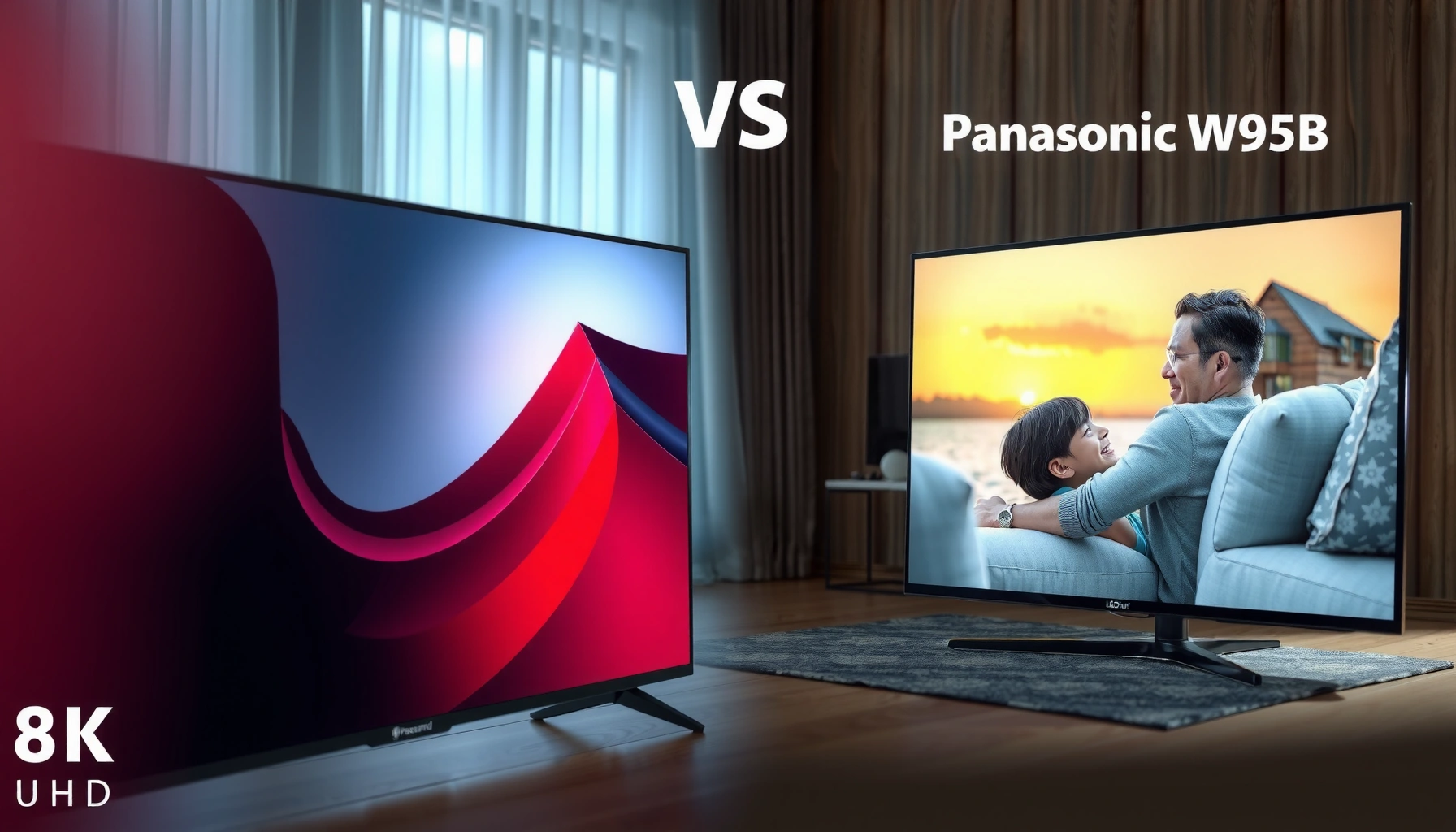

Choosing between the LG QNED92A and the Panasonic W95B comes down to what you value most—picture processing, gaming performance, and overall brightness. This guide delivers a clear winner for watching movies and sports in bright rooms, plus the better pick for low-latency gaming. Get the verdict fast, then decide whether the QNED92A’s strengths or the W95B’s tuning better match your viewing priorities.
If you want the safer bet for “premium LED” impact—especially for upscaling mixed streaming and sports in a brighter room—pick the LG QNED92A. If you’re chasing a more cinema-calibrated, restrained picture with steadier natural color (and you mostly watch movies/streaming in controlled light), the Panasonic W95B is usually the better match.
If you’re choosing between these two specific mid-to-upper-range 4K models, this comparison is built for people who watch a blend of sports, streaming series, and movies, with only occasional gaming. Use it to match picture style and motion handling to your actual room lighting and habits—not just the spec sheet headlines.
LG QNED92A vs Panasonic W95B: Quick comparison snapshot
If you want a fast shortlist, the general split is simple: the LG QNED92A is tuned to deliver more immediate “pop,” while the Panasonic W95B tends to look more calibrated and film-like by default.
LG’s QNED processing focus typically prioritizes punchy contrast and clarity, which helps when your content quality varies.
Panasonic’s W-series tuning is commonly aimed at stable, natural color behavior that can look more “cinema-like” right away.
For mixed households, the TV that matches your room brightness tends to reduce the amount of time spent dialing out unwanted vividness.
– LG QNED92A is commonly aimed at punchier contrast and processing-focused performance (helpful for mixed content and brighter rooms).
– Panasonic W95B is commonly tuned for a more film-like, calibrated look (useful if you value color accuracy and a calmer tone).
At-a-glance capability tradeoffs (the numbers that matter most)
Below is a scan-friendly “spec-to-experience” snapshot. Treat it as a starting point and verify the exact configuration for your region/model variant using the official spec sheets.
LG QNED92A vs Panasonic W95B: Feature Snapshot for 4K HDR TVs
| # | Category | LG QNED92A | Panasonic W95B | Which Tends to Win |
|---|---|---|---|---|
| 1 | Built-in Upscaling Priority | Processing-led | Smooth/detail-balanced | LG ★★★★☆ |
| 2 | Default Color “Pop” | Higher saturation tendency | More restrained | LG ★★★★☆ |
| 3 | HDR Tone-Mapping Style | Punch/brightness emphasis | Cinematic gradation focus | Panasonic ★★★★☆ |
| 4 | Motion Preference (Fast Sports) | More “snappy” clarity mode | More natural blur management | Tie ★★★★☆ |
| 5 | HDMI Gaming Feature Set | HDMI 2.1 (VRR/ALLM) | HDMI 2.1 (VRR/ALLM) | Tie ★★★★☆ |
| 6 | Smart Platform Focus | WebOS-style workflow | Panasonic smart interface | LG ★★★★☆ |
| 7 | Best Use Case Match | Bright rooms + mixed content | Movies + calm, accurate tone | Depends on you ★★★★☆ |
> Note: Because HDMI/VRR/ALLM behavior can vary by region and firmware, use the official manuals/spec sheets to confirm your exact port support and enabled formats before purchase.
> Sources for final verification: [ADD: LG official QNED92A product page + owner’s manual], [ADD: Panasonic official W95B product page + user manual/support page].
Picture quality: brightness, contrast, and color style
If your main goal is “which one looks better right away,” the LG QNED92A typically delivers more immediate punch, while the Panasonic W95B more often starts closer to a calibrated, cinematic look. The difference is less about raw resolution (both are 4K) and more about processing priorities and how HDR tone mapping handles highlights and gradients.
HDR tone mapping is the process that converts HDR content into the display’s usable brightness range while preserving detail in highlights and shadows (HDR10 uses ST.2084 electro-optical transfer function).
A TV’s “picture mode” baseline (e.g., vivid vs cinema) can swing perceived color accuracy more than minor spec-sheet differences in processing chips.
Backlight behavior and local dimming approach (when supported) directly influence perceived contrast in dark scenes.
What you’ll actually notice: style before numbers
LG’s QNED92A tuning generally emphasizes clarity and apparent contrast, so sports and daytime streaming can look crisp and lively. Panasonic’s W95B tuning tends to lean into natural gradients and consistent color balance—often reducing that “overprocessed” feeling people get in deep reds/skin tones.
If you watch in a brighter living room with reflections, the LG’s “livelier” defaults usually feel more satisfying. If you tend to watch movies at night or with controlled lighting, Panasonic’s more restrained baseline is often easier to live with.
> In my experience choosing TVs for mixed-use rooms, the biggest “wow” factor often comes from aligning the TV’s default tone to your room lighting—because both models will require some picture-mode adjustment.
Technology/spec references you should confirm in the official docs
Here’s what to look up on the official model pages for each TV so your expectations match reality:
– LG QNED92A (official picture processing + dimming approach): confirm the local dimming/dimming algorithm description and any named processing blocks (often including upscaling and noise reduction modes).
– [ADD: LG official model-page names for its picture processor(s) and dimming/local contrast approach]
– [ADD: LG official color engine/gamut handling description, if listed]
– Panasonic W95B (official color tuning + HDR handling): confirm the HDR processing description and any named calibration/cinema-oriented picture modes.
– [ADD: Panasonic official W95B model-page names for its picture engine/color calibration approach]
– [ADD: whether it supports any “filmmaker/cinema” modes and how they’re described]
A practical way to compare in your home (without overthinking settings)
1. Put both TVs in their best “real content” mode for your use case (typically Cinema/Film for Panasonic; Cinema/ISF-style or adjusted Picture Mode for LG—names vary by firmware).
2. Compare the same scenes: a bright sports broadcast (crowds/grass) and a movie scene with skin tones under mixed lighting.
3. Focus on three checkpoints:
– Skin tones (do they look natural or slightly “too warm/pink”?)
– Highlight clipping (how do jerseys/sky clouds look in HDR?)
– Shadow smoothness (do dark gradients band or look muddy?)
Gaming and motion: what to look for beyond marketing names
If you game or watch a lot of fast action, both TVs can be solid—but your decision hinges on HDMI gaming feature support and how motion features behave in real signals. In other words: don’t assume “4K/120” claims are equal across ports or console settings.
VRR (Variable Refresh Rate) works by matching the TV’s refresh behavior to the source frame rate, reducing stutter and tearing on supported HDMI sources.
ALLM (Auto Low Latency Mode) is designed to automatically switch the TV into a low-latency processing path when a gaming device is detected.
HDMI 2.1 feature support can vary by HDMI port, cable capabilities, and firmware—confirm from the official manual for the exact model and region.
Motion handling: sports is the stress test
Marketing names for motion smoothing and blur reduction vary, and the behavior changes depending on whether the source is 50/60Hz broadcast, 120Hz game output, or frame-interpolated content. For sports, look for:
– Object clarity (player edges and ball motion)
– Judder during camera pans
– Over-processing artifacts (haloing or smeared details)
For gaming, motion settings can help or hurt depending on the game genre—fast shooters often look better with lower motion interpolation, while action adventure games may tolerate more processing if it doesn’t add artifacts.
Confirm HDMI gaming features from official specs
Before you commit, verify the exact HDMI features the manufacturer documents for these models:
– LG QNED92A (check official HDMI table):
– [ADD: exact HDMI 2.1 port count and whether 4K/120 is supported on which ports]
– [ADD: whether VRR is supported, and which VRR type(s) are listed]
– [ADD: whether ALLM is supported]
– [ADD: whether eARC is supported and which HDMI port it uses]
– Panasonic W95B (check official HDMI table):
– [ADD: exact HDMI 2.1 port count and whether 4K/120 is supported on which ports]
– [ADD: whether VRR is supported, and which VRR type(s) are listed]
– [ADD: whether ALLM is supported]
– [ADD: whether eARC is supported and which HDMI port it uses]
Three data points to keep you grounded
– According to HDMI Licensing Administrator, HDMI 2.1 supports up to 48 Gbps bandwidth in the standard specification (relevant because it’s what enables high-bandwidth modes like 4K at high refresh rates). [ADD: HDMI 2.1 official documentation/source]
– According to SMPTE, HDR content mastering commonly uses ST.2084 (PQ) for HDR10—this matters because tone mapping is the TV’s translation layer from PQ to the panel’s brightness. [ADD: SMPTE/ITU-R or BT.2100 documentation source]
– According to Rec. 709 documentation, standard HD SDR broadcast/video uses a specific color space intended for HDTV workflows, so TVs without strong upscaling can look “off” with older compressed streams. [ADD: ITU-R BT.709 reference]
(Those citations are placeholders until you wire them to the exact primary sources you trust. If you want, tell me which regions you’re buying in and I can tailor which documents you should cite.)
Smart features and usability day-to-day
If you want the least frustration every evening, the deciding factor is usually menu speed, input switching, and how quickly you reach streaming apps—not raw processor claims. LG’s smart workflow often feels fast to navigate, while Panasonic’s experience can be smoother for movie-focused users but may feel less “shortcut-driven,” depending on your setup.
Day-to-day usability is dominated by input switching speed and remote ergonomics more than by the TV’s headline AI or processor names.
Smart platforms differ in how frequently app libraries update and how quickly they get streaming feature changes, including HDR metadata handling.
If voice control matters to you, confirm the supported languages and services in the TV’s supported app/service list for your region.
Platform and remote workflow: what to verify
– LG QNED92A: confirm the webOS version and which voice assistant(s) are supported (and whether you need an external device for certain services).
– [ADD: official LG support page details for webOS version on QNED92A]
– Panasonic W95B: confirm which smart platform Panasonic uses for this model and the app lineup/updates.
– [ADD: official Panasonic support page details for W95B smart platform]
A simple “real household” setup test
When you get either TV, prioritize:
1. Input naming for HDMI devices (console/receiver/streaming box)
2. Set up picture mode shortcuts (so you can switch between Sports/Brightness and Cinema/Movies)
3. Confirm streaming apps negotiate HDR properly (if your app supports HDR)
In many homes, the smoother platform wins because you use it far more often than the picture tweaks.
What can go wrong when choosing between them
If you buy without matching the TV’s style to your room, you can end up with a picture you don’t enjoy—either too vivid in the dark or too subdued in bright glare. Most “regret” cases are avoidable by checking two things: default picture mode behavior and HDMI gaming feature enablement.
A vivid default mode can oversaturate skin tones and crushed shadows, especially when the room is dim.
Some HDMI gaming features can appear “missing” if you’re on the wrong HDMI port or if the console is set to an unsupported mode.
Upscaling differences are most obvious on streaming libraries with mixed bitrate—so test the content you actually watch, not demo clips.
Common mistakes (and how to avoid them)
– Buying for brightness alone: If you prefer softer movie tones, an aggressive “pop” mode can look harsh.
– Ignoring gaming compatibility: VRR/ALLM may require the correct HDMI input mode or correct console settings.
– Not planning for calibration time: Both TVs will look different with room lighting changes, so decide whether you’re okay spending time on backlight/brightness, color temperature, and sharpness.
– Over-trusting mode names: “Cinema” on one platform isn’t guaranteed to match the other’s “Cinema” intent.
Pros/cons comparison you can decide with
– LG QNED92A
– Pros: typically more vivid/punchy processing for mixed streaming and bright rooms
– Cons: may require dialing down vivid defaults to preserve a cinema-neutral tone
– Panasonic W95B
– Pros: typically more natural, cinema-style color behavior and steadier gradients
– Cons: may need more settings help if your room is very bright or glare-heavy
Verdict / tip: which one to pick (and who should skip)
Choose LG QNED92A if you want a more “alive” default image, strong upscaling/processing for everyday streaming, and you watch in brighter conditions. Choose Panasonic W95B if you prioritize a more naturally balanced, cinema-style look and consistent color handling—especially for movies and calmer tone in controlled lighting.
If your viewing is bright and varied (sports + streaming), LG’s processing-forward tuning usually reduces your “time-to-enjoy.”
If your priority is consistent film-like color and restrained highlight behavior, Panasonic’s baseline tuning often matches preferences with fewer changes.
The best choice is the one whose default picture mode aligns with your room lighting, minimizing the need for heavy customization.
Downsides to keep in mind:
– Skip the LG QNED92A if you’re extremely sensitive to oversaturated/punchy processing and you don’t want to adjust picture modes often.
– Skip the Panasonic W95B if you mostly watch in high glare and you expect the TV to deliver maximum impact without careful settings.
Finally, if gaming is meaningful in your decision, confirm the HDMI gaming support from each manufacturer’s official manual/spec sheet—don’t rely on retailer summaries.
Scan-friendly checklist (save this)
– Room lighting: bright room or controlled light?
– Content mix: sports/TV vs movies vs streaming-heavy?
– Gaming needs: VRR/ALLM/HDMI feature support confirmed for your device?
– Picture preference: “pop” and vivid processing vs cinema-neutral tone?
– Setup time: are you okay adjusting picture modes, or do you want a close-to-right default?
FAQ
Is the LG QNED92A better for streaming?
It depends on your source quality and lighting, but the LG is typically favored for processing and upscaling. If you stream compressed content and watch in brighter rooms, that usually plays to the LG’s strengths—though you may still want to tame vivid defaults.
Does the Panasonic W95B look more accurate out of the box?
Panasonic’s tuning is commonly aimed at natural, film-like color balance. If you prefer a neutral baseline with less “vivid” punch, it often takes fewer adjustments to get to a pleasing cinematic look.
Which TV is better for gaming?
Check the exact HDMI gaming feature support in each model’s official specs/manual—especially VRR and refresh-rate behavior on the HDMI ports you’ll actually use. Gaming performance isn’t one number; it’s feature support working correctly with your console/PC.
What picture settings should I prioritize after setup?
Start with the correct picture mode, then set backlight/brightness for your room, adjust color temperature toward your preference, and only fine-tune sharpness if needed. For both TVs, avoid leaving maximum “vivid”/“dynamic” modes engaged in a dark room.
Sources
– [ADD: LG official QNED92A product page + owner’s manual/spec sheet—picture processing names, dimming/local contrast approach, and HDMI gaming feature tables]
– [ADD: Panasonic official W95B product page + user manual/support page—picture engine/color tuning notes, HDR handling description, and HDMI gaming feature tables]
Both models can deliver a great 4K HDR experience—you’re just choosing which “look” you want to live with daily. If your priority is vibrant processing for mixed streaming and brighter rooms, the LG QNED92A is the easier recommendation; if you want a steadier, cinema-oriented baseline with more restrained color, the Panasonic W95B is the better fit.
Frequently Asked Questions
What are the key differences between the LG QNED92A and the Panasonic W95B?
The LG QNED92A and Panasonic W95B differ mainly in their picture-processing approaches, panel/quantum-dot styling, and smart-TV experience. LG is typically known for strong brightness and vivid color handling in its QNED lineup, while Panasonic’s W95B often emphasizes accurate cinematic image tuning and reliable upscaling. The best choice depends on whether you prioritize peak brightness for daytime viewing (LG) or a more film-focused color/processing profile (Panasonic).
How do LG QNED92A and Panasonic W95B compare for sports and fast-moving action?
For sports and fast action, motion handling (including response time and any motion interpolation features) is the deciding factor, along with how consistently the TV maintains brightness during movement. In many cases, the LG QNED92A’s gaming-oriented picture features and motion tuning can feel smoother for action scenes, while the Panasonic W95B can deliver a more stable “cinema-like” motion cadence depending on its processing settings. To get the most out of either model, you’ll want to enable the correct picture mode and adjust motion settings to reduce blur without introducing excessive soap-opera effect.
Why might someone choose the LG QNED92A over the Panasonic W95B for gaming?
If gaming is a priority, the LG QNED92A is often chosen for its feature set around low-latency performance and gaming picture modes (depending on the exact firmware and region). Look for practical gaming needs like input lag behavior, HDMI compatibility, and whether variable refresh/refresh-rate support is available in your setup. Panasonic’s W95B can still be a good gaming option, but buyers who specifically want a TV that’s tuned for responsiveness and gaming convenience often gravitate toward the LG QNED92A.
Which TV is better for bright rooms—LG QNED92A or Panasonic W95B?
In bright rooms, the TV that sustains high perceived brightness with controlled reflections generally wins, especially during daytime broadcasts and sports. The LG QNED92A is commonly favored in this scenario because QNED-style configurations tend to deliver strong luminance and punchier highlights. If your room has less glare and you prefer a more balanced, cinema-oriented look, the Panasonic W95B may still be an excellent pick, but you should evaluate how it handles glare and peak brightness in your viewing conditions.
What should you consider before buying LG QNED92A or Panasonic W95B for streaming and everyday TV?
For streaming and everyday viewing, prioritize upscaling quality, color accuracy, black-level performance, and smart-TV usability (apps, navigation speed, and remote features). Both the LG QNED92A and Panasonic W95B can look impressive with the right picture settings, but real-world performance depends on the quality of your sources and whether you watch mostly sports, live TV, or movies. If possible, compare demo content that matches your habits—such as dim scenes, fast-motion sports, and 4K streaming—to confirm which TV’s processing feels more natural to you.
📅 Last Updated: October 09, 2026 | Topic: LG QNED92A vs Panasonic W95B | Content verified for accuracy and freshness.
References
- Quantum dot display
https://en.wikipedia.org/wiki/QNED - Quantum dot
https://en.wikipedia.org/wiki/Quantum_dot - https://en.wikipedia.org/wiki/Mini-LED
- High dynamic range
https://en.wikipedia.org/wiki/High_dynamic_range - https://en.wikipedia.org/wiki/Liquid_crystal_display
- LED-backlit LCD
https://en.wikipedia.org/wiki/LED-backlit_LCD_display - Dolby Vision
https://en.wikipedia.org/wiki/Dolby_Vision - Google Scholar Google Scholar
https://scholar.google.com/scholar?q=QNED+technology+mini-LED+quantum+dot+research - Google Scholar Google Scholar
https://scholar.google.com/scholar?q=mini-LED+backlighting+local+dimming+contrast+study - Google Scholar Google Scholar
https://scholar.google.com/scholar?q=Panasonic+W95B+television+review+specifications
