
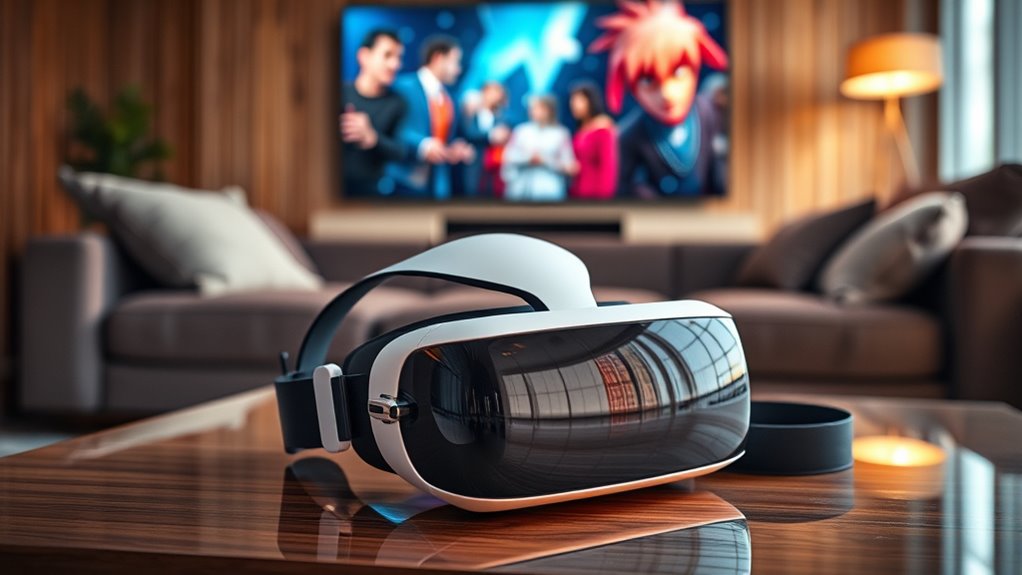

To watch 2D movies on a VR headset, you can use dedicated VR movie apps like Bigscreen or Netflix VR, which offer immersive environments for viewing. Many major streaming services support VR, enhancing your experience. Utilize media players that support various formats and guarantee smooth playback. Don’t forget to invest in quality audio equipment for surround sound. With social features available, you can enjoy movies with friends virtually. There’s much more to explore about maximizing your VR movie experience.
Choosing the Right VR Headset for Movie Watching
When selecting a VR headset for movie watching, it’s crucial to take into account several factors that can greatly enhance your viewing experience. First, consider the display resolution; higher resolutions provide sharper images, which notably impacts your movie enjoyment. You’ll want to look at VR headset comparisons to see how different models stack up regarding clarity and color accuracy. Comfort is another critical factor, especially during long viewing sessions. A lightweight, well-padded headset can make a big difference. Additionally, pay attention to the field of view; a wider field can immerse you deeper into the film. Ultimately, balancing these elements will help you choose the right headset tailored to your movie-watching desires, enhancing your freedom to enjoy films in a unique way.
Dedicated VR Movie Apps
When it comes to watching movies in VR, dedicated movie apps can greatly enhance your experience. These platforms not only offer a range of popular titles but also come packed with features tailored for immersive viewing. Understanding what each app brings to the table can help you make the most of your VR headset.
Popular VR Movie Apps
While traditional movie-watching experiences are enjoyable, dedicated VR movie apps elevate your viewing by immersing you in a virtual environment. These apps, such as Bigscreen, Netflix VR, and YouTube VR, cater to various VR movie genres, offering something for everyone. You can explore everything from thrilling action films to heartwarming dramas, all while surrounded by stunning 360-degree visuals. User reviews often highlight the unique experiences these platforms provide, emphasizing how they transform mundane movie nights into enthralling adventures. With intuitive interfaces and social features allowing you to watch with friends, these apps create a sense of community. So, if you’re ready to break free from conventional viewing, diving into the world of VR movie apps is a must.
Features of VR Platforms
Dedicated VR movie apps come packed with features that significantly enhance the viewing experience, making it far more immersive than traditional formats. When you explore VR platform comparisons, you’ll notice differences in user interface design that can either streamline your experience or complicate it. Content accessibility varies widely, with some apps offering extensive libraries while others might face compatibility issues. Performance optimization is vital; check hardware specifications to guarantee smooth playback. Regular software updates keep the apps running efficiently, enhancing audio quality and visual fidelity. Furthermore, customization options allow you to tailor settings to your preferences, guaranteeing an engaging experience. Embrace the freedom these features provide, and enjoy watching movies like never before!
Streaming Services With VR Compatibility
As the demand for immersive viewing experiences grows, several streaming services have stepped up to offer VR-compatible options that enhance how you enjoy 2D movies. Popular platforms like Netflix, Hulu, and Amazon Prime Video have introduced service compatibility with VR headsets, allowing you to immerse yourself in your favorite films in a whole new way. These streaming options not only provide access to vast libraries of content but also transform the viewing experience into something uniquely engaging. With VR, you can watch movies in a simulated environment that feels like a private cinema. So, if you’re looking to enjoy your favorite films with a fresh perspective, exploring these VR-compatible services can reveal new levels of entertainment freedom.
Watching Movies in Virtual Cinemas
When you step into a virtual cinema, you’re not just watching a movie; you’re entering an immersive environment that enhances your viewing experience. You can adjust the screen size to suit your preferences, making it feel more personal and engaging. Plus, with social features, you can enjoy films with friends, regardless of their physical location, adding a new layer to movie nights.
Immersive Virtual Environments
While traditional movie-watching has its charm, immersing yourself in a virtual cinema can elevate the entire experience to new heights. Picture yourself surrounded by stunning virtual reality landscapes, where immersive storytelling draws you deeper into the narrative. Here are some reasons to contemplate this innovative approach:
- Personalized Viewing: Choose your environment, from a cozy room to an expansive outdoor setting.
- Enhanced Focus: The immersive nature minimizes distractions, letting you fully engage with the film.
- Unique Atmosphere: Experience films in settings that complement their themes.
- Visual Spectacle: Enjoy high-definition visuals that make you feel like part of the action.
- Freedom of Choice: Control your viewing angle and distance, tailoring the experience to your preferences.
Embrace the future of cinema!
Social Viewing Experiences
Although many people associate movie-watching with solitary enjoyment, virtual cinemas have transformed this experience into a social event that connects friends and family from anywhere in the world. With VR headsets, you can engage in virtual gatherings where you share laughter, gasps, and reactions as if you’re sitting right next to each other. This immersive environment enhances the thrill of shared experiences, making you feel more present in the moment. You can chat, interact, and even host movie nights, breaking down geographical barriers. Plus, the sense of community fosters deeper connections, allowing you to enjoy your favorite films together, no matter the distance. Embrace the future of movie-watching and plunge into this interactive, social sphere.
Adjustable Screen Sizes
The immersive experience of virtual cinemas doesn’t just stop at social interactions; it also offers remarkable flexibility in screen sizes. You can customize your viewing experience to fit your preferences, embracing freedom like never before. Here’s what to contemplate:
- Adjustable screen size: Choose from a variety of dimensions to suit your comfort.
- Aspect ratio options: Select the perfect ratio for any film, enhancing visual fidelity.
- Virtual environment: Experience diverse settings, from cozy living rooms to grand theaters.
- Personalized viewing distance: Control how close or far you feel from the screen.
- Multi-screen setups: Enjoy multiple screens for a more dynamic viewing experience.
With these features, you can tailor your movie-watching to your unique tastes and desires.
Using Media Players in VR
When you step into the immersive world of virtual reality, using media players designed for VR can greatly enhance your movie-watching experience. You’ll find various media player options tailored for VR, each offering unique features and video format compatibility. Choosing the right player can transform how you enjoy your favorite films.
Here’s a quick comparison to help you decide:
| Media Player | Video Format Compatibility |
|---|---|
| Bigscreen VR | MP4, MKV, AVI |
| Skybox VR | MP4, MOV, WMV |
| Virtual Desktop | MP4, MKV, AVI |
| DeoVR | MP4, AVI, FLV |
Downloading and Transferring Movies to VR
With the right media player set up, you’re ready to enhance your VR movie experience by downloading and transferring films directly to your headset. Here are some key steps to take into account:
Enhance your VR movie experience by properly setting up your media player and transferring films to your headset.
- Choose Compatible Movie Formats: Make sure your films are in formats supported by your VR headset.
- Use Reliable Transfer Methods: Utilize USB, Wi-Fi, or cloud storage options for transferring files.
- Optimize File Sizes: Compress large files to save space without sacrificing quality.
- Organize Your Library: Create folders to categorize movies for easy access.
- Test Playback: Before settling in, confirm that your movies play smoothly in your media player.
Enhancing Your Viewing Experience With Surround Sound
While many focus on visual fidelity when watching movies in VR, enhancing your experience with surround sound can greatly elevate immersion. Surround sound creates a 360-degree audio landscape that pulls you into the film’s world. Instead of just hearing sounds from one direction, you’ll feel like you’re part of the action, whether it’s the rustling leaves or distant thunder. This audio immersion can transform a simple movie night into an engaging cinematic experience. To achieve this, invest in quality headphones or a surround sound system compatible with your VR headset. By prioritizing audio alongside visuals, you’ll find yourself more engrossed in the story, making every scene resonate deeply and allowing your imagination to soar freely.
Social Watching Features in VR
Although many people enjoy the solitude of watching movies alone, social watching features in VR offer a unique opportunity to share the cinematic experience with friends and family, regardless of physical distance. These features enhance social interactions, turning a solitary activity into a communal event. Here are some notable aspects:
- Virtual Theaters: Join friends in immersive environments designed for movie watching.
- Real-Time Reactions: Share laughter, gasps, and commentary as you watch together.
- Customizable Avatars: Express yourself with avatars that represent you in the virtual space.
- Chat Functions: Engage in conversations during the film without disrupting others.
- Group Screen Sharing: Watch the same content simultaneously, fostering shared experiences.
With these capabilities, VR can transform how you connect with loved ones through cinema.
Tips for a Comfortable Movie-Watching Session in VR
Watching movies together in VR can be an exhilarating experience, but it’s important to guarantee that your comfort isn’t compromised during those sessions. Here are some tips to enhance your movie-watching experience while minimizing eye strain and ensuring headset comfort:
| Tip | Description | Benefit |
|---|---|---|
| Adjust Settings | Tweak brightness and contrast | Reduces eye strain |
| Take Breaks | Pause every 30 minutes | Refreshes your eyes |
| Use Headset Padding | Invest in additional padding | Enhances headset comfort |
Frequently Asked Questions
Can I Watch 2D Movies on a Non-Vr Headset?
Yes, you can definitely watch 2D movies on non-VR headsets. Most watching devices support various film formats, ensuring compatibility. Explore your options and enjoy films without the immersive experience that VR provides.
How Do I Adjust the VR Headset for Different Head Sizes?
To adjust your VR headset for different head sizes, modify the head strap for a snug fit and adjust the lens distance for ideal clarity. These tweaks guarantee a comfortable, immersive experience tailored to you.
Are There Free Apps for Watching Movies in VR?
Yes, there’re several free streaming VR apps available, like Bigscreen and YouTube VR. They let you immerse in cinematic experiences without spending a dime, offering a sense of freedom to enjoy films in a virtual environment.
Can I Share My VR Movie Experience With Friends Remotely?
Yes, you can share your VR movie experience with friends remotely. Many platforms offer shared experiences, allowing you to watch together, enhancing your enjoyment and connection, even if you’re miles apart. It’s a unique way to bond.
What Should I Do if I Experience Motion Sickness in VR?
If you’re feeling motion sickness in VR, try taking breaks, adjusting settings, and using VR techniques like focusing on stationary objects. Remember, your comfort matters—don’t hesitate to modify your experience for better enjoyment.
