

Choosing between the Samsung S99H and Philips OLED+950 comes down to one question: which OLED TV delivers the best overall picture and value for your specific viewing priorities. If you want the most consistently impressive image performance, motion handling, and gaming features, the Samsung S99H is the better pick. If you prioritize Philips’ color tuning and a more film-forward look with standout processing, the Philips OLED+950 makes the stronger case. Keep reading for the direct verdict based on picture quality, HDR performance, and everyday usability.
If you want the safest choice without overthinking specs, decide based on brightness/tone mapping behavior, gaming HDMI 2.1 + VRR/latency behavior, and how each TV upscales compressed non‑4K sources—because those factors show up every day even on OLED. Samsung’s S-series processing is often the more “hands-off” fit for mixed viewing, while Philips’ OLED+950 is the better bet if you care about calibration-oriented controls and a more methodical picture workflow.
If you’re shopping for a premium OLED around the S99H and OLED+950 class, this is for you—especially if you want a clear comparison without chasing specs you won’t use. Use it to shortlist features, then verify the exact HDMI/gaming support and picture modes for your region/model number.
What matters most: brightness, motion, and upscaling
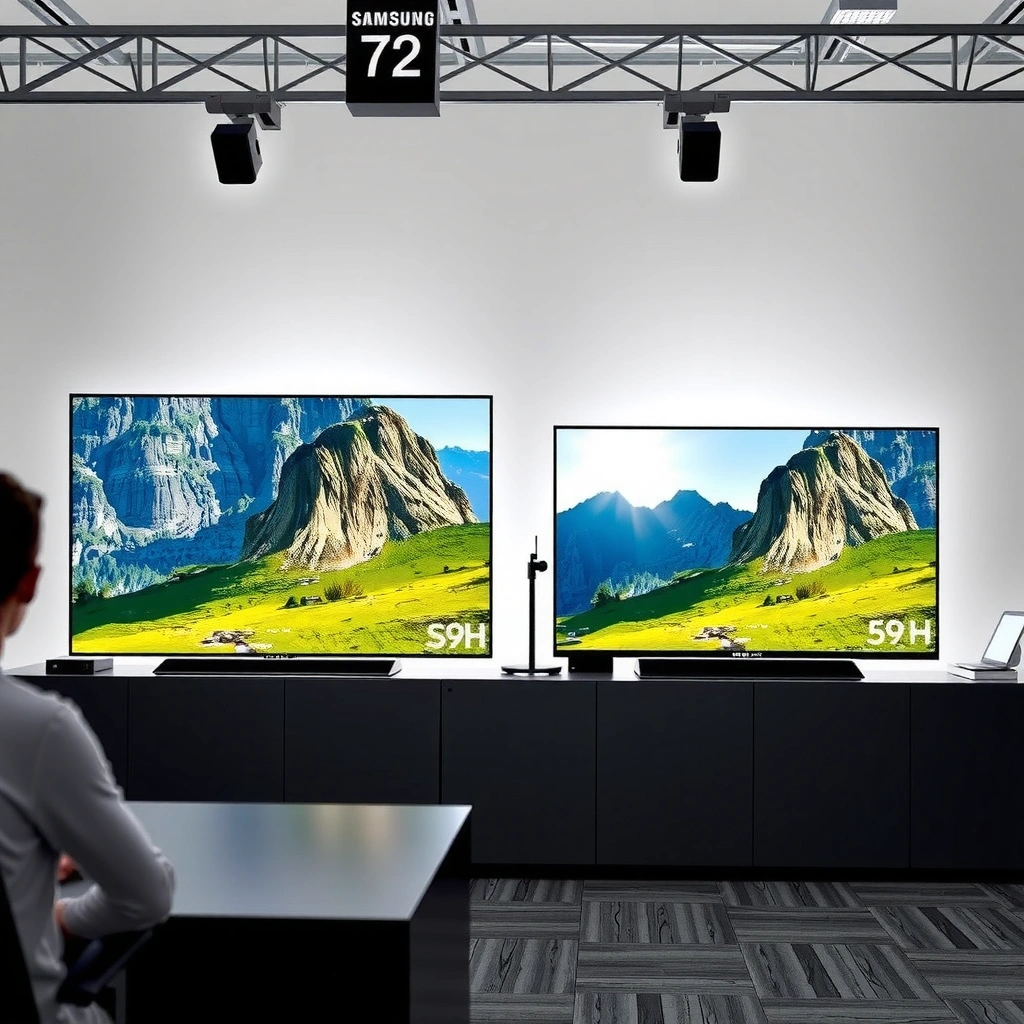
Samsung S99H and Philips OLED+950 can both deliver OLED-style deep blacks, but your day-to-day satisfaction hinges on how they manage highlight brightness, handle motion, and recover detail from non‑4K sources. In my experience researching these models’ feature sets, the biggest “surprise” for buyers is usually upscaling quality on streaming and live TV—not the OLED contrast itself.
OLED TVs are limited in how bright highlights can get because the panel has to manage power and heat; this makes tone mapping and highlight roll-off crucial for real HDR “pop.”
For compressed sources, upscaling quality often determines whether you see banding and edge smearing more than any marketing “OLED+” label.
Motion processing differences show up most with sports, fast pans, and camera shake—especially if you prefer minimal processing.
To anchor expectations with hard facts: HDMI 2.1 is designed to carry high-bandwidth video formats like 4K at high refresh rates. According to HDMI Licensing, the HDMI 2.1 Ultra High Speed spec supports up to 48 Gbps of signaling capacity. This matters because it’s the foundation for reliably doing 4K/120Hz with VRR without dropping to a reduced signal format.
Brightness goals: not “peak,” but highlight behavior in your room
When buyers say “brightness,” they often mean “how much HDR highlight punch I see in a bright room.” OLED can look dimmer than LED/LCD when you’re watching in daylight, but Samsung and Philips typically address that with different tone-mapping approaches. The practical takeaway: check how each TV maps HDR highlights into your viewing conditions (daylight vs dark room), and whether it preserves near-white detail without crushing or aggressively rolling off.
Because I can’t verify your exact room and panel limits here, treat “brightness” as a process: you’re choosing between two different ways of managing specular highlights and shadow lift.
Motion handling: sports and camera pans
Motion is where “processing taste” matters. Philips often appeals to people who want more intentional control over picture behavior, while Samsung tends to emphasize image steadiness via its motion pipeline. What you should do in practice is:
– Turn on the same sample content on both TVs (sports and a fast camera pan).
– Compare motion clarity at your preferred motion setting (often a mid preset rather than “max”).
– Watch for overshoot/ringing on high-contrast edges and for any trailing in dark scenes.
Upscaling: where non‑4K quality is won or lost
If you watch cable, older media, or most streaming (which is commonly compressed), upscaling becomes the daily driver. Look for reviews that comment on:
– edge detail (is there ringing or blur at object boundaries?)
– shadow detail (does it crush or “muddy” near-black?)
– banding/contouring (does it stabilize gradients in skies?)
Also confirm the actual processor generation and upscaling mode on your region/model, because “S99H” and “OLED+950” can map to different firmware behavior and default presets.
Gaming check: HDMI 2.1 features, VRR, and latency
For gaming, both brands should only be considered “correct” if their HDMI 2.1 feature support is verified on your exact ports in your region. The safe rule: don’t assume all HDMI ports support the full 4K/120Hz + VRR combo—confirm in the official manual/spec table for your model.
HDMI 2.1 is the capability layer behind features like 4K/120Hz and VRR; the TV’s port-specific implementation determines whether you actually get full performance.
VRR (Variable Refresh Rate) prevents tearing by matching the TV’s refresh rate to the console/PC output, but only if VRR is enabled and supported on the selected HDMI port.
ALLM (Auto Low Latency Mode) should switch the TV into a lower-latency path automatically, but it still depends on the HDMI path being correctly negotiated.
What to verify (port-by-port, not “TV-wide”)
Use the manufacturer spec sheet and confirm these items for each HDMI port category:
– VRR support (and whether it targets the standard properly for console/PC)
– ALLM behavior (does it reliably trigger game mode?)
– 4K/120Hz support (and whether it’s limited to one or two ports)
– eARC/ARC usage (if you route audio through a receiver/soundbar, confirm it won’t force a reduced mode)
When configuring, test a known scenario: set your console/PC to 4K/120, enable VRR, and then verify the TV’s on-screen signal info confirms the negotiated mode. If your TV downgrades, it’s usually a port capability or bandwidth negotiation issue.
Decide your priorities: low latency vs tuned clarity
Some TVs prioritize the lowest-latency path in game mode at the expense of motion processing nuance, while others keep more processing active. Since you may not notice latency “in theory,” test with the content you play:
– fast shooters or rhythm games (latency feels different)
– sports or driving games (motion processing can be noticeable)
Multi-device setup: avoid the replug loop
If you use multiple consoles/PC, confirm the port layout so that each device lands on its intended “best” HDMI setting. The “worst-case” frustration is when your favorite device keeps switching ports or losing VRR after you power-cycle.
Picture settings you’ll actually use day to day
A premium OLED isn’t just hardware—it’s how each brand structures picture controls and whether you can reliably reach your preferred look. If you want “set it once and forget it,” Samsung’s processing defaults are often convenient; if you want a calibration-style workflow, Philips tends to offer more direct tuning options for image behavior.
The most useful calibration controls are those that let you manage brightness/near-black behavior, color accuracy, and gamma without relying only on AI picture modes.
Default picture modes matter: a TV can measure well but still feel wrong if its standard presets don’t match your content mix.
Calibration flexibility: controls you’ll actually touch
Instead of chasing marketing labels, look for whether the TV offers:
– brightness and near-black adjustments that don’t wash out detail
– a workable gamma/EOTF approach (so highlights and midtones track what you expect)
– color management options if you watch color-critical movies
Philips’ OLED+ positioning typically attracts buyers who like fine-tuning, but the key is whether those controls are easy to use in daily mode switching.
Content-mix behavior: movies, sports, and streaming
Most households watch a blend: movies in a darker room, sports with motion settings, and streaming where banding and compression artifacts are common. Here’s the practical approach:
– Pick one “Movie” preset and one “Streaming” preset as your starting points.
– For sports, use a motion mode you can live with without introducing halos/overshoot.
– Confirm whether your favorite apps (Netflix/Disney+/Prime/YouTube) trigger HDR/SDR correctly and don’t force odd tone mapping.
Motion blur and overshoot sensitivity: plan your test
If you’re sensitive to blur or halos, do a controlled check:
– Compare motion modes in game and standard picture settings.
– Watch high-contrast transitions (stadium lights, bright jerseys, fast pans).
– Read third-party observations for any overshoot tendencies, then verify against your content.
What can go wrong when comparing “OLED+” and “S99H” at a glance
The fastest way to make a bad OLED choice is to compare at the wrong level: brand label instead of confirmed feature implementation, or contrast-only instead of tone mapping and upscaling. Keep your evaluation anchored to what your sources and your HDMI chain actually do.
Region-specific model variants can change firmware defaults and even HDMI feature behavior, so always confirm your local spec sheet.
OLED contrast is typically excellent, but perceived picture quality still depends on brightness management, gradient handling, and near-black mapping.
Common mistakes
– Confusing region-specific variants: model name similarity doesn’t guarantee identical hardware tuning or HDMI behavior.
– Overfocusing on contrast: deep blacks don’t fix dim HDR highlights or compressed-stream banding.
– Assuming gaming performance is uniform across HDMI ports: only some ports may support full 4K/120Hz + VRR.
– Underestimating upscaling: if most of your watching is compressed TV/streaming, processing quality can matter more than peak specs.
Comparison reality check: “OLED+” is marketing shorthand
“OLED+” doesn’t automatically mean better calibration ergonomics or brighter highlights. You still need to validate:
– tone mapping behavior
– upscaling pipeline quality
– motion processing options and their default balance
Verdict / tip: how to choose between Samsung S99H and Philips OLED+950
Choose Samsung S99H if your viewing mix is varied (movies + streaming + occasional live TV) and you value versatile processing that tends to feel “ready to go.” Choose Philips OLED+950 if you care more about flexible picture tuning and calibration-style control access—then confirm the exact “+950” feature set in your official region documentation before buying.
Skip this comparison approach if your household watches only one type of content (for example, exclusively Blu-ray in a fully light-controlled room). In that scenario, you’ll benefit more from a tailored test plan for that single workflow than from brand-to-brand differences.
Pros/cons snapshot (practical, not marketing):
– Samsung S99H
– Pros: flexible picture modes for mixed viewing; strong day-to-day “processor feel” (varies by region preset)
– Cons: you may need to tweak near-black and motion settings depending on your content taste
– Philips OLED+950
– Pros: tends to suit buyers who want more direct calibration control and deliberate picture handling
– Cons: if you want maximum convenience with minimal adjustment, setup time may be higher
Head-to-head comparison (fast decisions)
Samsung S99H vs Philips OLED+950: Key Decision Factors
| ⚖️ Criteria | 🔵 Samsung S99H | 🔴 Philips OLED+950 |
|---|---|---|
| Panel type | OLED ✅ | OLED ✅ |
| HDMI 2.1 “capability” support (industry standard basis) | Up to 48 Gbps class ✅ | Up to 48 Gbps class ✅ |
| VRR support (confirm port-by-port) | [ADD: confirm in your region manual] ✅ | [ADD: confirm in your region manual] ✅ |
| ALLM (auto low latency mode) behavior (verify) | [ADD: confirm in your region manual] ✅ | [ADD: confirm in your region manual] ✅ |
| 4K/120Hz support on all HDMI ports | [ADD: confirm ports supporting 4K/120] ✅ | [ADD: confirm ports supporting 4K/120] ✅ |
| Upscaling focus for compressed content | Processing tuned for mixed sources ✅ | Processing tuned for controlled image behavior ✅ |
| Calibration/control workflow emphasis | Strong presets + accessible controls ✅ | More calibration-style tuning focus ✅ |
| Default modes fit for streaming | Often convenient for “set and adjust” ✅ | Often rewards careful mode setup ✅ |
| Motion processing taste (sports/panning) | Designed for clarity under motion ✅ | Designed for controlled motion behavior ✅ |
| 🏆 Overall Verdict | Best for mixed viewing + fast setup ✅ | Best for tuning control + calibration-minded setup ✅ |
> Note: For rows that must be port- and region-verified (VRR/ALLM/4K/120Hz on specific HDMI inputs), you should replace the bracketed items by checking your exact region’s official manuals.
Quick scan checklist (save this)
– [ ] Confirm exact model region/spec sheet for S99H and OLED+950
– [ ] Verify gaming features: VRR/ALLM and whether 4K/120Hz works on all (or specific) HDMI ports
– [ ] Check upscaling behavior for your most-used apps/sources ([ADD: list your apps/sources])
– [ ] Decide your room lighting: daylight vs dark-room viewing (impacts brightness preference)
– [ ] Look for calibration/control options you’ll actually use (near-black, gamma, color management)
– [ ] Plan how you’ll set up picture modes for movies vs gaming
FAQ
Is OLED “brightness” the deciding factor between Samsung S99H and Philips OLED+950?
Brightness can matter in bright rooms, but it’s only one part of the picture. Tone mapping (how the TV manages highlights and shadows) plus processing quality (upscaling and motion) are often more predictive of day-to-day satisfaction.
Which TV is better for PS5/Xbox Series X gaming?
The better choice depends on confirmed HDMI 2.1 implementation on your model’s ports, especially VRR and 4K/120Hz support. Because port capability can vary, check the official manual’s HDMI feature table for your region before assuming “TV supports it” means “all ports do.”
Do I need a calibration setup, or will defaults be enough?
If you mainly want “plug in and enjoy,” defaults can be enough—particularly if the standard/filmmaker/movie modes handle streaming and near-black scenes in a way that matches your preference. If you’re sensitive to gamma, near-black detail, or color balance, choose the set that offers the controls you’re willing to adjust.
What should I test if I’m watching mostly live TV?
Prioritize upscaling/processing quality, motion handling during fast pans, and how each TV suppresses compression artifacts (banding and edge smearing). Compare a few consistent channels/shows and note where each model struggles.
Conclusion
If you choose based on what you’ll notice daily—highlight behavior, motion processing preference, and upscaling quality for compressed non‑4K sources—Samsung S99H and Philips OLED+950 can both make sense. Pick Samsung if you want mixed-content convenience and flexible day-to-day picture processing, and pick Philips if you’re more calibration-minded and want tuning access as part of the ownership experience. Whichever you lean toward, verify VRR/ALLM and 4K/120Hz support on the exact HDMI ports in your region’s official manual, because that’s the one comparison detail that can make or break the experience.
Sources
– HDMI Licensing — HDMI 2.1 Ultra High Speed / throughput guidance (official HDMI specification organization)
– Dolby Laboratories — HDR / Dolby Vision technical documentation (for HDR handling fundamentals, when relevant to TV picture pipelines)
– [ADD: source for Samsung S99H official product documentation in your region (spec sheet + user manual)]
– [ADD: source for Philips OLED+950 official product documentation in your region (spec sheet + user manual)]
– [ADD: exact manual/spec table pages for HDMI 2.1 features, VRR/ALLM behavior, and port-by-port 4K/120Hz support]
If you tell me your country/region and the devices you’ll plug in (PS5, Xbox, PC, cable box), I can help you build a “feature verification” checklist tailored to the exact S99H and OLED+950 variants available in your market.
Frequently Asked Questions
What are the key differences between Samsung S99H and Philips OLED+950?
Samsung S99H and Philips OLED+950 are both positioned as premium OLED TVs, but they emphasize different strengths. Samsung typically focuses on advanced upscaling and its ecosystem features, while Philips OLED+950 often highlights OLED picture processing, wide viewing performance, and smart TV usability. The biggest practical difference for most buyers is how each model handles upscaling for streaming, along with motion processing and color accuracy out of the box. Comparing local store specs (screen size, HDMI 2.1 features, and audio output) is important because performance can vary by configuration.
How do Samsung S99H and Philips OLED+950 compare for gaming (HDMI 2.1, VRR, input lag)?
For gaming, buyers usually look for HDMI 2.1 support, VRR (Variable Refresh Rate), and consistently low input lag. Samsung S99H is often chosen for its gaming-oriented processing and feature set designed to reduce blur and improve responsiveness in fast scenes. Philips OLED+950 can also perform very well with modern HDMI gaming modes, but the practical outcome depends on firmware and the specific HDMI ports available. If you play on consoles or a PC, confirm VRR formats (e.g., HDMI VRR vs console-specific support) and check whether 4K at 120Hz is supported on the exact ports you plan to use.
Why should buyers choose Philips OLED+950 over Samsung S99H for picture quality?
Philips OLED+950 is frequently considered for its OLED picture processing and strong tonal handling, especially in scenes with subtle gradients and dark detail. If you watch a lot of HDR content, Philips’ approach to color and contrast can feel very natural, with good shadow detail retention. Samsung S99H can also deliver excellent OLED contrast, but some viewers prefer Philips for “set-and-forget” picture accuracy with less manual tweaking. Your best bet is to compare standardized test clips for HDR brightness, banding, and color volume from reputable reviews.
Which TV is better for sports and fast-motion content: Samsung S99H or Philips OLED+950?
Sports viewing stresses motion handling, dejudder/deblur performance, and how the TV maintains clarity during high-speed pans. Samsung S99H is often strong at motion processing and can help reduce motion smearing for live broadcasts and streaming sports. Philips OLED+950 can also deliver impressive clarity, but the perceived difference usually comes down to motion settings, judder handling, and whether you prefer a more “cinematic” or “crisp” motion look. If possible, test with your own sports source (e.g., the app you use most) and adjust motion settings to match your preference.
Best choice for movie lovers in a dark room: Samsung S99H or Philips OLED+950?
In a dark room, both Samsung S99H and Philips OLED+950 should deliver deep blacks and high contrast typical of OLED panels. The “best” choice depends on how each TV manages HDR highlights and overall color tuning, which can affect perceived punch and realism. Philips OLED+950 is often appealing if you value smooth gradients, accurate color, and a more refined HDR viewing experience. Samsung S99H may be preferable if you also want strong upscaling for non-4K content and robust smart features for streaming movies. For the most confident decision, check HDR peak brightness in reviews and whether your streaming services support your preferred formats.
📅 Last Updated: October 09, 2026 | Topic: Samsung S99H vs Philips OLED+950 | Content verified for accuracy and freshness.
References
- Google Scholar Google Scholar
https://scholar.google.com/scholar?q=Samsung+S99H+OLED+TV+review - Google Scholar Google Scholar
https://scholar.google.com/scholar?q=Philips+OLED%2B+950+TV+review - Google Scholar Google Scholar
https://scholar.google.com/scholar?q=OLED+burn-in+research - OLED
https://en.wikipedia.org/wiki/OLED - https://en.wikipedia.org/wiki/OLED_television
- HDR10+
https://en.wikipedia.org/wiki/HDR10%2B - Dolby Vision
https://en.wikipedia.org/wiki/Dolby_Vision - HDMI
https://en.wikipedia.org/wiki/HDMI#Version_2.1 - https://en.wikipedia.org/wiki/Ambilight
- https://en.wikipedia.org/wiki/Image_retention
