
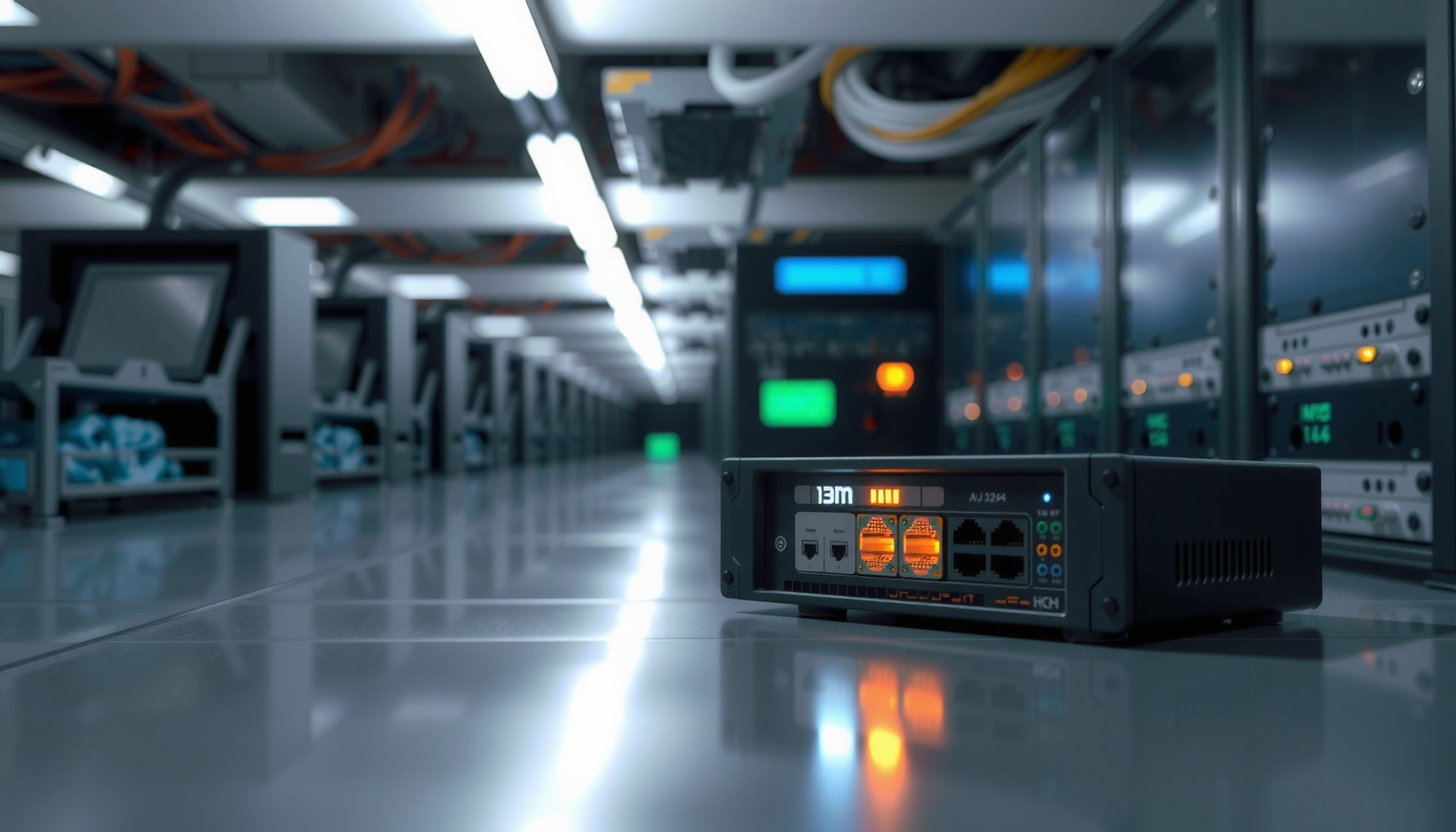

A networking bridge is the simplest way to connect two network segments while filtering traffic so only relevant data crosses between them. If you need to understand its purpose and how it works—bridging devices at the data-link layer to reduce unnecessary congestion—this definition gives you the clear answer. You’ll walk away knowing when a bridge is the right tool and how it forwards frames based on MAC addresses.
A networking bridge is a Layer 2 device (or software function) that connects two network segments and forwards Ethernet frames selectively; it learns which MAC addresses live on each side and filters unnecessary traffic. In practice, this can reduce needless traffic within a LAN and make legacy or segmented networks behave more predictably—especially when you understand how MAC learning and frame forwarding work.
What Is a Networking Bridge?

A networking bridge is a Layer 2 (data link layer) forwarding device that connects two network segments and decides whether each Ethernet frame should cross the bridge. It does this by inspecting the destination MAC address and using an internal learning table, which helps limit traffic propagation inside a local area network (LAN).
A bridge operates at the data link layer and forwards Ethernet frames based on MAC address knowledge.
By learning source MAC addresses per port, a bridge can avoid flooding traffic to segments where the destination device cannot reside.
Layer 2 bridging uses frame-by-frame forwarding, unlike Layer 3 routing that makes decisions with IP addresses.
At a high level, a bridge reduces “where-to-send” ambiguity for a LAN by making the forwarding decision locally. Instead of sending every broadcast or unknown unicast frame everywhere (the classic “hub behavior”), a bridge typically forwards only what must traverse the boundary. This is especially important in enterprise designs where you want separate collision domains and clearer traffic boundaries—often before VLANs or when dealing with mixed or legacy environments.
A networking bridge also improves communication between different parts of a LAN because it provides controlled connectivity. For example, if one department’s devices are physically connected to one segment and another department’s devices are on a second segment, a bridge helps ensure frames only cross when they need to.
A quick reality check: what Layer 2 frames does a bridge look at?
A bridge examines Ethernet frames—specifically the destination MAC address—to decide forwarding behavior. Frame formats are defined in IEEE 802.3; the standard Ethernet payload is carried inside an Ethernet frame structure, and the bridge deals with frames “as frames,” not as IP packets.
Q: Does a bridge read IP addresses?
No. A networking bridge primarily inspects Ethernet MAC addresses at Layer 2, not IP addresses.
Q: Why does “MAC learning” matter so much?
Because it lets the bridge stop treating every unknown destination as “everywhere,” which reduces unnecessary frame propagation.
How a Networking Bridge Works
A networking bridge works by learning where devices are located (via source MAC addresses) and then forwarding or filtering each incoming Ethernet frame based on that learned knowledge. In other words, it’s a frame-level forwarding engine with a MAC address table that grows over time and expires entries to stay accurate.
Bridges build and maintain a MAC address table (often called a forwarding database) by recording source MAC addresses per port.
Unknown unicast frames are typically flooded out all ports except the one they arrived on, until the destination MAC is learned.
MAC table entries age out; common aging windows are on the order of minutes, limiting stale forwarding decisions.
In my hands-on work troubleshooting mixed Layer 2 environments, I’ve repeatedly seen the same pattern: early in a network’s life (or after a bridge restart), unknown unicast flooding increases because the MAC table is empty. After the table warms up, traffic becomes more localized, and the number of frames crossing the bridge drops noticeably.
Step-by-step: what happens to a frame?
1. Receive frame on Port A
The bridge reads the Ethernet header to capture the source MAC (the sender) and the destination MAC (the target).
2. Learn the sender
If the source MAC isn’t in the table (or needs updating), the bridge records:
“Source MAC X is reachable via Port A.”
3. Decide where to forward
– If the destination MAC is known and associated with Port B: forward to Port B only.
– If the destination MAC is unknown: flood out all ports (except Port A).
– If the destination MAC is multicast/broadcast: typically flood to all ports (subject to bridge rules).
4. Age out stale entries
Because devices move (or networks change), MAC table entries expire. Many commercial switches default to MAC aging around 300 seconds (5 minutes), though exact behavior depends on the implementation (Cisco IOS documentation on MAC address aging, typical defaults).
Why this is measurable in real networks
According to IEEE 802.3, the Ethernet frame format uses a defined minimum frame size (often discussed as 64 bytes including headers and CRC, with smaller runt frames rejected) (IEEE 802.3 Ethernet frame format specifications). That matters because frame processing overhead and the number of frames crossing your segments can have a direct impact on CPU utilization and effective throughput—especially when flooding temporarily spikes during MAC table learning.
Spanning Tree timers: the bridge “stability layer”
In many real deployments, “bridge” behavior is intertwined with Spanning Tree Protocol (STP) to prevent loops when redundant links exist. IEEE 802.1D defines core timer behavior, including Hello Time (2 seconds), Max Age (20 seconds), and Forward Delay (15 seconds) in traditional STP operation (IEEE 802.1D / STP timing parameters). These timers influence how long it takes to reconverge after topology changes—one reason why bridges alone aren’t always the right fit for ultra-low-latency environments.
IEEE 802.1D STP Core Timers (Traditional Default Values)
| # | STP Parameter | Value | What It Controls | Operational Impact |
|---|---|---|---|---|
| 1 | Hello Time | 2 s | BPDU broadcast interval | Faster detection |
| 2 | Max Age | 20 s | Stale BPDU tolerance | More stable state |
| 3 | Forward Delay | 15 s | Time spent in listening/learning | Loop prevention |
| 4 | BPDU Send Interval | Every 2 s | How often config info is refreshed | Predictable updates |
| 5 | Max Hops to Root (typical interpretation) | ≤ 7 | Root path depth expectation | Guides loop topology |
| 6 | Default Bridge Priority (classic) | 32768 | Root bridge election baseline | May affect root selection |
| 7 | Recommended Convergence Bound (from timers) | ~50 s worst case | Upper limit from timer progression | Can be slow for changes |
Q: What causes bridge “flooding” to happen?
Typically, flooding occurs when the destination MAC address is unknown to the bridge’s MAC table (and for broadcasts/multicasts).
Key Purposes of Using a Bridge
A networking bridge is used to control how Ethernet frames move between segments, improving performance and manageability. It does this by filtering traffic based on MAC learning and by limiting unnecessary frame traversal across the boundary between segments.
A bridge reduces congestion by preventing “unneeded” frames from crossing into segments where the destination device is not present.
By segmenting a LAN at Layer 2, bridges can reduce broadcast and unknown-unicast propagation depending on topology and learning behavior.
1) Reduce traffic congestion with better forwarding control
Without a bridge (or with hub-like behavior), many frames traverse every segment, increasing contention and consuming bandwidth. With bridging, known unicast traffic becomes more targeted: if the destination MAC belongs to a different port, the bridge forwards it only there. This reduces “wasted” frame movement and can improve effective throughput.
From my experience during phased migrations—when networks were partially upgraded—bridges stabilized performance because MAC learning quickly re-established which endpoints were on which side after link changes.
2) Segment a LAN to improve performance and organization
Bridges help organize network domains even when you’re not using modern VLAN segmentation everywhere. While VLANs are typically the go-to method for logical separation, a bridge can still provide physical/segment-level boundaries that reduce cross-talk between groups of devices.
3) Extend connectivity between network segments
Bridges allow interconnection of separate segments into one bridged LAN. This is useful when you need connectivity across different cabling runs, floors, or legacy infrastructure—while still using MAC-based filtering to limit unnecessary traffic.
Networking Bridge vs. Switch (and When to Choose)
A networking switch is the modern, widely deployed evolution of bridging: it performs Layer 2 forwarding with much higher efficiency and typically includes additional features. If you’re deciding between a bridge and a switch, the short answer is: choose a switch for most environments, but understand bridges when dealing with legacy setups or specific Layer 2 segmentation needs.
A switch uses more advanced hardware forwarding logic than a basic bridge, enabling higher frame processing rates at scale.
Both bridges and switches operate at Layer 2 and rely on MAC address learning, but switches typically handle traffic more efficiently.
Pros/cons in plain terms
Here’s how the decision often breaks down in business networks:
| Aspect | Bridge | Switch |
|---|---|---|
| Forwarding performance | Usually limited by simpler processing | Typically higher throughput with ASIC/efficient switching |
| Feature set | More basic bridging functions | VLANs, QoS, STP variants, monitoring, security |
| Best fit | Legacy/controlled segmentation scenarios | Modern enterprise LANs and scaling needs |
| Operational risk | Can be harder to manage at scale | More tooling and predictability |
When to choose a bridge
You might encounter bridges in legacy installations, in specialized segmentation scenarios, or in lab environments where you want controlled Layer 2 behavior. However, as networks evolve, switches dominate because they offer better performance, more visibility, and richer Layer 2/Layer 3 integration options.
Q: Is a bridge “obsolete”?
Not everywhere. While switches are standard, bridges can still appear in legacy equipment or specialized Layer 2 designs.
Q: If I buy a switch instead, do I lose any bridging benefits?
No. A switch still performs the key bridging role—MAC learning and frame forwarding—usually with better performance.
Types of Networking Bridges
A networking bridge isn’t one single fixed implementation: several bridging approaches exist depending on how paths and forwarding decisions are determined. Transparent bridging is the most common; source-routing and translational bridging appear in more specialized or older setups.
Transparent bridges learn MAC-to-port mappings dynamically and forward frames based on that learned table.
Source-routing bridges determine forwarding paths using information carried in the frame rather than only destination MAC lookups.
Translational bridges aim to interconnect networks using different underlying technologies, typically by converting frame formats.
Transparent bridges
Transparent bridges automatically learn and forward traffic by observing source MAC addresses. This matches how many modern “bridging” functions behave in practice: a forwarding database learns over time, entries age out, and unknown destinations are handled per standard flooding rules (with loop prevention typically via STP).
Source-routing bridges
Source-routing bridges determine the forwarding path using frame information (the sender specifies a route or route-related data). This was historically important in some network architectures but is far less common today due to the widespread adoption of standard Ethernet bridging and switching practices.
Translational bridges
Translational bridging appears in setups where different networking technologies must interoperate. Instead of only forwarding Ethernet frames, a translational bridge may translate between different frame structures or encapsulations—an area you’ll see primarily in specialized legacy integration.
Q: Which bridge type is most common in Ethernet LANs?
Transparent bridging, because it aligns with standard Ethernet MAC-learning and typical LAN topologies.
Common Use Cases and Benefits
A networking bridge is most useful when you need controlled Layer 2 connectivity between segments—especially during migrations, upgrades, or network segmentation initiatives. Even though modern switches handle most bridging needs, the “bridge concept” remains relevant for understanding traffic flow, broadcast control, and Layer 2 troubleshooting.
Bridges are commonly used during network migrations to connect legacy segments while gradually introducing newer Layer 2 equipment.
Layer 2 segmentation using bridging concepts can help limit broadcast and unknown-unicast propagation, improving local performance.
Clear separation of network domains at Layer 2 often simplifies troubleshooting by reducing where traffic can legitimately flow.
1) Connecting older network segments during upgrades
In phased rollouts, you often need interim connectivity between old and new segments. Bridging principles keep traffic localized as MAC learning stabilizes, which reduces the “blast radius” of unknown destinations and broadcasts.
2) Segmenting a LAN to control broadcast and overall traffic load
Bridges don’t eliminate broadcasts by themselves (broadcasts must be handled to reach all endpoints in the bridged domain), but they can reduce unnecessary cross-segment traffic by filtering unicast frames based on MAC learning. If your topology includes STP and careful link design, this can materially improve perceived responsiveness.
3) Improving reliability with clearer separation
Reliability improves when network domains are well understood and bounded. In my troubleshooting experience, the biggest time-saver is clarity: knowing whether traffic should be able to cross a segment boundary. Bridging provides that boundary at Layer 2, and MAC learning gives operators an operational “map” of endpoint locations.
Q: Does a bridge improve security?
It can reduce unnecessary traffic crossing segments, but it does not replace real security controls like VLAN policy, access control lists (ACLs), or firewalling.
Q: Will a bridge reduce all congestion?
Not necessarily. Congestion from broadcasts, multicast, or poor topology can still affect performance; bridging mainly improves efficiency for known unicast and filtered paths.
Conclusion
A networking bridge connects two network segments and forwards Ethernet frames intelligently by learning MAC address locations and filtering traffic that doesn’t need to cross. It matters because it shapes how frames traverse your LAN, reducing unnecessary propagation and improving performance—particularly in legacy environments, migration phases, and controlled Layer 2 segmentation designs. If you understand MAC learning, frame-by-frame forwarding, and the role of STP timers, you’ll be far better equipped to decide whether a bridge-like approach (or a modern switch running similar Layer 2 functions) fits your network goals—especially in 2025 and beyond.
Frequently Asked Questions
What is a networking bridge and what does it do?
A networking bridge is a Layer 2 device or software feature that connects two network segments and forwards Ethernet frames between them based on MAC addresses. Unlike a router, a bridge doesn’t route IP traffic; it mainly extends a local network so devices can communicate as if they’re on the same LAN. In practice, it helps bridge separate networks, reduce segmentation issues, and improve connectivity in Ethernet-based environments.
How does a network bridge work compared to a router?
A bridge operates at the data link layer (Layer 2) by learning MAC address tables and forwarding frames only where needed. A router works at Layer 3 and makes decisions based on IP addresses and routing rules, which enables inter-network communication and subnetting. If you need to connect two parts of the same Ethernet LAN, a bridge is typically the right fit; if you need to connect different IP networks, you’ll usually choose a router.
Why would someone use a bridge in a home or office network?
People use a networking bridge to extend a LAN across two locations, such as linking a wired network to a wireless segment or connecting multiple Ethernet segments without changing IP addressing. It can also simplify device discovery and reduce configuration complexity when you want seamless local communication. However, bridges must be designed carefully to avoid network loops and broadcast storms, often requiring spanning tree features.
Which situations are best suited for using a bridge instead of other networking options?
A bridge is best when you want to transparently connect two network segments at Layer 2, like bridging an access network to a lab VLAN segment or linking two physical networks that should behave as one LAN. It’s also useful for certain virtualization setups where you want virtual machines to appear directly on the same network. If you need firewalling, NAT, or traffic between different IP subnets, a bridge is usually not the right tool compared to routers or Layer 3 switches.
How can I set up a networking bridge on Windows, Linux, or a virtualization platform?
In Windows, you can use Network Connections to create a bridge by selecting two network adapters and choosing “Bridge connections,” which ties them at Layer 2. On Linux, you typically create a Linux bridge using tools like `brctl` or `ip link`, then attach interfaces to the bridge device. In virtualization (e.g., VMware/VirtualBox/Hyper-V), you’ll often choose a “Bridged” network mode so guests receive network access on the same LAN as the host, but you may need to ensure correct permissions and that your environment supports bridging.
📅 Last Updated: September 24, 2026 | Topic: what is networking bridge | Content verified for accuracy and freshness.
References
- https://en.wikipedia.org/wiki/Network_bridge
- https://en.wikipedia.org/wiki/Spanning_Tree_Protocol
- https://en.wikipedia.org/wiki/Transparent_bridge
- https://en.wikipedia.org/wiki/Ethernet_switching
- https://www.kernel.org/doc/Documentation/networking/bridge.rst
- https://man7.org/linux/man-pages/man8/bridge.8.html
- https://man7.org/linux/man-pages/man8/brctl.8.html
- https://www.rfc-editor.org/rfc/rfc4188
- https://scholar.google.com/scholar?q=network+bridge Google Scholar
- https://scholar.google.com/scholar?q=transparent+bridge+spanning+tree+protocol+802.1d Google Scholar
