
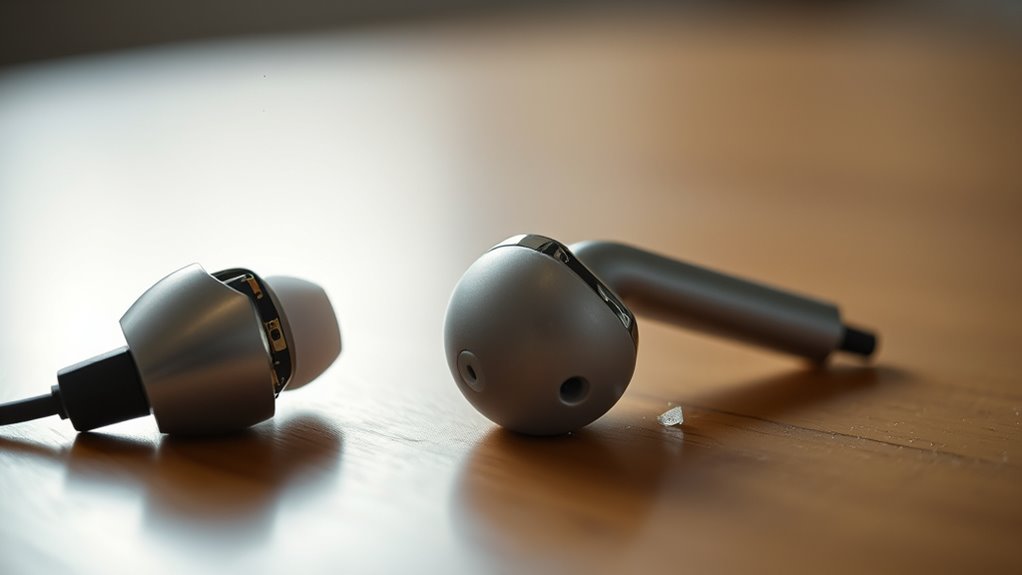

Your earbuds might be quiet due to several factors. Check your device settings; volume levels, audio balance, and enhancements could affect sound output. Inspect your earbuds for damage such as frayed cables or debris in sound ports. Additionally, verify impedance compatibility with your device, as mismatched impedance can lower volume. Regular cleaning can also enhance sound quality. If noise issues persist, further investigation may reveal underlying causes worth exploring.
Common Causes of Quiet Earbuds
If you’ve noticed that your earbuds aren’t delivering the sound quality you expect, several common causes could be at play. First, consider the earbud design; poorly constructed drivers may not generate adequate sound output. Additionally, the fit can greatly impact sound quality; if the earbuds don’t create a proper seal, you’ll lose bass and overall volume. Dirt or debris in the sound ports can also muffle audio, so inspect them regularly. Moreover, the impedance mismatch between your earbuds and the device can lead to decreased performance, particularly if you’re using high-impedance earbuds with low-powered devices. Finally, cable damage or loose connections can disrupt sound transmission, resulting in quieter audio. Identifying these factors can help restore your listening experience.
Checking Your Device Settings
Before assuming your earbuds are at fault, it’s essential to check your device settings. Confirm the volume level is adjusted appropriately and verify that the audio balance is centered between both channels. Misconfigured settings can greatly impact sound output, leading to a quieter listening experience.
Volume Level Adjustment
Although you might expect your earbuds to deliver crisp sound at any volume, they can often fall short due to device settings. One common culprit is volume normalization, which adjusts loudness levels across various media to guarantee a consistent output. While this can enhance your listening experience, it may inadvertently limit your earbuds’ maximum volume.
Additionally, check for any sound enhancement features on your device. These settings can tweak audio output but sometimes lead to a quieter overall experience if not properly configured. Make sure you’re aware of your device’s audio settings and adjust them as needed. By addressing these factors, you can regain control over your audio experience and enjoy your earbuds to their fullest potential.
Audio Balance Settings
Have you checked your audio balance settings lately? It’s essential to guarantee that your device’s audio balance isn’t skewed, as this can greatly affect the volume levels of your earbuds. Access your sound settings and look for the audio balance option. If the balance is set too far to one side, it could result in a quiet listening experience. Additionally, explore audio enhancements and sound profiles that might be applied, as these can also influence perceived loudness. Adjusting these settings can restore a sense of equilibrium, allowing you to enjoy your music without frustration. Don’t let imbalanced audio limit your freedom to experience sound as it was intended.
Inspecting the Earbuds for Damage
When you notice your earbuds are quieter than usual, inspecting them for physical damage is essential. Start with a thorough earbud inspection; check the cables for frays or kinks that could hinder sound quality. Examine the ear tips for wear or blockages, as debris can muffle audio output. Pay attention to the connectors; any signs of corrosion or bending can disrupt the connection and reduce volume. Additionally, inspect the drivers inside the earbuds for any visible damage or dislodgment, as this can directly affect sound fidelity. If you find any issues, it could be the reason for your quiet earbuds. Addressing these problems may restore your listening experience, allowing you to enjoy your music freely and fully.
Understanding Impedance and Compatibility
Understanding the impedance of your earbuds is vital, as it directly affects their compatibility with various devices. Impedance, measured in ohms, determines how much electrical resistance the earbuds present. If your earbuds have a high impedance rating and are connected to a low-powered device, you may experience an impedance mismatch, which results in lower sound levels. Conversely, low-impedance earbuds paired with high-output devices can lead to distortion. To achieve the best headphone compatibility, confirm your earbuds match the output specifications of your audio source. This compatibility is essential for maximizing sound quality and volume. By recognizing these principles, you can make informed choices about your audio setup and enjoy your music without volume issues.
Cleaning Your Earbuds for Better Sound
Over time, earbuds accumulate debris and wax that can greatly impair sound quality. To maintain ideal performance, it’s essential to employ proper cleaning techniques that effectively remove these obstructions. By ensuring your earbuds are clean, you’ll likely enhance their audio output and overall listening experience.
Debris and Wax Removal
Debris and wax buildup can greatly diminish the sound quality of your earbuds, leading to a frustrating listening experience. Earwax buildup often creates sound blockage, muffling audio and resulting in diminished clarity. This accumulation not only affects bass response but can also distort higher frequencies, making your music sound flat or lifeless. Additionally, particles from dust or lint can obstruct the speaker mesh, further reducing sound quality. Regularly inspecting your earbuds for these contaminants is essential for peak performance. Remember, neglecting this maintenance can lead to a significant decline in your listening experience. By addressing debris and wax effectively, you can restore the clarity and volume you desire from your earbuds, allowing you to fully enjoy your audio.
Proper Cleaning Techniques
To achieve ideal sound quality from your earbuds, employing effective cleaning techniques is essential. Regular maintenance not only enhances audio performance but also prolongs their lifespan. Here are some maintenance tips to keep your earbuds in top condition:
- Use a soft, lint-free cloth with mild cleaning materials to wipe the exterior.
- Gently remove ear tips and clean them with warm soap and water.
- Utilize a dry toothbrush or a soft brush to eliminate debris from the speaker mesh.
- For stubborn wax, a cotton swab lightly dampened with isopropyl alcohol can do wonders.
When to Consider Replacement Options
When you’ve tried various troubleshooting methods and your earbuds still produce unsatisfactory sound levels, it may be time to contemplate replacement options. Consider the earbud lifespan; if yours are approaching or exceeding the typical duration (usually 1-2 years), this could signal that degradation has occurred. Replacement indicators include persistent low volume, distortion, or complete sound loss, suggesting that internal components may be failing. Additionally, evaluate the build quality and performance consistency; if sound quality fluctuates randomly, it’s likely time for a change. Investing in new earbuds can enhance your listening experience and provide the freedom to enjoy clear, rich sound again. Don’t compromise on quality—your audio experience deserves better than subpar performance.
Frequently Asked Questions
Can Using an Adapter Affect Earbud Volume?
Using an adapter can drastically affect your earbud volume, almost like trading a concert for a whisper. Confirm adapter compatibility to maintain ideal sound quality; mismatched connections can lead to reduced audio performance and quiet listening experiences.
Do Different Music Genres Impact Earbud Loudness?
Yes, different music genres can impact earbud loudness. Music dynamics and genre characteristics influence how sound is mixed, affecting perceived volume. Some genres emphasize higher frequencies, which can seem quieter in earbuds compared to others.
How Does Battery Life Affect Wireless Earbud Volume?
Like a car sputtering on low fuel, your earbuds’ battery performance directly impacts sound output. As battery life diminishes, the volume can drop, limiting your listening experience and reducing overall audio quality.
Can Environmental Factors Influence Earbud Sound Quality?
Yes, environmental factors can influence earbud sound quality. Effective sound isolation minimizes ambient noise, enhancing audio clarity. Conversely, high ambient noise levels can overwhelm your earbuds, reducing perceived volume and making sound less enjoyable.
Are There Apps to Boost Earbud Volume Levels?
Like a gardener nurturing a delicate flower, you can use volume booster apps and sound equalizer settings to cultivate your audio experience. These tools can help you reclaim the vibrant sound your earbuds deserve.
