
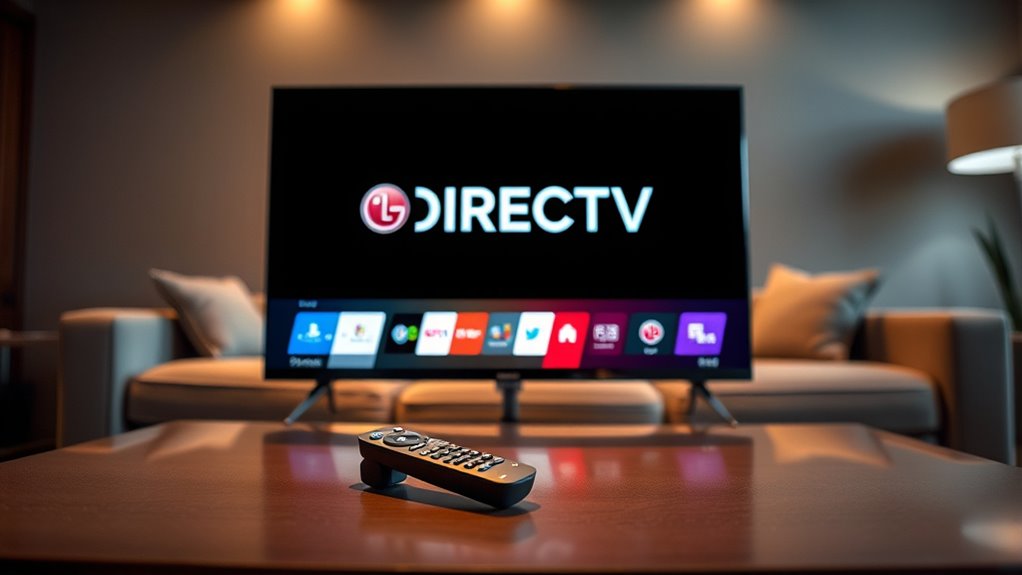

To stream DirecTV on your LG Smart TV, first verify your TV is compatible and updated. Next, set up your DirecTV account on their website or app. Connect your TV to the internet via Wi-Fi or Ethernet, then download the DirecTV app from the LG Content Store. Install it, open the app, and log in with your account details. If you encounter issues, troubleshooting tips are available to help enhance your streaming experience. Find out more about the process!
Checking Your LG Smart TV Compatibility
Before you plunge into streaming DirecTV on your LG Smart TV, how can you be certain your model is compatible? First, check the model year; LG TVs from 2017 onwards typically support DirecTV service through the app. Look for key LG TV features like built-in Wi-Fi and access to the LG Content Store, as these enhance your streaming experience. Verify your TV’s software is updated to the latest version, as this can affect app functionality. You can also visit the DirecTV website for a list of supported models. By confirming compatibility, you’ll enjoy seamless streaming without the hassle of technical issues. So, take a moment to verify your TV is ready for the ultimate viewing freedom!
Setting Up Your DirecTV Account
To get the most out of your DirecTV experience, setting up your account is essential and straightforward. First, visit the DirecTV website or download the app to begin the registration process. You’ll need to provide some basic information, such as your name, email, and address. Once you’ve created your account, you can explore various subscription plans that fit your viewing preferences and budget. Don’t forget to check the account benefits that come with each plan, like exclusive channels and on-demand content. After selecting a plan and confirming your payment details, you’re ready to enjoy all the great programming DirecTV has to offer. With your account set up, freedom in entertainment is just a click away!
Connecting Your LG Smart TV to the Internet
Since you need your LG Smart TV connected to the internet to stream DirecTV, getting it online is an essential first step. You can achieve this through a Wi-Fi setup or an Ethernet connection. If you prefer wireless, go to your TV’s settings, select “Network,” and choose “Wi-Fi.” Scan for available networks, select yours, and enter the password.
If you opt for an Ethernet connection, simply plug one end of the cable into your TV and the other into your router. This provides a stable, fast connection. Once you’ve established your internet connection, you’re ready to move on to downloading the DirecTV app and enjoying your favorite shows. Happy streaming!
Downloading the DirecTV App
To start streaming DirecTV on your LG Smart TV, you’ll need to download the DirecTV app first. Head to the LG Smart Hub and search for the app to get it installed. Once it’s on your TV, you’ll be all set to enjoy your favorite shows!
Accessing LG Smart Hub
Accessing the LG Smart Hub is a straightforward process that lets you download the DirecTV app in just a few steps. This powerful feature enhances your viewing experience, giving you the freedom to stream your favorite shows seamlessly. Here are some navigation tips to help you along the way:
- Press the Home button on your remote to open Smart Hub.
- Use the arrow keys to navigate through the menu options.
- Select the LG Content Store from the Smart Hub Features.
- Search for the DirecTV app using the search bar.
Once you’ve located the app, download it, and you’re ready to start streaming. Enjoy the ease and flexibility that comes with having DirecTV on your LG Smart TV!
Searching for DirecTV App
How do you find the DirecTV app on your LG Smart TV? Start by heading to your LG Smart Hub, where you can explore various searching options. Use the search feature to type in “DirecTV.” If it doesn’t pop up right away, don’t worry! You might want to check the LG Content Store for any app alternatives that suit your streaming needs. Browse through the entertainment or streaming categories to make sure you’re not missing out on any options. Once you locate the DirecTV app, you’ll be one step closer to enjoying your favorite shows. Remember, having multiple app alternatives can enhance your viewing experience, giving you the freedom to choose what suits you best. Happy searching!
Installing the Application
Once you’ve found the DirecTV app in your LG Smart TV’s Content Store, installing it is a breeze. Just follow these simple steps to enjoy the app features and seamless user interface:
- Click on the DirecTV app icon.
- Select the “Install” button to start the download.
- Wait a few moments for the installation to complete.
- Open the app and log in to your DirecTV account.
With the app installed, you’ll have access to live TV, thousands of on-demand titles, and your favorite channels—all from the comfort of your couch. Embrace the freedom to watch what you love, whenever you want, with just a few clicks. Enjoy your viewing experience!
Logging Into Your DirecTV Account
Now that you’ve got the DirecTV app on your LG Smart TV, it’s time to log into your account. You’ll need to enter your login credentials to access your favorite shows and channels. If you run into any issues, we’ll cover some quick troubleshooting tips to get you back on track.
Accessing DirecTV App
To access the DirecTV app on your LG Smart TV, you’ll need to log into your DirecTV account. This step is essential for enjoying your favorite shows with ideal streaming quality. Once you’re logged in, you’ll have the freedom to explore a variety of channels. Here’s what you can expect:
- Easy navigation through your channel lineup
- Access to live TV and on-demand content
- High-definition streaming for an enhanced viewing experience
- Personalized recommendations based on your preferences
With just a few clicks, you’ll be ready to delve into your favorite shows and channels, ensuring that your streaming experience is as enjoyable as it can be. Enjoy your viewing!
Entering Login Credentials
Before diving into your favorite shows, you’ll need to enter your login credentials to access your DirecTV account. Start by launching the DirecTV app on your LG Smart TV. You’ll see a login screen where you can input your username and password. Make sure you’ve got your details handy for quick access. If you face any issues, take a moment to reflect on login security; create a strong password and keep it safe. If you forget your password, don’t worry—there’s a password recovery option right on the login screen. Just follow the prompts, and you’ll be back to streaming in no time. Enjoy the freedom of your favorite shows at your fingertips!
Troubleshooting Login Issues
If you encounter difficulties logging into your DirecTV account, don’t worry—there are several steps you can take to resolve the issue. Start by checking your credentials, as typos can happen to anyone. If you’ve forgotten your password, go for the “reset password” option.
Here are a few tips for smooth account recovery:
- Make certain your internet connection is stable.
- Clear the app cache or browser history.
- Check for any service outages in your area.
- Use the DirecTV app for easier access.
Troubleshooting Common Streaming Issues
Streaming issues can be frustrating, especially when you’re keen to catch your favorite shows on DirecTV through your LG Smart TV. If you’re facing buffering problems, try resetting your router or checking your internet speed. For audio issues, verify your TV’s audio settings are correctly configured and that there are no external audio devices interfering. Connection drops often stem from weak Wi-Fi; consider moving your router closer or using a wired connection. If you experience app crashes, make sure your DirecTV app is updated. Account errors can arise from incorrect login details, so double-check your credentials. Finally, verify your LG Smart TV is compatible with the DirecTV app to avoid unnecessary streaming headaches.
Frequently Asked Questions
Can I Use Directv on Multiple LG Smart TVS?
Yes, you can use DirecTV on multiple LG Smart TVs. Enjoy the freedom of a multi-TV setup, but make certain each TV’s compatible with your DirecTV service for seamless streaming across all devices.
Is There a Monthly Fee for Streaming Directv?
Yes, there’s a monthly subscription fee for streaming DirecTV, but it offers various streaming options. You can choose plans that fit your budget and viewing preferences, giving you the freedom to enjoy your favorite shows anytime.
Does Directv Support 4K Streaming on LG TVS?
Yes, DirecTV supports 4K streaming on compatible LG TVs. You’ll enjoy stunning 4K content, provided your TV meets the necessary specifications. Check your model’s compatibility to experience the ultimate viewing freedom with vibrant detail.
Can I Stream Directv Without a Cable Subscription?
Yes, you can stream DirecTV without a cable subscription by exploring various streaming options. Subscription alternatives like DirecTV Stream provide flexibility, allowing you to enjoy live TV and on-demand content without a traditional cable package.
What Devices Are Compatible With the Directv App?
You’ll find the Directv app features compatible with devices like smartphones, tablets, smart TVs, and streaming devices. So, whether you’re on the go or at home, you can enjoy your favorite shows effortlessly.
