
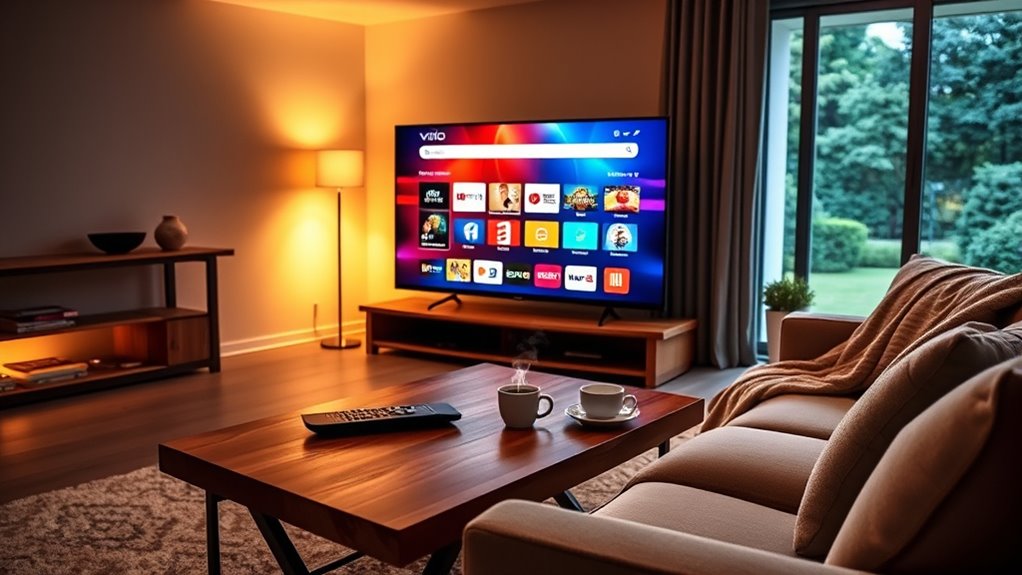

No, Vizio Smart TVs don’t have a dedicated web browser. This limits your browsing capabilities primarily to streaming apps like Netflix and YouTube. While you can use some third-party apps for internet access, they aren’t as versatile as a full browser. Inputting text with the remote can also be frustrating. If you’re looking for ways to enhance your browsing experience, there are alternative methods you can explore to maximize your Vizio TV’s capabilities.
Overview of Vizio Smart TVs
Vizio Smart TVs have gained popularity for their affordability and impressive features, especially if you’re looking for a user-friendly experience. When it comes to Vizio models, you’ll find a range that caters to various needs, from budget-friendly options to high-end displays. Each model is equipped with Smart features that enhance your viewing experience, such as built-in streaming apps and voice control compatibility. The intuitive interface allows for easy navigation, making it simple to access your favorite content. Additionally, Vizio’s commitment to quality guarantees that you’re getting great value for your investment. With their combination of performance and price, Vizio Smart TVs stand out as a solid choice for anyone seeking an enjoyable entertainment setup.
Browsing Capabilities of Vizio Smart TVs
How well can you browse the web on a Vizio Smart TV? While Vizio features a user-friendly interface and offers plenty of streaming options, its Smart TV browsing capabilities are somewhat limited. You won’t find a dedicated web browser pre-installed, which means traditional web browsing isn’t as straightforward as on other devices. Instead, you can use apps to access specific websites, but this limits your browsing freedom. If you’re looking for a seamless internet experience, you may feel constrained. However, with its smart features, you can still enjoy various online content. For those who prioritize browsing, connecting an external device might be a better option to overcome the limitations of Vizio Smart TV browsing.
Available Apps for Internet Access
When using your Vizio Smart TV, you’ll find a variety of pre-installed streaming applications that provide quick access to popular content. While there’s no built-in browser, you can explore third-party apps that may offer web browsing capabilities. Understanding these options can help you maximize your internet access on the device.
Pre-installed Streaming Applications
While many users seek an integrated browser for browsing the internet, Vizio Smart TVs primarily focus on providing access to a range of pre-installed streaming applications. You’ll find popular streaming services like Netflix, Hulu, and YouTube readily available, ensuring you can easily enjoy your favorite content without hassle. The seamless app integration simplifies your viewing experience, letting you switch between platforms effortlessly. Vizio prioritizes these applications because they cater to a growing demand for on-demand entertainment. By focusing on streaming services, Vizio allows you to access a diverse library of shows and movies with just a few clicks. If you’re looking for a Smart TV that emphasizes streaming over browsing, Vizio offers a solid option to meet your needs.
Browser Options Available
Many users may wonder about their options for browsing the internet on a Vizio Smart TV. While Vizio TVs don’t come with a built-in web browser, you can access the internet through various apps. However, you should be aware of browser limitations, as most apps focus on streaming rather than traditional browsing.
Here’s a quick overview of available options:
| App | Internet Security |
|---|---|
| YouTube | High |
| Hulu | High |
| Netflix | High |
| Vudu | Medium |
| Amazon Prime Video | Medium |
Choosing the right app for your needs can enhance your viewing experience, but always consider internet security when accessing different platforms.
Third-Party App Compatibility
Although Vizio Smart TVs lack a built-in web browser, you can still access the internet through various third-party apps that offer browsing functionality. Here are some popular options:
- YouTube: Stream videos and access user-generated content easily.
- Netflix: Enjoy movies and shows, though it doesn’t allow for traditional browsing.
- Hulu: Stream TV shows and films, but similar to Netflix, it has app limitations on browsing.
While these apps enhance third-party compatibility, they each come with restrictions on what you can access online. If you’re seeking a more traditional browsing experience, consider pairing your Vizio Smart TV with a streaming device that supports full web browsing capabilities. This way, you can enjoy the freedom to surf the web as you please.
Alternative Methods for Web Browsing
How can you browse the web on your Vizio Smart TV if it doesn’t come with a built-in browser? One effective method is smartphone tethering. By connecting your phone’s internet to your TV, you can access web pages through compatible apps, allowing for a broader online experience. Alternatively, consider wireless casting. Apps like Google Cast or Apple AirPlay enable you to mirror your smartphone’s screen onto your Vizio TV, making it easy to surf the web or stream content seamlessly. Both methods provide versatile solutions to enhance your browsing experience, giving you the freedom to enjoy online content without being limited by your TV’s capabilities. Explore these options, and you’ll find a way to surf the web comfortably from your couch!
Pros and Cons of Using a Vizio Smart TV for Browsing
When using a Vizio Smart TV for browsing, you’ll notice some limitations in the browser’s features compared to standard devices. The user interface can also be frustrating, making navigation cumbersome at times. These factors can impact your overall browsing experience, so it’s worth considering what you need before choosing to surf the web on your TV.
Limited Browsing Features
While Vizio Smart TVs offer a range of apps for streaming and entertainment, their browsing capabilities come with significant limitations. If you’re considering using a Vizio for browsing, here are some key points to keep in mind:
- Limited Functionality: The browser lacks advanced features found in typical browsers, making it hard to navigate complex websites.
- Browsing Limitations: You might encounter issues with video playback and certain website functionalities, leading to a frustrating experience.
- Performance: The overall performance can be slow, especially on resource-heavy sites, detracting from a seamless browsing experience.
User Interface Challenges
Although Vizio Smart TVs provide an accessible way to enjoy streaming content, their user interface can pose challenges for browsing. The user interface design may not be as intuitive as you’d like, making navigation cumbersome at times. You might find it frustrating to input text using the remote, which can hinder your browsing experience. While Vizio aims for user accessibility, the limitations in browsing capabilities often lead to a less efficient experience compared to dedicated devices like tablets or laptops. Additionally, some features might be hidden within menus, complicating what should be simple tasks. Ultimately, while the TV offers freedom to stream, the browsing experience can feel restrictive, leaving you yearning for a more user-friendly interface.
User Experience and Interface
As you navigate the Vizio Smart TV interface, you’ll find that its user experience is designed for simplicity and efficiency. This streamlined interface design allows you to focus on what matters most—enjoying your content. Here are three key aspects to take into account:
- Intuitive Navigation: The layout’s straightforward design makes it easy to find apps and settings without confusion.
- Quick Access: Features like shortcuts and recommendations help you discover new content quickly.
- Responsive Performance: The interface responds smoothly to your commands, minimizing lag and enhancing your viewing experience.
This thoughtful approach to user experience guarantees that you can enjoy your entertainment without unnecessary distractions, providing freedom to explore your options effortlessly.
Recommendations for Online Viewing Needs
When considering your online viewing needs, it’s essential to evaluate the available apps and streaming services that Vizio Smart TV supports. With its robust smart TV features, you can access a variety of popular platforms for seamless online streaming. Here are some recommendations:
| Streaming Service | Key Features |
|---|---|
| Netflix | Extensive library |
| Hulu | Live TV options |
| Amazon Prime Video | Prime benefits |
| Disney+ | Family-friendly content |
| YouTube | User-generated content |
Frequently Asked Questions
Can I Install a Third-Party Browser on My Vizio Smart TV?
You can’t install a third-party browser on your Vizio Smart TV. While some third-party options exist, browser compatibility isn’t guaranteed, limiting your ability to browse freely on your TV. Consider alternative devices for better options.
Does Vizio Smart TV Support Voice-Activated Browsing Features?
Yes, Vizio Smart TVs support voice commands, enhancing your browsing experience. Imagine speaking to your TV like a digital assistant, effortlessly searching for content, making navigation feel seamless and freeing you from traditional remote controls.
Are There Parental Controls for Web Browsing on Vizio Smart TVS?
Yes, Vizio Smart TVs offer parental controls that enable web restrictions and content filtering. You can customize these settings to protect your family from inappropriate content while still enjoying the freedom of browsing tailored to your needs.
How Do I Reset My Vizio Smart Tv’s Browsing Settings?
To reset your Vizio Smart TV’s browsing settings, navigate to the internet settings. Clear the browsing history, and adjust preferences. Like a phoenix, your settings will rise anew, granting you freedom to explore.
Can I Use a Keyboard and Mouse With My Vizio Smart TV?
Yes, you can use a keyboard and mouse with your Vizio Smart TV. Most models support keyboard compatibility and mouse functionality, enhancing your browsing and navigation experience while giving you more freedom in control.

[…] Reconnect all devices afterward to restore internet access. Start with frequently used devices (phone/laptop) first, then move to TVs, printers, and smart […]
[…] your local subnet. It’s the key “exit point” that makes the difference between working internet access and a dead connection when a destination isn’t on your local network. In practical terms, […]
[…] router. The fix is simple: check the gateway for the primary active interface you’re using for internet access right […]
[…] Do I need internet access to sign into my router?No—your browser only needs local network reachability to the router’s […]
[…] router, find the wireless password setting, update it, and reconnect every device without losing internet access. By the end, you’ll know exactly how do you change wifi password for your specific […]
[…] internet. So I recommend doing a quick functional check: connect one device to Wi‑Fi and verify internet access, not just that the Wi‑Fi name […]
[…] you apply settings, the router may reboot or restart services. Your goal is to confirm that internet access, local connectivity, and admin access are all working with the new […]
[…] Q: What if my Ethernet port lights up but there’s no internet?That usually means the Ethernet link is up, but IP settings, routing (gateway), DNS, or firewall/proxy rules are preventing internet access. […]
[…] Why does the default gateway affect internet access?Because it’s the first hop for off-subnet packets; without correct routing to the gateway, […]