
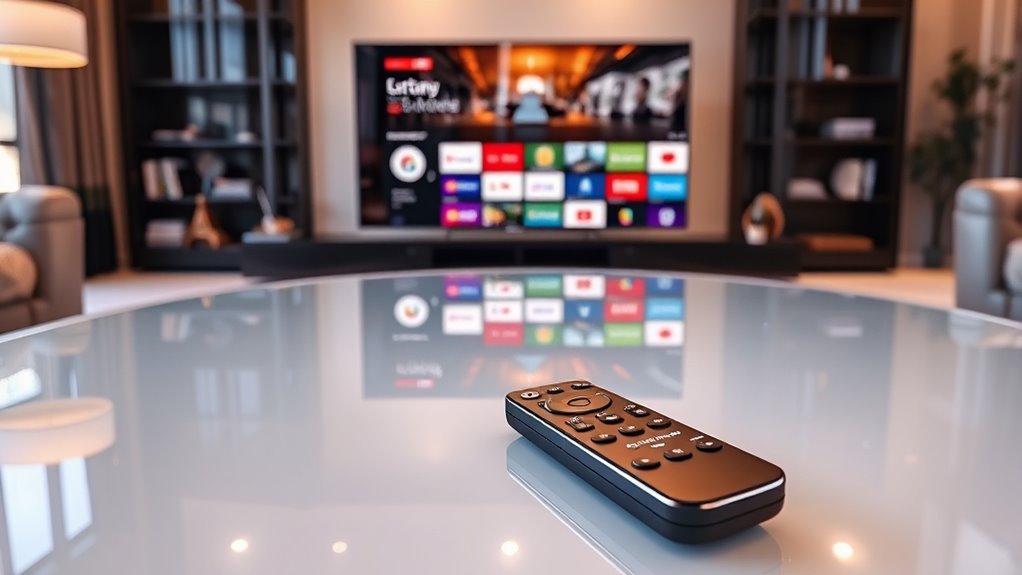

To tell if a TV is smart, check for built-in apps like Netflix, Hulu, or Amazon Prime. Look for internet connectivity options such as Wi-Fi or an Ethernet port for stable streaming. Examine the remote control for dedicated buttons and voice command features. Identify the operating system, which can affect user experience. If you’re curious about how to assess overall smart capabilities, keep exploring for more insights.
Check for Built-in Apps
Have you ever wondered how to quickly identify a smart TV? One of the easiest ways is to check for built-in apps. Smart TVs usually come with popular streaming services pre-installed, like Netflix, Hulu, or Amazon Prime. If you see these options, you’re likely looking at a smart TV.
Additionally, consider the app performance. A smart TV should offer smooth navigation and quick load times for these built-in streaming apps. If it feels sluggish or crashes frequently, that might be a red flag about its capabilities. Remember, freedom in entertainment means having easy access to your favorite shows and movies. So, keep an eye out for those built-in apps and their performance to guarantee you’re getting a true smart TV experience.
Look for Internet Connectivity Options
To determine if your TV is smart, check for internet connectivity options. Look for built-in Wi-Fi support or an Ethernet port, as these features allow you to connect to streaming services effortlessly. Without these options, your TV might just be a basic model.
Check for Wi-Fi
While browsing for a new TV, one of the easiest ways to determine if it’s smart is by checking for Wi-Fi connectivity options. A smart TV should support modern Wi-Fi standards, guaranteeing you can stream your favorite shows without hassle. Here are a few things to look for:
- Wi-Fi Compatibility: Check if it supports 802.11ac or better for faster speeds.
- Connection Reliability: Look for features like dual-band support, which can enhance your streaming experience.
- Built-in Wi-Fi: Confirm it has integrated Wi-Fi, so you won’t need extra adapters.
Ethernet Port Availability
If you’re serious about streaming quality, checking for an Ethernet port is essential. While Wi-Fi is convenient, nothing beats the reliability of a wired connection. An Ethernet port allows you to connect directly to your router, ensuring maximum ethernet speed and stability. This means smoother streaming, fewer interruptions, and a better overall viewing experience.
When shopping for a smart TV, look for that port—it’s a sign that the manufacturer values performance. If you want to enjoy your favorite shows without the frustration of buffering, an Ethernet connection is your best bet. Remember, a stable connection can make all the difference, especially for high-definition content. So, prioritize that Ethernet port to access your TV’s full potential!
Examine the Remote Control
How can you quickly determine if a TV is smart? One of the simplest ways is to examine the remote control. Smart TVs often come with unique remote features that differ from standard models. Here’s what to look for in the button layout:
- Dedicated Streaming Buttons: Check for buttons labeled for popular streaming services like Netflix or Hulu.
- Voice Control: Look for a microphone icon, indicating voice command capabilities.
- Smart Hub or Home Button: A button that takes you directly to an app menu or smart hub indicates smart functionality.
If you find these features, you’re likely dealing with a smart TV. Take a closer look, and you’ll enjoy the freedom of endless entertainment options!
Identify the Operating System
Another way to check if a TV is smart is by identifying its operating system. Smart TVs typically run on a specific operating system, and knowing the types can help you understand their capabilities. Common operating system types include Android TV, Roku, Tizen, and webOS. Each has its own unique interface and features.
To guarantee your smart TV runs smoothly, you’ll want to look into operating system updates. Regular updates not only improve performance but also enhance security and add new features. If your TV supports regular updates, it’s likely a smart model. So, take a moment to explore the operating system; it’s an essential factor in determining your TV’s smart capabilities and overall user experience.
Search for Voice Control Features
Wondering whether your TV can respond to your voice commands? Checking for voice control features is crucial in determining if it’s truly smart. Here’s what to look for:
Determining if your TV is truly smart involves checking its voice control capabilities.
- Voice Recognition Technology: Verify your TV can recognize and respond to your voice accurately. This allows for seamless interaction.
- Smart Assistant Integration: Check if your TV supports popular smart assistants like Alexa, Google Assistant, or Siri. This enhances functionality and connects you with other smart devices.
- Built-in Microphone: Look for a built-in microphone that enables hands-free operation, making it easier to control your TV without a remote.
Assess Streaming Service Compatibility
To make the most of your smart TV, you’ll want to check its compatibility with popular streaming apps. Look into whether it supports the services you use and if it can connect with your other devices. Also, verify it meets the internet requirements for smooth streaming without interruptions.
Available Streaming Apps
How can you be certain a TV is truly smart? One key factor is its available streaming apps. A smart TV should offer a variety of streaming options that cater to your viewing preferences. Here’s what to check:
- Popular Services: Look for compatibility with major platforms like Netflix, Hulu, and Amazon Prime Video.
- Niche Choices: Verify it supports specialized services, such as Disney+, HBO Max, or niche interests like Shudder or Criterion Channel.
- App Availability: Investigate whether the TV has a dedicated app store to download additional services easily.
Device Compatibility Check
When evaluating a TV’s smart capabilities, checking its device compatibility is essential. You want to make certain that your TV can seamlessly integrate with your favorite streaming services and devices. Start by looking at the smart features it offers—does it support popular apps like Netflix, Hulu, or Amazon Prime? Also, consider if it can connect with other devices, such as gaming consoles or sound systems. Compatibility with voice assistants like Alexa or Google Assistant can enhance your experience, too. If your TV can’t connect with your existing devices, it might limit your viewing freedom. By verifying device compatibility, you can enjoy a more versatile and satisfying entertainment experience that caters to your preferences.
Internet Connectivity Requirements
Having confirmed your TV’s compatibility with various devices, the next step is evaluating its internet connectivity requirements. To guarantee you enjoy seamless streaming, consider these key factors:
- Internet Speed: Check the recommended speed for your desired streaming services. Most platforms need at least 25 Mbps for HD content.
- Connection Stability: Wired connections are typically more stable than Wi-Fi, reducing buffering during your binge-watching sessions.
- Wi-Fi Standards: Verify your TV supports modern Wi-Fi standards like 802.11ac for peak performance.
Observe Display Quality and Features
While you’re evaluating a TV, observing its display quality and features can reveal a lot about whether it’s smart. Key aspects to examine include display resolution and picture quality. A higher resolution, like 4K, usually indicates better clarity and detail, essential for streaming content. Pay attention to features like HDR (High Dynamic Range) that enhance colors and contrast.
| Feature | Description |
|---|---|
| Display Resolution | Higher resolutions provide sharper images. |
| Picture Quality | Look for features like HDR for vibrant colors. |
| Refresh Rate | A higher rate results in smoother motion. |
| Smart Features | Check for built-in apps and connectivity. |
Review Manufacturer Specifications
To determine if a TV is smart, reviewing the manufacturer specifications is a smart move. By diving into the details, you can make informed decisions. Here are three key aspects to evaluate during your specification analysis:
Evaluating manufacturer specifications is crucial for determining a TV’s smart capabilities and making informed choices.
- Operating System: Check if the TV runs on a popular OS like Android TV, Roku, or Tizen, which often indicates smart capabilities.
- App Availability: Look for manufacturer comparisons showing the range of apps available, including streaming services and gaming options.
- Connectivity: Verify it has Wi-Fi and Bluetooth capabilities, which are essential for smart functionality and seamless integration with other devices.
These specifications will help you assess whether a TV meets your needs for a smart viewing experience.
Explore Software Update Capabilities
How can you guarantee your TV stays up-to-date with the latest features? Start by checking its software update capabilities. A smart TV should support regular software upgrades, allowing you to access new apps and functionality. Look for models that automatically notify you of available updates, ensuring you won’t miss out on firmware enhancements that improve performance and security. Verify if the manufacturer offers ongoing support, as this can influence how long your TV will receive updates. Some brands provide a dedicated section on their website where you can track the latest firmware releases. By choosing a TV with solid software update capabilities, you’ll enjoy a continually evolving entertainment experience, keeping your viewing freedom intact.
Investigate External Device Compatibility
What good is a smart TV if it can’t connect with your favorite devices? To truly enjoy your viewing experience, you need to ascertain that your TV meets compatibility standards for various external devices. Here’s what to investigate:
- Streaming Devices: Check if it supports popular options like Roku, Amazon Fire Stick, or Apple TV.
- Gaming Consoles: Look for compatibility with PS5, Xbox Series X, or any other consoles you own.
- Audio Systems: Ensure it can connect seamlessly to soundbars or home theater systems for an enhanced audio experience.
Frequently Asked Questions
Can a Non-Smart TV Be Converted Into a Smart TV?
Yes, you can convert a non-smart TV into a smart TV using streaming devices like Roku or Chromecast. Just connect them via HDMI adapters, and you’ll enjoy access to streaming services in no time!
What Are the Benefits of a Smart TV Over a Regular TV?
Imagine a doorway to endless worlds; smart TVs let you explore streaming services with ease. Their intuitive user interface transforms viewing into an adventure, granting you the freedom to choose what, when, and how to watch.
How Do Smart TVS Handle Security and Privacy Issues?
Smart TVs handle security by using data encryption to protect your information. They also require user consent for data collection, giving you control over what’s shared. It’s important to review settings for ideal privacy.
Are All Smart TVS Compatible With Home Automation Systems?
Not all smart TVs are compatible with home automation systems. You’ll want to check for smart compatibility features, ensuring it works seamlessly with your devices. Doing so enhances your freedom and convenience in managing your home.
How Often Do Smart TVS Require Software Updates?
Think of your smart TV like a car; it needs regular software maintenance. Typically, you’ll find it requires updates every few weeks to keep features fresh, enhance security, and guarantee smooth performance. Stay on top of it!
