
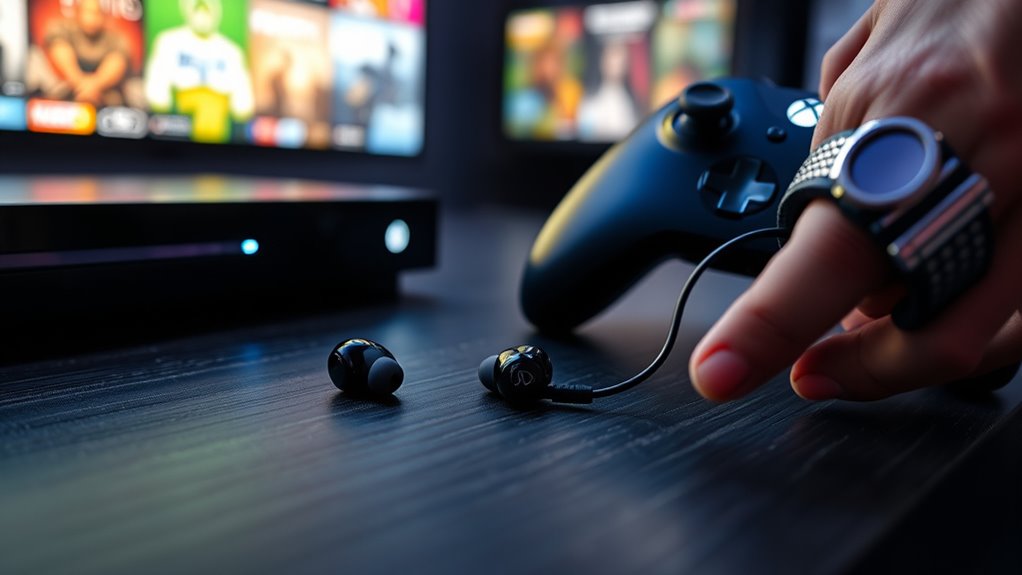

To connect earbuds to your Xbox, first check if they’re compatible. For wired earbuds, simply plug them into the 3.5mm jack on your controller. If you’re using Bluetooth earbuds, you’ll need a Bluetooth adapter since Xbox doesn’t natively support Bluetooth audio. Pair your earbuds following the manufacturer’s instructions, and adjust your audio settings in the console menu for the best experience. Want to enhance your gameplay even further? There’s more you can explore!
Understanding Xbox Audio Options
When you’re looking to connect your earbuds to an Xbox, it’s essential to understand the audio options available to you. The Xbox supports various audio formats, allowing you to tailor your gaming experience. You can choose between stereo and surround sound, which greatly impacts how you hear in-game audio. To access these options, navigate to your console settings. There, you can adjust the audio output to suit your earbuds, ensuring you get the best sound quality possible. Remember to check if your earbuds are compatible with the audio formats supported by your Xbox. By optimizing these settings, you can enjoy a more immersive gaming experience, making every sound effect and soundtrack resonate with clarity.
Types of Earbuds Compatible With Xbox
When it comes to connecting earbuds to your Xbox, you’ll find both wired and wireless options available. Wired earbuds usually plug directly into your controller, while wireless ones rely on Bluetooth or a compatible adapter. Understanding these choices can help you enhance your gaming experience with the right audio setup.
Wired Earbuds Options
If you’re looking to connect wired earbuds to your Xbox, there are several options that can enhance your gaming experience. First, consider standard 3.5mm wired earbuds, which plug directly into your controller for great wired sound quality. They’re lightweight and comfortable, ensuring long hours of gaming without discomfort. Alternatively, you might want to explore gaming-specific earbuds that come with built-in microphones, designed for clear communication during multiplayer sessions. These often feature extra padding for added gaming comfort. Some models also emphasize noise isolation, letting you immerse yourself in the game without distractions. With the right choice, you’ll enjoy crisp audio and a more engaging gaming adventure.
Wireless Earbuds Compatibility
Although many gamers prefer wired options for their simplicity, wireless earbuds can also provide a fantastic gaming experience on Xbox. When looking for compatible earbuds, focus on those using advanced wireless technology like Bluetooth 5.0, which guarantees a stable connection. Be mindful of audio latency, as some earbuds may introduce a delay between your actions and what you hear. Gaming-specific models often prioritize low latency to keep you in sync with fast-paced gameplay. Brands like Razer and SteelSeries create wireless earbuds designed specifically for Xbox, offering immersive audio and comfort. By choosing the right pair, you can enjoy the freedom of movement without compromising sound quality, enhancing your overall gaming experience.
Connecting Wired Earbuds to Xbox
Connecting wired earbuds to your Xbox is straightforward, but you need to verify they’re compatible first. Most wired earbuds will use a 3.5mm jack, which fits directly into the controller. Once connected, don’t forget to adjust your audio settings for the best experience.
Check Xbox Compatibility
Before you plunge into connecting your wired earbuds to your Xbox, it’s essential to guarantee they’re compatible with your console. Start with a compatibility check; not all earbuds will work seamlessly with your Xbox. Look for audio support features that your earbuds provide. Most Xbox controllers have a 3.5mm jack, so check if your earbuds fit this standard. If they do, you’re likely to enjoy a rich audio experience. Also, consider the quality of sound and microphone capabilities, as these factors can enhance your gaming experience. Once you’ve confirmed compatibility, you can confidently move forward with connecting your earbuds and immerse yourself in the game without any audio hiccups.
Use 3.5mm Jack
To connect your wired earbuds to your Xbox, simply plug them into the 3.5mm jack located on your controller. This straightforward method allows you to enjoy immersive audio while gaming. Many popular earbud brands, like Apple, Bose, and Sony, offer excellent sound quality that enhances your gaming experience. Once connected, you can expect clear dialogue and rich sound effects, making every moment more engaging. Remember, using high-quality earbuds can greatly impact your overall audio experience. Whether you’re battling foes or exploring vast worlds, having the right audio setup keeps you in the zone. Now, you’re all set to plunge into your games with your favorite wired earbuds. Enjoy the freedom of crisp sound without any wireless fuss!
Adjust Audio Settings
Once your wired earbuds are plugged into the Xbox controller, it’s important to adjust the audio settings for the best experience. Start by exploring the settings menu on your Xbox. Under the “General” tab, select “Volume & audio output.” Here, you can tweak the audio quality and sound balance to fit your preferences. If you want immersive gameplay, consider adjusting the game and chat audio sliders to guarantee clear communication without sacrificing sound effects. You can also toggle the headphone volume for more control. Don’t forget to test different settings by playing a game to find what feels right for you. Enjoy the freedom of tailored audio while you plunge into your gaming adventures!
Pairing Bluetooth Earbuds With Xbox
Although the Xbox doesn’t natively support Bluetooth audio, you can still connect your Bluetooth earbuds with a few additional steps. You’ll need to utilize pairing techniques and an adapter for the best experience. Here’s how to get started:
- Get a Bluetooth adapter: Look for one compatible with Xbox.
- Connect the adapter: Plug it into the Xbox controller or console.
- Put your earbuds in pairing mode: Follow your earbuds’ instructions.
- Pair the devices: Use the adapter’s pairing button to connect.
- Test the audio: Verify the sound is clear and adjust if necessary.
If you encounter issues, don’t hesitate to engage in some Bluetooth troubleshooting to resolve connectivity problems. Enjoy your gaming with wireless freedom!
Adjusting Audio Settings on Xbox
To get the best sound experience while using your earbuds on Xbox, you’ll need to adjust the audio settings. Start by accessing the audio settings menu to configure your audio output options. This will help you fine-tune the sound according to your preferences and enhance your gaming experience.
Accessing Audio Settings
Before you can fully enjoy your audio experience on Xbox, it’s essential to access the audio settings to verify everything is configured correctly for your earbuds. Adjusting these settings guarantees you get the best sound quality, including proper audio formats and sound balance. Here’s how you can make the most of your audio settings:
- Navigate to the Settings menu on your Xbox.
- Select the “General” tab and then “Volume & audio output.”
- Choose your preferred audio format (stereo or surround).
- Adjust the sound balance to suit your preferences.
- Test your earbuds with different games for ideal experience.
Taking these steps will enhance your gaming sessions and help you immerse yourself in the action like never before.
Configuring Audio Output
Configuring audio output on your Xbox is essential for getting the most out of your gaming experience with earbuds. Start by maneuvering to the audio settings in your console menu. Here, you can select the appropriate audio formats to guarantee peak sound quality. For instance, opting for stereo can help prevent sound distortion, while surround sound enhances immersion.
Experiment with these settings to find what works best for you. If you notice any sound distortion, adjusting the audio mix can often resolve the issue. Additionally, make certain your earbuds are fully compatible with your Xbox model. By fine-tuning these audio settings, you’ll create a more enjoyable gaming environment, allowing you to fully immerse yourself in every sound your games offer.
Troubleshooting Common Connection Issues
When you’re trying to connect your earbuds to your Xbox, you might encounter a few common issues that can be frustrating. Luckily, there are some troubleshooting steps you can take to resolve these connection issues:
- Make sure your earbuds are fully charged.
- Check that your Xbox is updated to the latest software version.
- Restart your Xbox console to refresh connections.
- Re-pair your earbuds by removing them from the Bluetooth list and reconnecting.
- Test your earbuds with another device to rule out hardware problems.
Using Earbuds for Game Chat
Once you’ve resolved any connection issues, you can start using your earbuds for game chat on Xbox. To make the most of the game chat features, make certain your microphone is positioned correctly for ideal voice clarity. You’ll want to adjust the chat settings in your Xbox menu to balance voice chat with game audio. This way, you can communicate with your teammates without missing any critical in-game sounds. Test your microphone by speaking into it and checking for any feedback or issues. If everything sounds good, you’re ready to plunge into your gaming session. Enjoy seamless communication and strategize with your friends, all while enjoying the freedom earbuds provide compared to traditional headsets. Happy gaming!
Enhancing Sound Quality With Earbuds
To enhance sound quality with earbuds on your Xbox, it’s essential to understand the factors that can affect your audio experience. Focusing on sound enhancement and audio clarity can make a significant difference. Here are some tips to elevate your gaming audio:
- Choose quality earbuds that fit well and block outside noise.
- Adjust your audio settings in the Xbox menu for peak sound.
- Use a DAC (Digital-to-Analog Converter) if your earbuds support it for improved sound clarity.
- Keep your earbuds clean to prevent distortion caused by dirt and debris.
- Test different genres of games to find the best sound profile for your preferences.
Alternatives to Earbuds for Xbox Gaming
While earbuds can enhance your gaming experience, they’re not the only option available for Xbox users seeking quality audio. Gaming headsets offer immersive sound and often come with a built-in microphone, making communication with teammates seamless. They typically provide better sound isolation, allowing you to focus on the game without distractions. If you’re looking for more control over your audio, consider using audio mixers. These devices let you adjust game and chat volumes independently, giving you a tailored experience. Whether you prefer the comfort of a headset or the versatility of an audio mixer, you have plenty of options to elevate your Xbox gaming sessions. Explore what fits your style for the ultimate audio freedom!
Maintaining Your Earbuds for Gaming Sessions
Maintaining your earbuds for gaming sessions is essential if you want to guarantee the best sound quality and longevity. Regular care not only enhances sound isolation but also keeps your gaming experience immersive. Here are some tips to keep your earbuds in prime condition:
- Earbud cleaning: Wipe down the tips and housing regularly to prevent dirt buildup.
- Storage: Use a case to protect your earbuds when not in use.
- Cable management: Avoid tangling and pulling on the wires to prevent damage.
- Moisture control: Keep them dry and avoid using them in extreme conditions.
- Check fit: Confirm the ear tips are comfortable and provide a proper seal for peak sound isolation.
Frequently Asked Questions
Can I Use Earbuds With Other Gaming Consoles?
Yes, you can use earbuds with other gaming consoles, depending on earbud compatibility. Most consoles support common audio connections, so check your gaming accessories’ compatibility to enhance your gaming experience with quality sound and freedom of movement.
Do All Xbox Controllers Support Audio Output?
Not all Xbox controllers support audio output. While newer models offer controller headset connection and audio output compatibility, older versions might not. So, check your controller’s specifications to verify you can connect your earbuds.
Can I Use Wireless Earbuds Without a Dongle?
Yes, you can use wireless earbuds without a dongle if they have Bluetooth compatibility. Just make certain your device supports this feature. Enjoy the freedom of movement and seamless audio with your favorite earbud features!
What Is the Range of Bluetooth Earbuds for Xbox?
Bluetooth range for earbuds usually extends up to 30 feet, but it can vary based on obstacles and device compatibility. Always check your earbuds’ specifications to guarantee peak performance with your Xbox setup.
Are There Any Latency Issues With Bluetooth Earbuds?
In gaming, “time waits for no one.” Yes, Bluetooth latency can affect your gaming audio, causing delays. For the best experience, consider wired options or low-latency Bluetooth earbuds to minimize any lag.
