
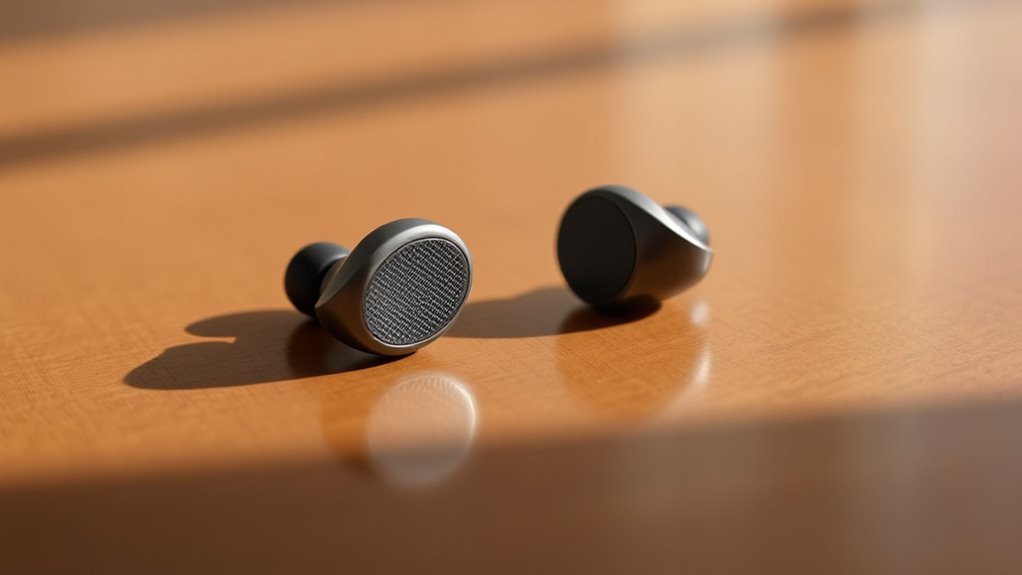

One earbud might be quieter due to several factors. It could stem from manufacturing inconsistencies, physical damage like loose wires or debris in the speaker. Connection issues, such as Bluetooth interference or outdated firmware, may also play a role. Additionally, improper audio settings might amplify one side. Earwax buildup can further complicate sound quality. Understanding these causes will help you pinpoint the issue, and exploring solutions can lead to a better listening experience.
Common Causes of Uneven Audio Levels
Uneven audio levels in earbuds can often stem from several underlying factors, making it essential to diagnose the issue accurately. One common cause is the earbud design itself; variations in drivers can lead to audio imbalance. If one driver is less efficient than the other, you’ll notice a significant difference in sound output. Additionally, the fit of the earbuds in your ears can affect perceived volume; improper seal can allow sound to escape, skewing balance. In addition, audio settings on your device might not be optimized, amplifying one channel more than the other. Finally, software glitches in the audio source can also contribute, necessitating a check on updates or settings. Identifying these factors can restore your audio experience.
Physical Damage to Earbuds
Audio imbalances can also arise from physical damage to the earbuds themselves. If you’ve dropped or mishandled your earbuds, the internal components might be compromised, affecting sound quality. Here are some common signs of physical damage:
Audio imbalances can stem from physical damage, impacting sound quality and leading to uneven listening experiences.
- Cracked or broken housing
- Loose or frayed wires
- Damaged speaker drivers
- Accumulated debris in speaker openings
- Distorted sound output
These issues can lead to one earbud being quieter than the other. If you suspect physical damage, consider professional earbud repairs, as attempting DIY fixes could worsen the problem. Remember, maintaining your earbuds is essential for preserving their sound quality and ensuring a balanced listening experience. Don’t let physical damage dictate your audio enjoyment; take proactive steps to protect your gear.
Connection Issues
Connection issues can greatly impact your earbuds’ performance. You might encounter Bluetooth pairing problems, which can stem from compatibility or proximity issues, and it’s crucial to check the jack connection for any physical obstructions. Additionally, codec compatibility can affect audio quality and volume, so verify your device supports the codecs used by your earbuds.
Bluetooth Pairing Problems
While Bluetooth technology offers convenience, pairing issues can frustrate users seeking a seamless audio experience with their earbuds. If you’re struggling with connectivity, consider the following potential causes:
- Bluetooth interference from other devices or signals
- Outdated firmware on your earbuds or audio source
- Distance limitations, exceeding the effective range
- Multiple connections, leading to confusion in pairing
- A pairing reset may be necessary to clear previous connections
Resolving these issues often requires a systematic approach, ensuring you eliminate any interference and confirm that both your device and earbuds are up to date. A simple reset can sometimes restore functionality, allowing you to enjoy your music without disruption.
Jack Connection Check
If you’re experiencing sound issues with your earbuds, checking the jack connection is vital. Different jack types, such as 3.5mm or USB-C, can impact your audio experience. Make certain the plug is fully inserted into the device; a loose connection can lead to uneven sound distribution. Inspect the jack for dirt or debris, as this can hinder connection stability. If you notice any damage to the jack or the cable, it might be time for a replacement. Testing your earbuds on another device can help determine if the issue lies with the earbuds or the original device. Remember, a stable connection is essential for peak sound quality, so don’t overlook this step in troubleshooting your audio problems.
Codec Compatibility Issues
Understanding codec compatibility is essential for guaranteeing ideal audio performance with your earbuds. Codec conflicts can lead to one earbud being quieter than the other, often due to mismatched audio formats. Here are some key considerations:
- Guarantee your device supports the same codec as your earbuds.
- Check for firmware updates that might resolve compatibility issues.
- Experiment with different audio settings on your device.
- Use a reliable audio source; low-quality files can exacerbate volume discrepancies.
- Investigate if your earbuds have specific codec requirements that need to be met.
Software and Settings Adjustments
Adjusting software settings can greatly improve your earbuds’ volume performance. Start by checking your device’s audio balance settings. If one side is quieter, it may be because the audio balance is skewed. Center the balance to guarantee equal distribution. Next, look into volume normalization features, which can automatically adjust audio levels across different apps and tracks. If your earbuds support any companion app, explore its settings for additional options. Some apps allow you to fine-tune the sound profile, which can enhance your listening experience. Finally, verify your device’s software is up to date, as updates can fix bugs affecting audio output. By optimizing these settings, you’ll enhance your audio experience and regain freedom in your listening.
Earwax Buildup and Maintenance
While enjoying your earbuds, you may not realize that earwax buildup can greatly impact sound quality and volume. Regular maintenance is essential to guarantee peak performance. Here are some effective cleaning techniques for earwax removal:
- Use a soft, dry brush to gently clean the earbud mesh.
- Dampen a microfiber cloth with a mixture of water and isopropyl alcohol to wipe the surfaces.
- Employ a small vacuum designed for electronics to extract stubborn debris.
- Avoid using sharp objects that can damage the earbuds.
- Perform routine checks to catch buildup early and prevent sound discrepancies.
Testing With Different Devices
To guarantee ideal earbud performance, testing them with different devices is essential, as variations in output levels and audio quality can influence your listening experience. Start by connecting your earbuds to multiple sources, such as smartphones, tablets, and computers. Observe any discrepancies in audio output. Device compatibility can play a significant role; some devices may not fully support your earbuds’ capabilities, leading to imbalanced sound. For instance, a low-quality audio source might render one earbud quieter than the other. Additionally, check the equalizer settings on each device, as they can affect perceived volume. By systematically testing your earbuds across various devices, you can pinpoint whether the issue lies within the earbuds themselves or the audio source used.
Frequently Asked Questions
Can Environmental Factors Affect Earbud Sound Quality?
Absolutely, environmental elements like sound absorption and humidity effects can greatly sway your earbud sound quality. High humidity may dampen audio clarity, while sound-absorbing surroundings might distort the dynamic range you desire for freedom in listening.
Are Some Earbud Models More Prone to Audio Imbalance?
Yes, some earbud models are more prone to audio imbalance due to their design and audio drivers. Variations in manufacturing quality and driver performance can lead to inconsistent sound levels between the left and right earbuds.
How Can I Prevent Future Audio Issues With My Earbuds?
To prevent future audio issues with your earbuds, follow these earbud maintenance tips: regularly clean the connectors using a soft cloth and isopropyl alcohol, and store them properly to avoid damage or misalignment.
Does the Type of Music Affect Perceived Audio Balance?
Absolutely, the music genre impacts perceived audio balance. Different genres emphasize various audio frequencies, which can make one earbud sound quieter. Understanding these nuances helps you appreciate each genre’s unique sonic landscape and enhances your listening experience.
Is There a Way to Fix Audio Balance Without Professional Help?
Yes, you can fix audio balance through DIY adjustments. Check your device’s audio settings for balance controls. Often, tweaking these settings can equalize sound levels, providing a more satisfying listening experience without needing professional assistance.
