
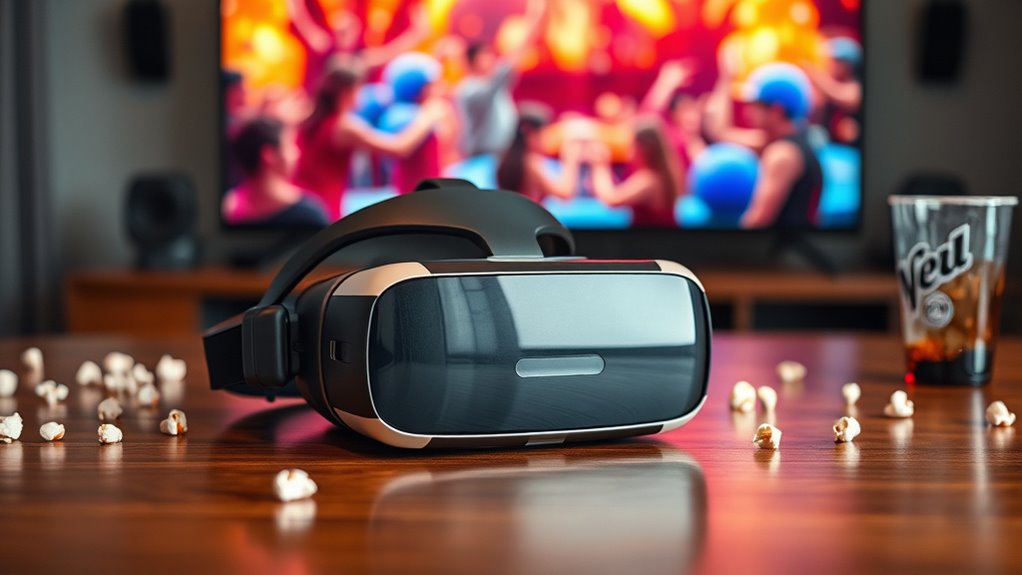

To watch 3D movies on your VR headset, start by choosing a compatible model with high resolution and appropriate refresh rates. Set it up by adjusting the fit and calibrating the lenses. Then, find 3D content on platforms like YouTube, Oculus Video, or SteamVR. Install a reliable VR video player like Bigscreen or VLC VR to enhance your experience. By optimizing your settings for comfort and clarity, you can elevate your immersive viewing. There’s much more to explore.
Understanding VR Headsets and 3D Movie Formats
When you plunge into the world of VR headsets and 3D movie formats, it’s essential to understand how these technologies intersect to create an immersive viewing experience. VR technology utilizes sophisticated displays and sensors to simulate a three-dimensional environment, allowing you to engage with content in a way traditional screens can’t match. 3D formats enhance this experience, providing depth perception and a sense of realism that pulls you into the narrative. By leveraging stereoscopic images, 3D formats create the illusion of depth, which VR headsets can amplify through head tracking and expansive field of view. Together, these technologies transform passive watching into an interactive journey, granting you the freedom to explore virtual domains while enjoying your favorite films like never before.
Choosing the Right VR Headset for 3D Movies
When choosing a VR headset for 3D movies, you’ll want to pay close attention to resolution and display quality, as these factors greatly influence your viewing experience. Compatibility with various 3D formats is also essential, ensuring you can enjoy your favorite films without technical hitches. Finally, comfort and fit matter; a well-fitted headset allows for longer viewing sessions without discomfort.
Resolution and Display Quality
Choosing the right VR headset for 3D movies hinges greatly on resolution and display quality. You want a headset that offers high display resolution to guarantee every detail of your films is sharp and immersive. Look for headsets with at least 1080p resolution per eye—this can greatly enhance your visual clarity. Higher resolutions, like 4K or even 8K, provide an additional layer of depth, making the experience even more lifelike. Additionally, consider factors like refresh rates and field of view; they can dramatically impact how smooth and engaging your viewing experience is. With the right headset, you’ll truly feel like you’re part of the movie, enjoying every moment with stunning realism.
Compatibility With Formats
Even with high resolution and display quality, the experience of watching 3D movies on a VR headset can vary considerably based on format compatibility. To guarantee you get the most out of your viewing experience, consider the following aspects of 3D formats and VR compatibility:
- Supported 3D Formats: Check if your headset supports popular formats like SBS (Side-by-Side) or Over-Under.
- Media Player Software: Not all media players can handle 3D content effectively, so choose one that’s optimized for VR playback.
- Device Connectivity: Verify your headset can connect to devices that play 3D movies, whether it’s a PC or streaming box.
Comfort and Fit
Although many VR headsets offer impressive visuals, comfort and fit are vital for an enjoyable 3D movie experience. When selecting a headset, you should prioritize fit adjustments that accommodate your head size and shape. A snug fit prevents unwanted movement, which is essential during extended viewing sessions. Additionally, look for models with quality comfort padding; this material can greatly enhance your overall experience by reducing pressure points and allowing for longer wear without discomfort. Remember, a well-fitted headset not only improves immersion but also reduces the chances of headaches or fatigue. By carefully choosing a VR headset that balances comfort and fit, you’ll be ready to immerse yourself in your favorite 3D movies with ease and enjoyment.
Setting Up Your VR Headset
To enjoy 3D movies on your VR headset, it’s essential to verify proper setup for a best viewing experience. Begin by confirming your headset is charged and connected to its compatible device. Next, adjust the straps and lenses for ideal comfort and clarity. Here are some key steps:
- Install required software: Make sure you’ve downloaded any necessary apps or updates for your VR headset.
- Calibrate your headset: Follow the on-screen instructions to verify accurate tracking and positioning.
- Create a safe viewing area: Clear your space of obstacles to prevent accidents while immersed in your movie.
Finding 3D Movies Compatible With VR
How can you find 3D movies that are compatible with your VR headset? Start by exploring various 3D movie sources. Many streaming platforms, like YouTube and Vimeo, offer 3D content; just search for “3D VR movies.” Additionally, check out dedicated VR content libraries, such as Oculus Video or SteamVR, where you’ll discover a curated selection of immersive films.
Don’t forget to look for specific apps designed for VR experiences, as they can enhance your viewing. Always confirm that the movie format aligns with your headset’s specifications—some might require specific codecs or resolutions. By tapping into these resources, you’ll reveal a world of engaging 3D films, perfect for your VR escapades.
Downloading and Installing a VR Video Player
A good VR video player is essential for enjoying 3D movies on your headset. To get started, you’ll need to focus on downloading apps that are compatible with your device. Here’s how to do it:
A quality VR video player is key to enjoying immersive 3D movies on your headset—choose compatible apps for the best experience.
- Choose a reputable VR video player: Look for options like Bigscreen, Skybox, or VLC VR.
- Follow installation prompts: Make sure you grant necessary permissions during installation for peak performance.
- Customize settings: Adjust playback settings for the best 3D experience tailored to your preferences.
Once you’ve got the software installed, you’ll be ready to immerse yourself in a stunning 3D world. Remember, finding the right player can enhance your viewing experience, so take your time to explore different options. Enjoy your freedom in virtual cinema!
Streaming 3D Movies on Your VR Headset
When it comes to streaming 3D movies on your VR headset, you’ll want to verify compatibility with supported streaming services. Not all headsets work seamlessly with every platform, so checking for compatibility is vital. Additionally, adjusting your ideal viewing settings can greatly enhance your overall experience.
Supported Streaming Services
While many VR headsets offer impressive capabilities, selecting the right streaming service is essential for enjoying 3D movies in their full glory. Various streaming platforms cater to your cinematic desires, providing different subscription options. Here are some popular services you might consider:
- Netflix: Offers a selection of 3D content, accessible with a standard subscription.
- YouTube: Hosts user-generated 3D videos, allowing for a vast array of choices without a specific subscription.
- Vudu: Features a dedicated section for 3D movies, available for rental or purchase.
VR Headset Compatibility
Choosing the right streaming service is just the beginning; ensuring your VR headset is compatible with 3D movie playback is equally important. Different VR headset types utilize distinct 3D movie technology, which can affect your viewing experience. Here’s a quick comparison of popular VR headsets and their compatibility with 3D content:
| VR Headset | 3D Movie Support | Notes |
|---|---|---|
| Oculus Quest 2 | Yes | Great for immersive viewing |
| HTC Vive | Yes | Supports various formats |
| PlayStation VR | Yes | Best for console gamers |
Make sure to check compatibility before diving into your favorite 3D movies. The right setup can enhance your experience considerably, offering you the freedom to enjoy cinema in a whole new way.
Optimal Viewing Settings
To guarantee you get the most out of your 3D movie experience on a VR headset, adjusting the ideal viewing settings is essential. You’ll want to focus on a few key factors to enhance your immersion:
- Optimal Screen Size: Verify your virtual screen replicates a real cinema experience; typically, 100-120 inches is ideal.
- Ideal Viewing Distance: Position yourself at a distance where the screen fills your peripheral vision without causing strain; around 1.5 to 2.5 times the screen size works well.
- Brightness and Contrast: Adjust these settings to avoid discomfort and enhance depth perception, making your 3D experience more lifelike.
Adjusting Settings for Optimal Viewing Experience
When you’re ready to immerse yourself in a 3D movie on your VR headset, fine-tuning the settings can make all the difference in your viewing experience. Start by adjusting brightness to guarantee vibrant visuals without straining your eyes. Most headsets allow for precise control, so experiment until you find the perfect level. Next, focus on enhancing sound; immersive audio can elevate your experience considerably. Check the equalizer settings to enhance dialogue clarity while balancing background effects. Don’t forget to calibrate the headset’s position for ideal comfort and clarity. Each adjustment you make contributes to a more engaging experience, allowing you to lose yourself in the film’s world. Enjoy the freedom of exploration that a VR headset offers!
Enhancing Your 3D Movie Experience With Accessories
After optimizing your VR headset settings for brightness and sound, consider how accessories can further enrich your 3D movie experience. The right gear can transport you deeper into the action, making every scene more enthralling. Here are some essential accessories to elevate your viewing:
- High-quality 3D glasses: Verify compatibility with your VR headset for true depth perception.
- Immersive sound system: Wireless headphones or external speakers can deliver a surround sound experience, making you feel like you’re part of the film.
- Comfort-enhancing straps: Adjustable straps can alleviate pressure during extended viewing sessions, allowing for a more enjoyable experience.
Troubleshooting Common Issues With 3D Playback
While enjoying a 3D movie on your VR headset can be an amazing experience, you might encounter some playback issues that can disrupt your immersion. Common 3D playback issues include misalignment of images, lagging, or complete video failure. Start by checking your headset’s firmware; outdated software can cause compatibility problems. Verify your video source supports 3D formats and that your settings are correctly configured. If you’re experiencing lag, try reducing the resolution or closing background applications to free up resources. Also, inspect your HDMI or USB connections for any damage. Remember, effective VR headset troubleshooting often involves checking both software and hardware components to guarantee a seamless viewing experience. Don’t hesitate to consult forums for specific device-related tips.
Frequently Asked Questions
Can I Watch 2D Movies in 3D on My VR Headset?
Yes, you can watch 2D movies in 3D on your VR headset by adjusting the VR settings for 2D conversion. This feature enhances your viewing experience, providing depth and immersion in your favorite films. Enjoy!
Are There Any Specific VR Headsets Recommended for 3D Gaming?
For 3D gaming, you’ll want to contemplate the Oculus Quest for its versatility, the Valve Index for high fidelity, PlayStation VR for accessibility, or the HP Reverb for stunning visuals. Each offers unique advantages!
Will Watching 3D Movies Cause Motion Sickness in VR?
Yes, watching 3D movies in VR can cause motion sickness due to visual disparity and lack of physical movement. To enhance comfort, try VR comfort techniques like taking breaks, adjusting settings, or maintaining a stable environment.
Can I Use My Smartphone as a VR Headset for 3D Movies?
Yes, you can use your smartphone as a VR headset for 3D movies. Many VR apps support smartphone compatibility, allowing you to enjoy immersive experiences without needing expensive equipment—just a compatible device and a headset!
How Do I Improve Audio Quality When Watching 3D Movies in VR?
To improve audio quality while watching 3D movies in VR, consider using external headphones with audio enhancements. This’ll elevate your immersive experience, providing richer sound and clearer dialogue, making every moment more engaging and enjoyable.
