

Yes, you can mount a monitor with a TV mount! With the correct compatibility and necessary adjustments, a TV mount can securely hold a monitor just as effectively as it does a television. This versatility is particularly beneficial for those looking to optimize their workspace or gaming setup. In this article, we’ll delve into the essential considerations, types of mounts, installation processes, and safety precautions to ensure you can successfully mount your monitor using a TV mount.
Understanding Mount Compatibility
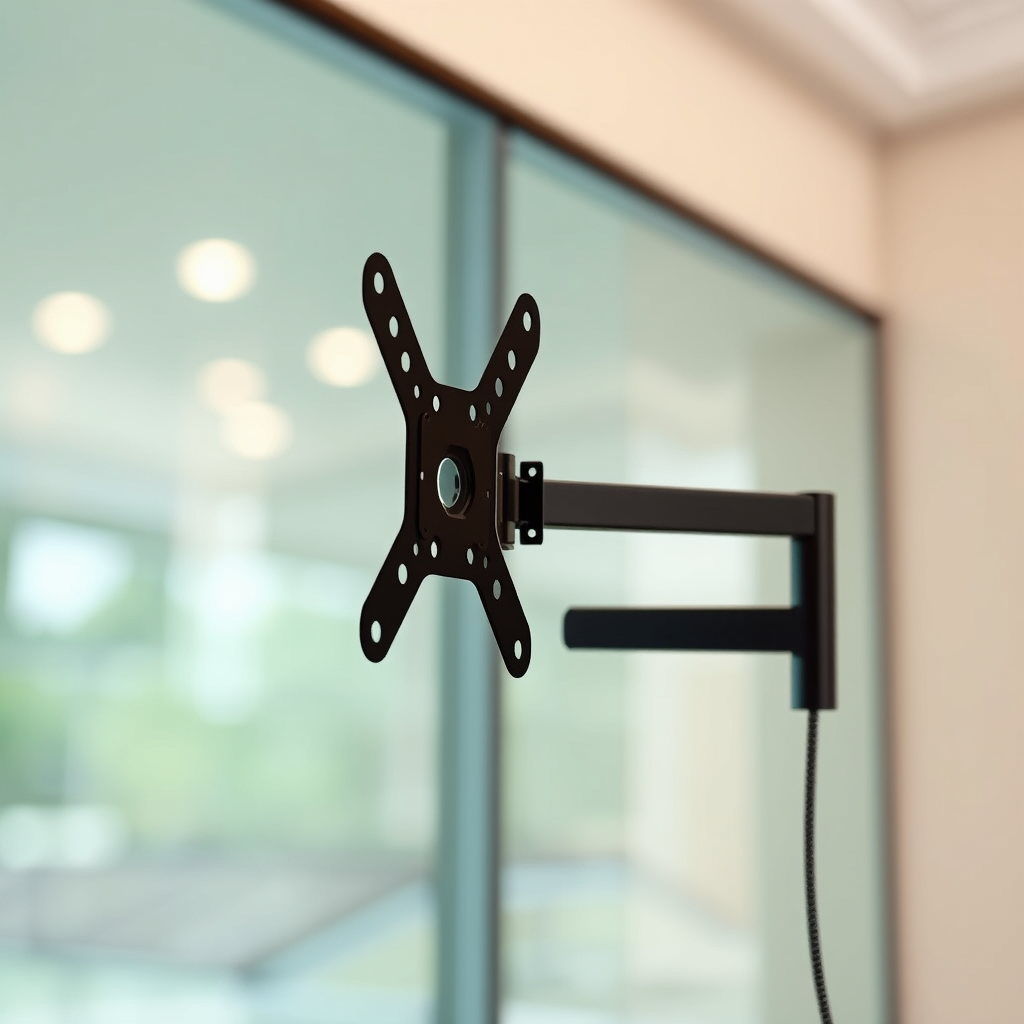
When contemplating the use of a TV mount for your monitor, the first step is to assess compatibility.
– Check VESA standards: Most monitors and TV mounts adhere to VESA (Video Electronics Standards Association) mounting patterns. These patterns, characterized by a set of four holes on the back of the device, dictate how the monitor attaches to the mount. Ensure that both your monitor and the TV mount you plan to use have compatible VESA measurements; common sizes include 75x75mm, 100x100mm, and larger, depending on the size of the monitor.
– Weight capacity: Another crucial factor is the weight capacity of the TV mount. Each mount is rated for a specific weight limit; verify that your monitor’s weight falls within this limit. Exceeding the weight capacity can lead to dangerous failures and potential damage to your monitor or injury.
Types of Mounts Suitable for Monitors
When selecting a TV mount for your monitor, consider the various types available:
– Fixed mounts: Ideal for users who want a stationary setup, fixed mounts hold the monitor securely against the wall at a predetermined height. These mounts are often simpler to install and are a great choice for those who do not require adjustments after installation.
– Articulating mounts: For those who need flexibility in positioning, articulating mounts are the way to go. These mounts allow for adjustments in viewing angles, making them particularly beneficial in situations where multiple users may need to view the monitor from different positions. They can extend, tilt, and swivel, providing a more versatile viewing experience.
Tools and Materials Needed
Before you embark on the mounting process, gather the necessary tools and materials:
– Basic tools: A screwdriver, level, and stud finder are essential for a successful installation. The stud finder will help locate the wall studs for securing the mount safely, while the level ensures your monitor hangs straight.
– Additional hardware: Depending on the specific compatibility between your monitor and the mount, you may need extra screws, bolts, or adapters. Always check the mount’s instruction manual for any additional components you might need.
Comparison of Monitor and TV Mount Types
| # | Mount Type | Adjustability | Installation Ease | Best For |
|---|---|---|---|---|
| 1 | Fixed Mount | No | Easy | Static Setup |
| 2 | Articulating Mount | Yes | Moderate | Dynamic Viewing |
| 3 | Tilt Mount | Yes | Easy | High Walls |
| 4 | Ceiling Mount | Yes | Complex | Unique Spaces |
| 5 | Full Motion Mount | Yes | Moderate | Flexible Viewing |
| 6 | Desk Mount | Yes | Easy | Ergonomic Positioning |
| 7 | Wall Mount | No | Easy | Space Saving |
Installation Process
Once you have the appropriate tools and materials, follow these steps for a successful installation:
– Prepare the wall: Use a stud finder to locate wall studs, marking their positions. This ensures that the mount is attached to a solid structure, which is critical for supporting the weight of the monitor.
– Attach the mount: First, secure the mount to the wall using the provided screws, ensuring it is level. Once the mount is securely in place, attach the monitor by aligning it with the mount’s VESA holes, and tighten all screws to ensure a secure fit.
Safety Considerations
Safety should always be a priority when mounting any device:
– Stability check: After installation, gently test the monitor’s stability by applying light pressure to ensure it is securely mounted and will not shift or fall. This is crucial, particularly in high-traffic areas.
– Cable management: Organizing cables not only improves the aesthetic of your workspace but also reduces the risk of tripping hazards. Use cable clips or sleeves to manage and conceal cables effectively.
Common Issues and Troubleshooting
Even with careful planning, issues may arise. Here are some common problems and their solutions:
– Misalignment: If the monitor is not level after installation, you can adjust the mount or reposition the monitor to achieve the desired alignment.
– Weight distribution: If the mount appears to be sagging, it may not be able to handle the weight of the monitor. Reassess the weight limits and consider redistributing weight or using a different mount that meets your needs.
Alternatives to TV Mounts
If a TV mount does not fit your needs, consider these alternatives:
– Dedicated monitor stands: For those who prefer a more tailored solution, investing in a stand designed specifically for monitors can offer added stability and adjustability without the complications of wall mounting.
– Desktop risers: If you want to elevate your monitor without the need for wall mounting, desktop risers can provide an effective solution, allowing for flexible placement and easy adjustments.
Summarizing the key points, mounting a monitor with a TV mount is indeed feasible if you check for compatibility and follow proper installation steps. Ensuring you have the right tools and adhering to safety precautions will help create a secure and functional workspace. Take action now by assessing your monitor and mount options to optimize your setup for productivity and comfort!
Frequently Asked Questions
Can you mount a monitor with a TV mount?
Yes, you can mount a monitor using a TV mount, but it’s essential to ensure that the mount is compatible with the monitor’s VESA (Video Electronics Standards Association) mounting pattern. Many TV mounts are adjustable and can support various sizes and weights, making them versatile for both TVs and monitors.
What are the benefits of using a TV mount for a monitor?
Using a TV mount for a monitor can provide better ergonomics by allowing you to adjust the height and angle of the screen, reducing neck and eye strain. Additionally, it helps free up desk space and can create a cleaner, more organized workspace, making it an excellent solution for home offices or gaming setups.
How do I install a monitor using a TV mount?
To install a monitor using a TV mount, start by ensuring that the mount is rated for the weight and size of your monitor. Follow the manufacturer’s instructions to securely attach the mount to the wall, then use the appropriate VESA adapter to connect the monitor to the mount. Make sure to double-check stability and alignment before use.
Why should I consider a TV mount over a traditional monitor stand?
A TV mount offers more flexibility and adjustability compared to traditional monitor stands, allowing for optimal viewing angles and saving valuable desk space. They are particularly beneficial in multi-monitor setups or when you need to frequently reposition your screen for collaborative work or gaming.
Which TV mount is best for mounting a monitor?
The best TV mount for mounting a monitor depends on your specific needs, including the size and weight of your monitor. Look for mounts with a full-motion or articulating feature for maximum adjustability, and ensure they have a compatible VESA pattern. Brands like Sanus and Vogel’s are often recommended for their quality and versatility.
References
- https://en.wikipedia.org/wiki/Monitor_(computer
https://en.wikipedia.org/wiki/Monitor_(computer - https://www.sciencedirect.com/topics/engineering/monitor-mount
https://www.sciencedirect.com/topics/engineering/monitor-mount - https://www.bbc.com/news/technology-57228198
https://www.bbc.com/news/technology-57228198 - https://www.theguardian.com/technology/2020/apr/01/how-to-set-up-a-home-office-ergonomics
https://www.theguardian.com/technology/2020/apr/01/how-to-set-up-a-home-office-ergonomics - https://pubmed.ncbi.nlm.nih.gov/33520215/
https://pubmed.ncbi.nlm.nih.gov/33520215/ - https://www.nytimes.com/2020/03/27/smarter-living/how-to-set-up-a-home-office.html
https://www.nytimes.com/2020/03/27/smarter-living/how-to-set-up-a-home-office.html - Google Scholar Google Scholar
https://scholar.google.com/scholar?q=mount+monitor+tv+mount - Google Scholar Google Scholar
https://scholar.google.com/scholar?q=monitor+mounting+guidelines - Google Scholar Google Scholar
https://scholar.google.com/scholar?q=ergonomics+of+monitor+setup - https://www.mayoclinic.org/healthy-lifestyle/adult-health/in-depth/ergonomics/art-20046004
https://www.mayoclinic.org/healthy-lifestyle/adult-health/in-depth/ergonomics/art-20046004

[…] angle, but ensure it’s designed for the TV weight and allows enough space from the fireplace. Fixed mounts work well when clearance is already adequate and you don’t need adjustment. Regardless of mount […]
[…] Screen and mount compatibility (short-throw setups can require tighter […]
[…] Long halls and legacy fixed mounts […]