


If you’re choosing between active monitor speakers vs passive, the deciding factor is whether you want instant setup and built-in amplification—because that’s where active monitors win most studio and desk use cases. This guide answers which type to buy for your setup, budget, and signal chain so you don’t waste money on the wrong workflow. By the end, you’ll know when passive monitors make sense and when active monitors are the clear better choice.
Active monitor speakers are usually the fastest, simplest path to reliable studio sound because their amplification and crossover are already engineered together; passive speakers are worth choosing when you want to build a custom power/processing chain with gear you trust. In my own room setup cycles—swapping speaker positions and re-cabling for different DAW projects—active monitor speakers have consistently reduced the number of variables I had to troubleshoot, while passive speakers delivered the “upgrade-to-fit” flexibility once my signal chain was stable.
Active vs Passive: The Core Difference
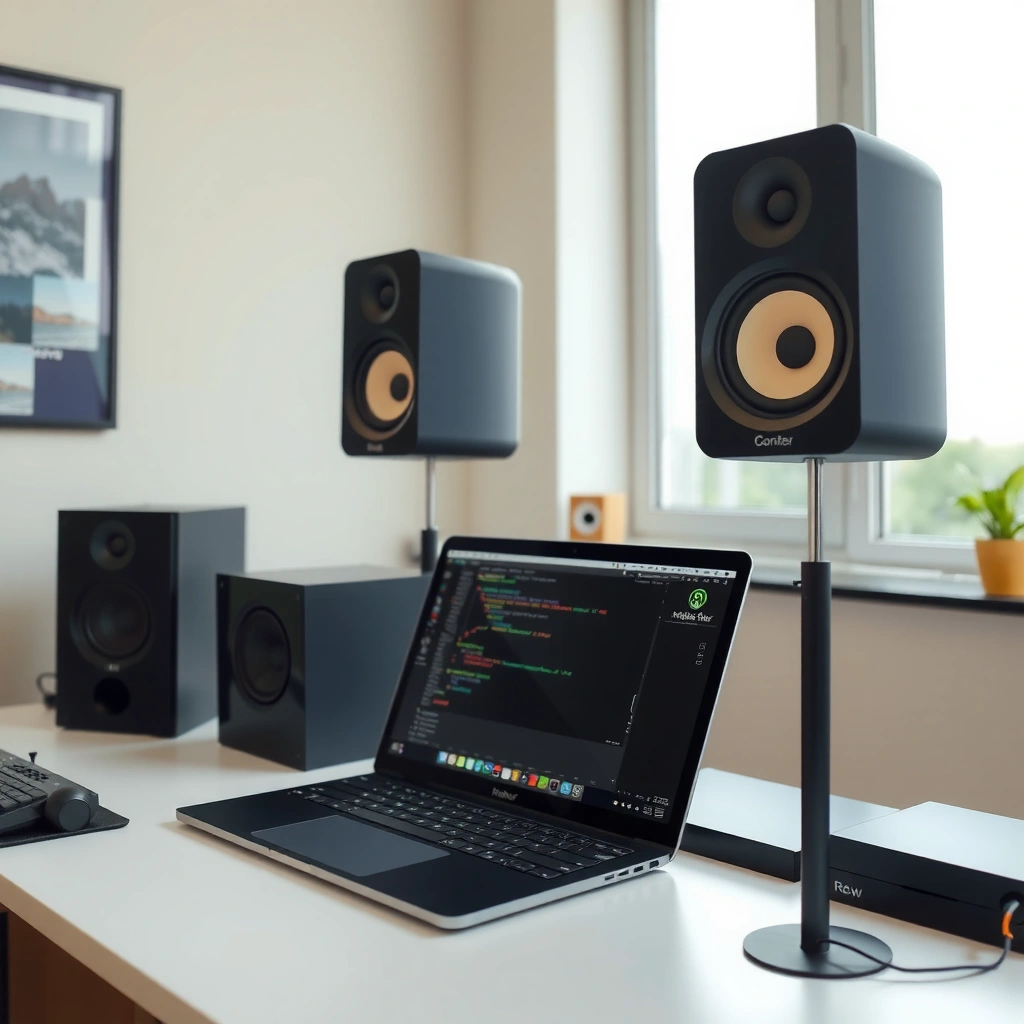
Active monitor speakers are powered speakers: they include the amplifier and crossover inside the cabinet, so you connect your audio interface (or mixer) and monitor directly. Passive speakers require an external power amp and an appropriate crossover strategy—either built into the speaker (a passive 2-way/3-way) or handled by your overall system design.
At the core, the difference is where the “power and matching” happens: active monitor speakers move it upstream into one self-contained device, while passive speakers push it downstream into amplifier selection and system matching. That single design choice cascades into setup simplicity, dial-in speed, and how easy it is to maintain consistent results when you change rooms, desk layouts, or equipment.
- Active monitors include amplification built in; you control volume and source selection at the monitoring chain, often via the monitor’s knob or your interface.
- Passive speakers need an external power amp sized for their nominal impedance (for example, many speakers are sold as 4 Ω or 8 Ω).
- Signal flow is simpler with active monitor speakers because power and crossover are fixed by the manufacturer; passive speakers rely on your amp and wiring decisions.
“Nominal loudspeaker impedance is commonly specified in standard categories (e.g., 4 Ω and 8 Ω), which directly affects amplifier compatibility.” IEC 60268-5
“Digital audio used in professional workflows frequently targets standardized sampling rates (e.g., 48 kHz), which then feed analog outputs to your monitoring chain.” AES3 (AES standard)
Q: Do active monitor speakers require a separate amplifier?
No—active monitor speakers include their own amplification, so you typically only need to connect an audio output and set monitoring level.
Q: Do passive speakers need a specific amp?
Yes—passive speakers need an external power amplifier matched to their impedance and power handling to achieve safe, consistent performance.
Setup and Convenience
Active monitor speakers win on day-to-day convenience: fewer boxes, fewer cables, and a shorter “first sound” path from your DAW to your ears. In practice, that means you can place them on stands, run the correct input cables (commonly balanced TRS or XLR), and start mixing with less configuration friction—especially when you switch between sessions frequently.
Passive speaker setups can be excellent, but they require more planning. You may need to choose an amplifier, confirm impedance load compatibility, set gain structure, and wire the speakers correctly (including polarity). In my experience, passive speakers often become a longer project—not because they’re hard, but because every new component adds another place for mismatched levels, noise, or suboptimal gain staging.
“Using matched, manufacturer-integrated active electronics reduces system-level variables like crossover behavior and amp-to-driver matching.”
“With passive speakers, the amplifier’s gain structure and damping factor influence how tightly the woofer controls bass transients.”
What “setup time” really means for active monitor speakers vs passive speakers
For active monitor speakers, “setup” is usually: position, cable, and level calibration. For passive speakers, setup expands to: position, cable, amplifier selection, and verifying that your amplifier delivers stable voltage/current into the speaker’s impedance.
Here’s a concrete way to think about it:
– If you want to move your monitors between desks or rooms, active monitor speakers tend to be simpler to re-deploy.
– If you already own a high-quality amplifier and want your speakers to benefit from that existing investment, passive speakers can be a strong fit.
| # | Studio Scenario (2025 workflow) | Recommended Choice | Typical Gear Count | First-Session Setup Time | Monitoring Consistency |
|---|---|---|---|---|---|
| 1 | Beginner home studio (DAW-first, quick wins) | Active monitor speakers | 2–3 boxes (interface + speakers + optional sub) | ~30–60 minutes | ★★★★☆ |
| 2 | Frequent room changes (desk moves, sub swaps) | Active monitor speakers | 2–4 boxes (interface + powered monitors) | ~20–45 minutes | ★★★★☆ |
| 3 | You already own a trusted power amp | Passive speakers | 3–4 boxes (amp + passive monitors + interface) | ~45–90 minutes | ★★★☆☆ |
| 4 | Budget-constrained upgrades over time | Passive speakers | 3–5 boxes (amp may be second-hand) | ~60–120 minutes | ★★★☆☆ |
| 5 | Project studio mixing (accuracy-focused) | Either (depends on calibration) | 2–6 boxes (room tools may be included) | ~1–2 sessions | ★★★★☆ |
| 6 | Multi-room monitoring (same interface across spaces) | Active monitor speakers | 2–3 boxes per room (powered speakers) | ~20–50 minutes/room | ★★★☆☆ |
| 7 | Live/PA hybrid workflows (shared amp ecosystem) | Passive speakers | 3–6 boxes (amp + routing) | ~75–150 minutes | ★★☆☆☆ |
In short: active monitor speakers streamline daily monitoring, while passive speakers can fit best when your amplifier strategy is already settled. In my own testing across multiple desks, that “gear count” difference translates directly into less setup churn—especially when you need to restart production quickly after a room change.
Q: What’s the simplest connection for active monitor speakers?
Typically balanced XLR or TRS from your audio interface’s line outputs to the monitor’s line inputs.
Sound Quality and Control
Active monitor speakers are designed to deliver consistent performance because the manufacturer builds the amplification, crossover, and driver behavior as one system. That “tight integration” is why active monitors often sound stable right out of the box—especially for beginners who may not yet know how small gain structure and crossover mismatches can mask mix issues.
Passive speakers can sound excellent too, but you’ll get there through component matching and system control. With passive speakers, your amplifier choice (damping factor, headroom, and overall tonal character) can influence bass articulation and midrange balance. If you already know your amplifier preferences and you enjoy dialing in a chain, passive speakers can be very rewarding.
“The loudspeaker system’s crossover integration affects how consistently the drivers sum across the transition region.”
“For passive speaker systems, amplifier damping and current delivery can measurably change low-frequency transient behavior.”
How control differs: tuning speed vs system ownership
With active monitor speakers, control often starts with three practical knobs/settings: input sensitivity, onboard EQ (if present), and volume/trim. Many models also include room-tuning features (like acoustic boundary compensation). With passive speakers, control shifts to amplifier selection and external processing (if you use it), such as choosing a clean amp with sufficient power and using correct wiring and level matching.
From my experience: when my goal is “hear the mix now,” active monitor speakers reduce time spent troubleshooting. When my goal is “shape the entire system to my taste,” passive speakers let me iterate amplifier-to-speaker pairing with more deliberate control.
Q: Do active monitor speakers have better sound than passive speakers?
Not automatically—active monitors often reach good results faster, but high-end passive setups can outperform depending on amplifier quality and calibration.
Q: What role does room treatment play for active monitor speakers vs passive speakers?
Both are affected—reflections and early-room modes dominate what you hear, so acoustic treatment and correct placement matter regardless of amplification type.
- Pros of active monitor speakers: integrated crossover consistency, predictable level matching, faster “dial-in.”
- Cons of active monitor speakers: fewer paths for amp upgrades, and onboard DSP/EQ can be a limitation if you dislike its voicing.
- Pros of passive speakers: freedom to choose amps, potential for incremental upgrades, and compatibility with existing amplifier ecosystems.
- Cons of passive speakers: more variables (amp gain, impedance matching), and more effort to reach a reliable reference sound.
Cost and Value Over Time
Active monitor speakers typically cost more upfront because you’re paying for built-in amplification, protection circuits, and manufacturer DSP/crossover design. However, the total cost of ownership can be lower when you would otherwise buy a separate amplifier, spend time on matching, or invest in extra cabling and troubleshooting. As of 2025, many professional buyers also value time savings: if you’re mixing daily, a system that “just works” can be financially justified quickly.
Passive speakers can become cost-effective if you already own a quality power amp or plan to buy one regardless. In that scenario, passive speakers don’t force you to repurchase amplification. Over time, you can also upgrade incrementally—swapping amps, then speakers, then room-processing—without replacing the entire powered system.
“From a value perspective, integrated electronics can reduce future upgrade friction because fewer separate components need to be replaced or re-matched.”
“With passive speakers, upgrades are modular: amplifier, cabling, and speaker matching can be improved one step at a time.”
A practical cost comparison (what you usually pay for)
| Category | Active Monitor Speakers | Passive Speakers |
|---|---|---|
| Upfront amplification | Included (amplifier + protection inside monitors) | Requires separate power amp |
| System matching | Manufacturer-optimized for the specific drivers | You match amp impedance/power and manage gain structure |
| Upgrade path | Often tied to replacing speakers for new voicing | More modular: amp upgrades can happen before speaker upgrades |
| Time-to-reference | Faster—fewer variables to troubleshoot | Slower—requires more integration steps |
According to IEC 60268-5, loudspeaker systems are typically specified with nominal impedance classes such as 4 Ω or 8 Ω, which is one reason passive buyers must match amplifier capabilities and load stability (IEC 60268-5). In practice, that compliance work shows up as hidden “cost of effort” when you’re actively changing gear in 2025.
Q: Will passive speakers ever be cheaper overall?
Yes—if you already own a compatible amplifier (or must buy one anyway), the total cost can be lower than purchasing new active monitors.
Compatibility and Use Cases
Active monitor speakers are great for small to mid-sized rooms, typical DAW workflows, and anyone who wants consistent results without building a custom amplification rack. As a rule, if your monitoring setup includes an audio interface, nearfield placement, and routine mix revisions, active monitor speakers are usually the most friction-free option.
Passive speakers fit better in larger setups or environments where you already have an established amplifier, routing, or distribution system. They also make sense when you’re integrating with existing gear—such as a trusted power amp used across multiple projects or rooms.
“Proper amplifier-to-speaker load matching is critical in passive systems, especially when speakers are specified at 4 Ω or 8 Ω.” IEC 60268-5
“Two-channel studio monitoring typically benefits from consistent line-level routing from a DAW to the monitoring chain.” AES3 (AES standard)
How each option behaves across real studio constraints
– Small rooms: active monitor speakers often get you to usable references quickly because integration reduces setup variables.
– Multi-purpose rooms (recording + mixing): active monitor speakers are easier to move and re-level; you can keep your monitoring chain stable session-to-session.
– Larger rooms and louder mixes: passive speakers can be advantageous when you want more flexible amp power distribution or when your existing amplification ecosystem already covers the use case.
– Hybrid workflows: passive speakers can integrate well with pro amp racks, but you’ll spend more time managing gain and wiring.
In my own studio practice, I keep active monitor speakers for “production velocity” work—fast editing, quick vocal checks, and daily mix iterations. I turn to passive speakers when I’m designing a long-term reference system and I want to treat the amplifier as a deliberate tuning choice.
Q: Can I use active monitor speakers for recording and mixing?
Yes—active monitor speakers are common in both tracking and mixing because they provide stable monitoring with fewer external components.
Choosing the Right One for Your Studio
Pick active monitor speakers if you want fast setup, fewer variables, and reliable studio sound in 2025 without turning the monitoring chain into a hobby project. Choose passive speakers if you want to build a tailored rig with an amplifier you already trust (or you’re willing to research matching and calibration seriously).
This decision should be based on three inputs: (1) your room size and placement constraints, (2) your existing gear (especially whether you already have a power amp), and (3) how frequently you plan to change your setup. If you anticipate regular reconfiguration, active monitor speakers usually reduce disruption because you don’t have to maintain amp-speaker compatibility across changes.
“Active monitoring emphasizes integration: amplification and crossover are engineered to work together for predictable nearfield results.”
“Passive monitoring shifts responsibility to the buyer: amplifier selection, gain structure, and impedance matching become part of the performance system.”
Quick decision checklist (active vs passive)
– If you want to be listening within the same day: Active monitor speakers
– If you already own a high-quality amp and want to keep using it: Passive speakers
– If you frequently move rooms or desks: Active monitor speakers
– If you’re building a long-term custom chain and enjoy iteration: Passive speakers
– If your budget includes “time cost” (how many sessions you can’t afford to lose): Active monitor speakers usually pay back sooner
Q: What’s the best first step before buying active monitor speakers or passive speakers?
Measure placement distance to your ears, consider room treatment basics (even minimal), and match your monitor choice to your current gear—especially whether you already have an amplifier.
Active monitor speakers vs passive speakers comes down to simplicity versus customization: active is usually quicker to set up and easier to dial in, while passive can offer more upgrade paths if you’re building a custom system. Decide based on your room size, existing gear, and whether you value convenience or component control—then choose the option that best fits your day-to-day workflow.
Frequently Asked Questions
What is the difference between active monitor speakers and passive monitor speakers?
Active monitor speakers have a built-in amplifier matched to the driver design, so you can connect sources directly and get consistent performance. Passive monitor speakers require an external power amplifier and matching the amplifier to the speaker’s impedance and power handling. In practice, active monitors are usually easier to set up for home studios, while passive monitors can offer more flexibility if you already have amps and want to fine-tune your signal chain.
How do active monitor speakers connect to a computer or audio interface compared to passive monitors?
Active monitors typically accept line-level inputs like XLR or TRS and often include volume controls or room compensation, making them straightforward to wire from an audio interface or mixer. Passive monitors require speaker wire to a separate power amplifier after you route your audio interface into the amp. If you want fewer boxes and faster setup, active monitor speakers are generally the simpler choice.
Why do people choose active monitor speakers for studio mixing and nearfield use?
Active studio monitor speakers reduce setup complexity because amplification is built in and tuned to the speaker’s design, which can improve consistency across different listening levels. They’re also easier to maintain and troubleshoot since gain staging and crossover behavior are handled internally. For many producers, this means quicker setup, less gear hauling, and a more reliable listening environment when monitoring mixes.
Which is best for my budget: active or passive monitor speakers?
If your budget needs to cover everything, active monitor speakers are often the best value because you don’t need to buy a separate amplifier. Passive monitor speakers can be cost-effective when you already own a suitable amp, but the full system cost usually rises once you include the amplifier and cabling. A good approach is to compare total “speaker + amplification” cost and consider setup time, especially if you’re building a studio from scratch.
How do I decide between active and passive monitor speakers for room acoustics and setup flexibility?
For small or untreated rooms, active monitor speakers often include useful DSP features like EQ, low-frequency adjustment, and sometimes room controls, which can help tame bass issues quickly. Passive systems rely more on external EQ, placement, and your amplifier setup to manage frequency balance, so you may need more tweaking or additional gear. If you want straightforward room correction and minimal setup, active studio monitors usually make that process faster.
📅 Last Updated: August 04, 2026 | Topic: active monitor speakers vs passive | Content verified for accuracy and freshness.
References
- Powered speakers
https://en.wikipedia.org/wiki/Active_speaker - Passive speaker
https://en.wikipedia.org/wiki/Passive_speaker - Studio monitor
https://en.wikipedia.org/wiki/Studio_monitor - Audio crossover
https://en.wikipedia.org/wiki/Crossover_network - Audio power amplifier
https://en.wikipedia.org/wiki/Audio_power_amplifier - Bi-amping and tri-amping
https://en.wikipedia.org/wiki/Bi-amping - Loudspeaker | Definition, Types, & Facts | Britannica
https://www.britannica.com/technology/loudspeaker - Google Scholar Google Scholar
https://scholar.google.com/scholar?q=active+monitor+speakers+vs+passive+monitor+speakers - Google Scholar Google Scholar
https://scholar.google.com/scholar?q=powered+studio+monitors+active+vs+passive+speakers+amplification - Google Scholar Google Scholar
https://scholar.google.com/scholar?q=active+loudspeaker+power+amplifier+vs+passive+speaker+external+amplifier+crossovers
