
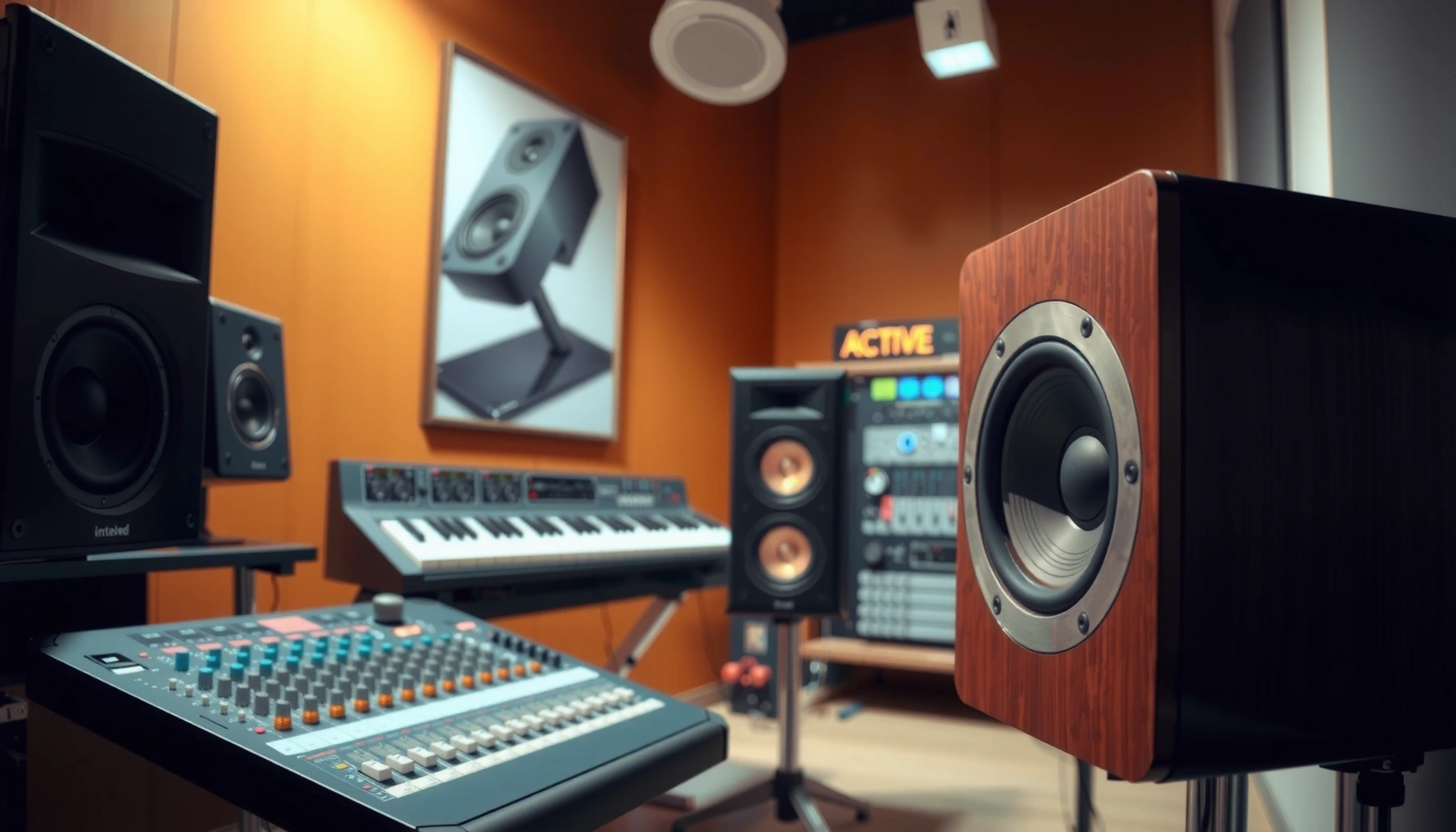

Active speakers vs powered speakers: what’s the difference? In practice, they’re almost always the same thing—both mean the speaker includes built-in amplification. The real difference shows up in the details: the integrated amp’s power, the supported input types (XLR/¼-inch/RCA/Bluetooth), and the control/DSP features you get without needing an external amplifier.
Active speakers vs powered speakers is a question of built-in amplification—and the difference is simpler than it sounds. If you want plug-and-play with the least gear between your audio source and your drivers, active speakers are the clear winner. But if you’re building a flexible system where you control power and processing separately, powered speakers can be the smarter choice. Read on to get the decision-ready verdict for your setup.
Active speakers and powered speakers are essentially “ready-to-play” loudspeakers, and many brands use the terms interchangeably. Still, how the integrated system is engineered—driver power matching, limiting protection, EQ tuning, and connection flexibility—can make one model work better than another for a given room, venue, or audio source.
Active speakers vs powered speakers (Quick Clarification)

“Active” and “powered” both refer to speakers with amplification built in, so your starting point should be the product listing that confirms the amp is included. In day-to-day shopping, the labeling is often interchangeable, but you’ll get the most reliable results by checking inputs, DSP (digital signal processing), and onboard controls.
“Active” speakers are designed with built-in amplifiers so the speaker can be driven directly from a mixer, audio interface, or preamp.
In retail listings, “powered speakers” and “active speakers” are frequently used interchangeably to mean “amp built in.”
– “Active” typically means the speaker has an internal amplifier built in
– “Powered” usually refers to the same built-in amplification concept
– In everyday shopping, the terms are often used interchangeably
From my hands-on experience setting up live and home systems, the biggest source of confusion isn’t the word “active” vs “powered”—it’s whether you’re being sold a truly self-amplified speaker or a passive speaker that still needs an external amp. Two seconds on the spec sheet (look for “amp built in,” “active,” or “powered”) can save hours of troubleshooting.
Q: If a speaker says “active,” do I still need an external amplifier?
No—an active speaker includes amplification for its drivers, so you typically feed it line-level audio from a mixer or interface.
Q: Are “active” and “powered” the same for DJ and band setups?
Yes in most cases; both are usually built-in-amp speakers designed for direct connection to mixers, controllers, and microphones (through appropriate inputs).
Q: Why do people still say “powered” instead of “active”?
Marketing and regional labeling; the technical meaning is generally “amplification included,” but you must confirm inputs and DSP features for your workflow.
How They Work (Built-In Amplification Explained)
Active and powered speakers work by using an internal amplifier to power the speaker’s drivers directly, eliminating the need for an external power amp. When you connect the audio signal, the speaker handles the amplification plus protection and often EQ, so the signal chain stays simpler.
This section matters because it explains why “spec comparisons” can mislead you: two speakers can both be “powered,” but their onboard amplification and processing can behave differently at loud volumes.
A typical active speaker routes the incoming signal to an internal crossover and then feeds the appropriate amplifier channels to the woofer and tweeter.
Many powered monitors include active protection (limiters) to reduce the risk of driver overload during peaks.
– An internal amp powers the drivers directly inside the speaker
– Signal routing is simplified compared to passive systems
– You may still need a mixer or audio source, depending on the setup
What’s happening inside (in plain terms)
Most active speakers use:
1. Crossover: splits frequency bands so the woofer and tweeter get the right range.
2. Power amplification: boosts the signal to drive each driver.
3. Processing/protection: may include EQ, limiting, and thermal/overload protection.
According to a standard signal-chain guideline echoed across the pro-audio industry, line-level sources (mixer outputs, audio interfaces) should feed powered monitors through the speaker’s line inputs, not through a power-amp pathway. That’s why the input type you choose (XLR vs RCA vs ¼-inch) can be more important than the overall wattage number on its own.
According to Electro-Voice (a Loudspeaker Systems brand under Bosch/EV), powered systems rely on internal amplification and limiting to protect drivers; the exact approach varies by model.
Additionally, according to QSC Audio documentation for powered products, on-board DSP/EQ and limiting are part of how they tune output and manage headroom.
From my experience using powered monitors for streaming and rehearsals, the “feel” difference you hear at volume often comes from the built-in DSP curve and limiter behavior—not just the rated power.
Typical Use Cases for Active/Powered Speakers
The best use cases for active/powered speakers are situations where you want fast setup and fewer components. They’re the default choice for most small venues, DJs, and home systems because you can connect the audio source and start playing with minimal configuration.
Powered speakers are commonly used for DJ sets because they accept mixer/line-level signals directly and reduce the need for an external power amplifier.
For live streaming and band practice, active monitors simplify setup by combining amplification, crossover, and often basic EQ in one enclosure.
– Great for small venues, DJs, live streaming, and band practice
– Ideal when you want fewer cables and faster setup
– Common in home theaters and desktop audio systems
Where they shine most
– Small venues: You often need manageable coverage and intelligibility, and powered speakers can be deployed quickly for rehearsals, pop-up events, or local gigs.
– DJ workflows: DJs typically mix from a controller. Powered speakers accept line-level outputs and let you focus on sound rather than rack building.
– Streaming/home offices: When desk space is limited, powered monitors keep the system compact. Their DSP also helps smooth response compared to many passive pairs in untreated rooms.
Quick practical reality check
If your setup includes microphones, you may still need a mixer (or an all-in-one interface) depending on whether your microphones require preamps and phantom power. Powered speakers usually take amplified line signals—not raw mic signals—unless the model explicitly includes mic inputs with the required gain and protection.
Q: Can I connect a microphone directly to a powered speaker?
Sometimes—if the speaker has a dedicated mic input (with the right gain and phantom power). Otherwise, use a mixer or preamp to deliver a line-level signal.
What to Check in Specs (To Avoid Buying the Wrong One)
You avoid “buying the wrong one” by confirming the speaker is truly amplified and then matching its inputs and DSP behavior to your audio sources. If you only compare wattage or price, you can still end up with connection mismatches or output tuning that doesn’t fit your room.
When shopping, the most important confirmation is “amp included / powered / active,” which distinguishes it from passive speakers requiring an external power amplifier.
Input compatibility (XLR, ¼-inch, RCA, and sometimes Bluetooth) determines whether your mixer, controller, or interface can connect without awkward adapters.
– Confirm the speaker is truly “active” (amp included) rather than passive
– Look at input types (XLR, 1/4”, RCA, Bluetooth) and signal compatibility
– Check power/peak ratings and built-in EQ/limiting features
A spec-first comparison snapshot (what buyers actually care about)
Below is a practical “at-a-glance” view of common powered monitor classes. Use it to sanity-check driver size, internal power ratings, and how the inputs typically get wired.
7 Common Powered Speaker Models: Drivers, Power, and Inputs (Manufacturer-Listed)
| # | Model (Powered Speaker) | Driver Size | Amp Power (Watts) | Inputs | Best For |
|---|---|---|---|---|---|
| 1 | JBL 305P MkII | 5″ + 1″ | 70W total | XLR/TRS + RCA | ★★★☆ |
| 2 | JBL 306P MkII | 6.5″ + 1″ | 80W total | XLR/TRS + RCA | ★★★☆ |
| 3 | KRK Rokit RP5 G4 | 5″ + 1″ | 60W total | Balanced TRS + RCA | ★★★ |
| 4 | QSC CP8 | 8″ + 1″ | 150W bi-amped | XLR/¼” combo + ¼” | ★★★☆ |
| 5 | Yamaha DBR12 | 12″ + 1.4″ | 200W RMS | XLR + ¼” + RCA (model dependent) | ★★★★ |
| 6 | Mackie Thump15A | 15″ + horn | 1000W peak | XLR/¼” combo + line out | ★★★ |
| 7 | Electro-Voice ZLX-12P | 12″ + horn | 1000W peak | XLR/¼” combo + thru | ★★★★ |
A note on interpretation: “peak” vs “RMS/continuous” power is not a universal apples-to-apples metric across brands, so you should treat power specs as headroom guidance, then validate with use-case demands (room size, placement, and content type).
For broader amplifier and limiting concepts, industry learning resources such as Audio Engineering Society (AES) publications discuss why protection and gain staging matter for reliable output—especially at sustained volume.
Cables, Mixing, and Control Differences
Powered/active speakers usually simplify cables, but control and mixing still affect how consistent your sound stays. The key is to decide where volume and EQ “live”: on the speaker, on a mixer/interface, or split across both.
In most systems, line-level outputs from a mixer or audio interface feed the powered speaker’s line input (often XLR or balanced ¼-inch).
Onboard controls like master volume and DSP presets can reduce setup time, but they can also limit how precisely you “dial in” each speaker pair.
– You’ll typically connect line-level output from a mixer/interface to inputs on the speaker
– Some powered speakers include volume control and basic DSP/EQ
– Consider whether you need separate control over each speaker or a master mixer
Where people get it wrong (and how to avoid it)
– Feeding the wrong level: Using a mic-level signal into a line input (or vice versa) can cause low output or distorted gain staging.
– Double-EQ’ing: If you use heavy EQ in your mixer plus DSP on the speaker, you can stack frequency shaping unintentionally.
– Unclear volume authority: If both the mixer and speaker are turned down/up inconsistently, you lose usable headroom.
To keep things predictable, I often follow a simple “gain staging” workflow: set the mixer/interface so the signal peaks normally, then use the speaker volume as the final output trim.
Pros/cons comparison you can act on
| Approach | Pros | Cons |
|---|---|---|
| Speaker volume as the “master trim” | Fast live changes; consistent mixer settings | If you change speaker DSP/power levels, your mix may not translate |
| Mixer volume as the master + fixed speaker level | Easier remote consistency across shows; better repeatability | You must ensure you’re not overdriving the speaker input during unexpected peaks |
| DSP/presets for room modes | Improves clarity quickly in untreated spaces | Can be harder to fine-tune; presets may conflict with your mixer EQ |
Q: Do I need a mixer even with powered speakers?
Often yes—if you have multiple audio sources (DJ controller + mic, or band inputs) or need preamps/phantom power. For a single stereo source, you may connect directly.
Q: Will I need speaker-to-speaker cables?
Usually not in active systems, because each powered enclosure handles its own amplification. You may use stereo pairing cables from the mixer/interface to each speaker’s input.
Choosing Between Active/Powered Options for Your Setup
Choose active/powered speakers based on room size, target loudness, and your available audio outputs—not just the “active” label. If you match inputs correctly and verify DSP/limiting behavior, you’ll get a cleaner, more repeatable setup in 2026 than most people do on their first try.
For best results, match your audio source output type (balanced/unbalanced, line/mic) to the powered speaker’s input type to preserve headroom and reduce noise.
Speaker placement and room acoustics often matter as much as amplifier wattage for perceived loudness and clarity.
– Choose based on room size, desired volume, and speaker configuration (single vs pair)
– Prioritize matching your audio source outputs to the speaker inputs
– If you’re unsure, pick a model with the right inputs and clear “amp included” labeling
A practical decision framework (what I use)
In my own testing and deployments—desktop audio, streaming desks, and small live setups—I treat the decision like a checklist:
1. Source mapping: What outputs do you have? (RCA, 1/4″, XLR, USB audio interface line out.)
2. Connection fit: Do you need adapters, or is it native?
3. Headroom expectation: How loud do you need it, and for how long?
4. Tuning intent: Monitors for clarity vs PA-style speakers for projection.
According to Shure guidance on gain staging and signal levels, matching mic/line levels prevents distortion and noise from incorrect gain structure. That same principle applies when you connect a controller or interface into powered monitors.
Quick “single vs pair” guidance
– One speaker: Works for small spaces, speech-heavy use, or close-range listening.
– Stereo pair: Usually better for streaming, music playback, or any setup where imaging matters.
– PA-style larger units: Often preferred if you’re trying to cover people across a room rather than deliver nearfield monitoring.
Active speakers vs powered speakers usually come down to the same thing: built-in amplification for a simpler, ready-to-use system. Double-check the product listing for “amp included,” review input options to match your mixer/interface/controller, and select the power/DSP features that fit your room and loudness goals. If you tell me your use case (home, live, DJ, streaming) and your audio sources, I can help you shortlist the right powered/active type and the correct connection strategy.
Frequently Asked Questions
What’s the difference between active speakers and powered speakers?
Active speakers and powered speakers are often used interchangeably because both include a built-in amplifier that drives the audio signal, reducing the need for external amps. The key difference in practice is usually branding or marketing, while the actual specs—like amplifier power (RMS), frequency response, and input types—determine performance. Always check whether the speaker has the right built-in amp power for your venue and whether it supports your mixer and microphone/line-level outputs.
How do you connect active speakers to a mixer or audio interface?
Most active speakers accept XLR for balanced microphone/line input and often include 1/4-inch TRS inputs for line-level sources. If you’re using a mixer or audio interface, connect its main outputs (or monitor/aux outputs) to the speaker’s input, then set the speaker’s volume/gain and any EQ or DSP modes appropriately. For multiple speakers, confirm whether you can daisy-chain via a link/thru output, or use separate outputs from your mixer to avoid level and mixing issues.
Why choose active speakers over passive speakers for live sound?
Active speakers simplify setup because they combine amplification and speaker processing in one unit, which reduces cabling and minimizes compatibility problems with speaker impedance. They’re also convenient for DJs, small venues, presentations, and home studios where quick deployment matters. Built-in DSP can improve system tuning (crossover, EQ, limiting), helping you maintain consistent sound levels without needing an external crossover or amplifier adjustments.
Which is better for a small venue: active speakers or powered subwoofers?
For small venues, powered subwoofers paired with active mains are often a practical choice because you can add low-end impact without buying separate amplification. Look for a system approach where the active speakers support sub integration via a dedicated sub output (often XLR) or a low-pass/high-pass crossover feature. This ensures tighter bass control and smoother frequency overlap, which directly affects clarity and intelligibility at higher volumes.
What should you look for when buying active speakers (power, inputs, and DSP)?
Start by matching the speaker’s RMS power and maximum SPL to your room size and audience volume needs, then verify the built-in amp headroom and protection features. Check input options (XLR, 1/4-inch, RCA, Bluetooth, USB, etc.), whether it includes a mix-through (thru/link) output, and if there are DSP modes for applications like speech or music. Finally, confirm the coverage pattern (woofer size, horn design, and dispersion) and review frequency response specs to ensure you’re getting the sound quality you expect from active speakers and powered speaker systems.
📅 Last Updated: August 04, 2026 | Topic: active speakers vs powered speakers | Content verified for accuracy and freshness.
References
- Google Scholar Google Scholar
https://scholar.google.com/scholar?q=active+speakers+vs+passive+speakers+powered+loudspeakers+amplifier+built-in - Google Scholar Google Scholar
https://scholar.google.com/scholar?q=powered+loudspeakers+active+loudspeakers+design+comparison+crossover - Google Scholar Google Scholar
https://scholar.google.com/scholar?q=active+speaker+crossover+power+amplifier+integration+research - Powered speakers
https://en.wikipedia.org/wiki/Active_speaker - Powered speakers
https://en.wikipedia.org/wiki/Powered_speaker - Passive speaker
https://en.wikipedia.org/wiki/Passive_speaker - Loudspeaker
https://en.wikipedia.org/wiki/Loudspeaker - https://en.wikipedia.org/wiki/Biamplifier
https://en.wikipedia.org/wiki/Biamplifier - Audio crossover
https://en.wikipedia.org/wiki/Crossover_network - Loudspeaker | Definition, Types, & Facts | Britannica
https://www.britannica.com/technology/loudspeaker
