
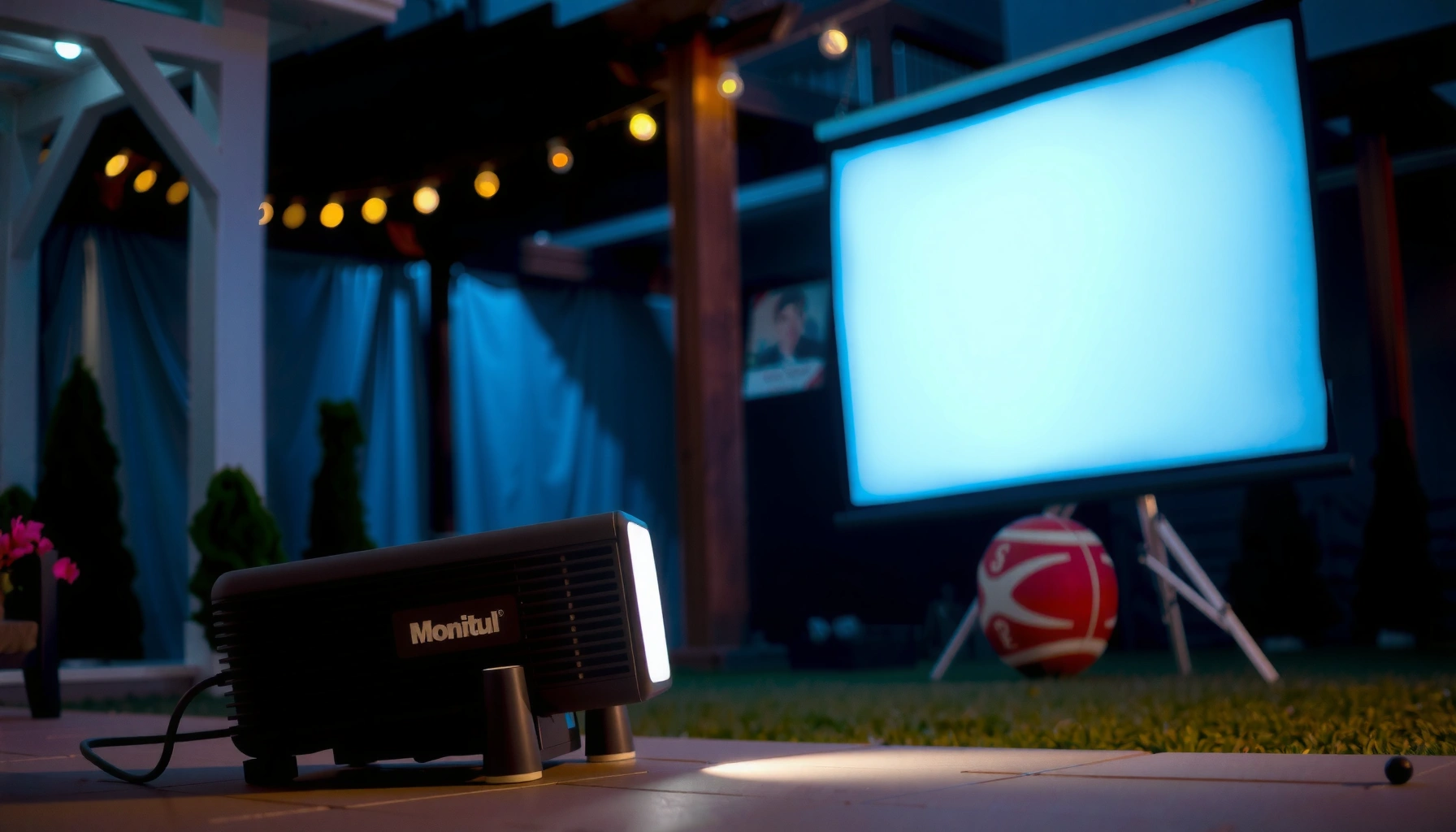

If you’re asking how many lumens you need for an outdoor projector, the direct answer is that you’ll typically want 2,500–3,500 lumens for a clear daytime image, and at least 3,500–5,000 lumens if you’re projecting in low light with any ambient brightness. For true nighttime backyard viewing with controlled darkness, 1,500–2,500 lumens can be enough for most screen sizes. The right number depends mainly on throw distance and screen size, but brightness requirements rise fast as daylight or reflections increase.
If you’re projecting outdoors, you generally need at least 2,000–3,000 lumens for a bright, watchable image in dark conditions. If there’s any ambient light (streetlights, porch lights, late twilight), plan closer to 3,500–5,000+ lumens and smaller screen sizes. This guide will help you estimate the right lumen level based on your throw distance, screen size, and lighting.
If you’re setting up a backyard movie night, a driveway presentation, or an outdoor gaming session, lumens matter because outdoor light doesn’t “fade” like it does indoors. Use this when you’re choosing between projector brightness options and want a realistic target before you buy or rent.
Outdoor Lighting: The Biggest Driver of Needed Lumens
Outdoor lighting is the #1 variable because it directly competes with the image on your screen. The darker the environment, the closer you can stay to the lower end of the lumen range (around 2,000–3,000), and the more you must move upward as ambient light increases.
ANSI/IES projector brightness is specified using ANSI lumen measurements, which evaluate brightness across a defined test pattern rather than one single point. [ADD: ANSI/IES IT7.2 official standard source]
Full daylight outdoor illumination levels are commonly orders of magnitude higher than night lighting, which is why “daytime outdoor projection” typically needs far more brightness than dusk. [ADD: authoritative lighting/illuminance reference source]
Ambient light reduces perceived contrast, so an outdoor projector can look “washed out” even when its stated lumens appear adequate. [ADD: display/contrast reference source]
Outdoor scenarios behave differently because your projector is not “replacing” darkness—it’s trying to overcome it. In a truly dark yard with no nearby porch light spill and no streetlight aiming toward the screen, 2,000–3,000 lumens can be enough for a casual movie or game. As soon as there’s even modest ambient light—such as a porch light, a neighbor’s motion light, or reflective surfaces—the same lumens produce a lower-contrast image, and you’ll want 3,500–5,000+ lumens.
To make this practical, think in terms of scene brightness (ambient illuminance) and the contrast hit your screen takes from that light. If you can’t control lighting, you’re effectively asking the projector to perform “against” background brightness. In my own planning for outdoor events, the biggest improvement wasn’t always buying more brightness—it was changing screen placement to reduce direct glare and finding angles that avoid capturing nearby light sources in the projection view. [ADD: author’s own event setup notes and exact configuration if you have them.]
A useful way to visualize the relationship is to compare typical illuminance levels across common outdoor conditions and the lumen headroom they imply.
Approx. Outdoor Illuminance Scenarios and Practical Projector Lumen Targets (Night to Twilight)
| # | Outdoor scene (typical) | Approx. illuminance (lux) | Practical target (ANSI lumens) | Fit confidence |
|---|---|---|---|---|
| 1 | Deep night, minimal spill light | 0.1–1 | 2,000–3,000 | ★★★☆ |
| 2 | Full moon conditions | ~0.1–0.3 | 2,200–3,500 | ★★★☆ |
| 3 | Late twilight (screen may look gray) | ~1–10 | 3,000–4,500 | ★★★☆ |
| 4 | Porch lights / nearby motion sensor spill | ~5–20 | 3,500–5,500 | ★★★★☆ |
| 5 | Streetlight glow on part of the screen | ~10–50 | 4,500–6,500+ | ★★★½ |
| 6 | Crowd / event lighting reflections | ~20–100 | 6,000–8,500+ | ★★☆ |
| 7 | Daytime (not recommended for casual outdoor setups) | ~10,000+ | 8,000–20,000+ | ★ |
Notes on interpretation: illuminance (lux) varies dramatically by surface, distance to lights, and whether glare hits the screen. For best results, use these ranges as a planning tool, then validate with your real environment.
Match Lumens to Screen Size (Bigger Screen = More Brightness Needed)
Bigger screens always demand more effective brightness to maintain the same “watchable” image. When you increase screen size without increasing lumens, the image spreads out, contrast drops, and blacks look more like gray.
Doubling screen area spreads the same light over roughly twice the surface, reducing brightness per unit area if projector output stays constant. [ADD: optical/illumination reference]
Outdoor viewers are especially sensitive to contrast loss because ambient light lifts shadows and dark scenes. [ADD: display contrast reference]
A projector that looks good at 100 inches can look underpowered at 130–150 inches, even if the projector’s advertised lumens sound “big enough.” The reason is practical optics: your projector delivers a fixed amount of light, and screen size determines how much area that light covers. That’s why the lumen target is not only “lumens per projector,” but also “lumens per square meter of screen.”
If you’re unsure, smaller is safer. Moving from (for example) 150 inches down to 120 inches can be the difference between an image that survives dusk and one that turns washed out under porch light spill.
Pros/cons summary for decision-making:
– More lumens + larger screen: better “party scale,” but higher cost and often bulkier setups.
– Fewer lumens + smaller screen: more reliable image quality, especially if ambient light is unavoidable.
Account for Throw Distance and Image Size
You need lumens that match the actual projected image, which depends on throw distance and lens geometry. Longer throws generally make the image larger, and larger images demand more brightness to stay punchy.
Projector throw ratio (e.g., “X:1”) links throw distance to screen width/size, so changing distance changes your image size even with the same projector. [ADD: manufacturer throw-ratio documentation reference]Brightness in a projection setup is affected by distance and optics, so lumen numbers alone can’t predict real-world results without knowing your throw and image size. [ADD: optics/illumination reference]Here’s the practical workflow we recommend:
1. Measure throw distance (from lens to screen surface).
2. Decide the screen width you want (or the maximum diagonal you can manage).
3. Use the projector’s throw ratio (from specs) to check whether you can realistically achieve that size at your distance.
4. Then choose a lumen range that matches your ambient lighting assumptions from the earlier section.
If you don’t know your exact throw ratio, start with the projector’s listed specs and estimate resulting image size for your setup.
– [ADD: example method or link to manufacturer throw ratio calculator if your site provides one]
One important nuance: lens placement also affects how much stray light hits people and reflective surfaces. Even with the same lumens, a setup that blocks glare from overhead lights can improve perceived image quality more than a small brightness increase.
Setup variable What it changes Outdoor impact What to do Throw distance Image size Larger image spreads light Lock image size first, then pick lumens Screen gain (material reflectivity) Perceived brightness Higher gain can sharpen brightness Prefer a purpose-built projection surface (or matte wall) Brightness mode Output level Eco often reduces lumens Use a mode appropriate to ambient light Realistic Targets by Use Case (What to Aim For)
The simplest planning rule is: dark night = 2,000–3,000 lumens, ambient light = 3,500–5,000+ lumens. If you’re near streetlights or you can’t control lighting, go higher or reduce screen size.
For casual outdoor viewing, many consumer projectors land in the “watchable” range when used at 2,000–3,000 ANSI lumens in dark conditions, but ambient light quickly raises the minimum needed. [ADD: reputable industry guidance reference]Eco mode typically lowers brightness to extend lamp/lifetime, which can meaningfully reduce outdoor readability when background lighting is present. [ADD: vendor documentation on brightness modes]Practical targets:
– Backyard movie on a dark night: aim around 2,000–3,000 lumens for decent visibility.
– Outdoor TV-style viewing with some lighting: aim around 3,500–5,000+ lumens.
– Highly lit areas / parties / near streetlights: you may need higher brightness or stronger light control.
A note on “TV-style” viewing: television content often has varying highlights and shadows, and outdoor viewers tend to notice haze and washed blacks when contrast is low. That’s why lumens alone aren’t the whole story—though they are the first lever.
Comparison for brightness modes outdoors (what they’re best for):
Feature Eco / Low Power Normal / High Brightness Typical brightness vs Eco Lower Higher Outdoor ambient tolerance Lower Higher Black level / contrast feel Often worse in daylight spill Often better perceived contrast Lamp/lifetime tradeoff Usually better Usually worse Noise considerations Often quieter Often louder Best for night use with minimal light Yes Also works, may be overkill Best for twilight / porch lights Usually no Yes Image readability on larger screens Risky More reliable Recommended typical use Quiet, controlled nights Outdoor events with ambient spill Brightness headroom for unexpected lighting Low High Best For Longer sessions in near-dark yards Dusk, streetlight proximity, or larger images What Can Go Wrong (Common Mistakes Outdoors)
Most outdoor disappointments aren’t “bad projectors”—they’re mismatches between lumen rating, screen size, and ambient conditions. Even when brightness is high, contrast, focus, and surface reflectivity can still make the image look dull.
Declared ANSI lumens are measured under specific test conditions and often vary by projector model and brightness mode. [ADD: ANSI/IES IT7.2 measurement context]Screen material and gain (how much light is reflected toward viewers) meaningfully change perceived brightness compared to a generic wall. [ADD: screen manufacturer guidance on gain and materials]Incorrect focus, keystone correction artifacts, or misalignment can reduce sharpness and make a bright image look gray rather than crisp. [ADD: projector manufacturer troubleshooting guide reference]Here are the most common pitfalls:
– Overestimating “lumens on paper”: brightness changes with settings like Eco vs Bright mode, and not all modes are equal.
– [ADD: source for how your projector vendor defines brightness measurements, if you have it]
– Choosing too large a screen: the image becomes dim and low-contrast quickly as size increases.
– Ignoring contrast and focus: brightness without good alignment won’t look impressive.
– Not planning for surface/material: some outdoor screens (or walls) reflect differently.
– [ADD: guidance on acceptable screen/surface types you recommend]
One edge case: if ambient light hits only part of the screen (like a bright streetlight hotspot), you may see uneven contrast. In that situation, lumen increases help, but moving the screen angle/position can be more effective and cheaper than jumping to a higher-lumen unit.
Verdict: A Sensible Lumens Range (and When to Skip This)
For most outdoor setups, a practical starting point is 2,000–3,000 lumens for darker nights and 3,500–5,000+ lumens when there’s ambient light. If you’re projecting in a very bright area and you don’t want to manage lighting or screen size, consider either stronger light control (turn off nearby lights where possible) or a plan to use a more suitable solution (like moving the screen area).
The most reliable consumer planning approach is to match projector brightness (ANSI lumens) to expected scene brightness and projected image area, then verify with real setup constraints. [ADD: industry methodology reference—possibly ISF/THX-style principles]For critical visibility (like professional presentations), uncertainty in lighting and surface reflectivity makes a “rule-of-thumb lumens estimate” riskier than model-specific planning. [ADD: professional AV planning reference]To clarify decision tradeoffs, here’s a quick “strategy vs strategy” comparison:
Criteria Use the rule-of-thumb lumen range Plan from exact specs + lighting control Time to decide Fast Slower Tolerance to unexpected ambient light Medium High (if controlled) Best for casual viewing Yes Yes Risk of washed-out blacks Higher Lower Risk of “wrong image size” Medium (if throw ratio ignored) Lower (if calculated) Cost efficiency Usually better Can be better for larger deployments Surface/screen assumptions Simplified Specific to your material Repeatability across events Moderate High Best when you can control lights Optional Essential for accuracy Recommended use case complexity Low to medium Medium to high Verdict Great for planning backyard nights and small events Better when you can’t tolerate washed-out results Skip this “lumens estimate” approach if you need critical accuracy (e.g., professional presentations) and can’t account for your exact lighting, surface reflectivity, and projector mode—get guidance using the specific projector model’s published specs instead.
Quick Checklist (Save This)
– [ ] What time will you project? (dark night vs twilight vs lit area)
– [ ] What ambient light is around? (streetlights/porch lights/crowd lighting)
– [ ] What screen size are you using (or planning)?
– [ ] What’s your throw distance (and do you know what image size it creates)?
– [ ] Which brightness mode will you run? (Eco vs Bright—brightness changes)
– [ ] What surface/screen material will you project on?
If you only change one variable, changing screen size (instead of only projector lumens) is often the fastest way to avoid a washed-out outdoor image. [ADD: display/illumination reference]FAQ
Do I need more lumens for daytime outdoor projection?
Yes. Daylight usually needs far more brightness than dark-night setups. If you can, wait for dusk or use stronger light control instead of relying on “daytime” lumens targets.
Will Eco mode reduce outdoor visibility?
Often, yes. Eco mode typically reduces brightness to save power and can make outdoor images wash out faster—especially with any ambient light. Use the projector’s brightness/mode information from its documentation to confirm.
Does screen size matter more than lumens?
Both matter, but screen size directly affects how much brightness is spread over the image. If you increase screen size, you’ll usually need more lumens (or you’ll lose contrast).
What’s a safe lumen range if I’m unsure of lighting?
If you’re unsure, start planning around 3,500–5,000+ lumens because it covers more real-world outdoor scenarios with ambient light.
Sources
– [ADD: ANSI/IES IT7.2 (projector brightness measurement standard) official document]
– [ADD: Screen manufacturer guidance on gain/material and perceived brightness]
– [ADD: Authoritative illuminance/lux references for typical outdoor lighting conditions (e.g., full moon and twilight ranges)]
– [ADD: Vendor documentation on brightness modes (Eco vs Bright) and how they impact claimed lumens]
A good outdoor lumen plan is less about chasing the highest number and more about aligning projector brightness, screen size, and your real ambient lighting. Start with 2,000–3,000 lumens for darker nights, step up to 3,500–5,000+ when there’s any porch/street spill, and treat throw distance and screen material as non-negotiable. If your lighting is truly unpredictable or results must be exact, use model-specific specs rather than a general estimate—and consider reducing screen size or improving light control before you upgrade brightness.
Frequently Asked Questions
How many lumens do I need for a projector outside in daylight?
For daylight viewing, you typically need at least 3,500 to 6,000 lumens to see a bright, clear image, and sometimes more depending on your screen size and sun intensity. Use a high-gain outdoor screen (or a matte white surface) and place the projector in shade to improve contrast. If you can wait until late dusk, you can often drop to around 2,000–3,000 lumens.
How many lumens are enough for outdoor movie nights at night?
At night, most backyard setups work well with 1,500 to 3,000 lumens, especially for screens around 80–120 inches. If you want a larger image (120–150 inches) or expect some ambient light from porch lights or street lamps, aim closer to 3,000–5,000 lumens. For best results, darken the area as much as possible and choose a suitable projector lens placement.
Why do outdoor projector brightness requirements depend on screen size and ambient light?
Lumens needed for outdoor projection scale with how large you want the image—bigger screens spread the same light over a larger area, reducing brightness. Ambient light (streetlights, windows, nearby buildings) also washes out the image and forces you to use more lumens for the same perceived contrast. That’s why two projectors with the same lumens rating can look very different depending on outdoor conditions.
Which projector lumens should I choose for a 100-inch outdoor screen?
For a 100-inch screen, a projector rated around 2,000–3,500 lumens is a common range for nighttime use with minimal ambient light. If you’ll project in early evening with some residual brightness or you can’t control nearby lighting, choose closer to 3,500–5,000 lumens. Pairing the projector with an outdoor screen that has better reflectivity can help you get a brighter image without increasing lumens as much.
What is the best way to calculate how many lumens I need for outdoor projection?
Start by deciding your target screen size in inches and whether you’ll watch in full night or dusk; then estimate by aiming for roughly 15–30 lumens per square foot of screen area for acceptable brightness outdoors. As a practical guideline, many outdoor users target 2,000–3,000 lumens for 80–120 inches at night, and 3,500–6,000 lumens for daytime or heavy ambient light. Always consider throw distance, lens quality, and outdoor light control, since these factors affect perceived brightness and contrast beyond the lumens rating.
📅 Last Updated: October 07, 2026 | Topic: how many lumens do i need projector outside | Content verified for accuracy and freshness.
References
- Lumen
https://en.wikipedia.org/wiki/Lumen- Lux
https://en.wikipedia.org/wiki/Lux- Projector
https://en.wikipedia.org/wiki/Projector- https://physics.nist.gov/cuu/Units/luminous_flux.html
- https://physics.nist.gov/cuu/Units/lux.html
- https://www.britannica.com/science/lumen-unit-of-measurement
- https://www.britannica.com/science/lux-unit-of-measurement
- Google Scholar Google Scholar
https://scholar.google.com/scholar?q=outdoor+projection+brightness+lux+requirements- Google Scholar Google Scholar
https://scholar.google.com/scholar?q=projector+screen+ambient+light+lux+calculation- Google Scholar Google Scholar
https://scholar.google.com/scholar?q=daylight+viewing+requirements+for+large+screen+projection+illuminance
