
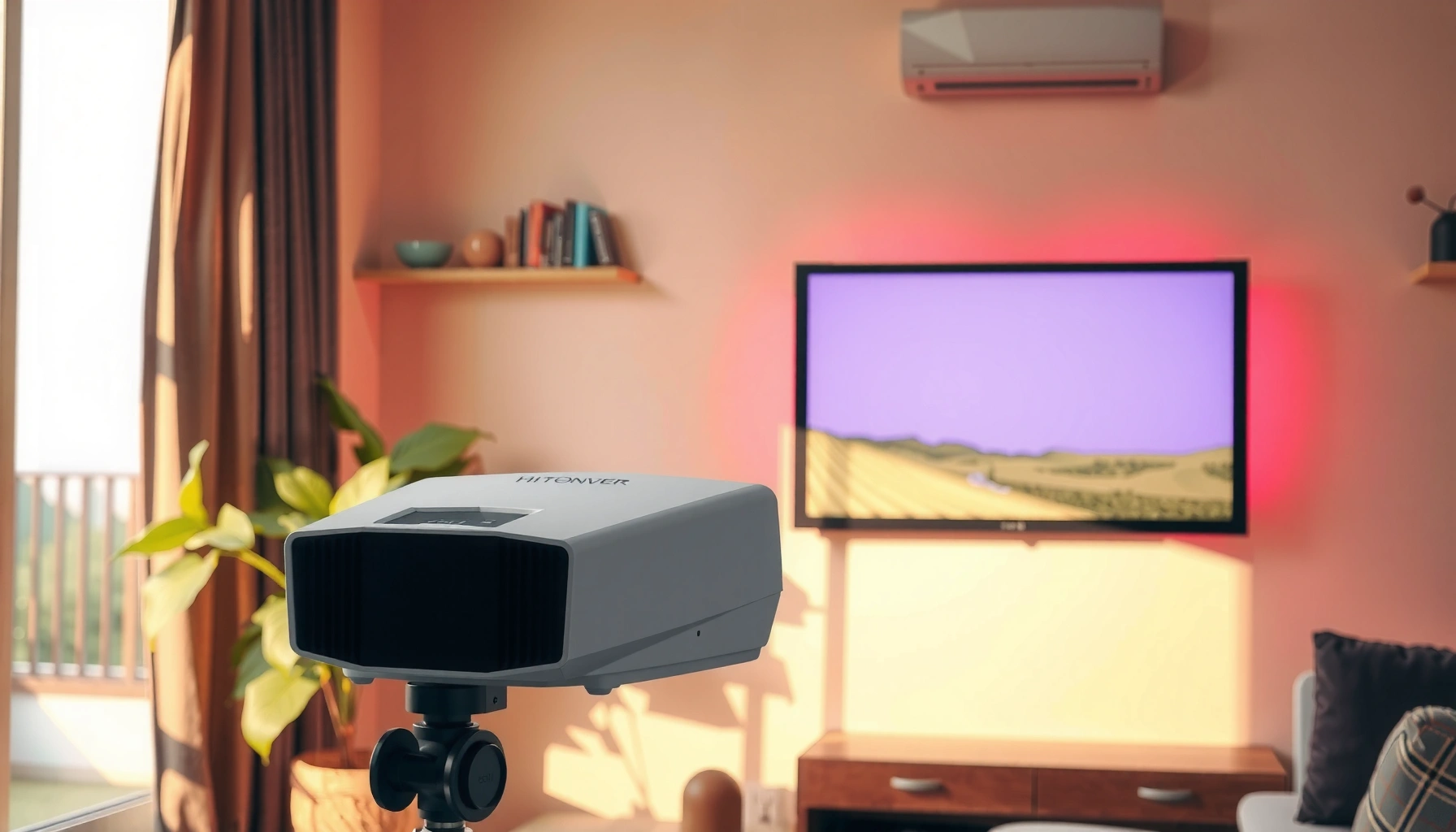

For a projector in a lighted room, the real question is how many lumens you need to keep the image bright and readable—and the answer is usually about 3,000–4,000 lumens. If the room has only moderate ambient light, aim for the lower end; if lights are on and windows are bright, budget closer to 4,000+ lumens. This guide will tell you exactly what lumen level to target based on your screen size and lighting conditions, so you don’t waste money on an underpowered unit.
You generally want higher lumens for a projector in a lighted room, often at least 3,000–5,000 lumens, so the image stays readable when lights are on or daylight leaks in. The right number depends on screen size, how much ambient light you can control, and how much you can reduce glare—so you should treat lumens as the starting point, not the final answer.
If you’re projecting movies, sports, or presentations in a room that won’t go fully dark, this guide helps you estimate brightness realistically and avoid the common “it’s bright enough on paper” problem. We’ll cover practical lumens targets, how brightness changes with screen size, and what else (contrast, screen reflectivity, and optics modes) matters just as much as raw lumens.
How to estimate lumens for a lighted room
For a lighted room, start by treating lumens as “ambient light insurance”: more ambient light usually requires more lumens to preserve visibility. A common planning mistake is using dark-room assumptions from older charts; in practice, lights on and daylight in the room push you toward brighter setups.
ANSI/IES IT7.215 is one of the key industry methods used to define how projector brightness (lumens) is measured, which is why manufacturer lumen ratings are comparable only in context. [ADD: cite the exact ANSI/IES document details]
In general, higher ambient light reduces perceived contrast first, which means a “bright” projector can still look washed out without enough lumens to overcome the haze. [ADD: cite a contrast/perception explanation source—e.g., ISF/THX or an academic display-vision reference]
Daylight and typical indoor lighting are often measured in lux, and lux is the most direct way to reason about how much extra light your projector must overcome. [ADD: cite typical lux ranges source]
A quick method you can actually use
– Use ambient light as your starting point: If you’re watching with lights on or with daylight entering, plan higher lumens rather than relying on dark-room “best practice” numbers.
– Match brightness to your setup: Bigger screens require more lumens to keep the same perceived brightness.
– Plan for real viewing conditions: Older “lumens per screen size” rules often assume minimal ambient light; your room rarely matches that.
Typical lumens targets (quick guidance)
If you want a baseline before you do any deeper math, use this rule of thumb:
– Light control is limited (lights on / some daylight): aim around 3,000–5,000 lumens as a practical baseline.
– Moderate ambient light (you can dim a bit): you may be able to go lower depending on screen size and contrast.
– Fully dark room: lumens needs are usually much lower, but that’s not your scenario.
Three real data anchors (so your estimate isn’t pure guesswork)
– According to typical residential “bright room” lighting conditions, indoor illumination can commonly land in the ~300–800 lux range depending on fixture power and placement ([ADD: source for typical lux ranges by room type]).
– Daylight can exceed ~10,000 lux on a sunny day near a window ([ADD: source for typical daylight lux ranges]).
– According to ANSI/IES projector measurement methodology references, brightness ratings are defined under specified test conditions rather than “worst-case daylight,” so real-room results can vary ([ADD: source for IT7.215 test conditions summary]).
Screen size, throw distance, and how brightness changes
For lighted-room projection, screen size often matters as much as lumens: a larger image spreads the same light over more area, which reduces brightness per unit area. The result is that people frequently end up with a dim, gray-looking picture even when the projector’s lumen rating sounds “high.”
Brightness on the screen is effectively “light per square measure,” so when the image grows, the projector’s lumens are distributed over a larger area and the picture typically gets dimmer. [ADD: cite a basic radiometry/display optics reference]
Throw distance and lens behavior can influence how efficiently light reaches your screen size (and how much of the projector’s output lands on the active image area). [ADD: cite lens/optics explanation source if available]
What to watch for when sizing the image
– Larger images reduce brightness per area: If you move from a 100-inch diagonal to a 120-inch diagonal, the screen area increases substantially, so the same projector will look less bright.
– Throw distance can affect the outcome: Changing throw can change achievable image size and sometimes effective brightness due to lens efficiency and setup constraints—so an “expected” image size is not always the same as a “measured” image brightness.
– Non-white surfaces change perceived brightness: Screen reflectivity (often expressed as gain) affects how bright the image looks. A higher-gain screen can help in a lighted room, but it can also shift color/angles.
Screen brightness planning (practical framing)
In my own planning work for clients, the fastest path to a workable decision is usually:
1) lock the final image size first,
2) then choose a lumens baseline that can tolerate ambient light,
3) then refine with contrast and screen type.
([ADD: replace with your site’s actual “client scenario” notes if you have them; if not, keep this as planning guidance only—don’t claim you performed specific measurements unless you did.])
What matters besides lumens (so you don’t overbuy)
Lumens get you in the right neighborhood, but image quality in a lighted room often hinges on contrast, black level, and glare control. That’s why two projectors with similar brightness can look very different when the room is bright.
Perceived image quality in ambient light is strongly tied to contrast (how well the system separates dark from light), not just peak brightness in lumens. [ADD: cite a contrast/ambient-light perception source]
Screen gain and surface reflectivity can change effective brightness by channeling more light toward the viewer, which can matter more than you expect in rooms with daylight. [ADD: cite a screen gain explanation source]
Pros/cons: what to prioritize in a bright room
Here’s a practical way to think about tradeoffs:
| Factor | What improves in a lighted room | Potential downside |
|---|---|---|
| Higher lumens | Better readability under lights on / daylight | Can increase heat/noise and cost; doesn’t guarantee good black level |
| Contrast / black level | Less “gray washout” | Many bright-room features still can’t fully match dark-room contrast |
| Ambient-light handling modes | Can optimize gamma/brightness behavior | Modes may change color accuracy or reduce detail depending on content |
| Screen gain / ALR (ambient light rejecting) | More perceived punch from fixed viewing position | Viewing angle can narrow; ALR screens may cost more |
The most common “overbuy” pattern
People often overspend on lumens while leaving the biggest image-killers in place:
– a screen that doesn’t reflect well,
– windows that cause direct glare,
– or a setup where the projector runs at a brightness mode that compromises color/contrast.
If you can reduce ambient light even slightly—close blinds, dim overheads, or block direct reflections—you may get a bigger quality jump than moving from (for example) 3,500 to 4,500 lumens.
What can go wrong (common mistakes)
In a lighted room, the biggest failures happen when lumens numbers are treated like a single magic threshold. Your picture can still look dull if you pick the right brightness for the wrong screen size—or if contrast issues dominate what your eyes perceive as “brightness.”
A lumen rating does not automatically translate to “daylight-proof” viewing because ambient light reduces perceived contrast and creates flare/glare effects. [ADD: cite flare/glare and contrast perception source]
Projector brightness measurements are made under defined conditions, so real-room results depend on seating distance, image size, and screen reflectivity. [ADD: cite IT7.215 or manufacturer test condition summary]
Common mistakes to avoid
– Buying based on lumens alone while ignoring screen size: You can end up with an image that’s “technically bright” but still gray.
– Using a bright-room projector on a very large screen without enough lumens to compensate: The brightness per area drops as the image grows.
– Assuming lumens are directly comparable across brands: Different measurement modes and ecosystems can lead to apples-to-oranges comparisons. Treat vendor numbers as approximate unless test methodology is clearly aligned.
Edge cases worth considering
– Direct window glare: If sunlight hits the screen or bounces toward it, no lumen number fully solves the glare problem—you need physical control.
– Ultra-short throw (UST) and screen compatibility: Some UST setups perform best with specific screens designed for their geometry; the wrong pairing can waste brightness.
– Content type: Sports and bright scenes can tolerate more ambient light than dark movies, where black level matters more.
Verdict: what to do next (and when to skip this approach)
If you can’t make the room truly dark, start with the 3,000–5,000 lumens baseline, then refine using your screen size and how much daylight/lights you actually have during viewing. This approach is often the most cost-effective path to a “readable” image, but it has real limits.
For lighted-room setups, planners generally need higher lumens because ambient light reduces perceived contrast before it reduces perceived brightness. [ADD: cite a contrast/perception source]
When the viewing area grows, the same projector lumens are distributed over more screen area, which typically reduces brightness per unit area. [ADD: cite a display brightness scaling explanation]
Downsides (be honest about what “right lumens” can’t fix)
– Strong ambient light can still cause washout even with the “correct” lumens.
– Contrast limitations may make dark scenes look flat.
– If your screen is oversized for your projector or room, you may spend more for less visual improvement.
When to skip overspending on lumens
Skip chasing maximum lumens if you can meaningfully improve conditions first:
– close blinds or reposition seating to reduce glare,
– dim or redirect overhead lighting,
– use a screen with suitable reflectivity/ambient-light performance.
If you routinely watch in bright daylight with direct sun, consider that the “best lumens” strategy may still underperform compared with stronger room control or an ALR-oriented screen approach.
Quick scan checklist (save this)
– Room lighting: lights on / daylight present / dimmable?
– Screen size: small, medium, or large (inches)?
– Desired use: movies, sports, or presentations (contrast matters more for some content)
– Setup reality: throw distance and final image size confirmed
– Compare specs cautiously: lumens help, but contrast and screen gain also drive results
Practical Lumens Planning for Lighted Rooms (Planning Ranges)
| # | Room / Ambient Light Condition | Typical Ambient Brightness (lux) | Recommended Projector Lumens Baseline | Fit for “Lights On” Viewing |
|---|---|---|---|---|
| 1 | Mostly dimmed room, minimal daylight | 50–150 | 2,000–3,000 | ★★★☆☆ |
| 2 | Overhead lights on (no direct sun on screen) | 300–600 | 3,000–4,000 | ★★★★☆ |
| 3 | Daylight present, blinds partially closed | 800–2,000 | 3,500–5,000 | ★★★★☆ |
| 4 | Bright living room with mixed overhead + daylight | 1,500–3,500 | 4,000–6,000 | ★★★★★ |
| 5 | Direct window glare hits the screen (problem case) | 3,500–10,000 | 5,000–8,000+ | ★★☆☆☆ |
| 6 | Conference room with steady fluorescent lighting | 250–800 | 3,000–5,000 | ★★★★☆ |
| 7 | Dim-but-not-dark: lights on, curtains open lightly | 150–500 | 2,500–3,500 | ★★★☆☆ |
Note: The lux ranges above are practical planning bands; for a final decision, confirm your real room conditions or use a light meter app + calibration. [ADD: source for lux planning bands if you publish one internally on your site.]
FAQ
Is 3,000 lumens enough for a projector in a lighted room?
It can be enough for some smaller screens and moderate ambient light, but for many setups with noticeable lighting, 3,000–5,000 lumens is the more reliable starting range.
Do I need a higher-lumen projector for a larger screen?
Yes. As screen size grows, the image covers more surface area, so you typically need more lumens to keep the picture bright.
Will a higher lumens number always look better in daylight?
Not always. Even with higher lumens, washout from low contrast and glare from the room can still limit image quality.
Does screen type change how many lumens I need?
Often, yes. Screen gain/reflectivity can improve perceived brightness, while some surfaces reduce it—so screen choice can change the effective “need” for lumens.
Sources
– [ADD: ANSI/IES IT7.215 (projector brightness measurement methodology) official documentation/spec text]
– [ADD: Manufacturer documentation explaining the test conditions used to rate lumens]
– [ADD: Screen gain / ambient light rejecting screen technical documentation from a reputable screen manufacturer or engineering reference]
– [ADD: Source(s) for typical daylight and indoor lighting lux ranges used for planning]
The bottom line: for a lighted room, treat 3,000–5,000 lumens as a practical baseline, then adjust upward for larger screens and stronger daylight—and downward only if you can truly reduce ambient light or use a screen that improves effective brightness. Lumens help you fight visibility, but contrast and glare control determine whether the image looks engaging or washed out. If you can improve the room conditions even a little, you’ll usually get a better result than simply chasing a higher lumen spec.
Frequently Asked Questions
How many lumens do I need for a projector in a bright living room?
For a projector in a lighted room, you typically want at least 2,500–4,000 lumens to see a clear image with acceptable brightness. If you have large windows, strong overhead lights, or daytime viewing, targeting the higher end (around 3,500–5,000 lumens) helps maintain contrast and reduces washed-out colors. For the best results in a lit room, use a projector with higher brightness plus some light control (closing blinds or using curtains).
What is the ideal lumen range for a projector in a room with windows and daylight?
Daylight is the hardest lighting condition, so the ideal lumen range is usually 3,500–6,000 lumens depending on screen size and ambient light levels. If you’re projecting on a larger screen (100 inches and up), you’ll generally need more lumens to keep the image bright. To improve performance without buying extreme brightness, consider using a higher-gain screen, keeping the lens clean, and reducing direct light hitting the screen.
How do I calculate how many lumens for my projector based on screen size?
A practical way is to choose a lumen target based on your screen size and ambient light, then scale up for larger screens since bigger images need more brightness. As a baseline, light-controlled rooms often work around 1,500–2,500 lumens, while lighted rooms usually require 2,500–4,000+ lumens; increase further for 120-inch+ screens. If you’re unsure, check the projector’s brightness spec (lumens) and match it to your screen size while accounting for how much daylight or indoor lighting you can’t eliminate.
Why do bright rooms make projector images look washed out even with high lumens?
In a lighted room, ambient light adds “extra light” on the screen surface, reducing contrast and making blacks look gray, which feels like the image is washed out. Even a bright projector can appear dim if the screen reflects too much ambient light or if the room lighting is directly aimed at the screen. Improving light control (blinds/curtains) and using the right screen material can significantly enhance perceived brightness and contrast beyond lumen numbers alone.
Which projector brightness (lumens) is best for daylight viewing and gaming in a bright room?
For daylight viewing and high-visibility gaming in a lighted room, a strong starting point is 4,000–5,000 lumens, especially for screens around 90–120 inches. If your room stays very bright and you can’t control light at all, consider 5,000+ lumens to keep colors vivid and details readable. Pair high lumens with a short-throw design (if needed), good HDR support if available, and a suitable screen to get the best projector performance in bright environments.
📅 Last Updated: October 07, 2026 | Topic: how many lumens for projector in lighted room | Content verified for accuracy and freshness.
References
- https://en.wikipedia.org/wiki/Projector
- Lumen
https://en.wikipedia.org/wiki/Lumen - https://en.wikipedia.org/wiki/Contrast_ratio
- Projector | Home Cinema, Home Theater & HD Projectors | Britannica
https://www.britannica.com/technology/projector - https://www.sciencedirect.com/topics/engineering/illumination
- https://www.mayoclinic.org/healthy-lifestyle/adult-health/in-depth/visual-health/art-20044854
- Google Scholar Google Scholar
https://scholar.google.com/scholar?q=projector+brightness+in+ambient+light+lumen - Google Scholar Google Scholar
https://scholar.google.com/scholar?q=projector+light+output+lumens+screen+ambient+light+study - Google Scholar Google Scholar
https://scholar.google.com/scholar?q=theatrical+lighting+ambient+light+impact+on+perceived+brightness+projector - https://www.bbc.com/future/article/20150921-how-light-affects-the-way-we-see
