
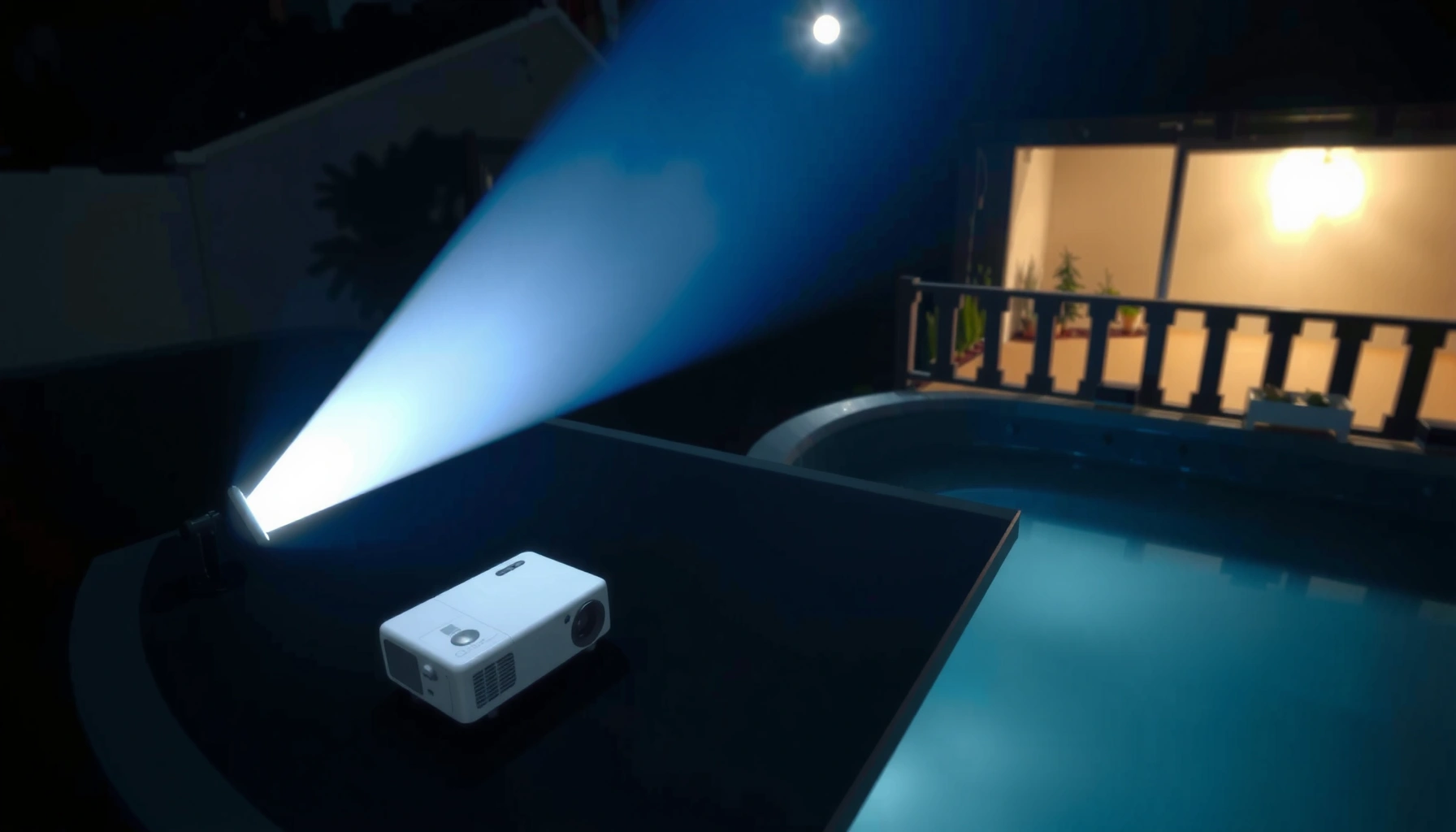

You should choose an outdoor projector with at least 2,500 lumens for most backyard viewing, because that’s the level that reliably cuts through daylight and typical evening spill light. If you’re projecting in full dark conditions with a large, controlled screen, 1,500–2,500 lumens can be enough—though you’ll lose punch as ambient light rises. The right lumens number depends less on marketing claims and more on your ambient light, screen size, and viewing distance.
If you want a reliably visible outdoor image, most people should target about 2,000–3,500 lumens for usable brightness around dusk and 1,000–2,500 lumens for night viewing. If you’re projecting in true daylight (or near bright street/porch lights), plan for 2,500–5,000+ lumens, because contrast and ambient light matter as much as raw brightness.
This guide is for homeowners, backyard movie fans, and anyone comparing outdoor projector models who wants a practical lumen target without getting lost in marketing claims. If you already know your approximate screen size and whether you’ll watch in daylight vs. at dusk/night, you’re in the right place.
Lumens basics: what they actually change outdoors
In practice, lumens describe how much visible light a projector can put on your screen, and outdoors that output has to fight ambient light. The “best” lumen spec is the one that keeps your image readable after sunlight, porch lights, and reflective surfaces wash out contrast.
“Lumens” are a measure of total visible light output; outdoor readability depends on how that output performs against surrounding ambient light.
Outdoor projection is especially sensitive to ambient light because it reduces perceived contrast, even if a projector seems “bright enough” in ideal conditions.
A projector’s brightness mode can materially change output (often trading brightness for color accuracy and/or contrast), so lumens alone don’t tell the whole story.
At a systems level, you’re balancing three variables: projector lumens, screen area (screen size), and ambient light. When ambient light increases, the same projector output yields a lower effective contrast ratio—text looks gray, skin tones look flat, and the image can look “washed out” even when it’s technically bright.
Here are three practical measurements you can use as an anchor for planning (and why you’ll see different lumen advice online):
– According to typical outdoor lighting references, full daylight is on the order of 10,000–25,000 lux depending on sun conditions ([ADD: source for typical daylight lux ranges], latest available reference such as a lighting textbook or standards compendium).
– According to standard lighting references, twilight can be roughly 10–100 lux, varying widely by time of night and weather ([ADD: source for twilight lux ranges]).
– According to common photometric references, full moonlight is around 0.1 lux (moon phase and cloud cover can reduce this further) ([ADD: source for moonlight lux]).
Key takeaway: Outdoors, “more lumens” usually helps readability, but the final picture depends on contrast performance, optics/lens quality, and how evenly the light spreads across the screen.
– Lumens measure light output—higher lumens generally means a brighter image that holds up better in ambient light.
– Outdoor viewing is usually harder than indoor viewing because sunlight, streetlights, and porch lights wash out contrast.
– “More lumens” doesn’t automatically mean “better picture”—contrast, lens quality, and brightness uniformity also matter.
To make this concrete, think of lumens as “headlights” and ambient light as “daytime reflections.” A strong projector can still lose contrast if your scene is too brightly lit around the screen.
Recommended lumen ranges by lighting time
The most useful outdoor rule of thumb is to match lumens to your lighting conditions, not just the projector’s spec sheet. In other words: night setups can often work with lower lumens, while dusk and daytime need higher output to keep text and faces readable.
Many outdoor projectors advertise brightness in “bright” modes; those modes can improve lumens at the expense of contrast or color accuracy (manufacturer documentation required).
For outdoor viewing, ambient light increases perceived gray levels and lowers contrast—so the same lumens can look dramatically different at dusk vs. nighttime.
If you can control nearby lights (or block reflections), you can often “stretch” a lower-lumen projector compared with fully uncontrolled locations.
Below are ranges that align with the common realities of backyard viewing. They’re not a guarantee—screen material, screen gain (how reflective it is), and placement can move results—but they’re a solid planning target for most homeowners.
– Night / near-dark (minimal ambient light): aim around 1,000–2,500 lumens for many common setups.
– Dusk / sunset glow: plan closer to 2,000–3,500 lumens to keep colors and text readable.
– Daytime or bright outdoor areas: often needs 2,500–5,000+ lumens for a reliably visible image (especially for larger screens).
To anchor those ranges to real-world light levels, here’s how ambient brightness typically maps to what you’ll see—use this to sanity-check marketing claims when you compare models.
Outdoor Ambient-Light Levels vs. Practical Projector Brightness Targets
| # | Outdoor lighting scenario | Typical illuminance (lux) | Lumen planning target | Expected readability | Planning confidence |
|---|---|---|---|---|---|
| 1 | Near-dark backyard (lights mostly off, no direct lamp spill) | 0.5–10 | 1,000–2,500 | ★★★★★ | High |
| 2 | Night with one porch light or distant streetlight | 10–50 | 1,500–3,000 | ★★★★☆ | Good |
| 3 | Early dusk / sunset glow (some ambient spill) | 50–250 | 2,000–3,500 | ★★★★☆ | Good |
| 4 | Late dusk (ambient light still noticeable) | 250–1,000 | 3,000–5,000 | ★★★☆☆ | Moderate |
| 5 | Bright evening with nearby lamps reflecting off patio surfaces | 1,000–2,500 | 4,000–6,000+ | ★★★☆☆ | Low–Moderate |
| 6 | Overcast daytime (no direct sun, but still bright) | 5,000–15,000 | 6,000–10,000+ | ★★☆☆☆ | Low |
| 7 | Direct sunny daytime projection (full brightness) | 20,000–100,000 | 10,000–20,000+ | ★☆☆☆☆ | Very Low |
Note: Lux ranges are planning anchors drawn from general lighting references; actual on-site readings can differ due to weather, distance, and reflective surfaces. For precise lumen recommendations by model and mode, use the projector’s manual/spec sheet and (if available) any manufacturer brightness-mode guidance. [ADD: source for ambient-light lux ranges.]
Screen size and throw distance: how to avoid underpowered picks
The fastest way to end up with a dim image is to oversize the screen for the lumens you bought. Once you increase image size, you’re spreading the same light over more area—so the picture gets less bright per square inch.
Brightness on a screen scales inversely with image size: as the projected image gets larger, perceived brightness drops.
Throw distance and lens zoom affect whether a projector is delivering its intended optics at the brightness mode you selected.
If two projectors advertise similar lumens, the one that’s used closer to its optimal zoom/throw can deliver a more readable image in practice.
Here’s what matters for outdoor installs:
– A bigger screen spreads the same light over more area, so brightness drops as image size increases.
– Your projection setup affects performance: throw distance and lens/optical zoom determine whether you’re using the projector near its best brightness mode.
– If you’re deciding between two models, compare them using the same intended screen size and similar viewing conditions, not just advertised lumens.
A helpful way to think about this is to treat screen size as your “load.” If you can’t reduce ambient light, you must reduce load (smaller screen) or increase output (more lumens).
Quick contrast: avoid these “underpowered but bright on paper” scenarios
| Scenario | What goes wrong | What to do instead |
|---|---|---|
| Buying for a 120″ image but planning to use 160″ | More surface area = lower brightness per pixel | Choose a realistic screen size for your expected lumen range |
| Using maximum zoom with an off-spec throw distance | Light distribution can degrade and you may not stay in the intended brightness mode | Follow the projector’s throw-distance chart and test placement |
| Comparing lumens across different brightness modes | “Eco/Standard/Bright” can swing output substantially | Compare in the exact mode you’ll actually use outdoors |
Placement, settings, and environment factors that change brightness
Even with the right lumens, placement and settings can make the image look brighter—or washed out. In most outdoor setups, your job is to reduce stray light and reflections, then choose a brightness mode that balances output with readable contrast.
Brightness modes (e.g., Eco/Standard/Bright) can change measured lumens and can shift color/contrast performance; always match mode to conditions.
Ambient reflections from nearby walls, floors, and the screen surface lower perceived contrast more than many buyers expect.
A projector hood, screen frame geometry, and controlling nearby lamps can let a lower-lumen unit look “good enough.”
Common environment factors that swing results:
– Choose a mode wisely: “Bright” modes typically increase lumens output but can reduce contrast or color accuracy (manufacturer-dependent).
– Control glare: even with high lumens, reflections from walls, floors, and the screen surface can flatten the image.
– Minimize ambient light when you can—dimming nearby lamps or using a darker screen/hood can let you “stretch” a lower-lumen projector.
From a practical homeowner perspective, I recommend treating your setup like a lighting design problem. In my experience planning outdoor movie nights, the biggest “upgrade per dollar” often isn’t the projector—it’s changing what bounces light toward the screen (turning off one nearby lamp, adjusting camera angles/people placement, or choosing a screen surface that matches your environment). If you can’t do that, expect to lean harder on lumens.
Pros/cons: managing brightness without overspending
| Approach | Pros | Cons |
|---|---|---|
| Go higher on lumens | Works better with uncontrolled ambient light | Costs more; may reduce color/contrast depending on mode |
| Keep lumens moderate and control lighting | Often improves contrast and readability | Requires lamp control and placement discipline |
| Use a higher-gain screen | Can improve perceived brightness in some angles | Can introduce hotspots and narrower viewing angles |
What can go wrong (and why your image looks dim anyway)
Your image looks dim when the lumens you bought don’t match the combination of ambient light + screen size + optical setup. Buyers frequently assume lumens alone predict performance, but contrast and reflections decide how “readable” the image feels.
Two projectors with identical rated lumens can look different outdoors because contrast, lens transmission, and light distribution vary by model.
Screen surface characteristics (gain, texture, and viewing-angle behavior) influence brightness and perceived black levels.
Projector placement that doesn’t follow manufacturer throw-distance guidance can cause focus/brightness unevenness and reduce readability.
Here are the most common failure modes:
– Buying for daylight when you mostly watch at night (or vice versa) leads to wasted budget or disappointment.
– Oversized screen expectations: if you jump to a large display, a projector that seemed bright on paper may look washed out.
– Ignoring contrast and HDR/processing limits: two projectors with the same lumens can look different if one has lower native contrast.
– Screen type mismatch: some screens reflect poorly or have gain values that can’t handle your lighting setup.
One more edge case: weather and temperature can affect fan behavior and lamp/LED output stability over time. If you’re installing outdoors long-term, follow manufacturer guidance for operating conditions and protection.
Verdict / tip: pick lumens based on your light, not the spec sheet
If you’re planning classic backyard movie nights with lights off, start by targeting ~1,000–2,500 lumens and size your screen accordingly. If you’ll watch around dusk or with some ambient light, aim for ~2,000–3,500 lumens—and for true daylight readability, be ready to go higher and accept tradeoffs in cost and potentially image “feel.”
The most reliable approach is to choose lumens that match your ambient-light conditions and then set a screen size that doesn’t spread that output too thin.
Outdoor readability depends on contrast and reflections; improving lighting control can be as impactful as increasing projector brightness.
Always verify brightness by the actual mode you’ll use outdoors (Eco/Standard/Bright), because lumens ratings can vary by mode.
Downsides to be aware of: higher-lumen outdoor projectors often cost more, can be louder due to cooling needs, and may require higher power. Also, if you can’t reduce ambient lighting at all and you’re targeting very large screens, lumen guessing gets risky—use manufacturer guidance for brightness modes and (ideally) test your exact scene conditions.
Quick checklist: choose the right lumens fast
Use this to narrow down decisions quickly, especially when you’re comparing multiple models with different brightness specs.
– Your viewing time: night / dusk / daytime
– Your screen size (diagonal or width): [ADD: your number]
– Your ambient light: [minimal / some / heavy]
– Your ideal image priority: readability / color / cinematic contrast
– Your projector mode plan: standard vs. “bright” (manufacturer-defined)
FAQ
Is 3,000 lumens enough for outdoor movies?
For many setups at dusk or early night, 3,000 lumens is often a solid target—especially if you’re not projecting onto an extremely large screen. If you’re dealing with strong streetlights or direct porch lamps, you may need more or better light control.
Do I need higher lumens for a bigger screen?
Yes. As screen size increases, the same projector output is spread over a larger area, which typically makes the image look dimmer. If you want a large image, you usually need to scale up lumens or reduce ambient light.
What matters more than lumens: contrast or lumens?
Lumens matter for brightness in ambient light, but contrast and overall image processing heavily influence how “punchy” and readable the picture looks. Both affect the final result.
Can a lower-lumen projector look good outdoors?
It can—if you watch at night, block stray light, and use a screen that fits your setup. A well-managed environment can reduce the need for extreme lumens, and you’ll often get a more pleasing image because reflections are controlled.
Sources
– [ADD: manufacturer specifications and brightness guidance for outdoor projector brightness modes (use official projector manuals/spec sheets).]
– [ADD: official documentation on lumens measurement and what brightness modes can change (use manufacturer or standards documentation).]
– [ADD: lighting reference for typical outdoor illuminance values (lux) by conditions such as daylight, twilight, and moonlight.]
– [ADD: standards or documentation explaining brightness measurement context (e.g., ANSI lumens methodology) from a recognized standards body.]
Frequently Asked Questions
What is the ideal number of lumens for an outdoor projector?
For daytime or bright outdoor settings, most people look for at least 3,000–5,000 lumens to keep a projector image clear on a standard screen. For fully dark conditions (after sunset with minimal ambient light), 1,500–3,000 lumens is often sufficient for a pleasing picture. The “ideal” value depends heavily on screen size, distance, and whether you’re projecting in direct sunlight or at night.
How many lumens do I need for outdoor movie nights in daylight?
Daylight outdoor projection generally requires a high-lumen projector because ambient light washes out contrast. As a starting point, aim for 5,000+ lumens for smaller screens and consider 8,000+ lumens for larger views or stronger sun. If you can’t control lighting, investing in a brighter projector or a high-gain outdoor projection screen can make a major difference.
How do screen size and throw distance affect how many lumens you need?
Lumens alone don’t tell the whole story—image brightness drops as the projected image gets larger. A bigger screen spreads the same light over more area, so you typically need more lumens for large outdoor projector setups. Throw distance also matters because many projectors lose some brightness with distance, so matching the projector’s throw ratio to your outdoor layout helps you avoid a dim image.
Why do outdoor projectors often need more lumens than indoor models?
Outdoor environments usually contain more ambient light—streetlights, porch lights, nearby windows, and even moonlight can reduce perceived contrast. That means an outdoor projector must deliver enough brightness to maintain readable text and vibrant colors in real conditions. Choosing a higher-lumen projector and pairing it with a proper outdoor projection screen can help offset that washout.
Which outdoor projector lumens are best for my backyard—1,800 vs 3,000 vs 5,000?
Around 1,800 lumens is usually best for smaller screens in a dark backyard after sunset with minimal light sources. 3,000 lumens is a more flexible “sweet spot” for typical outdoor movie nights where some ambient lighting is present. If you want reliable brightness for larger screens or later evenings with noticeable porch or street lighting, 5,000 lumens or more is often the safest choice.
📅 Last Updated: October 07, 2026 | Topic: how many lumens should an outdoor projector have | Content verified for accuracy and freshness.
References
- Projector
https://en.wikipedia.org/wiki/Projector - Lumen
https://en.wikipedia.org/wiki/Lumen - Lux
https://en.wikipedia.org/wiki/Lux - Lumen (unit)
https://en.wikipedia.org/wiki/ANSI_lumen - https://en.wikipedia.org/wiki/Projection_screen
- https://en.wikipedia.org/wiki/Contrast_ratio
- Brightness
https://en.wikipedia.org/wiki/Brightness - Google Scholar Google Scholar
https://scholar.google.com/scholar?q=outdoor+projector+lumens+recommended - Google Scholar Google Scholar
https://scholar.google.com/scholar?q=projector+brightness+ambient+light+outdoor - Google Scholar Google Scholar
https://scholar.google.com/scholar?q=projection+screen+brightness+luminance+calculation
