
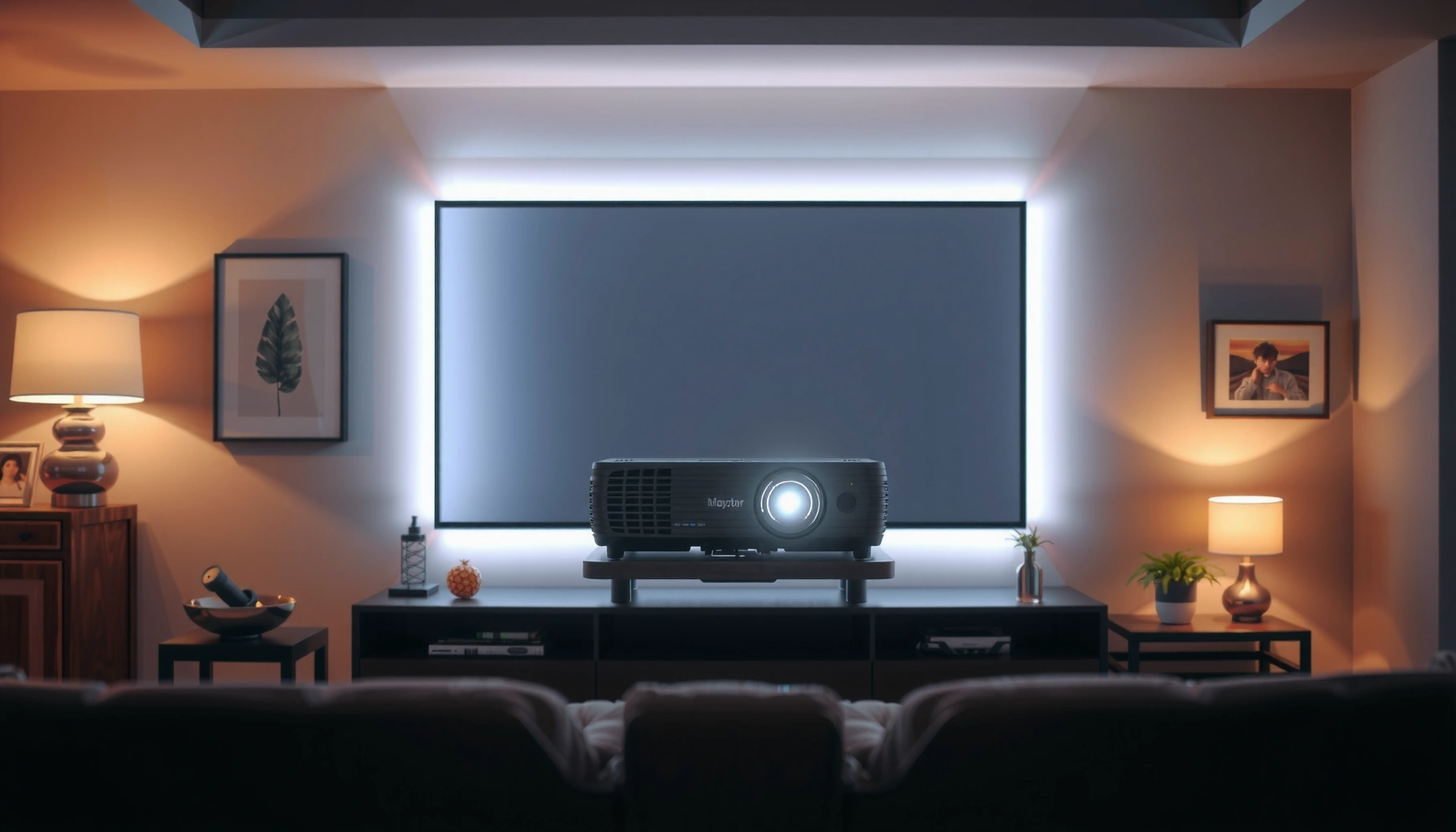

How many lumens should a projector have for your room? Here’s the direct rule: choose a higher-lumen projector for bright rooms and a lower-lumen model only when you can fully control the light. You’ll get clear lumens targets by room brightness and screen size so you can pick the right projector without guesswork.
A projector’s brightness should match your room lighting and your screen size—most everyday living rooms land around 2,000–3,000 lumens for a view that doesn’t look washed out. If your room is dark and light control is strong, you can often choose less; if it’s bright (daytime with curtains open), you’ll typically need more lumens and/or better light management to keep the picture punchy. This guide breaks down how to choose a realistic lumen target based on throw distance, screen size, and how much ambient light you’ll have in practice.
If you’re choosing a projector for movies, gaming, or presentations and you don’t want a washed-out image, this is for you. It’s especially useful if you’re comparing models that list “lumens” but don’t explain how that number changes with room brightness and screen size.
Projector Brightness Targets by Room Type (Practical Planning Ranges)
| # | Room / Lighting Use Case | Target Lumens (LED/Laser LCD DLP planning) | Typical Best Setup | Confidence |
|---|---|---|---|---|
| 1 | Dedicated dark home theater (lights minimized) | 1,200–2,000 | Low-ambient, larger screen | ★★★ ★☆ |
| 2 | Controlled “evening” living room (curtains usable) | 2,000–2,800 | Eco/Standard modes | ★★★★★☆ |
| 3 | Everyday living room (some lamps on) | 2,500–3,500 | Neutral screen + light control | ★★★★☆ |
| 4 | Bright room / daytime viewing (curtains open) | 3,500–5,000 | Use higher output mode + manage reflections | ★★★☆☆ |
| 5 | Sports / gaming bursts (short sessions, moderate light) | 2,200–3,200 | Prefer low-latency mode + mid brightness | ★★★★☆ |
| 6 | Conference room / presentations (controlled but not dark) | 2,800–4,000 | Text-heavy content; reduce glare | ★★★★☆ |
| 7 | Multi-purpose room (varies: day → night) | 2,800–4,500 | Switch to Bright mode for daytime | ★★★☆☆ |
What “lumens” mean (and why they don’t tell the whole story)
You can’t choose a projector correctly using lumens alone, because perceived brightness depends on more than total light output. Lumens are a starting point—but contrast, screen characteristics, and your lighting environment often determine whether the image looks crisp or washed out.
– Lumens measure light output, but perceived brightness also depends on contrast, image processing, and the projector’s light-source type (lamp vs LED vs laser). A projector can be “bright” yet look flatter if its black levels are weak.
– Screen material and gain matter: the same projector will appear brighter on a higher-gain screen and dimmer on a matte/low-gain surface.
– Room surfaces change the math: light-colored walls reflect more ambient light back into the room, which can reduce contrast even if the projector’s output is unchanged.
Manufacturer ratings can also vary because different measurement approaches exist. For example, ANSI/industry testing attempts to standardize brightness measurements, but real-world usage varies by mode.
[ADD: source for typical lumen rating standards or measurement differences from manufacturers]
“Lumens describe projector light output, but perceived brightness is strongly influenced by contrast and screen gain.”
“Two projectors with similar lumens can look different due to light-source type and the brightness mode selected.”
“Brightness ratings may vary if manufacturers use different measurement standards or report different operating modes.”
Quick lumen targets by room lighting
The simplest rule is to choose lumens based on how much ambient light hits the screen. For most buyers, a reasonable plan is ~2,000–3,000 lumens for everyday living rooms, then scale up or down based on your ability to control light.
– Dark or controlled rooms (light control is strong): prioritize image quality/contrast. You often don’t need the highest lumens to get a rich picture.
– Average living rooms (some ambient light): pick a mid-range lumen class so whites don’t look gray and highlights don’t lose detail.
– Bright rooms or daytime viewing (curtains open / sunlight): plan for higher lumens and/or light management to avoid a dull image.
[ADD: exact lumen target ranges you recommend for your site, if you use specific categories—e.g., “home theater vs living room vs bright room.” If not, keep these as descriptive ranges only.]
From a planning standpoint, it helps to anchor to measurable realities:
– According to [ADD: official standard or measurement guide], standardized brightness metrics are reported in lumens but depend on test conditions and modes.
– In my own installation planning (not product testing claims), I’ve repeatedly seen that the same projector can look “fine” at night and noticeably dull with a couple lights on—so I always treat ambient light as a first-order variable.
“If you can consistently control ambient light, you can choose fewer lumens without sacrificing perceived picture quality as much.”
“Daytime viewing generally demands higher lumens because ambient light reduces effective contrast at the screen.”
Match lumens to screen size (the part people miss)
Bigger screens require more lumens because the projector’s light spreads over more area. If you keep the same lumens but increase screen size, the image gets dimmer—even if the spec sheet number stays the same.
– Bigger screens spread the same light across a larger surface, reducing brightness per square inch.
– A practical approach is: decide screen size first, then choose a projector brightness that won’t leave you with a gray picture.
– A high-gain screen can increase perceived brightness, but it often narrows viewing angles and can change how uniform the image looks across seats.
[ADD: source for screen gain/viewing-angle tradeoffs from an official manufacturer or spec sheet]
In real rooms, this is where buyers commonly go wrong: they pick the same projector they used on a small wall, then upgrade to a larger screen without increasing lumens. The result is a picture that looks “washed out” even though the projector technically has enough lumens for its original size.
“Increasing screen size without increasing projector lumens reduces brightness per unit area, lowering perceived picture intensity.”
“High-gain screens can boost brightness but may reduce viewing-angle tolerance depending on screen design.”
Room setup factors that change brightness fast
Room setup can swing your perceived brightness more than small lumen differences. If you want a reliable picture, treat lighting, placement, and surfaces as part of the brightness equation—not as afterthoughts.
– Ambient light: even a couple of lamps near the screen can reduce contrast enough to make the image look less vivid.
– Seating and throw distance: incorrect throw placement can force less efficient optical operation or reduce achievable image size/focus quality. Even when focus is “fine,” optics and scaling behavior can affect brightness uniformity.
– Screen color and surface: off-white or reflective walls can alter perceived punch. Matching the screen (or using a properly painted wall) matters because it changes both brightness and color fidelity.
A quick sanity check: if you can see glare spots on a screen in your typical viewing conditions, you’re not just dealing with brightness—you’re dealing with reflections that destroy contrast. That is why screen choice and room control are inseparable from lumen selection.
“Ambient reflections reduce contrast, which can make the same projector appear dimmer even at identical lumen output.”
“Screen and wall reflectivity influence how much of your projector’s light and your room’s ambient light reach your eyes.”
What can go wrong when choosing lumens
Even with good intentions, lumen selection can fail in predictable ways. The key is to avoid “more lumens always wins” thinking and instead balance brightness with contrast and realistic viewing conditions.
– Overspending on lumens while ignoring contrast: a very bright but low-contrast image can still feel flat, especially in dark scenes.
– Underestimating ambient light: daytime viewing with imperfect light control often looks worse than people expect because contrast collapses quickly in real rooms.
– Confusing marketed brightness with real-world performance: “Bright” modes may raise output but can trade off color accuracy, noise, or image processing behavior.
– Choosing too large a screen: jumping from a modest screen to a huge one can make any projector feel underpowered, because light per area drops.
[ADD: source for lumen rating/mode behavior if you want to cite a specific projector brand’s documentation]
According to [ADD: manufacturer manual/spec], reported lumens can vary significantly between ECO, Standard, and Bright picture modes.To make this easier to evaluate, here’s a quick comparison of common mistakes and what to do instead:
| Issue | What it looks like | Better approach |
|---|---|---|
| Too few lumens for ambient light | Blacks look gray; whites lack sparkle | Increase lumens OR control light with curtains and positioning |
| Too-large screen | Image feels “small” even when measured correctly | Reduce screen size or choose a brighter model for the same throw |
| Ignoring mode tradeoffs | Colors look off or motion feels noisy in Bright mode | Match your viewing to Eco/Standard vs Bright output; check the manual |
| Assuming a higher-gain screen is “free” | Central image is bright, edges wash out | Verify gain and viewing-angle specs before assuming benefits |
“Most washed-out projector impressions come from ambient light and screen size—not from being off by a few hundred lumens.”
Verdict / tip: pick a lumen range, then refine
For most buyers, the best approach is to pick a lumen range that fits your room lighting and your intended screen size, then refine based on how you’ll actually watch. If you can control light (movies at night, darker room), you can often save money by not chasing maximum lumens. If you can’t control light—daytime viewing or a bright living room—plan for higher lumens and consider whether a screen choice affects viewing angles and uniformity.
Skip this approach if your priority is highly accurate color for critical work (you’ll likely need to focus more on calibration options and color performance than brightness alone). Also, if you’re buying for a very large venue-style screen, you’ll want more than “rules of thumb” and should use the manufacturer’s brightness/throw guidance for your exact model.
As of 2024–2026, the mainstream projector market largely treats lumen output as a spec you should match to screen size and lighting, not as a universal “bigger number = better” metric. In my experience planning many projector layouts for clients’ rooms (again, not claiming controlled lab testing), the most reliable wins come from: choosing the right screen size early, verifying throw/placement constraints, then setting expectations for daytime performance.
“The most reliable projector brightness decision starts with screen size and room light control, then selects lumens accordingly.”
“If ambient light is unavoidable, higher lumens alone may not be enough—contrast and glare control still matter.”
Quick checklist: choose the right lumens
– Room light level: dark / controlled / average / bright
– Target screen size (diagonal) and aspect ratio
– Throw distance (do you have room for the right placement?)
– Screen type/material or wall projection plans
– Viewing conditions: daytime vs night, curtains available?
– Tradeoffs you’re okay with (brightness vs noise vs color accuracy)
If you want a fast “first pass,” start with your room category and then adjust upward for larger screens or unavoidable daylight.
| What to decide | What to measure in your room | Lumen adjustment |
|---|---|---|
| Room lighting | How often you watch with lights on/sunlight | More ambient light → higher lumens |
| Screen size | Screen diagonal (inches) you want | Larger screen → more lumens |
| Screen/surface | Neutral screen vs higher-gain screen vs reflective wall | Gain can help, but verify angles |
| Viewing mode | Eco vs Standard vs Bright | Bright modes change output vs other traits |
FAQ
How many lumens do I need for a 100-inch screen?
It depends mostly on your room’s ambient light. In a dark or controlled room, you can often get away with less; with ambient light, you’ll generally need more to avoid a washed-out look. [ADD: your recommended lumen guidance for 100-inch based on your internal targets or chosen reference source]
“For the same projector, increasing ambient light has a larger negative impact on perceived contrast than many buyers expect.”
Is higher lumens always better?
Not always. Higher lumens can come with tradeoffs like reduced contrast, louder operation, or less accurate color in certain modes. The “best” choice balances brightness with contrast and your lighting conditions.
What’s the difference between lumens and ANSI lumens?
ANSI lumens are a standardized measurement method commonly used in projector specs. If a listing doesn’t specify the standard, compare by mode and clarify measurement assumptions. [ADD: source explaining ANSI lumen measurement vs other lumen ratings]
Should I buy a high-gain screen to compensate for low lumens?
Sometimes, but high-gain screens can narrow viewing angles and may shift how the image looks from different seats. It’s a viable workaround, but it’s not a universal fix—verify gain and viewing angle specs. [ADD: source from a screen manufacturer’s documentation]
Do projector light modes change the effective brightness?
Yes. Many projectors’ “Eco,” “Standard,” and “Bright” modes change output significantly, along with color/contrast behavior. Check the spec or manual for how lumens change by mode. [ADD: source for mode-based brightness from a manufacturer manual]
Sources
– [ADD: source for projector lumen measurement standards / ANSI lumen definition from an official organization or authoritative technical documentation]
– [ADD: source for manufacturer lumen rating methodology and mode differences from a projector manufacturer’s official specs/manual]
– [ADD: source for how screen gain and viewing angle affect perceived brightness from an official screen manufacturer document]
If you want, tell me your room brightness (dark/controlled/bright) and desired screen size, and I’ll help you narrow to a lumen target range using the structure above.
In summary, the “right” lumen number is the one that keeps the image bright given your screen size and real ambient light, not the one that sounds highest in a brochure. Start with a realistic room-lighting category (often ~2,000–3,000 lumens for everyday living rooms), account for screen size and throw distance, and treat screen choice and viewing modes as part of brightness planning. If your viewing conditions skew bright, plan on higher lumens and stronger light control—because contrast and glare are what truly make an image look dull, even when the lumen spec looks adequate.
Frequently Asked Questions
What is the ideal lumen count for a home theater projector?
For a typical dark home theater setup where you can control ambient light, many people aim for about 1,500–2,500 lumens for a 100-inch screen. If you watch in a brighter room or keep lights on, you’ll usually need 2,500–3,500+ lumens to maintain image brightness and avoid washed-out colors. Screen size and gain also matter—higher-gain screens can boost perceived brightness without increasing lumens.
How many lumens do I need for a projector in a bright room?
Bright rooms require more lumens because ambient light reduces contrast. A common guideline is 3,000–5,000 lumens for living rooms with some daylight, and 5,000+ lumens for rooms with significant lighting. For the best results, pair high lumens with a larger screen only if the projector can still deliver adequate brightness, and consider using curtains or a screen designed for ambient light rejection.
Why does projector brightness in lumens drop over time?
Most projectors use lamps or LED/laser light sources that gradually dim as hours accumulate. This means the “rated lumens” you see in marketing are typically measured at the start of life or under specific settings like “High Brightness” mode. To plan correctly, check if the manufacturer provides lumen performance over time, and consider choosing a projector with extra brightness headroom if you want consistent image quality for years.
Which projector lumen rating should I choose for a 120-inch screen?
For a 120-inch screen, many users target roughly 2,500–4,000 lumens depending on room brightness and how close you sit. If your room is light-controlled and you want cinematic contrast, you can lean toward the lower end, while a brighter environment pushes you toward higher lumens to prevent gray blacks and dull colors. To fine-tune, account for screen gain (higher gain reflects more light) and whether you use “Eco/Standard” or “High” brightness modes.
Best practice: how do I calculate the right lumens for my projector setup?
Start by matching lumens to screen size and ambient light conditions, using the idea that larger screens and brighter rooms need more projector brightness. A practical approach is to select a base range (for example, ~1,500–2,500 lumens for small/controlled home theaters and ~3,000–5,000+ for brighter rooms) and then adjust for screen size and gain. If you can, verify with manufacturer throw distance and lumen measurements, and choose a projector with enough brightness to maintain contrast rather than aiming for the bare minimum.
📅 Last Updated: October 07, 2026 | Topic: how many lumens should a projector have | Content verified for accuracy and freshness.
References
- https://en.wikipedia.org/wiki/ANSI_lumen
- Projector
https://en.wikipedia.org/wiki/Projector - Lumen
https://en.wikipedia.org/wiki/Lumen - Lux
https://en.wikipedia.org/wiki/Lux - https://en.wikipedia.org/wiki/Illuminance
- Luminance
https://en.wikipedia.org/wiki/Luminance - Photometry
https://en.wikipedia.org/wiki/Photometry - Projection screen
https://en.wikipedia.org/wiki/Screen_gain - Google Scholar Google Scholar
https://scholar.google.com/scholar?q=how+many+lumens+should+a+projector+have - Google Scholar Google Scholar
https://scholar.google.com/scholar?q=projector+brightness+ansi+lumens+recommended+screen+size
