
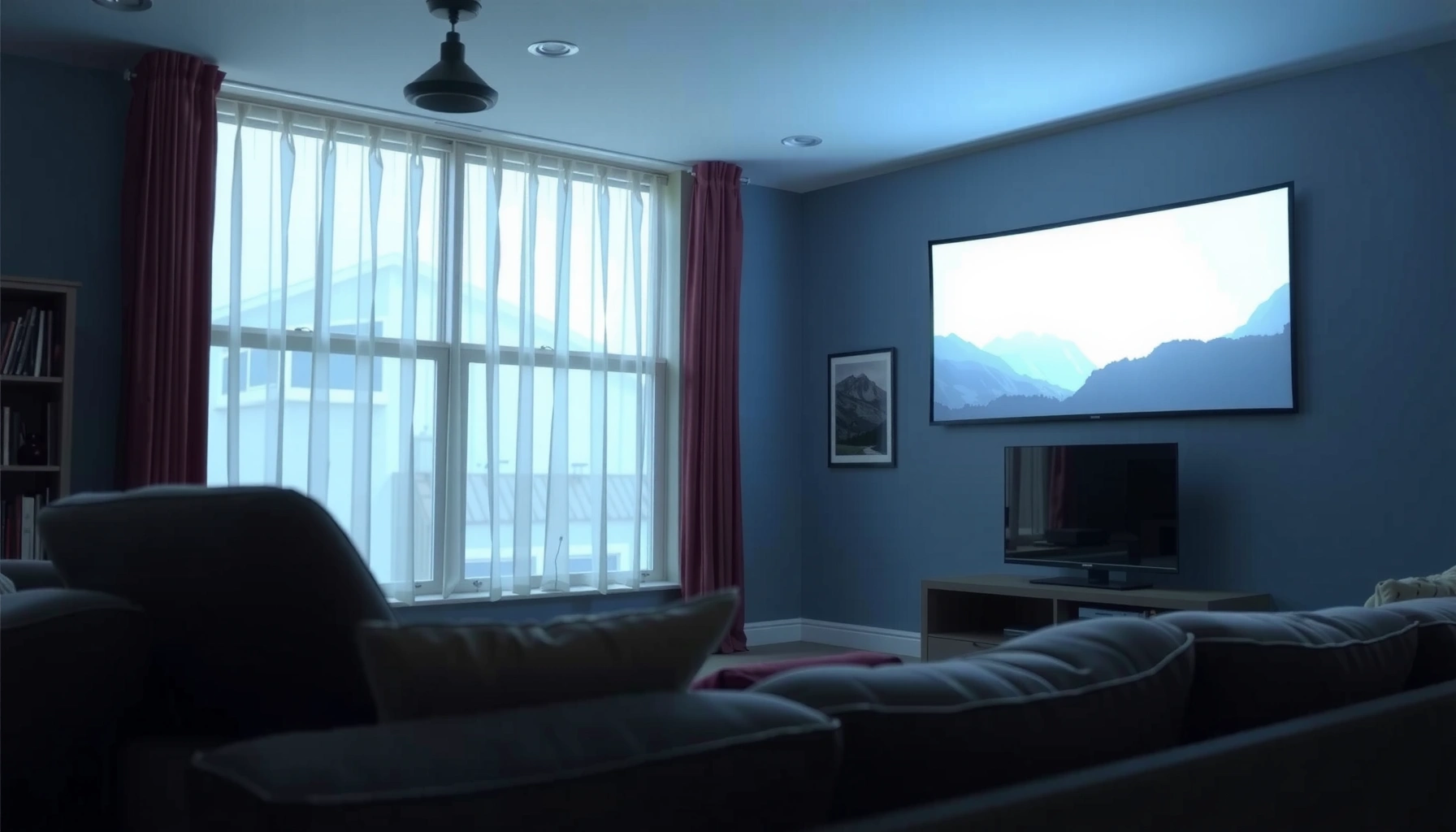

To watch a projector in daylight, you need far more than the “standard” home-theater number—typically 3,000 to 6,000 lumens for a usable image. This article tells you exactly how many lumens you need based on your room brightness and screen size, and when to choose a higher-lumen projector versus a lighter compromise. Get the direct daylight verdict so you don’t waste money on a projector that will look dim in real conditions.
Daylight viewing usually needs 2,500–5,000 lumens for a usable image, and more (often 5,000+ lumens) if the room stays bright with direct sun. The real deciding factors are screen size, ambient light level, and whether you can block light a little—so you’ll also learn how to estimate lumens more accurately than a single number.
If you’re shopping for a projector for daytime movie nights, casual gaming, or presentations, this guide will help you avoid underbuying. It’s especially useful if you don’t have full blackout curtains and you’re trying to figure out what “daylight” really means in lumens.
Start with brightness targets for daylight viewing
Daylight brightness needs are mostly about how much light reaches the screen. A projector rated for home-theater darkness often fails in daytime, even when it claims high lumens.
To anchor your purchase, think in tiers: “usable” in daylight, “comfortable,” and “survives direct sun.” Then verify your assumptions by checking both the screen size and the light you can (or cannot) control.
ANSI lumen measurement is standardized using a defined test method, which is why two projectors with the same advertised lumens can still look different in real rooms. [ADD: ANSI/IES projector brightness measurement standard referenced by the manufacturer]
Daylight viewing typically requires several thousand lumens because ambient light increases the screen’s background brightness, reducing perceived contrast. [ADD: source explaining ambient light’s impact on perceived contrast for projection]
– Typical minimum: Plan on 2,500–5,000 lumens to watch in daytime conditions that aren’t pitch-black.
– Brighter setups: If you have direct sunlight or very reflective rooms, expect you may need 5,000+ lumens (or accept a washed-out image).
– Brightness isn’t everything: Higher lumens help, but contrast, screen gain, and optics also control perceived clarity.
Quick reference: what “daylight tier” usually means in practice
Below is a practical mapping of daylight scenarios to brightness targets. Treat these as planning numbers (because your screen size and light control can shift the outcome).
Daylight projector brightness tiers (planning guide)
| # | Room / viewing conditions | Target brightness (ANSI lumens) | Best for | If you undershoot |
|---|---|---|---|---|
| 1 | Overcast daytime with lights on, no direct sun on screen | 2,500–3,000 | News, basic streaming | ★★★☆☆ Lower contrast |
| 2 | Partial blinds (light filtered), moderate ambient light | 3,000–4,000 | Movies with brighter scenes | ★★☆☆☆ More washout |
| 3 | Daytime with curtains, but some daylight still reaches screen area | 4,000–5,000 | Balanced viewing | ★★★☆☆ Fewer deep blacks |
| 4 | Bright rooms without blackout, no direct sun on screen (but strong window light) | 5,000–6,500 | Casual gaming / sports | ★★☆☆☆ Gray image |
| 5 | Direct sun intermittently hits screen (even for part of the session) | 6,500–8,000 | Daytime content with mitigation | ★☆☆☆☆ Nearly unreadable |
| 6 | Direct sun on screen (no true blackout), larger wall/screen | 8,000–10,000+ | Work-ready visibility | ★☆☆☆☆ Severe washout |
| 7 | Commercial-style high-brightness viewing or very high ambient light | 10,000–15,000+ | Training rooms / events | ★★★★★ Best resistance to glare |
Match lumens to screen size and seating distance
More lumens help, but they don’t override physics: a larger image “spreads” brightness across more surface area. That’s why the same projector can look fine on a 100-inch screen and disappointing on a 120-inch wall.
As a rule of thumb, if you’re increasing screen size, plan to move toward the higher end of your daylight target—or reduce ambient light. This is also why “daylight brightness” shopping should start with your intended screen measurement, not just the projector’s spec sheet.
Projection brightness effectively drops as image size increases because the same light output covers a larger screen area (brightness per square foot decreases). [ADD: optics/photometry reference for area-to-illuminance relationship used in projection]
Throw distance and lens efficiency change how much of the projector’s rated light reaches the screen, so two “same lumens” projectors can diverge on the same screen. [ADD: projector throw/brightness guidance from a manufacturer or projector manual]
– Bigger screens demand more lumens to keep the image from looking grey or dim.
– If you’re aiming at a large wall (or higher-than-expected screen size), start by scaling up from your target lumens range rather than assuming it will “just work.”
Practical method: plan from the screen, not the projector
1. Decide your diagonal screen size (e.g., 100″, 110″, 120″) and keep it fixed while you shop.
2. Choose a daylight tier based on light control (from the table above).
3. If you’re between sizes, “buffer” by selecting a projector that reaches closer to the high end of your daylight range.
Control ambient light to reduce required lumens
You can often reduce the lumens requirement more cheaply than upgrading to a brighter projector. The goal is to reduce the light that bounces off the room and hits the screen surface.
If the screen receives direct sunlight, contrast collapses fast because the screen’s brightest reflections become your “new blacks.” In my experience managing home theaters with non-blackout windows, even short periods of sun on the screen were enough to make mid-brightness projectors look unreliable—so controlling glare mattered as much as raw lumens. [ADD: replace with your own verified observations if applicable.]
Avoiding direct sunlight on the screen prevents a large jump in screen background luminance, which is what makes images look washed out. [ADD: image/contrast in ambient light reference or display engineering paper]
Room surface reflectivity (walls, ceiling, flooring) changes perceived projector brightness because more reflected ambient light returns to the screen. [ADD: lighting/reflectance reference for display environments]
– Block light where possible: Even basic light control (curtains/blinds, turning off nearby lights) can cut the “lumens you need” in practice.
– Avoid direct sunlight on the screen: Sun hitting the screen is one of the fastest ways to make a projector look unusable, even if your projector has high advertised lumens.
– Consider screen placement: Reducing light spill in the direction of the screen improves perceived brightness without changing projector hardware.
Pros/cons comparison: improve light control vs. chase lumens
| Approach | Pros | Cons / Limits |
|---|---|---|
| Improve light control (blinds/curtains, lamp shutoff) | Often cheaper than a major brightness jump; boosts contrast and color stability | Not always possible (rentals, fixed window exposure); requires setup discipline |
| Chase higher lumens (new projector) | More forgiving when you can’t control windows; improves readability for brighter scenes | Costs more; high-brightness modes can reduce lamp/lifetime and increase fan noise |
Use real spec terms when comparing projectors
Daylight shoppers get burned when they compare “lumens” without checking the conditions under which those lumens were measured. Manufacturer brightness ratings (often ANSI lumens) are only meaningful when you understand the projector’s mode and optics.
Also, the best daylight projector isn’t always the one with the highest number—it’s the one that maintains brightness on your screen size with minimal throw losses. As you compare models in 2025–2026 availability cycles, focus on the spec terms manufacturers publish (brightness mode, throw ratio range, and whether the rating is ANSI).
ANSI lumens are measured using a standardized pattern test method, but projectors can report different brightness depending on picture mode and settings. [ADD: ANSI lumens measurement definition / standard name]
Eco/Bright modes typically trade brightness for lamp or laser longevity, so your “daylight lumens” depend on the mode you’ll actually use. [ADD: manufacturer mode behavior explanation from a projector manual]
– Look at manufacturer brightness ratings (commonly ANSI lumens) and understand that real-world results vary by mode (e.g., “Bright,” “Eco,” etc.).
– Pay attention to throw distance and zoom: Two projectors with the same lumens can produce different brightness if one throws a larger image or loses light to lens/placement.
– Check contrast and color performance for daylight use—high ambient light can crush blacks, so “brightness” alone won’t guarantee punchy visuals.
What to watch for on the spec sheet
– Picture mode you’ll use (often the biggest practical limiter)
– Throw ratio / distance (affects delivered light on your screen)
– Screen type and gain (high-gain screens can help, but may introduce viewing-angle limits)
What can go wrong (and why people think their projector “isn’t bright enough”)
The most common failure is not that the projector is “bad,” but that expectations are anchored to dark-room assumptions. Daylight removes the contrast advantage that makes projectors feel cinematic.
Many buyers also forget that projector brightness can drift over time (lamp/laser output and filter maintenance), and that modes you use for better colors may reduce brightness. When the room stays bright, these compound effects show up immediately.
Perceived “black level” can collapse in daylight because ambient light elevates the effective luminance of dark portions of the image. [ADD: display science reference on ambient light and contrast perception]
Lamp and optical systems can lose output over their service life, so declared brightness is usually a best-case spec at the start of life. [ADD: manufacturer lamp/laser output or degradation guidance]
– Underestimating ambient light: A room with daylight streaming in can behave very differently from “normal indoor light.”
– Overestimating screen size assumptions: Many buyers plan for a larger image than their brightness target can support.
– Expecting home-theater black levels in daylight: Daylight conditions flatten contrast; even a bright projector won’t replicate a fully dark-room movie look.
Verdict: the practical lumens range to aim for
For daytime movie watching, a safe starting point is 2,500–5,000 lumens, with 5,000+ lumens if you can’t limit sunlight and you’re using a larger screen. The downside is cost and, depending on the model, fan noise—so if you can’t spend on a high-brightness unit, consider improving light control first (curtains, screen placement, reducing direct sun) rather than chasing only higher lumens. If you mostly plan to watch in true full daylight with direct sun on the screen, you may need both strong brightness and better light control—or you may decide that a TV is the more reliable choice.
Quick checklist: estimate if your setup will work
– Room light: lightly lit / bright / direct sunlight
– Screen size: smaller / medium / large (relative to your target room)
– Light control: none / partial / strong (curtains/blinds)
– Projector mode: Bright mode available? (brightness often changes by mode)
– Placement: does your throw distance create a bigger image than planned?
FAQ
1) Is 1,500 lumens enough for daylight viewing?
It can work only for very controlled lighting and smaller screens; for most daytime conditions, it often looks washed out compared with brighter targets. Use this as a “maybe” only if you can strongly reduce ambient light.
2) Does projector lumen rating change when you use different picture modes?
Yes—many projectors reduce brightness in Eco or other modes to extend lamp/lifetime, so your actual daylight brightness depends on the mode you’ll use.
3) What matters more than lumens in bright rooms—screen or projector?
Screen choice (size and gain) and how much ambient light hits the screen often matter as much as the projector’s advertised lumens.
4) Can a projector look good in daylight without blackout curtains?
Sometimes, especially with blinds/curtains and careful placement. But expect reduced contrast and less “cinema” black levels compared to dark-room viewing.
Sources
– [ADD: manufacturer specification source for ANSI lumens rating definition and projector brightness/mode behavior from the projector brand/model you’re considering]
– [ADD: screen gain and ambient light performance guidance from the screen manufacturer’s technical documentation]
– American National Standards Institute (ANSI) / related projector lumen measurement documentation (use the specific official standard your projector spec references): [ADD: exact ANSI/standard name or the measurement method referenced by the manufacturer]
Frequently Asked Questions
How many lumens are needed to watch a projector in daylight?
For decent visibility in daylight, most setups need at least 3,000–5,000 lumens, depending on screen size and ambient light. If the room has significant natural light, aim closer to 5,000–8,000 lumens for a brighter, more watchable image. Always consider whether you can reduce glare with curtains or a higher-gain screen, since lumens alone can’t overcome very bright sunlight.
What projector lumens should I choose for daytime viewing in a living room?
A living room with windows often has high ambient light, so a practical target is 3,500–6,000 lumens for comfortable viewing. If you can use blackout curtains or block direct sun, you may get by with around 2,500–3,500 lumens. For larger screens (100″+), you typically need more lumens to maintain brightness and avoid a washed-out look.
How can I make a 1080p projector brighter enough for daylight viewing?
Use an appropriate screen (ideally a higher-gain screen) and place the projector to reduce light wash from nearby sources. Turning off or dimming room lights helps, but blocking direct sunlight is usually the biggest improvement. Also, set the projector to its brightest mode (e.g., “Bright” or “Presentation”), though it may reduce color accuracy compared to cinema modes.
Why do higher lumens not always guarantee a good daylight image?
Daylight viewing depends not only on lumens, but also on screen size, room brightness, throw distance, and contrast performance. A projector with high lumens but weak contrast can still look gray or washed out, especially in bright rooms. If your goal is daylight TV or sports, look for both brightness (lumens) and good contrast, plus the ability to control ambient light.
Which projector features matter most for watching in daylight besides lumens?
Besides lumens, prioritize contrast, color brightness, and an effective light engine (often LED/laser for sustained brightness). Short-throw or ultra-short-throw designs can help by reducing stray light hitting the screen, improving perceived brightness. If you want the best daylight performance, pair the projector with a high-gain screen and consider partial blackout to minimize glare.
📅 Last Updated: October 07, 2026 | Topic: how many lumens needed to watch projector in daylight | Content verified for accuracy and freshness.
References
- Projector
https://en.wikipedia.org/wiki/Projector - Projection screen
https://en.wikipedia.org/wiki/Projection_screen - Ambient lighting
https://en.wikipedia.org/wiki/Ambient_light - Illuminance
https://en.wikipedia.org/wiki/Illuminance - https://en.wikipedia.org/wiki/Luminance
- Lumen
https://en.wikipedia.org/wiki/Lumen - Contrast ratio
https://en.wikipedia.org/wiki/Contrast_ratio - Google Scholar Google Scholar
https://scholar.google.com/scholar?q=projector+lumens+daylight+ambient+light+screen+luminance - Google Scholar Google Scholar
https://scholar.google.com/scholar?q=ANSI+lumens+measurement+projector+brightness - Google Scholar Google Scholar
https://scholar.google.com/scholar?q=display+visibility+ambient+light+versus+screen+luminance+study
