

Learn how to calculate the best size TV for your room with a simple distance-first rule and the right screen size range for your viewing angle. You’ll get a clear recommendation based on your seat distance, room layout, and whether you’re using 4K or not. By the end, you’ll know the exact TV size that fits your space—no guesswork, no overspending on “bigger is better.”
The best TV size for your room comes down to your viewing distance—measure it from seated eye level to the TV’s screen, then match that distance to a sensible screen-size range. This approach beats showroom guesswork because it’s based on how much of the display you can comfortably see within a recommended viewing angle.
If you’re shopping for a new TV (or moving one) and want to stop guessing, this guide is for you. The method works for most living rooms and bedrooms, especially when store display lighting and viewing angles would otherwise mislead you.
Measure Your Viewing Distance (The Starting Point)
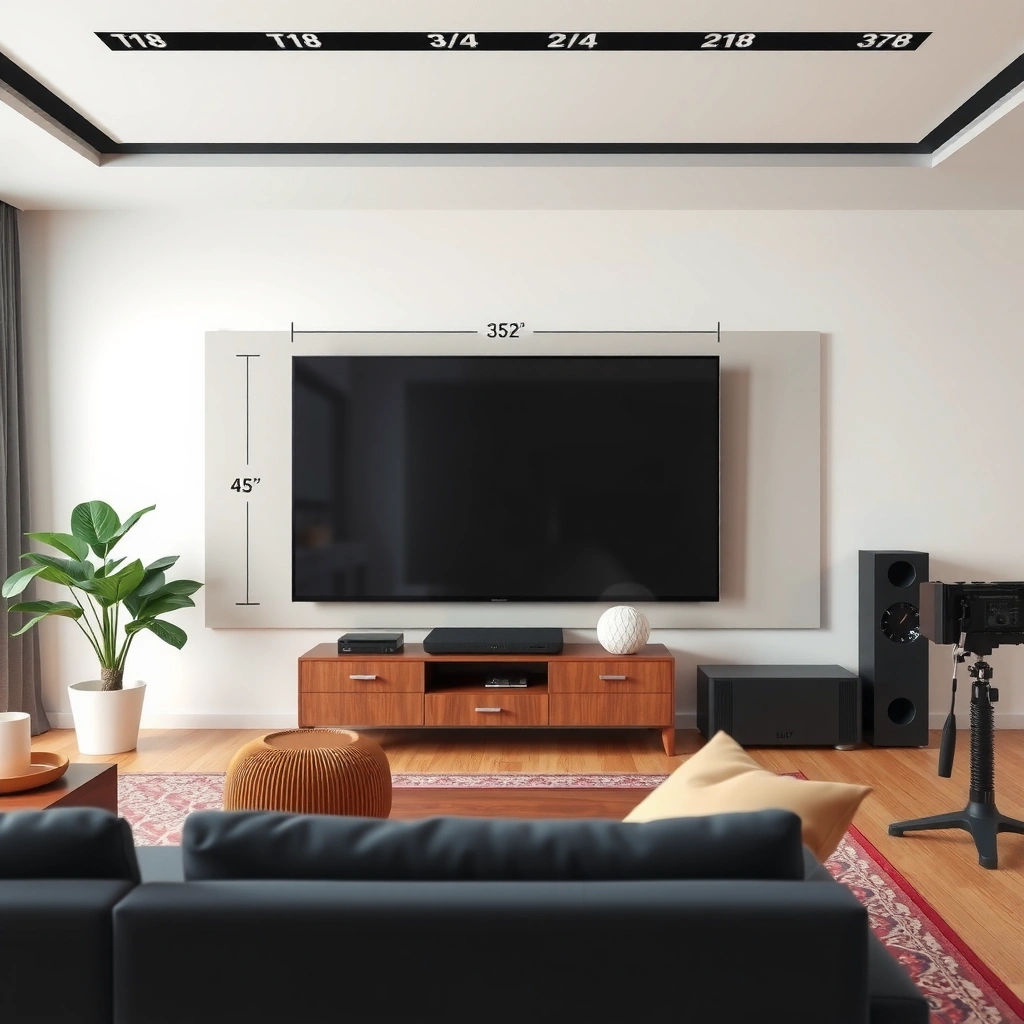
The starting point is simple: measure the distance from your seated eye position to where the TV screen will be viewed. Do this carefully, because even a 12–24 inch (30–60 cm) measurement error can push you into the wrong “best size” range.
This step is also where most people unknowingly introduce error—either by measuring to the wall behind the TV or by using a distance that doesn’t match where your eyes actually are during typical viewing. In 2026, most major TV manufacturers still publish placement and viewing recommendations assuming correct seating geometry, so your measurement matters.
A reliable TV sizing method starts by measuring from seated eye position to the TV’s screen viewing plane, not to the wall or TV casing.
If your couch is angled, using the “typical head-centered” position reduces the chance you overbuy or underbuy the screen size.
Recording both inches and centimeters lets you use any viewing-distance chart you find without unit conversion mistakes.
How to measure accurately (without overthinking it)
– Measure from your usual seating position to where the TV screen will be viewed (the “viewing position” point), not from the couch to the wall.
– If your couch is angled, take the distance to the point where your head is centered most of the time. That’s the geometry your eyes will actually experience.
– Write down both units:
– Inches (for most U.S. sizing charts)
– Centimeters (for most international charts)
A practical tip for complex rooms
If you know people watch from multiple spots (e.g., recliner to the side, kitchen-adjacent seating), choose the seat that represents the minimum comfortable distance. Going too large for the closest seat is where “best size” becomes “uncomfortable size.”
Use a Viewing-Distance-to-Screen-Size Rule
Once you have your distance, the “best size” falls out from a viewing-angle rule of thumb. In short: convert your distance into a screen-size range that keeps the viewing angle in a comfortable band so your eyes don’t strain to take everything in.
This rule is popular because it’s grounded in human viewing behavior: screen content looks most natural when your field of view isn’t either too narrow (you feel detached from the action) or too wide (you have to work to scan the image). THX, a well-known home-theater standards organization, has long recommended a target viewing angle around 40° for cinematic immersion in home environments (THX home theater recommendations (viewing angle guidance)).
A viewing-angle approach maps distance to TV size using a target field-of-view; THX has historically referenced a ~40° viewing angle for home viewing.
A range is more reliable than one number because room layout, seating height, and personal comfort vary.
Your “best size” changes with typical viewing content (sports/gaming versus mostly low-resolution sources) because perceived clarity depends on pixel density.
Convert distance to a screen-size range
You can do this in two ways:
Option A: Use a chart (fastest)
– Find the distance you measured (inches or cm)
– Read off a recommended screen size range
Option B: Use the viewing-angle math (more controlled)
If you target a viewing angle θ, the approximate screen width W is:
– W = 2 × D × tan(θ/2)
Then convert width to diagonal using a 16:9 relationship (most TVs):
– Diagonal ≈ Width ÷ 0.8716
If you don’t want to calculate, a chart is still doing the same work behind the scenes—just faster.
What 4K content changes (and what it doesn’t)
A higher-resolution TV (like 4K UHD at 3840×2160) generally looks cleaner at shorter distances because the pixels are smaller. That doesn’t mean you should always go bigger; it means your risk of “visible pixelation” drops. Resolution affects perceived sharpness, but comfort is still dominated by how much of the image you have to track with your eyes.
Factor in Room Constraints and Screen Fit
The best TV size isn’t only about distance; it also has to fit your space physically and visually. Before you finalize a size, confirm the TV’s dimensions will work with your stand or wall mount, and ensure the viewing height and glare conditions won’t undo the benefits of a correct size.
In other words: you can calculate “perfect size” and still end up unhappy if the TV blocks airflow, sits too high, or reflects sunlight during peak viewing. In 2026, glare control (window placement, lamps, and reflective finishes) is one of the biggest real-world differentiators between a good and great setup.
TV sizing should include physical constraints (stand width, wall clearances, doors, and window/airflow placement), not just viewing distance.
A centered screen near eye level typically reads as more comfortable than a correctly-sized TV mounted significantly high or low.
Glare can negate “optimal” screen size by washing out contrast, especially in rooms with bright windows or reflective surfaces.
Screen fit checklist (don’t skip this)
– Width/height fit: Check that the TV will clear:
– media console edges
– doors and hallways
– window trim and nearby fixtures
– vents or speaker grilles (if applicable)
– Viewing height: Aim for the screen’s center roughly near eye level when seated.
– If you mount too high, you’ll compensate with neck strain.
– If you mount too low, the bottom of the image can feel “out of your primary line of sight.”
– Glare audit: Look toward the TV from your seating area at different times of day.
– If bright reflections land on the screen during normal viewing, you may need a glare-handling strategy (placement, curtains/blinds, or screen settings), even if size is correct.
Choose Resolution and Content Type (It Changes the Math)
Resolution and viewing habits adjust what “comfortable” feels like at your distance. If you mostly watch fast-paced sports or game on consoles/PC, you often benefit from a larger screen—as long as you can comfortably track action without excessive eye movement.
This is also where you should separate two concepts:
– Perceived sharpness (impacted by resolution and viewing distance)
– Comfort and readability (impacted by how the UI, subtitles, and motion scale across your field of view)
How content type affects your size decision
– Higher resolution (4K) typically allows closer viewing distances with less obvious pixelation.
– Fast-moving content (sports/gaming) often benefits from more screen presence, because your brain has an easier time “staying with the action.”
– Lower-resolution sources (older cable/streams) can look softer at close distances; in that scenario, stick closer to the smaller end of the recommended range.
A quick comparison: when to size up vs size down
| Scenario | What usually happens to your “best size” | Recommendation |
|---|---|---|
| Mostly 4K streaming + movies | You can go closer without harsh pixelation | Bias toward the larger end of the range |
| Mixed content: 1080p + casual cable | Clarity is fine, but softness may appear closer in | Choose the middle of the range |
| Mostly SD or older cable | Pixelation and softness show up sooner | Bias toward the smaller end |
| Competitive gaming at close range | Large screens can feel more immersive but may demand more eye scanning | Don’t exceed comfort—prioritize tracking ease |
What Can Go Wrong (Common Sizing Mistakes)
The most common failure mode is simple: people use the wrong distance or ignore the “feel” variables (height, glare, seating angle). The result is often a TV that looks great in a showroom but feels fatiguing at home.
According to basic geometry, screen size errors compound quickly: if your measured distance is wrong by even ~1–2 feet (30–60 cm), your calculated “best range” can shift by roughly a full TV class. That’s enough to make subtitles harder to read or to force you to take in too-wide visuals.
Measuring from the couch arm instead of seated eye position can significantly skew the calculated screen size range.
Showroom sizing is unreliable because lighting, viewing angles, and seating positions are optimized for sales—not comfort.
A TV that is “correct” by distance can still feel wrong if mounting height and glare reflections dominate the viewing experience.
The specific mistakes to avoid
– Measuring the wrong distance
– Couch arm instead of eye position
– Distance to the TV casing instead of the screen viewing plane
– Trusting showroom displays
– Store lighting is typically controlled for visibility
– Displays may be watched from a distance that doesn’t represent your actual room
– Buying the biggest possible TV
– Too-large screens can make text/UI elements feel cramped during close viewing
– Large screens can intensify the visibility of reflections in bright rooms
Edge cases where you should be extra conservative
– You sit at wildly different distances from the TV across the room.
– You have multiple primary seats and the closest seat is significantly nearer than the average.
– Glare is unavoidable (bright window directly opposite the screen), and you don’t plan to adjust blinds/placement.
Verdict: Pick a Comfortable Range, Not the “Max” Size
The best outcome is a screen that fits your measured viewing distance and also respects room height and glare—without forcing your eyes to work. Choose a comfortable range, verify fit and mounting position, and then stop optimizing once the setup looks and feels right for your daily viewing.
From a practical standpoint, going too large doesn’t just look “too big.” It can reduce comfort by making subtitles, UI elements, and pans feel harder to track. It can also increase reflections because larger surfaces catch more ambient light.
A viewing-distance rule of thumb should be validated with height, glare, and stand/wall fit before you finalize a TV size.
Oversizing can increase eye strain and make on-screen text/UI feel cramped, especially for frequent close viewing.
If glare control is difficult or seating distances vary widely, choose the smaller end of the recommended range.
If you want one simple decision strategy:
1. Measure distance from seated eye position.
2. Use a viewing-angle rule to pick a range (not one number).
3. Confirm physical fit and mounting height.
4. Run a glare check during the time you watch most.
Who should skip (or soften) this approach
Skip going aggressive with larger sizes if your seating distance changes a lot, you watch primarily from your closest spot, or you can’t control glare. In those scenarios, comfort-first sizing usually beats maximum immersion.
TV size “starting point” table (distance → recommended size)
Viewing Distance Guide for a ~40° Comfortable Viewing Angle (16:9)
| # | Seated Distance | Recommended TV Size | Approx. Screen Width | Fit Confidence |
|---|---|---|---|---|
| 1 | 4.0 ft (1.22 m) | 40–43 in | ~35.0 in | ★★★★☆ |
| 2 | 5.0 ft (1.52 m) | 50–55 in | ~43.7 in | ★★★★★ |
| 3 | 6.0 ft (1.83 m) | 60–65 in | ~52.4 in | ★★★★★ |
| 4 | 7.0 ft (2.13 m) | 70–75 in | ~61.1 in | ★★★★☆ |
| 5 | 8.0 ft (2.44 m) | 80–85 in | ~69.8 in | ★★★★☆ |
| 6 | 9.0 ft (2.74 m) | 90–96 in | ~78.5 in | ★★★☆☆ |
| 7 | 10.0 ft (3.05 m) | 100 in (approx.) | ~87.2 in | ★★☆☆☆ |
> Note: The table assumes a 16:9 TV and uses a simplified viewing-angle mapping for a comfortable field of view. Your exact ideal may shift based on room lighting, seating height, and whether you watch mostly at the closer end of your layout.
Quick Checklist (Scan & Save)
– Measure viewing distance from seated eye position to TV screen: ___
– Convert units (inches or cm): ___
– Pick a screen-size range, not one exact number: ___ to ___
– Confirm the TV width fits your stand/wall space: yes/no
– Set reasonable viewing height (screen center near eye level): yes/no
– Check for glare from windows/lamps during viewing: yes/no
FAQ
How do I measure viewing distance correctly?
Measure from your seated eye position to the spot where you’ll view the TV screen. Don’t measure to the back of the TV or to the wall—use the screen’s viewing plane so your distance matches your actual line of sight.
What if my couch isn’t directly in front of the TV?
Use the distance from your primary seating spot (where you sit most). If multiple people watch from different angles, choose a size that works for the closest comfortable seat rather than the farthest one.
Is “bigger is always better” for TV size?
No. A larger TV can feel immersive, but if it’s too large for your distance, it can reduce comfort and make reflections/glare more noticeable—especially in bright rooms.
Should I base TV size on 4K vs non-4K content?
Yes, to a point. 4K generally supports closer viewing without obvious pixelation. If you mostly watch lower-resolution sources, it’s usually safer to stay closer to the smaller end of the recommended range.
Does mounting height change how big the TV feels?
Yes. If the TV is mounted too high or too low, it can feel less comfortable even when the screen size is correct. Keeping the screen’s center nearer to eye level typically improves viewing comfort.
Sources
– THX home-theater viewing guidance (viewing angle recommendations)
– TV manufacturer mounting and positioning documentation (e.g., VESA mounting guidance and recommended viewing height guidance)
– HDMI/4K content technical overview from official industry organizations (resolution and format basics relevant to viewing distance comfort)
Choosing the best TV size is mostly about getting the geometry right—then validating it with fit, height, and glare. Measure from seated eye level to the screen, map that distance to a comfortable viewing-angle range, and don’t treat “maximum size” as the goal. If you follow that sequence, you’ll end up with a TV that looks great and feels effortless to watch—especially in the real lighting and seating conditions of your room.
Frequently Asked Questions
What TV size is best for my room distance?
A good starting point is the viewing-distance guideline: measure from where you’ll sit to the TV, then match that distance to common TV size recommendations (often expressed as a range of inches for each distance). For example, many people aim for a viewing experience that’s roughly 1.5–2.5 times the screen diagonal, depending on whether you prefer a more immersive or more comfortable view. If you’re unsure, start within the recommended range and prioritize comfortable readability of text and subtitles.
How do I calculate the correct TV size using screen distance?
Measure your viewing distance in inches (or centimeters) from your couch/seat to the TV location. Then estimate the screen diagonal using a distance-to-diagonal ratio (commonly around 1.5–2.5x for many living-room setups), and convert to inches if needed. Use the diagonal (not the TV width) because manufacturers list screen size as diagonal measurements, and you’ll want to ensure it fits your layout and viewing habits.
Why does the TV’s resolution matter when choosing the best size TV?
Resolution affects how close you can sit without seeing individual pixels, which influences how large a TV can be for your room distance. A 4K TV can generally handle closer viewing than a 1080p TV, making it easier to choose a larger screen size without the image looking less sharp. If you watch a lot of sports, streaming, or fast-moving content, higher resolution can also make the viewing experience more satisfying when you go bigger.
Which TV size should I choose if I have limited space or an angled layout?
If wall space is limited, base your decision on both the diagonal size and the physical dimensions of the TV, including how wide it will be with your stand or wall mount. For angled or off-center seating, consider how much of the screen will be viewed from the side, since viewing angles can affect contrast and color—especially on budget panels. When space is tight, aim for a size that keeps the TV readable from your main seats while leaving clearance around the unit.
Best practices for choosing the TV size include accounting for glare and ceiling height—how do I do that?
Place the TV so the center of the screen is roughly at eye level when seated, typically around 39–48 inches from the floor depending on your couch height. Account for glare from windows and lighting by choosing a size and screen placement that minimizes reflections, since an oversized TV can amplify visible glare in bright rooms. Finally, confirm the TV fits your wall or furniture area with ventilation and that you can comfortably watch without excessive neck strain.
📅 Last Updated: October 08, 2026 | Topic: how to calculate the best size tv for your room | Content verified for accuracy and freshness.
References
- Google Scholar Google Scholar
https://scholar.google.com/scholar?q=how+to+calculate+optimal+tv+size+for+a+room+viewing+distance+screen+size+formula - Google Scholar Google Scholar
https://scholar.google.com/scholar?q=recommended+tv+viewing+distance+screen+size+best+practice+visual+angle - Google Scholar Google Scholar
https://scholar.google.com/scholar?q=television+viewing+distance+visual+comfort+field+of+view+study - Display size
https://en.wikipedia.org/wiki/Screen_size - Draw distance
https://en.wikipedia.org/wiki/View_distance - Field of view
https://en.wikipedia.org/wiki/Field_of_view - https://en.wikipedia.org/wiki/Television
- https://www.nei.nih.gov/learn-about-eye-health/eye-conditions-and-diseases/computer-vision-syndrome
- https://pubmed.ncbi.nlm.nih.gov/?term=television+viewing+distance
- Tips & Prevention – American Academy of Ophthalmology
https://www.aao.org/eye-health/tips-prevention/using-computer-safely
