
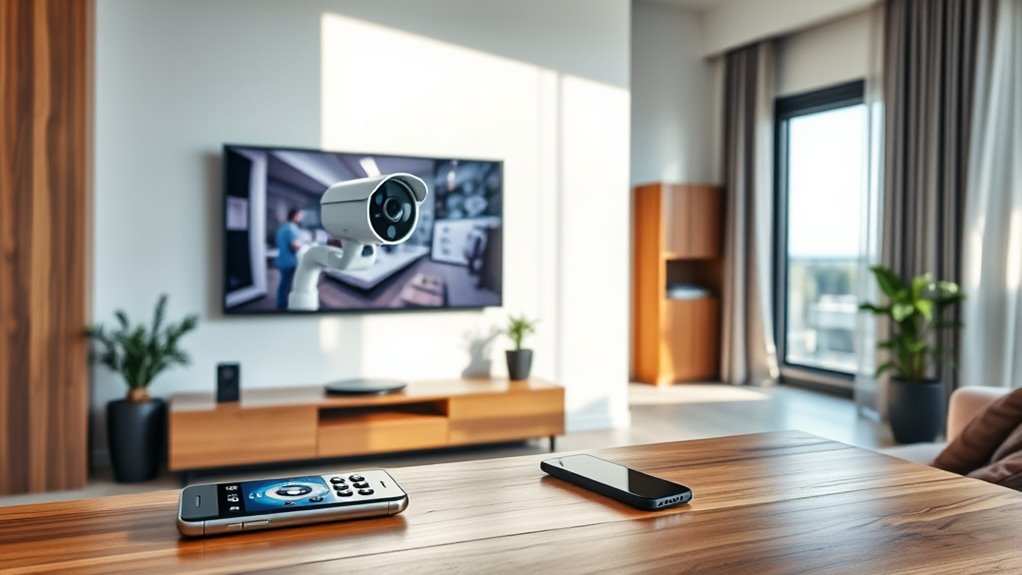

To connect your CCTV camera to your smart TV wirelessly, guarantee both devices are on the same Wi-Fi network. Install a compatible app like TinyCam Monitor or CamHi on your smart TV, then configure the app using your camera’s credentials. Make certain to check camera specifications for compatibility. If you face connection issues, restart your devices and verify Wi-Fi signal strength. There’s more to take into account for a seamless setup, so keep exploring the details.
Understanding Wireless CCTV Technology
When it comes to modern security solutions, understanding wireless CCTV technology is vital for effective monitoring. Wireless technology enables you to place cameras in various locations without the hassle of cables, providing flexibility in setup. These systems typically connect via Wi-Fi, allowing you to access live feeds through your devices.
When choosing a wireless CCTV camera, pay attention to key camera features like resolution, night vision, and motion detection. Higher resolution guarantees clearer images, while night vision is significant for low-light conditions. Motion detection alerts you to unexpected activity, enhancing your security. By leveraging wireless CCTV technology, you can create a robust surveillance system that suits your needs, granting you the freedom to monitor your space effectively.
Choosing the Right CCTV Camera
How do you determine which CCTV camera is right for your needs? First, consider the camera resolution. Higher resolution offers clearer images, which is vital for identifying details like faces or license plates. You’ll want at least 1080p for decent clarity, but if budget allows, 4K is ideal. Next, think about installation options. Some cameras are easy to mount, while others may require professional installation. Choose between wired and wireless models based on your setup and preferences. Wireless cameras provide flexibility, but wired options can offer more reliability. Assess your environment, whether indoors or outdoors, and decide on features like night vision or motion detection to guarantee you get the most suitable camera for your freedom and security needs.
Setting Up Your Smart TV for Connection
Before you can connect your CCTV camera to your smart TV, you’ll need to verify your TV is properly set up for the connection. Start by accessing the smart TV settings menu. Look for options related to network configurations; this is essential for a successful connection. Confirm your TV is connected to the same Wi-Fi network that your CCTV camera will use. This step is critical for seamless communication between the devices. Check that your smart TV’s firmware is up to date, as this can enhance compatibility and performance. Finally, enable any settings related to device discovery, making it easier for your TV to find and connect to your CCTV camera when you’re ready to proceed.
Connecting via Wi-Fi Network
To connect your CCTV camera to your smart TV via Wi-Fi, start by ensuring both devices are on the same network. This process gives you the freedom to view live footage without messy cables. Here are three essential steps to follow:
Connect your CCTV camera to your smart TV via Wi-Fi for easy access to live footage without the hassle of cables.
- Check Wi-Fi Security: Make sure your network is secure to protect your camera feed from unauthorized access.
- Configure Camera Settings: Access the camera’s app or interface to connect it to your Wi-Fi network. Pay attention to the camera placement for best viewing angles.
- Link to Smart TV: Use your smart TV’s app store to find and download the required app to view your camera feed.
Once you’ve completed these steps, enjoy seamless surveillance on your smart TV!
Using a Streaming Device for Integration
If you want to integrate your CCTV camera with your smart TV, using a streaming device can be a great option. There are several devices available that can simplify the setup process and enhance your viewing experience. In the following sections, we’ll explore some popular streaming device options and guide you through the setup process.
Streaming Device Options
How can you seamlessly connect your CCTV camera to a smart TV? Using streaming devices can make this integration a breeze, offering you the wireless connectivity you need. Here are three popular streaming device options to evaluate:
- Roku: Known for its user-friendly interface, Roku allows you to easily add camera apps for live feeds.
- Amazon Fire Stick: With its robust capabilities, this device supports various security camera applications for smooth streaming.
- Apple TV: If you’re an Apple user, this option provides a seamless experience, integrating well with HomeKit-enabled cameras.
With any of these streaming devices, you’ll enjoy the freedom of monitoring your CCTV camera without the hassle of messy cables.
Setup Process Explained
Connecting your CCTV camera to a smart TV using a streaming device is a straightforward process that enhances your home security setup. First, verify your camera and streaming device are connected to the same Wi-Fi network. Check your camera’s app for settings related to network security to keep your feed safe from unauthorized access. Next, find the camera’s streaming option within the app, and link it to your streaming device. Afterward, adjust your camera placement for ideal viewing angles. Finally, open your streaming device’s app and select your camera feed. With these steps, you’ll enjoy seamless monitoring on your smart TV, providing you with peace of mind and freedom to manage your home security effortlessly.
Accessing CCTV Footage Through Smart TV Apps
To access your CCTV footage through smart TV apps, you’ll first need to make certain you have compatible applications installed. Setting up the connection is straightforward, allowing you to view live footage directly from your TV. Let’s explore the best apps and how to get everything configured properly.
Compatible Smart TV Apps
While many Smart TVs come with built-in capabilities, accessing CCTV footage often requires specific apps to bridge the gap between your camera system and your television. Using compatible smart TV apps can enhance your viewing experience and provide easy access to your surveillance feeds. Here are three popular options:
- TinyCam Monitor: This app supports various camera brands and offers live streaming options.
- IP Cam Viewer: A versatile app that allows you to monitor multiple cameras from your Smart TV.
- CamHi: Great for managing and viewing footage from your IP cameras directly on your TV.
Choosing the right app not only streamlines access but also enhances your security setup, giving you the freedom to monitor your space with ease.
Setting Up Connections
Setting up connections to access CCTV footage through Smart TV apps is easier than you might think. First, verify your CCTV camera is compatible with your Smart TV. Check the app store on your TV for the necessary app or software that supports your camera model. Once you’ve installed the app, connect your TV and camera to the same Wi-Fi network for seamless streaming.
Make sure your wireless range is strong enough to maintain a stable connection; weak signals can lead to interruptions. After the connection is established, you’ll typically need to log into the app using your camera’s credentials. With everything set up, you’ll be ready to enjoy the freedom of accessing your CCTV footage directly on your Smart TV.
Viewing Live Footage
Once you’ve set up the connections, accessing live footage from your CCTV camera on your Smart TV becomes straightforward. With remote access capabilities, you can enjoy live streaming right from your couch. Here’s how to do it:
- Download the App: Find your CCTV camera’s app on your Smart TV’s app store.
- Log In: Enter your credentials to access your camera’s feed.
- Select Live View: Navigate to the live view option to start streaming.
Once you’ve completed these steps, you’ll have effortless access to your CCTV footage on the big screen. This setup not only provides peace of mind but also enhances your home security experience, allowing you to monitor your property anytime, anywhere.
Troubleshooting Common Connection Issues
If you’re having trouble connecting your CCTV camera to your smart TV, you’re not alone, as many users encounter similar issues. First, check for signal interference; walls, appliances, or other electronic devices can disrupt the connection. Make certain your camera and TV are within a reasonable distance from each other. Also, confirm device compatibility—some cameras may not work seamlessly with certain smart TVs. Verify you’ve installed the necessary apps and updates for both devices. If the connection still fails, try restarting both the camera and TV. Finally, consult your user manuals or the manufacturer’s website for specific troubleshooting steps tailored to your devices. These strategies should help you regain your freedom to monitor your space effortlessly.
Frequently Asked Questions
Can I Connect Multiple CCTV Cameras to One Smart TV?
Yes, you can connect multiple CCTV cameras to one smart TV, provided your TV supports multiple camera integration. Check your smart TV’s compatibility to verify it can handle multiple feeds simultaneously for effective monitoring.
What Is the Ideal Distance for a Wireless CCTV Camera?
When it comes to wireless CCTV cameras, staying within 150-300 feet is key. Too far, and you might face signal interference. Keep that wireless range in mind to guarantee your camera’s always on the ball!
Do I Need an Internet Connection for Wireless CCTV Cameras?
You don’t necessarily need an internet connection for wireless CCTV cameras, but having one enhances wireless connectivity. Guarantee proper camera placement within range of your Wi-Fi for ideal performance and monitoring convenience.
Can I Access CCTV Footage Remotely on My Smart TV?
Where there’s a will, there’s a way. You can access CCTV footage remotely on your smart TV through your smart home system, allowing you to monitor your property anytime, anywhere, with ease.
Are There Any Subscription Fees for Using CCTV Apps on Smart TVS?
Yes, some CCTV apps for smart TVs do have subscription models. These fees often grant access to premium app features, like cloud storage or advanced analytics. Always check the app details to find the best fit for you.
