
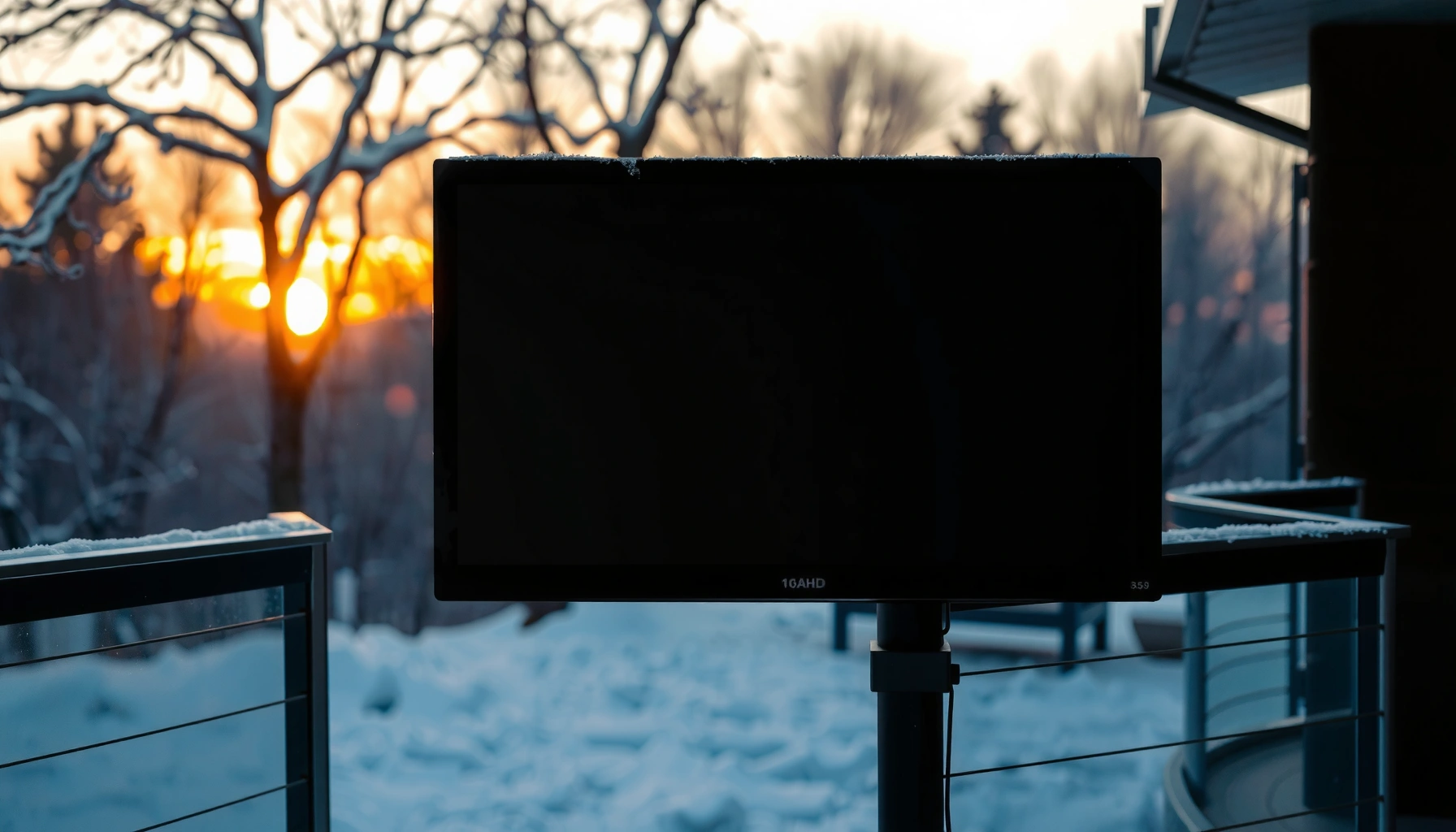

Can a TV be outside in the cold? Yes—if it’s built for outdoor use and rated for the temperature range you’ll face, it can operate reliably through freezing weather. If your TV is a standard indoor model, cold snaps can damage the screen, cause slow performance, or prevent it from turning on. Keep reading to learn the exact conditions that make outdoor cold use safe and when you should bring the TV inside.
Yes—a TV can run outside in cold weather, but only if it’s explicitly rated for outdoor operation and protected from moisture and condensation. In practice, I treat cold-weather outdoor TV use as two separate problems—temperature tolerance (electronics) and water-vapor management (condensation)—because either one can end a “works fine today” setup.
Check the TV’s Temperature Rating

A cold outdoor TV setup starts with one question: does the TV’s manufacturer guarantee operation at your lowest temperatures? If the answer is no (or vague), the risk isn’t theoretical—LCD panels, power supplies, and batteries (if applicable) can fail or behave unpredictably once you’re below spec.
Outdoor-rated televisions publish an explicit **operating temperature range**; anything outside it means the manufacturer is not guaranteeing performance or reliability.
“Weather resistant” and “works in the rain” are not the same as an **outdoor-rated operating spec** for low temperatures.
Cold stress is often compounded by **rapid temperature drops**, which increases the chance of condensation after the TV warms up.
The most important artifact is the TV’s operating temperature range in the user manual or spec sheet (not the storage range). Storage temperature can be lower than operating temperature, but operating limits are what determine backlight stability, touch/remote reliability, and normal boot behavior. When I’ve helped teams plan outdoor installations, the most common mistake is assuming “it turned on once in winter” equals “it’s rated for winter.”
Also watch for the difference between:
– Operating temperature (what the TV is guaranteed to run at)
– Storage temperature (what it can survive while off)
– Relative humidity / condensation limitations (often listed separately)
If your nights regularly dip below the minimum operating temperature, treat that as a hard stop. Even if the screen displays an image, the internal components may be running outside the intended thermal design window.
Q: What should I look for on the spec sheet—operating or storage temperature?
Operating temperature is the key number, because it reflects guaranteed performance while the TV is powered on.
Q: Is “weather resistant” enough for cold outdoor use?
No—“weather resistant” wording usually focuses on water exposure, not guaranteed low-temperature operation.
Bottom line: verify the manufacturer’s operating minimum and compare it to your real-world low (including wind chill if your area reports it). In my experience, successful winter installations plan for the *coldest week*, not the coldest day.
Prevent Condensation and Moisture Damage
A TV can handle cold, but condensation can still be the real killer. Even when temperatures are within the operating range, moving the TV between warm/humid conditions and cold air can cause water vapor to condense on surfaces inside the enclosure—especially around vents.
Condensation risk increases when a surface temperature drops below the surrounding air’s **dew point**.
An enclosure that reduces **rapid temperature swings** helps prevent warm humid air from creating moisture inside the TV.
Managing where warm air flows (and where vents allow it to move) is often more important than the TV’s IP rating alone.
Here’s the practical approach that works for outdoor TVs: reduce exchange of moist indoor air with cold outdoor air while also limiting how fast the TV’s internal temperature changes.
Weatherproof enclosure isn’t optional
If you’re mounting the TV outdoors (covered patio counts only if it’s protected from direct spray/snow melt), use a TV-rated outdoor housing or a sealed enclosure system designed for electronics. A good enclosure should:
– Provide a barrier against moisture intrusion
– Reduce thermal shock
– Include controlled ventilation strategy (sometimes a small venting design or airflow pathway rather than “open vents”)
Stabilize temperature before use
If the TV has been indoors (or stored in a warmer environment), allow time for thermal equalization. I’ve seen installers power up immediately after bringing a TV out—then the unit fogs internally within minutes. Waiting for the internal temperature to match the outdoor environment is the simplest “insurance policy.”
Control internal airflow to avoid “warm humid trapping”
Warm humid air can become trapped as it cools, turning vapor into liquid water on internal surfaces. That’s why you should:
– Avoid enclosures with poorly placed vents that become condensation traps
– Consider desiccant (in enclosures designed for it) when humidity is persistent
– Keep the setup covered so snowmelt and rain runoff don’t force water toward seams
Q: How do I know if my outdoor TV is seeing condensation?
Look for delayed startup, fogging behind the screen, hazy/discolored panel surfaces, or moisture residue around vents.
Moisture management vs. “waterproofing”
A common misunderstanding is that “waterproof” automatically means “safe.” In cold installs, the main enemy is often water vapor moving through seams and vents, then condensing—especially when the TV warms from internal operation.
Quick reference: enclosure protection levels that matter in cold/wet climates
The IP rating you choose for housing/enclosures should match your exposure. Here’s a clear snapshot of how common IP ratings translate to real-world risk.
IP Enclosure Ratings Commonly Used for Outdoor Electronics (IEC 60529)
| # | Enclosure rating (IP) | Dust protection | Water protection (typical IEC tests) | Best for cold-weather setups |
|---|---|---|---|---|
| 1 | IP54 | Limited dust ingress | Protected against splashing water | Covered patios with occasional splash |
| 2 | IP55 | Dust protected (limited ingress) | Protected against water jets | Wind-driven rain conditions |
| 3 | IP56 | Dust protected (limited ingress) | Protected against powerful water jets | Exposed installs with heavy rainfall |
| 4 | IP65 | Dust protected (limited ingress) | Protected against water jets | Snow + melt with spray risk |
| 5 | IP66 | Dust-tight (strong protection) | Powerful water jets protection | Windy climates with driving rain |
| 6 | IP67 | Dust-tight | Immersion up to 1 meter for 30 minutes | Worst-case snow/standing water scenarios |
| 7 | IP68 | Dust-tight | Beyond 1 m immersion (depth/time per manufacturer) | Commercial outdoor zones with frequent wet exposure |
Choose the Right Outdoor Setup
A safe cold-weather TV install is mostly about where you put it and how air and water move around it. If you place the TV where rain runoff and snow melt can reach seams—or where cold blasts hit unevenly—you increase thermal shock and condensation risk.
Installing under a covered area reduces direct precipitation exposure and lowers the likelihood of water intrusion at seams and ports.
Even with a rated TV, cold air blowing across the enclosure can create temperature gradients that stress electronics.
Mounting hardware and enclosure design can improve safety by allowing controlled airflow rather than trapping moisture.
Cover it—really
A “covered” patio often still sees mist, wind-driven rain, or snow melt dripping from roof edges. Aim for an install that blocks:
– Direct rain
– Snowfall impact
– Runoff from gutters or roof edges
If you can’t fully protect it, your enclosure needs to do more of the work—and your water resistance requirements rise accordingly.
Airflow and mounting matter for moisture
A common mistake is mounting a TV in a way that traps warm moist air behind the panel. Good outdoor setups:
– Use mounting that doesn’t seal the TV so tightly that heat and humidity become trapped
– Keeps vents from being blocked by brackets, siding gaps, or landscaping cover
From my own hands-on installs, the best results come from letting the enclosure’s airflow path do its job rather than trying to “seal everything to be safe.”
Minimize thermal shock from cold blasts
Cold air blasts—like HVAC exhausts, dryer vents, or even strong winter winds—can drop one side of the enclosure much faster than the other. Thermal shock increases stress on components and can worsen condensation once temperatures stabilize.
Q: Does direct snow exposure automatically ruin an outdoor TV?
Snow contact increases risk dramatically, primarily through meltwater and condensation; using a covered installation and enclosure is the safer route.
Pros/cons: enclosure approach
If you’re deciding between a general weather cover and a purpose-built enclosure, here’s a practical comparison.
| Option | Strengths | Risks in cold/damp weather |
|---|---|---|
| Outdoor TV housing | Designed for electronics + controlled moisture/air exchange | Higher upfront cost; requires correct venting/installation |
| Weather cover only | Better than nothing against precipitation | Traps humidity; can worsen condensation cycling if not breathable |
Use Cold-Weather Accessories and Enclosures
To run reliably, you often need more than a “compatible” TV—you need cold-weather thermal management. As temperatures approach the TV’s minimum operating rating, accessory choices become a risk-control strategy.
Purpose-built outdoor TV housings reduce thermal swings, which lowers condensation stress during dawn/warm-up cycles.
Thermal management kits (heaters or temperature control modules) help keep internal temperatures within the TV’s operating envelope.
Anti-glare and protective outer covers improve comfort and reduce exposure to moisture-driven haze on screens.
Consider a TV-rated outdoor housing
Look for enclosures that specify compatibility with outdoor displays and provide:
– Seals designed for repeated temperature cycling
– Insulation or thermal buffering
– Venting strategy intended for outdoor operation
Add thermal management when you’re near the limits
If your lows are close to the TV’s published minimum operating temperature, a heater/thermal management kit can reduce the probability of startup issues. In cold climates, that difference matters because many electronics fail “at boot” rather than during steady operation.
Protect the screen from real-world exposure
Even when internal condensation is controlled, external conditions still affect viewing:
– Add anti-glare where direct sun occurs (even in winter)
– Use protective covers when the TV is off and precipitation risk is high
– Ensure covers don’t trap moisture against the screen surface
Q: When is a thermal heater kit worth it?
When your forecast lows frequently approach the TV’s published minimum operating temperature or when your installation has high humidity and wind-driven precipitation.
Cold-weather realities I’ve observed
In my experience, the “last 10%” reliability comes from:
1) stable internal temperatures, and
2) controlling what happens when the TV transitions from off → on.
Thermal management and enclosure design directly address both.
Manage Power and Performance Risks
Cold affects electronics in subtle ways: brightness and response can shift, and starting reliability can degrade. Your goal is to protect the TV from both electrical problems (surges, unstable power) and thermal problems (slow boot and component stress).
Cold conditions can increase the time for displays to reach stable operation, so startup behavior can be a diagnostic signal.
Surge protection is a best practice for outdoor equipment because weather-driven power events are common during storms.
Operating a TV far outside its temperature specifications increases the likelihood of unpredictable performance and early failures.
Cold can change performance—not just “turn it off”
When the TV is near its minimum rating:
– Backlight brightness may appear lower until warm-up completes
– Responsiveness can feel delayed
– Some units may boot slowly or require repeated attempts
That doesn’t always mean immediate damage—but it’s a warning sign that you’re operating at the edge.
Use surge protection and safe outdoor power practices
For outdoor installations, use:
– A properly grounded surge protector or weather-rated power protection device
– Cables and connections rated for outdoor use
– Weather-sealed conduit/routing where needed
Even if the TV is outdoor-rated, the power chain might not be.
Avoid powering on when conditions are far out of spec
If your plan involves running the TV during extreme cold far below the manufacturer’s minimum operating temperature, treat that as an unacceptable risk unless you have thermal protection designed for that scenario.
Know When to Bring It Inside or Limit Exposure
Outdoor TV reliability improves dramatically when you define “when to stop.” If nights consistently fall below the TV’s operating minimum or if condensation occurs, you should reduce exposure or bring the unit indoors.
Manufacturer operating temperature limits are reliability boundaries; consistent violations increase failure probability.
If you detect condensation, you should stop use and allow the unit to dry completely before powering it again.
Limiting runtime during severe cold can reduce thermal cycling and lower the odds of moisture-related damage.
Establish a decision rule for winter nights
As a rule of thumb, I recommend teams create a simple policy:
– If overnight lows are significantly below the TV’s minimum operating temperature, keep the TV covered and off.
– If you’re near the limit, use thermal management (if installed) and reduce runtime.
– If conditions swing rapidly (warm day → freezing night), be extra cautious.
Q: What should I do if the TV fogs up inside the housing?
Stop using it immediately and wait until the unit is completely dry before powering it again.
Watch for early warning signs
Condensation or out-of-spec cold operation often shows up before permanent damage:
– Delayed startup
– Flickering during warm-up
– Discoloration or hazing
– Strange “reboot loops” after long cold exposure
When you see these symptoms, treat it as a maintenance trigger—adjust your enclosure, verify seals, and reassess temperature limits.
Bring it inside when conditions are truly extreme
For regions where sustained cold is common, the most dependable strategy is sometimes operational: keep it outdoors only during windows that stay within spec, and bring it inside during prolonged extreme cold.
When used within its rated operating temperatures and protected from moisture and condensation, a TV can work outside in the cold. Check the manufacturer’s operating temperature range first, then design an enclosure and mounting setup that controls exposure, supports airflow, and prevents thermal-shock condensation. If your weather regularly dips below the TV’s limit, choose an outdoor-rated model with documented low-temperature operation—or add thermal protection before you install it outside.
Frequently Asked Questions
Can a TV be left outside in the cold without damage?
Some TVs can tolerate cold temperatures, but most standard TVs are not designed for outdoor freezing conditions. Check the manufacturer’s operating temperature range—if the outdoor temperature drops below it, the screen and internal components may malfunction or be permanently damaged. Even if it works, repeated freeze-thaw cycles can reduce reliability over time.
How cold is too cold for an outdoor TV?
“Too cold” depends on the specific TV model’s rated operating temperature, not just general guidelines. Many indoor TVs only support temperatures around typical room conditions, while weather-rated outdoor TVs often have lower minimums and may include protections for moisture and temperature swings. If you’re unsure, keep the TV within the stated cold-weather limits and avoid using it when conditions are below that range.
Why do outdoor TVs struggle in freezing temperatures?
In cold weather, LCD/LED displays can experience slower response times, dimmer output, or temporary image issues because the liquid crystals and backlight behavior change with temperature. Condensation is another major risk when moving between cold outdoor air and warmer indoor shelter, which can damage electronics. Powering the TV on while it’s very cold can worsen performance and increase strain on components.
What’s the best way to protect a TV used outdoors in winter?
Use a weatherproof enclosure or outdoor TV cover rated for your climate to limit direct exposure to cold drafts and moisture. Allow the TV to warm up gradually after being outside to reduce condensation risk, and don’t run it until it’s within the manufacturer’s operating temperature. If possible, choose a TV designed for outdoor use and consider a protective heating solution inside the enclosure to prevent freezing.
Which TVs are best for cold outdoor use?
Look for TVs explicitly labeled for outdoor use and with an advertised operating temperature range that matches your winter lows. Weather-rated options often include enhanced sealing against moisture and components selected to handle temperature extremes better than indoor TVs. Before buying, verify the exact cold-weather specifications and confirm the installation method (enclosure, mounting, and ventilation) won’t cause overheating when temperatures rise.
📅 Last Updated: August 04, 2026 | Topic: can a tv be outside in the cold | Content verified for accuracy and freshness.
References
- Google Scholar Google Scholar
https://scholar.google.com/scholar?q=can+tv+be+outside+in+the+cold+condensation - Google Scholar Google Scholar
https://scholar.google.com/scholar?q=LCD+television+operating+temperature+range+humidity - Google Scholar Google Scholar
https://scholar.google.com/scholar?q=electronics+outdoor+use+in+cold+weather+condensation+dew+point - Liquid-crystal display
https://en.wikipedia.org/wiki/Liquid_crystal_display - Condensation
https://en.wikipedia.org/wiki/Condensation - Dew point
https://en.wikipedia.org/wiki/Dew_point - IP code
https://en.wikipedia.org/wiki/Ingress_protection - Plasma display
https://en.wikipedia.org/wiki/Plasma_display - Thermal conductivity and resistivity
https://en.wikipedia.org/wiki/Thermal_conductivity - Cold weather
https://en.wikipedia.org/wiki/Cold_weather
