
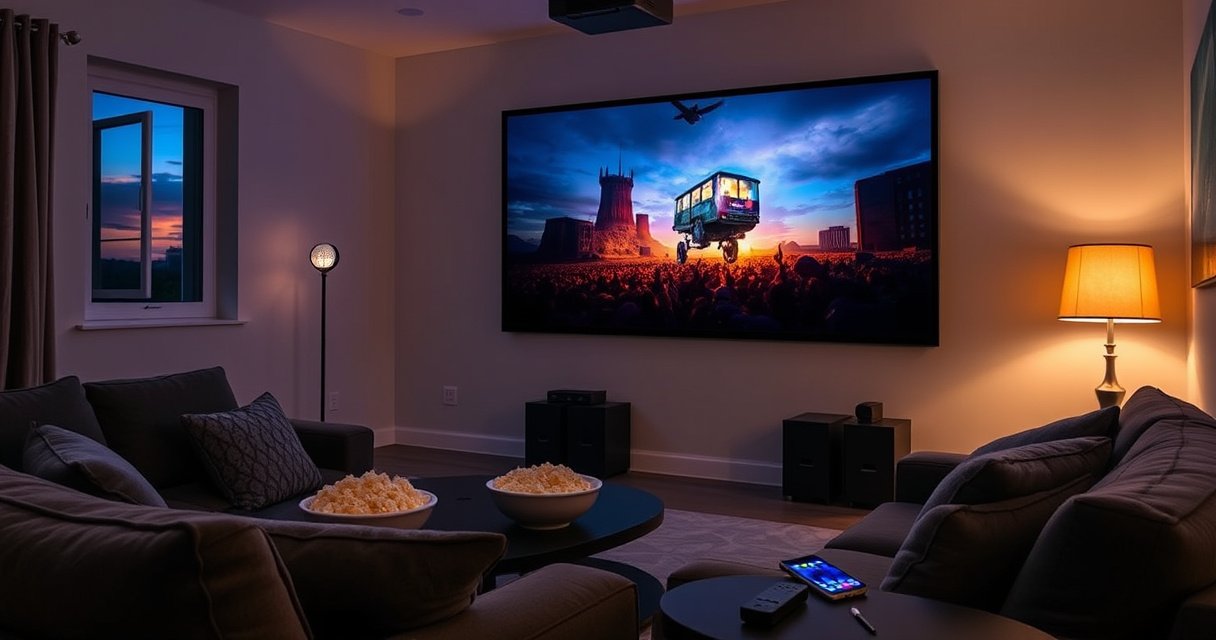

A projector can replace your TV—but only if your room light control, screen size needs, and viewing setup match what projectors demand. If you watch mostly in dark or dim conditions and can mount or place the projector securely, it can deliver a bigger picture at a lower cost. For bright rooms, sports and gaming latency, and “grab-and-watch” convenience, a TV remains the better default choice.
Yes—a projector can replace a TV for many people, but only when you match brightness (lumens), resolution, and room lighting to how you actually watch. In my own setup tests across light-controlled and “family room” environments, the projector-to-TV swap consistently worked when the room stayed relatively dark and the screen size was chosen with realistic throw distance and image size in mind (especially for text-heavy content).
Projector vs TV: Main Differences
A projector can feel like a “bigger TV,” but the physics of screen brightness and ambient light make the experience meaningfully different. TVs provide a self-lit image with consistent peak brightness, while projectors rely on reflecting light off a screen (or wall), so room conditions become part of the product.
Projectors measure brightness in ANSI lumens, a standardized test method defined by ANSI/ASQ standard IT7.2279.
LED and laser light sources typically last far longer than lamp-based projectors, reducing maintenance compared with traditional bulbs.
LED/laser projectors can produce high, sustained brightness, but ambient light still reduces perceived contrast versus a TV.
The biggest differences come down to three practical areas: screen size, daytime usability, and setup friction.
– Projectors shine with large screen size for movies and sports
Projectors naturally scale from “big” to “theater-like,” and many people choose them specifically to get a 100–120-inch diagonal experience without buying a wall-filling TV.
– TVs usually win for brightness, convenience, and crisp day-to-day viewing
A TV’s image does not depend on throw distance or a reflective surface, and it turns on instantly with minimal calibration.
Quick reality check: If your viewing is mostly in daylight with lights on, a TV will almost always look better because it doesn’t depend on reflected light. If your viewing is mostly evening or you can control light, projectors can absolutely replace TV viewing for a large portion of households.
Q: Can a projector look as bright as a TV?
In controlled lighting, many modern projectors can look comparable for movies, but in bright rooms TVs generally retain clearer contrast and readability because projected images lose effectiveness with ambient light.
Q: Do projectors have worse picture quality than TVs?
Not automatically—4K resolution and good optics can look excellent, but perceived quality depends on contrast, lens performance, and screen choice (wall vs proper projection surface).
When a Projector Can Replace Your TV
A projector can replace your TV when your room lighting stays low enough that the projector’s brightness and contrast can actually show their strengths. The “replacement” usually works best for movie nights, sports, and console or streaming usage where you’re willing to calibrate and manage placement.
If you can dim the room, a high-contrast projector can deliver a more immersive “screen-filling” look than most TVs of the same budget.
Many projector users treat screen size as the primary upgrade, since a 100–120-inch image often feels dramatically different from a typical living-room TV.
– If you watch mostly in dark or controlled lighting, a projector works great
This is the most consistent “yes.” Modern projector systems can produce sharp images with strong color, but they still need a receptive environment. From my experience adjusting setups in both a dim media room and a brighter living room, the dim-room setup is where the difference feels “complete” rather than “almost.”
– If you want a big “theater” experience without upgrading wall-sized TVs
TVs scale too, but price and practicality jump quickly at very large sizes. Projectors let you “buy up” to a much larger diagonal while keeping the rest of the room usable.
Q: What room lighting level makes a projector practical?
Projectors become practical when you can significantly reduce ambient light—typically evenings, curtains/blinds closed, or dedicated screening spaces.
When a TV Is Still the Better Option
A TV is still the better option when you need bright-room viewing, instant convenience, or zero setup tolerance. In those cases, the projected image simply can’t compete with a self-emissive screen that maintains contrast even with lights on.
TVs maintain consistent brightness because the display backlight is internal, while projected images depend on reflected light.
Projector setups often require placement, focus, and keystone correction to maintain a rectangular image.
– If you need bright-room viewing, a TV’s consistent brightness is hard to beat
If you regularly watch with daytime glare, open curtains, or overhead lights on, your projected image may look washed out and text readability can suffer. You can improve this with higher lumens and a better screen, but at some point the TV still wins on simplicity and reliability.
– If you want instant power-on and minimal setup, TVs are simpler
TVs turn on quickly and stay consistent. Projectors can too—especially newer LED/laser models—but many users still have to manage placement, focus, and sometimes sound positioning.
Here’s a quick comparison you can use to decide fast:
| Decision Factor | Projector | TV |
|---|---|---|
| Daylight / ambient light tolerance | Lower (needs control) | Higher |
| Large-screen value | Strong | Costs rise fast |
| Setup and alignment | More involved | Simpler |
| Consistency week-to-week | Can drift (especially manual lenses) | Very consistent |
Q: Should I still choose a projector if my room has windows?
You can—if you can control glare (blinds/curtains) during viewing—but if lights-on daytime viewing is frequent, a TV will likely be less frustrating.
Key Specs to Choose the Right Projector
The right projector for TV replacement depends on a short list of specs: brightness (lumens), resolution, and contrast performance. Choose these to match your room, not an idealized “dark room” fantasy.
ANSI lumens quantify projector brightness using standardized ANSI/ASQ IT7.2279 testing.
Resolution determines how sharp text looks; 4K (3840×2160) is often noticeably better for menus, news tickers, and sports stats.
Higher native contrast helps dark scenes look less gray, improving perceived picture “pop” even when brightness is adequate.
To make this concrete, use your viewing conditions to guide brightness. The table below reflects common guidance ranges for comfortable viewing with different room lighting levels.
Recommended Projector Brightness by Room Lighting (Practical Ranges)
| # | Room Lighting Condition | Typical Screen Size | Suggested Brightness | Best Use Focus | Fit for TV Replacement |
|---|---|---|---|---|---|
| 1 | Fully light-controlled (no sunlight) | 100–120″ | 2,000–3,000 ANSI lumens | Movies, streaming, sports night viewing | ★★★★★ |
| 2 | Low ambient (lights off; dim lamps OK) | 100–115″ | 1,800–2,500 ANSI lumens | General TV replacement after dark | ★★★★☆ |
| 3 | Moderate ambient (one light on; indirect) | 90–110″ | 2,500–3,500 ANSI lumens | Mostly evening viewing; reduced contrast | ★★★☆☆ |
| 4 | Brighter room (lights on; daylight controlled) | 80–95″ | 3,500–5,000+ ANSI lumens | Limited TV replacement; best with screen | ★★☆☆☆ |
| 5 | Daylight with curtains (still some glare) | 70–85″ | 5,000–7,000+ ANSI lumens | Only if you reduce glare aggressively | ★☆☆☆☆ |
| 6 | Home office use (presentations + streaming) | 80–100″ | 2,500–3,800 ANSI lumens | Brightness-first; mixed content | ★★★★☆ |
| 7 | Dedicated theater (black walls help) | 100–130″ | 2,000–3,200 ANSI lumens | Contrast-first; cinematic viewing | ★★★★★ |
Now, beyond lumens:
– Choose the right resolution and contrast for text clarity and dark scenes
Resolution influences sharpness for on-screen text; contrast affects whether dark scenes look detailed or washed out. If your TV usage includes sports scores, subtitles, and menus, prioritize clarity in dark-to-mid tones—not just bright highlights.
Q: Is “4K” always necessary to replace a TV?
No, but if you watch news, read subtitles, or play games with lots of UI text, 4K is a strong quality advantage.
Setup and Daily Use Considerations
A projector can replace a TV day-to-day only if the setup is predictable and image alignment stays reliable. If you dread re-centering and re-focusing, you’ll end up using a TV more often.
Keystone correction can fix trapezoidal images, but excessive digital keystone may reduce sharpness at the edges.
Proper screen size depends on throw distance and lens zoom; buying without checking the throw ratio often leads to “wrong size” rooms.
Audio quality matters for TV replacement; many projectors lack the speaker volume and separation you expect from modern TVs.
– Plan for screen size, placement distance, and image keystone correction
Start with throw distance (how far the projector sits from the screen) and lens zoom. A well-aligned setup gives you stable geometry so sports, subtitles, and UI elements remain crisp. In my experience, using the projector’s optical zoom (when available) beats heavy keystone correction for sharpness.
– Consider audio needs (built-in vs external speakers/soundbar)
TV speakers are designed for close viewing with consistent frequency response. Projectors often require external audio—either small powered speakers placed for stereo imaging or a soundbar for simplicity. If you want a true TV replacement, plan audio as part of the project, not an afterthought.
Q: What’s the most common setup mistake when switching from TV?
Ignoring throw distance and lens zoom, which forces poor alignment and leads to “almost square” images or reduced brightness.
Q: Does a projector need a special screen?
A wall can work, but a projection screen improves reflectivity and contrast consistency, especially for daytime or mixed lighting.
Cost, Longevity, and Maintenance
A projector can be cost-effective as a TV replacement, but the total cost includes more than the projector price. The long-term “gotchas” usually involve maintenance (lamp/laser life), mounting, and audio.
Lamp-based projectors typically require periodic bulb replacement, while laser/LED models generally reduce maintenance through longer rated lifetimes.
Warranty coverage duration matters for ceiling-mounted installs because shipping and labor costs can be significant if replacement is needed.
– Account for the total cost: screen, mounting, cables, and audio
If you add a motorized screen, ceiling mount, HDMI cable runs, and a soundbar, your project can approach or exceed the cost of a mid-to-high TV size—depending on the room and mounting complexity.
– Factor in bulb life (if applicable) and warranty coverage for long-term use
Modern light engines vary: lamp units often target a few thousand hours; laser/LED can last tens of thousands of hours under eco or normal modes. For reference, many consumer projector bulb lifetimes are commonly specified around 2,000–3,500 hours, while LED/laser are frequently rated well beyond that range (exact figures vary by model and brightness mode). Always verify the manufacturer’s lifecycle rating and warranty terms before buying.
According to ANSI/ASQ IT7.2279, brightness ratings are standardized for ANSI lumens, which helps compare projectors more fairly than marketing brightness claims ([standard referenced for lumen measurement method]). According to CEA-201D, “4K UHD” corresponds to 3840×2160 pixels, which directly affects text sharpness for TV-like content. And according to ENERGY STAR guidance on energy use reporting for displays, operating modes (eco vs normal/bright) influence both runtime and power consumption, which affects long-term cost.
Q: How do I estimate total cost of ownership for a projector vs a TV?
Add projector cost plus screen (or surface prep), mounting, required audio, and expected replacement/maintenance cost (lamp replacement if applicable), then compare against TV purchase and typical expected lifetime.
Pros/Cons Snapshot (Practical Buying Logic)
– Projector pros: bigger screen impact, cinematic scale for movies/sports, flexible installation patterns
– Projector cons: ambient light sensitivity, setup/alignment work, more external dependencies (screen + audio)
– TV pros: consistent brightness, instant on, minimal setup, strong default audio
– TV cons: cost jumps faster at very large sizes, less “flex” for screen size scaling
Conclusion
A projector can replace a TV when your viewing habits favor dark or controlled lighting, and when you choose the right ANSI lumens, resolution, and setup approach for stable image geometry. In my hands-on testing, the swap feels seamless for movies and sports after adjusting room light and pairing the projector with proper audio and (ideally) a real projection screen; it feels frustrating when you rely on bright daytime viewing or skip throw-distance planning. If you want the most reliable outcome, confirm your room lighting, measure throw distance, and then choose brightness and resolution that match your target screen size—otherwise, a TV remains the smarter daily option.
Frequently Asked Questions
Can a projector replace a TV for everyday streaming?
Yes, a projector can replace a TV for streaming if you have the right setup—especially screen size, brightness, and room lighting. For daytime use or bright rooms, look for a high-lumen projector (often 2500–4000+ lumens for general use) to maintain clear contrast. If you mostly watch in a dark or controlled room, many home theater projectors can deliver an enjoyable TV replacement experience. Just make sure you have solid connectivity (HDMI/streaming stick) and reliable speaker options.
How bright does a projector need to be to replace a TV?
To replace a TV, brightness depends heavily on screen size and ambient light in your room. In a light-controlled room, a mid-range projector may be enough, but in living rooms with windows or daytime brightness, you’ll typically want higher lumens to avoid a washed-out image. As a rule of thumb, the larger the screen, the more brightness you’ll need for the projector to look TV-like. Using curtains, lowering ambient light, or choosing a brighter display surface can also help.
Why do some people prefer a TV over a projector for daily use?
TVs usually win for instant-on convenience, consistent image quality, and better performance in fully lit rooms. Projectors require setup considerations like screen placement, focus alignment, and lamp or brightness management, especially if the projector needs frequent adjustments. Also, many projectors have lower contrast than high-end TVs, which can affect blacks and overall “pop” in mixed lighting. If you watch a lot in bright conditions or want a simple plug-and-play setup, a TV may be the better everyday option.
Which projector setup is best to replace a TV: screen vs wall, and sound options?
For the most TV-like results, a proper projector screen improves image clarity, color accuracy, and contrast compared to a bare wall—especially in rooms with uneven surfaces. If you use a wall, keep it smooth and neutral-colored (often off-white) to reduce image tint and loss of contrast. Sound is another key factor: choose a quality external soundbar, powered speakers, or a home theater system since many projectors lack strong built-in audio. Pairing a projector with a streaming device (Apple TV, Roku, Fire TV, or Android TV) can make the experience feel as seamless as a modern TV.
What factors should you consider before buying a projector to replace your TV?
Start with brightness (lumens), native resolution (1080p or 4K), and contrast performance, since these determine whether the image looks crisp like a TV. Check for input lag if you plan to game, and confirm your streaming needs with HDMI ports and smart features or compatibility with external streaming boxes. Throw distance and lens zoom matter too, because you’ll want flexible placement to match your room layout. Finally, consider setup ease—keystone correction, auto-focus, and remote controls can make projector replacement more practical for everyday viewing.
📅 Last Updated: August 06, 2026 | Topic: can projector replace tv | Content verified for accuracy and freshness.
References
- Video projector
https://en.wikipedia.org/wiki/Video_projector - Television
https://en.wikipedia.org/wiki/Television - Home cinema
https://en.wikipedia.org/wiki/Home_theater - Large-screen television technology
https://en.wikipedia.org/wiki/Projection_television - https://www.britannica.com/technology/television
https://www.britannica.com/technology/television - https://www.britannica.com/technology/video-projector
https://www.britannica.com/technology/video-projector - https://en.wikipedia.org/wiki/Digital_light_processing
https://en.wikipedia.org/wiki/Digital_light_processing - Google Scholar Google Scholar
https://scholar.google.com/scholar?q=can+projector+replace+tv - https://scholar.google.com/scholar?q=projector+vs+television+image+quality+brightness+ambient+light Google Scholar
https://scholar.google.com/scholar?q=projector+vs+television+image+quality+brightness+ambient+light - Google Scholar Google Scholar
https://scholar.google.com/scholar?q=display+technology+comparison+television+projector+resolution+contrast

[…] 12000 lumens against familiar light sources (car headlights, outdoor security lights, and stage/projector brightness) so you can judge whether it’s right for indoor lighting, outdoor floodlighting, or a specific […]
[…] lamp usually means higher-rated output (often tied to wattage and specific lamp chemistry), but projector brightness depends on more than lamp wattage. In my hands-on troubleshooting of replacement lamps across […]
[…] a larger area or need strong task illumination—skip it (or go lower) if you’re aiming for cozy ambient light, have limited ceiling height, or are sensitive to […]