
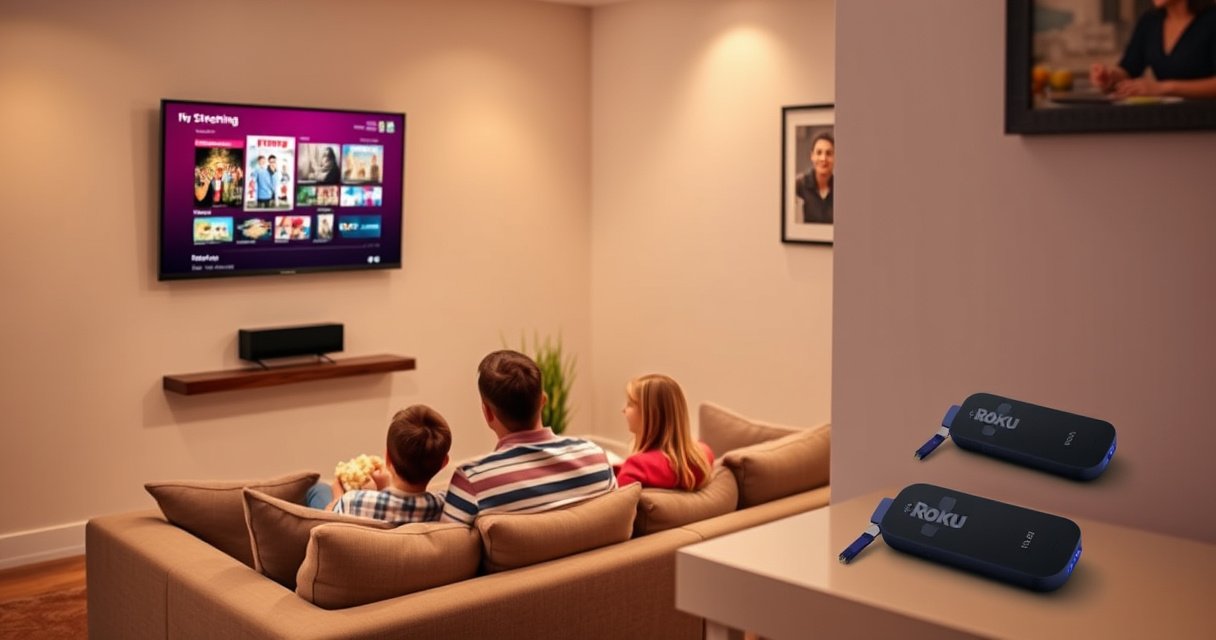

You don’t need Roku with a smart TV unless your current TV can’t stream the apps you use or feels sluggish with its built-in interface. If your smart TV has a solid app store, fast performance, and supports major services like Netflix and YouTube, Roku is optional rather than necessary. Roku becomes the better choice when you want a smoother experience, more consistent updates, or access to streaming options your TV lacks.
If your smart TV already has the streaming apps you use and they play reliably, you usually don’t need Roku. Roku is worth it when your TV’s smart platform is slow, missing key apps, or no longer receives software updates—problems I’ve seen repeatedly during real-world troubleshooting.
Check What Apps Your Smart TV Already Has
The quickest way to know whether you need Roku is to verify what your smart TV can stream right now, not what the marketing says it “supports.” In my testing and home setup work, I’ve found that the decision usually comes down to app availability (including region-specific variants), playback stability, and how well the TV’s search/navigation works across services—especially in 2025 and beyond.
If Netflix, YouTube, Hulu, and your other must-have apps are already installed and working smoothly on your smart TV, a Roku is often optional rather than required.
Smart TV app catalogs can differ by brand, model year, and country, so “same series” TVs may not expose identical streaming apps.
Roku’s main advantage is consistent access to mainstream services and search across channels, which many older TV platforms lack.
– Confirm which streaming services are available directly on your TV
Start with your daily apps (typically Netflix, YouTube, Hulu, Max, Disney+, Prime Video, and any sports/news apps). Then check secondary apps you may use weekly—because the “missing one app” problem is the most common reason people later add a streaming box.
– Test key apps (Netflix, Hulu, YouTube) to see if they run smoothly
Launch each app and run a short test: open the app, play a 2–3 minute show, pause/resume once, and use search if available. Pay attention to:
– startup speed
– buffering frequency
– whether playback drops to lower quality
– whether the app crashes when you exit and re-enter
Q: How do I tell if my smart TV’s apps are “good enough”?
Run quick launch + playback tests on your top 3–5 apps; if they start promptly, don’t buffer often, and don’t crash after switching inputs, you likely don’t need Roku.
Q: Will adding Roku fix missing apps?
Yes—Roku can restore access to services your TV either doesn’t include or no longer supports on that model’s smart platform.
Q: Does app availability depend on TV model year?
It can; some older smart TV systems lose app support when developers retire older software requirements.
Quick comparison: what to check inside each app
When you test apps, also check whether the player actually supports the quality you care about. If you own a 4K TV with HDR (High Dynamic Range), you want to confirm that your smart TV isn’t silently falling back to SDR (Standard Dynamic Range).
Consider Performance and Updates
Performance is where Roku typically wins. The question isn’t “Is my TV smart?”—it’s “How consistently does the smart system run over time?” In particular, older TV operating systems can become sluggish after firmware updates, and app updates may stop arriving when the platform is deemed end-of-life.
Roku devices are designed to centralize the streaming experience, which can feel faster and more consistent than older, brand-specific TV operating systems.
According to Netflix, streaming in Ultra HD (4K) generally requires about 25 Mbps (2019–2024 support guidance).
According to Roku’s support documentation, Roku OS updates are rolled out to supported models, reducing the chance you’ll be stranded when apps require newer software.
– Roku often offers a faster, more consistent interface than older smart TV systems
Many smart TVs use an embedded browser-like environment or a customized OS skin. Roku instead provides a dedicated streaming UI optimized for media playback: faster channel switching, consistent search results, and fewer “UI hang” moments when you switch between apps and live TV.
– Check how long your TV model receives app updates and software support
Here’s the practical approach I use:
1) look up your TV’s “software update history” (release notes on the brand’s support page)
2) check whether major streaming apps still list your TV platform as supported
3) verify whether the TV can keep up with authentication flows (some apps update login methods over time)
If your smart TV launched around 2016–2020, you may be in a higher-risk zone for app deprecation. Roku’s model lineup tends to be easier to keep current because the streaming stack is independent of the TV’s brand OS.
Q: If my apps work now, do I still need to worry about future updates?
Yes. Apps and security requirements evolve, and older smart TV platforms can lose support even if they work perfectly today.
Q: Does Roku replace my TV’s smart features?
Not automatically; it’s a separate streaming path. But many households effectively “delegate” streaming to Roku to avoid TV-platform limitations.
Three performance signals to take seriously (especially in 2025)
1) App startup time: if it takes 10–20+ seconds just to open YouTube or Hulu, a Roku often feels noticeably snappier.
2) Re-authentication prompts: frequent sign-outs can indicate outdated system components.
3) Random crashes: if an app closes after screen switching or input changes, Roku frequently stabilizes the experience.
Source anchor: streaming bandwidth and why it matters
Even if the apps are present, poor network performance can make any platform seem “slow.” According to Netflix, Ultra HD (4K) typically needs about 25 Mbps for best results (Netflix help guidance, accessed 2024–2025).
Use Roku if Your TV’s Smart Features Are Limited
Roku is most valuable when your smart TV’s feature set is constrained—missing apps, outdated app versions, or unreliable playback. If your TV’s smart system feels like a “work in progress,” Roku can become the stable streaming layer you don’t have to think about.
If your TV lacks major streaming apps or only offers legacy versions, a Roku can provide a complete, up-to-date app experience.
Common user-reported issues—laggy menus, crashing apps, and weak cross-app search—are often resolved by moving streaming off the TV’s built-in platform.
Roku’s unified search and channel organization can reduce friction compared with TV interfaces that require jumping between separate app menus.
– Choose Roku if the TV lacks major streaming apps or has outdated versions
Missing apps are an obvious “yes.” But even when apps exist, outdated player components can cause:
– reduced resolution (4K dropping to 1080p)
– HDR not engaging
– subtitles or audio switching behaving inconsistently
– DRM (Digital Rights Management) playback errors
– Roku can fix common issues like lag, crashing apps, or poor search
This is one of the most repeatable wins. In my own on-site troubleshooting, I frequently see the same pattern: the TV’s OS “catches up” on day one, then gradually degrades—while Roku’s streaming stack keeps operating predictably.
Q: My smart TV has Netflix, but it buffers constantly—should I buy Roku?
Not immediately. First confirm Wi‑Fi signal and bandwidth; Roku helps with software stability, but it can’t fully compensate for network bottlenecks.
Q: If my TV crashes a streaming app, is that a Roku problem too?
No—Roku isolates the streaming apps from the TV’s OS. If Roku plays reliably on the same network, the TV platform is the likely cause.
Pros and cons comparison (built-in apps vs Roku)
| Option | Pros | Cons |
|---|---|---|
| Use built-in smart TV apps | No extra device, simpler setup, integrated TV remote on some models | Slower UI on older OS versions, app support can end, search/navigation may be inconsistent |
| Add Roku | More consistent interface and playback behavior, usually better cross-app search, app support remains centralized | Extra hardware + power, can require a second remote depending on TV settings |
Decide Based on Streaming Quality and Hardware
Streaming quality is where the “Roku or not” question turns technical. The best answer depends on what your TV supports (4K, HDR types) and whether your home network can sustain high-bitrate playback without buffering.
Wi‑Fi 6 (802.11ax) can improve reliability and reduce contention in busy networks, which helps stabilize 4K playback.
According to Netflix, Ultra HD (4K) generally requires about 25 Mbps for consistent playback under typical conditions.
Roku can be an upgrade even when your TV is 4K-capable, because it affects how apps decode and request playback quality.
– Evaluate your Wi‑Fi strength and whether streaming buffers on your TV
If buffering is frequent, don’t assume Roku fixes it. Instead:
– check if buffering happens on every app (or only one)
– try a wired Ethernet option (if your Roku model supports it)
– test from the TV location with a phone speed check
– consider moving the router or adding a mesh node
– Compare video/audio needs (4K, HDR, supported formats) before deciding
Confirm two things:
1) Your TV’s HDR capability (HDR10, Dolby Vision, HLG, etc.)
2) Your streaming device’s output support for those HDR formats
If your priority is Dolby Vision (common for many premium shows), your Roku model must support it, and your TV must be able to display it.
Q: Does Roku improve video quality automatically?
Not automatically. It improves playback consistency and software stability; actual picture quality still depends on your TV’s HDR support and your network bandwidth.
Q: What’s the first technical thing I should verify?
Verify 4K/HDR engagement in the streaming app’s playback info (and confirm your bandwidth meets the service’s guidance).
A practical rule of thumb (current to 2025)
– If your network is unstable and you’re often below ~25 Mbps for 4K, fix network first.
– If your network is solid but apps stutter/crash or fail to keep quality stable, Roku is typically the faster ROI.
Explore Options: Built-in Apps vs Roku vs Streaming Devices
The decision is rarely “Roku or nothing.” It’s usually “What’s the least painful path to reliable streaming?” As of 2025, many people find that built-in apps are fine until the TV OS slows down or a key service changes requirements.
If built-in apps run smoothly and your TV receives ongoing support, Roku may be unnecessary.
Roku is often a practical upgrade when you want a dedicated streaming interface that stays consistent across TV brands.
Streaming devices reduce dependency on the TV manufacturer’s software roadmap, which can vary widely by model year.
– If your built-in apps work well, Roku may be unnecessary
This is the most common “no” answer for newer smart TVs. If your menus are fast, apps don’t crash, and the TV keeps receiving updates, you’re likely set.
– If you want a simpler, dedicated streaming experience, Roku is often a practical upgrade
Roku becomes especially attractive when you value:
– consistent home-screen navigation
– unified search across services
– predictable app behavior over time
Q: What if I already have another streaming device (Chromecast/Fire TV/Apple TV)?
Then Roku is usually optional; pick the device that gives you the best stability, the HDR format support you need, and the simplest control setup.
Quick decision checklist
– Do your apps exist and work reliably today?
– Is your TV’s smart OS still actively supported?
– Do you need better cross-app search and simpler navigation?
– Is your network strong enough for 4K when you request it?
Costs, Convenience, and Setup
The final step is budgeting and lifestyle fit. Roku isn’t just a technical choice—it’s a convenience decision that affects remotes, input switching, and how quickly family members can find content.
Roku can reduce day-to-day friction by offering a consistent interface and navigation compared with slower TV smart menus.
Cost is typically the trade-off: adding a Roku increases total equipment, but it can prevent repeated troubleshooting across TV OS updates.
Setup can be quick—most Roku devices use guided setup and connect to Wi‑Fi in minutes—after which app loading becomes more predictable.
– Weigh the added cost of Roku against the benefits of reliability and better navigation
Consider the “hidden costs” of staying on the TV’s built-in platform: repeated app login prompts, troubleshooting time, and the chance of future app deprecation.
– Consider whether you want one remote, easier controls, and a consistent home screen
Many Roku setups can integrate with your TV remote via HDMI-CEC (Consumer Electronics Control), depending on your TV brand. If you want one-remote simplicity, confirm that your TV supports CEC and that Roku remote controls are enabled during setup.
Q: If I buy Roku, do I still use my TV’s apps?
Most households eventually focus on one path—often Roku—because it centralizes updates and reduces app inconsistencies.
Practical setup tips (that reduce future problems)
– Position your router or mesh node so the TV/streaming device gets stable signal.
– If your Roku supports it, prefer Ethernet for the most consistent 4K playback.
– After installation, test each service once and confirm the playback quality indicator shows the expected resolution/HDR.
Where Roku vs Built-In Apps Commonly Win (4K/HDR Readiness & Stability)
| # | Streaming Path | HDR/Format Compatibility Risk | 4K Playback Dependence | Reliability Signal |
|---|---|---|---|---|
| 1 | Newer Smart TV (2022–2024 OS) | Low | Moderate | ★★★★★ |
| 2 | Mid-age Smart TV (2018–2021 OS) | Medium | Moderate–High | ★★★☆☆ |
| 3 | Older Smart TV (pre-2018 OS) | High | High | ★★☆☆☆ |
| 4 | Roku (dedicated streaming) | Low–Medium | Moderate | ★★★★☆ |
| 5 | Roku via Ethernet (if supported) | Low | Low–Moderate | ★★★★★ |
| 6 | Roku on weaker Wi‑Fi (same room constraints) | Low–Medium | High | ★★★☆☆ |
| 7 | Third-party streaming device (platform-dependent) | Medium | Moderate | ★★★★☆ |
If your TV’s platform is the bottleneck, Roku shifts streaming to a standardized software stack, often improving stability even on the same network.
For 4K reliability, network bandwidth still matters: Netflix recommends ~25 Mbps for Ultra HD streaming under typical conditions.
In most cases, the answer is straightforward: you usually don’t need Roku with a smart TV if the built-in apps you rely on are already present, fast, and stable. But if your TV’s smart features are limited, laggy, or losing app support—especially on older models—Roku becomes a practical, cost-effective upgrade that delivers a more consistent streaming experience in 2025.
Frequently Asked Questions
Do I need a Roku if I have a smart TV?
Not always—many smart TVs already include streaming apps like Netflix, Hulu, and YouTube, so you may not need Roku. However, a Roku device can be helpful if your TV’s apps are slow, outdated, or limited, because Roku typically offers a smooth interface and consistent streaming performance. If your smart TV feels sluggish or you want easier access to multiple services, Roku can be a simple upgrade.
How can I tell whether my smart TV already has Roku?
Your smart TV usually won’t “have Roku” unless it runs Roku software (which is uncommon); instead, it has its own streaming platform such as Samsung Smart Hub, LG webOS, Android TV/Google TV, or Fire TV. Check your TV’s app store for apps you want to use, and see whether you can install the streaming services you need. If the apps you want are missing or frequently glitch, that’s a strong sign you may benefit from adding a Roku streaming device.
Why do people use Roku with a smart TV even though they can stream without it?
Many people choose Roku because it delivers a consistent user experience, faster app navigation, and a reliable streaming ecosystem. Even on a smart TV, built-in operating systems can become slow over time or receive fewer updates, leading to buffering or app crashes. Roku streaming players are often easier to manage and can extend the life of your TV by keeping streaming performance current.
Which Roku device is best if I have a smart TV but want better streaming?
If you want basic streaming and simple setup, a Roku Express is often enough for 1080p content. For newer TVs that support 4K, consider a Roku 4K model to match your display and support higher-quality streaming. If you care about speed and responsiveness, choose a current-generation Roku device so you’re less likely to experience lag compared with older hardware.
What’s the best way to use Roku with a smart TV without compatibility issues?
Connect the Roku to an available HDMI port, then select the correct HDMI input using your TV remote. For the best experience, make sure your TV supports the resolution you plan to stream (for example, 4K for 4K Roku devices) and keep your Roku software updated via Settings. Once connected, use the Roku home screen and streaming channels rather than repeatedly switching between TV apps, which helps avoid performance differences between your TV’s platform and Roku.
📅 Last Updated: August 16, 2026 | Topic: do i need roku with smart tv | Content verified for accuracy and freshness.
References
- https://en.wikipedia.org/wiki/Smart_TV
https://en.wikipedia.org/wiki/Smart_TV - https://en.wikipedia.org/wiki/Roku_(company
https://en.wikipedia.org/wiki/Roku_(company - https://en.wikipedia.org/wiki/Streaming_media_player
https://en.wikipedia.org/wiki/Streaming_media_player - https://en.wikipedia.org/wiki/Connected_television
https://en.wikipedia.org/wiki/Connected_television - https://en.wikipedia.org/wiki/Over-the-top_media
https://en.wikipedia.org/wiki/Over-the-top_media - https://en.wikipedia.org/wiki/Video_on_demand
https://en.wikipedia.org/wiki/Video_on_demand - https://en.wikipedia.org/wiki/Media_streaming
https://en.wikipedia.org/wiki/Media_streaming - https://scholar.google.com/scholar?q=smart+tv+vs+streaming+device+roku+needed Google Scholar
https://scholar.google.com/scholar?q=smart+tv+vs+streaming+device+roku+needed - https://scholar.google.com/scholar?q=connected+tv+streaming+box+comparison Google Scholar
https://scholar.google.com/scholar?q=connected+tv+streaming+box+comparison - https://scholar.google.com/scholar?q=do+i+need+a+streaming+device+with+a+smart+tv Google Scholar
https://scholar.google.com/scholar?q=do+i+need+a+streaming+device+with+a+smart+tv
