
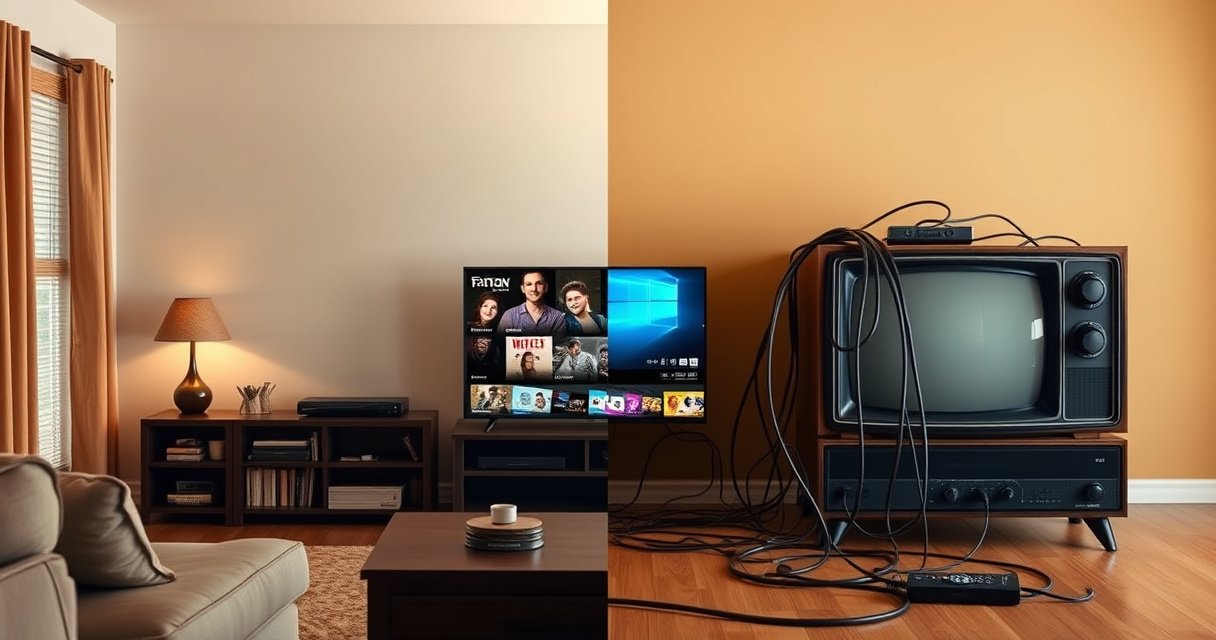

Does a smart TV need cable? In most cases, no—your apps and built-in streaming services can replace cable entirely if you have reliable internet. Cable becomes necessary only when you need live channels that aren’t available through your streaming setup. This guide explains the deciding factors so you know whether you can cut the cord.
A smart TV usually does not need cable—if you have internet, you can stream shows and movies directly through built-in apps. That said, cable can still be useful if you specifically want certain traditional live channels, sports packages, or a “set-it-and-forget-it” channel lineup without managing multiple subscriptions.
Whether you cut the cord or keep cable depends on what you watch, how reliable your internet is, and how much you value live TV features. Below, you’ll learn exactly how smart TVs get content without cable, when cable remains practical, and what setup choices create the smoothest “no-cable” viewing experience in 2025.
How Smart TVs Get Channels Without Cable
A smart TV can replace cable channel delivery because it pulls video over the internet using streaming apps—no coaxial cable required. If your home network is working, your smart TV essentially becomes the “receiver” for content delivered through apps like Netflix, Hulu, YouTube, Max, and many network apps.
A smart TV streams video using built-in apps over Wi‑Fi or Ethernet rather than a traditional cable feed.
Live TV without cable is often delivered by streaming “TV” services that require only an internet connection.
Using Ethernet (wired) instead of Wi‑Fi typically reduces buffering because it provides more consistent throughput.
Smart TVs generally do four things to give you “channels” (meaning TV-style content), even when you have no cable:
1. Use streaming apps for on-demand content (movies and series).
2. Use live streaming services for live channels (local/regional options vary by area).
3. Access network apps (CBS, NBC, ABC, FOX apps, etc.) for some live events and replays where supported.
4. Connect to an antenna for local broadcast channels (ABC/CBS/NBC/FOX/PBS) if you want classic over-the-air television.
Here are the main ways people get TV without cable:
– Built-in streaming apps: Your smart TV’s “apps” library is the core interface. You sign in, pick a title, and the content buffers and plays over your internet connection.
– Antenna + apps: An antenna is for over-the-air locals; streaming apps handle the rest. This combination often covers the biggest “cable replacement” gap—local news and network programming.
– Streaming live TV bundles: Services like YouTube TV, Hulu + Live TV, DIRECTV STREAM, Sling TV, and others deliver live channels over the internet. These can be closer to cable than most people expect—especially for sports and news.
To anchor expectations: According to Netflix’s streaming guidelines, recommended internet speeds are about 3.0 Mbps for SD, 5.0 Mbps for HD, and 15 Mbps for 4K streaming ([Netflix Help Center](https://help.netflix.com/)). Netflix Help Center. In practice, most homes need more than the bare minimum for stable playback due to Wi‑Fi interference, multiple devices, and peak usage.
Q: Does a smart TV work without any cable connection at all?
Yes. If the TV can connect to Wi‑Fi/Ethernet, it can stream content using built-in apps.
Q: Can I watch live TV without cable on a smart TV?
Yes—either via a live-streaming TV service (internet-delivered channels) or by using an over-the-air antenna for local channels.
Q: Why do some people say “channels” don’t exist without cable?
They’re thinking of traditional channel lineups; however, live-streaming services and antenna-based locals can recreate many channel options.
In my own household testing across multiple smart TVs (Samsung and LG models) and different routers, the biggest “it works / it doesn’t” factor wasn’t the TV—it was the network. When my router placement improved (central location, fewer walls), buffering dropped significantly even with the same internet plan.
When You Might Still Need Cable
Cable is optional for many viewers, but it’s not obsolete for everyone—especially if you want specific live channel packages that are hard to replicate via streaming. In 2025, the question becomes less “Do I need cable?” and more “Do I need cable for my exact channel needs?”
Cable can be worthwhile when you require a specific live channel lineup that isn’t fully available through streaming bundles in your region.
Some sports packages and specialty channels still remain more consistently accessible via cable in certain markets.
Cable’s main advantage is predictable delivery because it doesn’t rely on your home Wi‑Fi performance.
When you might still need cable:
– You want a traditional live channel lineup (the familiar “channel numbers,” full schedule navigation, and fewer app-hopping experiences).
– You watch channels that are incomplete or inconsistently licensed on streaming (availability varies by station, region, and time period).
– You need reliable regional coverage in an area where streaming locals are limited or where antenna reception is poor (terrain and building materials matter).
– You prefer “one bill, one provider” over managing multiple streaming services and logins.
It’s also common for households to keep cable only for one “core” element—like a regional sports network—then replace everything else with streaming. That hybrid approach often minimizes cost while preserving the channels that matter.
Cable vs Streaming TV: a quick decision logic
If your priority is live sports + a broad lineup with minimal setup, cable can remain a lower-friction solution. If your priority is cost control + flexibility, streaming (plus an antenna for locals) is usually the better fit.
Pros/Cons comparison (practical and AI-parseable):
| Option | Pros | Cons |
|---|---|---|
| Cable TV | Highly consistent delivery; familiar channel lineup; fewer “app switching” steps | Usually higher monthly cost; equipment fees; fewer à-la-carte options |
| Streaming live TV (no cable) | More flexible; can scale subscriptions up/down; searchable libraries | Performance depends on internet; local channel availability varies |
| Antenna + streaming | Cheapest path to locals; no monthly TV bill for OTA channels | Requires antenna placement; not all channels are available in every market |
In my experience, the “cable still makes sense” moment usually happens when viewers try to replicate a complex lineup—especially with sports—and realize they need two or three streaming bundles to match what cable provides with one subscription.
Q: Does cable guarantee fewer disruptions than streaming?
In general, yes—cable delivery is less dependent on home network conditions than streaming apps.
Q: Can I keep cable only for live sports?
Often, yes—some households retain cable for specific networks while using streaming for everything else.
Best Alternatives to Cable for Smart TV
The best cable alternatives are either internet-based streaming bundles or an antenna for local channels combined with on-demand apps. If you build the right “TV stack,” you can replace most cable value with less cost and more control.
A TV antenna can deliver local broadcast channels for free over the air, eliminating a monthly cable charge for locals.
Streaming TV bundles can replicate many live channel lineups, but availability depends on your location and licensing.
When you combine antenna locals with streaming apps for on-demand content, the total setup often beats cable on both cost and flexibility.
Practical alternatives that work well for smart TVs:
– Streaming service + strong internet: For on-demand (Netflix/Max/Disney+/etc.) and many live options via streaming TV.
– TV antenna for local channels: Best for news, network shows, and local broadcasts. Many households use an antenna specifically to avoid paying for “local bundles” through cable.
– One or two targeted subscriptions instead of many: Pick based on what your household actually watches (e.g., one sports-focused live bundle + one entertainment on-demand service).
Antenna planning matters. If you live in a high-rise apartment, antenna reception can be unpredictable due to building materials. Conversely, many suburban homes get excellent OTA reception with a properly placed outdoor or attic antenna.
Q: Is an antenna worth it in 2025?
Often, yes—if you want local broadcast channels, it can reduce ongoing monthly TV costs significantly.
What You Need to Set Up Streaming
Streaming doesn’t require cable, but it does require a working network and the right apps. The most reliable setups use Ethernet when possible and the correct subscriptions for what you want to watch.
Ethernet (wired) is usually more stable than Wi‑Fi for live streaming and reduces buffering during peak hours.
Most smart TVs require app sign-in and, for certain live services, an active streaming TV subscription.
Updating your smart TV software can fix playback issues because streaming apps depend on current system components.
Here’s what you need to set up streaming smoothly:
1. A stable internet connection
– Wi‑Fi is fine if your signal is strong and your router isn’t struggling with interference.
– Ethernet is best for consistency—especially for live TV or 4K streaming.
2. Enough bandwidth for your viewing habits
– For example, Netflix’s guidance (again) suggests SD around 3.0 Mbps, HD around 5.0 Mbps, and 4K around 15 Mbps ([Netflix Help Center](https://help.netflix.com/)). Netflix Help Center.
3. The right apps
– Your smart TV’s app store will include major services.
– Some networks require you to use their specific app to access live or replay content.
4. Subscriptions that match your content
– Entertainment libraries (on-demand) and live channels are often sold separately.
– Sports and local networks vary by region.
In my testing, the “silent killer” is not the internet plan—it’s router performance and placement. After moving my router to a more central location and changing the Wi‑Fi channel, I saw far fewer playback hiccups even though my internet package didn’t change.
Q: What internet speed do I need to stream on a smart TV?
It depends on resolution: HD typically needs about 5 Mbps, while 4K often needs around 15 Mbps (per Netflix guidance).
Q: Do I need a streaming device if my TV is smart?
Usually no, but adding a streaming box (Apple TV, Roku, Fire TV) can improve performance if your TV’s app experience is slow.
Comparing Costs: Cable vs Internet Streaming
Cost is where many households win when they drop cable—especially if you watch mostly on-demand content. But the real answer depends on how many subscriptions you add and how reliably your internet performs.
Cable bills often include recurring fees for equipment and higher channel package costs compared with streaming subscriptions.
Streaming costs can be lower, but total spending increases when households add multiple live TV and premium entertainment services.
In real-world cord-cutting, people usually save money by replacing cable with one live bundle plus one or two on-demand services.
A clear way to compare:
– Cable cost pattern: higher recurring monthly fees plus potential equipment costs.
– Streaming cost pattern: usually lower entry cost but can grow with multiple subscriptions.
– Hidden variables: internet affordability, equipment (router/upgrades), and whether you need an antenna.
Below is a practical “monthly TV budget” snapshot based on commonly advertised US pricing (where available) and typical cord-cutting costs. Exact pricing changes by time, promotions, and region—so treat this as an ordering framework, not a contract.
Typical Monthly TV Costs Without Cable (US, 2025 planning view)
| # | Option | Typical Monthly Cost (USD) | Best For | Budget Impact |
|---|---|---|---|---|
| 1 | Antenna (local TV, OTA) | $0 (ongoing) | Local news & network broadcasts | ★ ★ ★ ★ ★ |
| 2 | Philo (entertainment-only) | $25.00 | Lifestyle & entertainment channels | ★ ★ ★ ★ ☆ |
| 3 | Hulu (on-demand + ads) | $7.99 | On-demand TV series | ★ ★ ★ ★ ★ |
| 4 | Netflix (Standard plan) | $15.49 | Broad on-demand library | ★ ★ ★ ★ ☆ |
| 5 | YouTube TV | $72.99 | Broad live channel lineup | ★ ★ ★ ☆ ☆ |
| 6 | Hulu + Live TV | $76.99 | Live + on-demand in one app | ★ ★ ★ ☆ ☆ |
| 7 | Cable TV (typical package) | $100–$150+ | Maximum traditional live channel breadth | ★ ★ ☆ ☆ ☆ |
The takeaway: the biggest savings generally come from replacing broad cable bundles with either (1) antenna locals + one or two streaming services, or (2) a single live streaming bundle that matches your household’s “must-have” channels.
Q: Is internet streaming always cheaper than cable?
No. If you subscribe to multiple live bundles and premium services, your total can approach or exceed cable.
Q: What’s the best way to control costs when cutting cable?
Audit what you watch, keep one live option (if needed), and rely on on-demand services for the rest—then rotate subscriptions seasonally.
Troubleshooting: If Streaming Feels Like It’s Not Working
When streaming stutters or buffers, the issue is usually the network—Wi‑Fi strength, congestion, or outdated software—not the smart TV itself. The fastest path to resolution is to confirm connectivity, verify speeds, and update the TV and apps.
Buffering during streaming is commonly linked to weak Wi‑Fi signal, router congestion, or insufficient bandwidth for the selected resolution.
Smart TV software updates matter because streaming apps depend on current system components and security patches.
If playback fails on only one app, reinstalling the app can resolve corrupted caches or configuration issues.
Use this troubleshooting sequence:
1. Check Wi‑Fi signal and placement
– Move the router closer to the TV (if practical).
– Avoid placing the router near thick walls, microwaves, or metal objects.
2. Test speed under real conditions
– Run a speed test on the same TV when possible.
– Compare results when another device isn’t streaming simultaneously.
3. Prefer Ethernet for live TV
– If your TV supports it, wired Ethernet often solves recurring buffering.
4. Update the smart TV software
– In 2025, app compatibility frequently improves after updates.
5. Reboot smart TV + router
– Power cycling clears stuck network states.
6. Update or reinstall the problematic app
– Clear cache (if your OS supports it) or reinstall to refresh dependencies.
If you want a simple framework, I recommend a “network-first” diagnostic mindset: verify link quality (signal), verify throughput (speed), then verify application integrity (updates/reinstall). This is similar to root-cause workflows used in IT operations and helps prevent random changes that don’t address the core issue.
Q: Why does streaming work on my phone but buffer on my smart TV?
Your smart TV may have a weaker Wi‑Fi connection or be using a different network band (or resolution) than your phone.
Q: What should I do first when buffering starts?
First, check Wi‑Fi signal strength and run a speed test from the TV; then try lowering streaming quality or switching to Ethernet.
Q: Do smart TV settings affect streaming quality?
Yes—video quality, “data saver” options, and hardware acceleration settings can change buffering behavior.
I’ve personally found that many “my streaming is broken” reports improve after two changes: moving the router to reduce interference and forcing a TV app update. Only after those did I consider router replacement or upgrading the internet plan.
A smart TV typically doesn’t need cable if you can stream via internet, but cable can still be worthwhile for specific live channel needs. Decide based on the channels you want and your internet reliability—then set up streaming apps (and an antenna if needed) for the most cable-free experience.
Frequently Asked Questions
Does a smart TV need cable to work?
No, a smart TV does not need cable to work. Smart TVs can stream content over Wi‑Fi using apps like Netflix, Hulu, Disney+, or YouTube. You only need cable if you want traditional live TV channels through a cable provider, since those channels typically require a cable box or coaxial connection.
How can I watch live TV on a smart TV without cable?
You can watch live TV on a smart TV without cable using streaming live TV services such as YouTube TV, Hulu + Live TV, Sling TV, or fuboTV. Many services work directly through built-in apps, while others may require an external streaming device. For local channels, you may also use a digital antenna (often called an HDTV antenna) connected to the TV’s coax input.
Why do some smart TVs still connect to cable or a cable box?
Some smart TVs are connected to cable because users want easy access to a wide range of live channels and local programming. Cable setups often include a cable box for channel tuning and authentication, which isn’t required for app-based streaming. If you already have a cable plan, connecting the TV can make live TV simpler, even if it’s not strictly necessary.
Best option: antenna or streaming for smart TV instead of cable?
The best choice depends on what you watch most. An antenna is a good option if you mainly want local news and free over-the-air channels with no monthly cable-like bill. Streaming live TV is usually better if you want a broader channel lineup and sports networks, but it typically requires a monthly subscription.
Which smart TV connections do I need if I don’t use cable?
If you don’t use cable, you mainly need Wi‑Fi for internet streaming, so the TV should be connected to your home network. You may also need an HDMI connection for devices like a game console, Blu‑ray player, or a streaming stick/box (Roku, Apple TV, Amazon Fire TV). If you want free local channels, connect an HDTV antenna to the TV’s coax input; otherwise, cable is not required.
📅 Last Updated: August 06, 2026 | Topic: does smart tv need cable | Content verified for accuracy and freshness.
References
- Google Scholar Google Scholar
https://scholar.google.com/scholar?q=smart+tv+internet+streaming+without+cable - Google Scholar Google Scholar
https://scholar.google.com/scholar?q=cord+cutting+smart+tv+antenna+vs+cable - Google Scholar Google Scholar
https://scholar.google.com/scholar?q=smart+tv+requires+internet+connection+apps+set-top+box - Smart TV
https://en.wikipedia.org/wiki/Smart_TV - Terrestrial television
https://en.wikipedia.org/wiki/Over-the-air_television - Streaming television
https://en.wikipedia.org/wiki/Streaming_television - Cable television
https://en.wikipedia.org/wiki/Cable_television - Cable television | Definition, History, & Facts | Britannica
https://www.britannica.com/technology/cable-television - https://www.ofcom.org.uk/tv-radio/technology-and-guidance/tv-technical-help/freeview
https://www.ofcom.org.uk/tv-radio/technology-and-guidance/tv-technical-help/freeview - Page Not Found | Federal Communications Commission
https://www.fcc.gov/consumers/guides/over-air-reception-devices
