
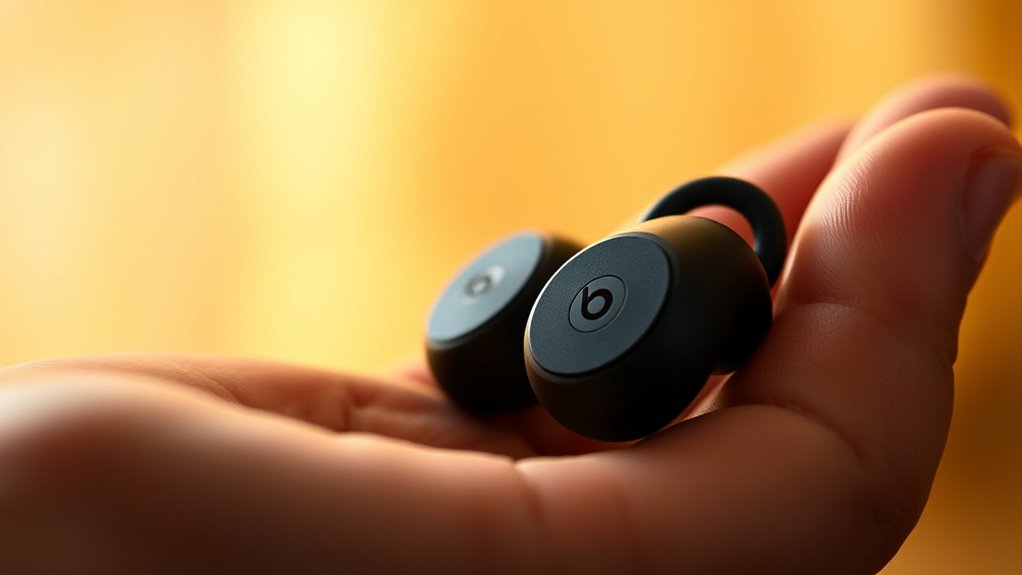

To wear Beats earbuds, start by selecting the right ear tip size for comfort and sound isolation. Insert the earbuds at an angle into your ear canal, ensuring a snug fit. If needed, twist slightly for ideal placement. For added security during activities, use ear hooks or adjust your cable position. Regularly check the fit during use to maintain comfort. Want to learn how to care for your earbuds or troubleshoot fit issues? There’s more to explore.
Understanding the Different Types of Beats Earbuds
When it comes to Beats earbuds, understanding the different types can enhance your listening experience. Beats offers various models, each designed for specific user preferences and sound quality needs. The Powerbeats Pro, for instance, is ideal for active users, delivering robust sound quality and a secure fit. On the other hand, the Beats Fit Pro combines comfort with great audio performance, perfect for those who want a versatile earbud. If you prefer a more casual listening experience, the Beats Studio Buds provide impressive noise cancellation and rich sound quality in a compact design. By knowing these Beats models, you can make more informed decisions and enjoy your music, podcasts, or calls with unparalleled clarity and freedom.
Choosing the Right Ear Tips for a Comfortable Fit
Choosing the right ear tips is essential for getting the best sound and comfort from your Beats earbuds. You’ll find various sizes and materials available, each affecting fit and sound isolation. Testing different options can help you find the most comfortable fit for extended use.
Ear Tip Sizes Available
Finding the right ear tip size is essential for a comfortable and secure fit with your Beats earbuds. To enhance ear tip compatibility, consider the available sizes and choose wisely:
- Small – Ideal for those with smaller ear canals; guarantees a snug fit.
- Medium – The most common size; offers a balance between comfort and sound isolation.
- Large – Suitable for larger ear canals; provides a more secure feel.
- Custom Ear Tips – Tailored options for a personalized fit, maximizing comfort and sound quality.
Experiment with these options to find your perfect match. Proper ear tip selection not only improves comfort but also enhances overall audio experience, allowing you to enjoy your music freely.
Material Options Explained
The material of your ear tips plays an essential role in comfort and sound quality. Silicone is a popular choice due to its softness and flexibility, providing a snug fit while ensuring durability. If you prefer a firmer feel, memory foam ear tips conform to your ears, enhancing noise isolation and comfort during extended use. Both materials come in various color options, allowing you to personalize your aesthetic. Consider the material durability as well; silicone typically withstands wear better than foam. Ultimately, the right ear tips can make a significant difference in your listening experience, so choose a material that aligns with your lifestyle and comfort preferences. Your earbuds should feel like an extension of you, not a hindrance.
Testing for Comfort
When it comes to achieving a comfortable fit with your Beats earbuds, testing various ear tips is crucial. The right ear tips can enhance earbud comfort and improve sound isolation, allowing you to enjoy your audio without distractions. Here’s how to find your perfect fit:
- Start with the default tips: See how they feel during regular use.
- Try different sizes: Most earbuds come with small, medium, and large options; experiment to find your match.
- Consider material: Foam tips often provide better sound isolation than silicone.
- Test while moving: Verify they stay secure during activities like walking or exercising.
Proper Insertion Techniques for Optimal Sound Quality
To achieve ideal sound quality with your Beats earbuds, start by selecting the right earbud size for a snug fit. Next, confirm you place them at the correct angle for maximum sound isolation. Proper insertion enhances both comfort and audio performance, so take a moment to adjust accordingly.
Earbud Size Selection
Choosing the right earbud size is crucial for achieving the best sound quality and comfort. Proper fit enhances sound isolation, allowing you to enjoy your favorite audio without distractions. Here’s how to select the right size for your Beats earbuds:
- Try Multiple Sizes: Most earbud brands offer various ear tips. Experiment with each to find the best fit.
- Consider Your Ear Shape: Everyone’s ears are different. Choose a size that contours comfortably.
- Check Seal and Comfort: A good seal enhances sound isolation. If it feels uncomfortable, try another size.
- Test During Use: Wear them while active to verify they stay in place and provide the best audio quality.
Finding the right size not only improves comfort but elevates your listening experience greatly.
Correct Placement Angle
Achieving the ideal sound quality from your Beats earbuds hinges on proper placement and insertion techniques. To get the best experience, you need to guarantee a correct angle for maximum sound isolation. Here’s a quick reference table to guide you:
| Step | Description | Purpose |
|---|---|---|
| Insert | Gently insert the earbud into your ear | Guarantees a snug fit |
| Rotate | Twist slightly to find the right angle | Enhances sound isolation |
| Adjust | Move up or down for comfort | Maintains stability |
| Test Sound | Play music and check clarity | Confirms maximum fit |
| Secure Fit | Guarantee the earbud sits snugly | Prevents sound leakage |
Securing Your Earbuds During Physical Activities
While you’re engaged in physical activities, keeping your Beats earbuds securely in place is essential to guarantee a distraction-free experience. A secure fit is vital for maintaining audio quality and comfort during your active lifestyle. Here are some tips to make sure your earbuds stay put:
- Choose the Right Size: Use the ear tips that fit snugly in your ears for maximum stability.
- Adjust the Cable: If your earbuds have a cable, position it behind your neck to reduce movement.
- Utilize Ear Hooks: If available, use ear hooks to add extra security during intense workouts.
- Check the Fit Regularly: Periodically adjust your earbuds during activities to maintain comfort and stability.
Caring for Your Beats Earbuds for Longevity
Proper care is essential for ensuring your Beats earbuds last longer and maintain peak performance. Start by using effective cleaning techniques, such as a soft, dry cloth to wipe down the earbuds regularly. Avoid using harsh chemicals that could damage the materials. For the ear tips, consider washing them with mild soap and water, then letting them air dry completely before reattaching.
When it comes to storage solutions, always keep your earbuds in a protective case when not in use. This prevents tangling and shields them from dust and potential damage. Additionally, avoid exposing them to extreme temperatures or moisture. By following these simple steps, you’ll enjoy your Beats earbuds for years to come.
Troubleshooting Common Fit Issues
If your Beats earbuds aren’t fitting comfortably, it can greatly impact your listening experience. Here are some troubleshooting tips to help you attain the best fit and sound isolation:
- Try Different Ear Tips: Experiment with various sizes of ear tips to find the best fit adjustments for your ears.
- Positioning: Insert the earbuds at a slight angle for a more secure fit; this can enhance sound isolation.
- Check for Obstructions: Make sure there’s no debris in your ears or on the earbuds that could affect comfort and sound quality.
- Adjust Cable Tension: If your model has a cable, verify it’s not pulling on the earbuds, which can cause discomfort.
Frequently Asked Questions
Can I Use Beats Earbuds With Non-Apple Devices?
Yes, you can use Beats earbuds with non-Apple devices, as they’re Bluetooth compatible. Just pair them, and you’ll enjoy excellent audio quality across various devices, giving you the freedom to listen anywhere.
How Do I Reset My Beats Earbuds?
To reset your Beats earbuds, hold the power button and volume down button simultaneously for about 10 seconds until the LED flashes. This method’s a key to troubleshooting tips, releasing your earbuds’ potential for freedom.
Are Beats Earbuds Water-Resistant?
Yes, some Beats earbuds have water-resistant features, enhancing your workout performance. They’re designed to withstand sweat and light moisture, allowing you to enjoy your exercise routine without worrying about damage from water exposure.
Do Beats Earbuds Support Noise Cancellation?
Yes, Beats earbuds do support noise cancellation. In sound quality comparisons, they excel in noise isolation features, blocking out distractions effectively. This allows you to enjoy your music without interruptions, enhancing your listening freedom.
How Long Does the Battery Last on Beats Earbuds?
Beats earbuds typically offer impressive battery performance, lasting up to 15 hours on a full charge. With various charging options available, you can easily keep them powered for extended listening sessions whenever you need them.
