
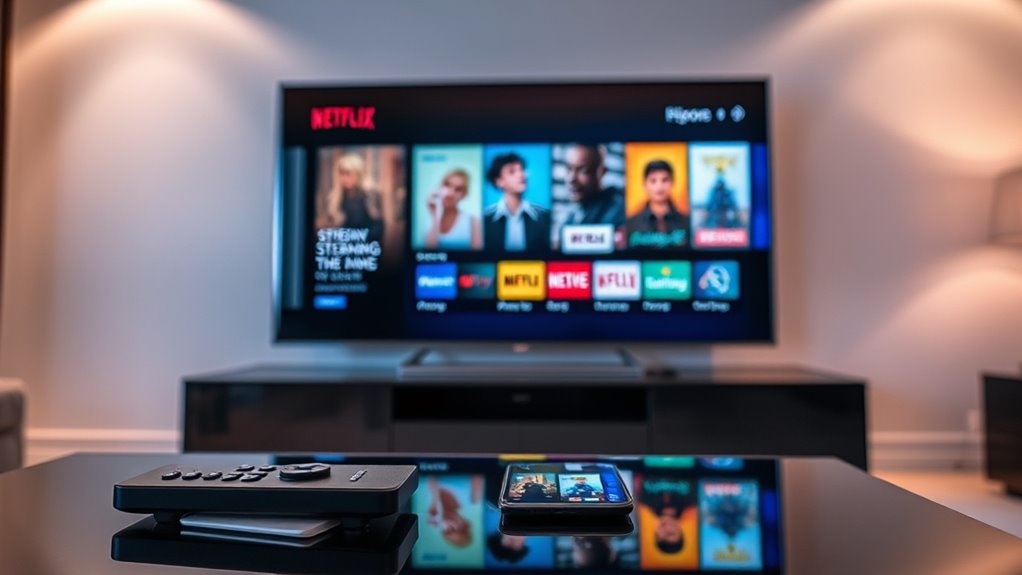

To know if a TV is a smart TV, check for internet connectivity and pre-installed streaming apps like Netflix or Hulu. Look for features such as voice control, which lets you use voice commands for convenience. Also, assess the operating system; an intuitive interface often indicates smart capabilities. Finally, verify compatibility with your smart home devices. If you want to find out more details about smart TV features, keep exploring the options available.
Understanding Smart TV Features
When you’re evaluating whether a TV is smart, it’s essential to recognize the key features that set these devices apart. Smart TVs offer advantages like access to streaming services, built-in apps, and voice control, giving you the freedom to enjoy various content without additional devices. However, there are smart TV disadvantages to examine. These include potential privacy concerns, as data can be collected, and the possibility of slower performance due to software bloat. Additionally, smart TVs may require regular updates, which can be inconvenient. Understanding these features helps you make an informed decision, ensuring your choice aligns with your viewing habits and preferences. Ultimately, knowing the pros and cons empowers you to select the right TV for your needs.
Checking for Internet Connectivity
How can you tell if a TV is truly smart? One key indicator is its ability to connect to the internet. Here’s how to check for internet connectivity:
- Access the Menu: Navigate to the TV’s settings and look for the ‘Network Settings’ option.
- Check Wi-Fi Connection: If the TV shows available Wi-Fi networks, it likely supports internet connectivity. Verify it can connect to your home network.
- Test Streaming: Once connected, try accessing an online service. If you can stream content, your TV is indeed smart.
Identifying Pre-installed Streaming Apps
When you’re checking out a smart TV, take a look at the pre-installed streaming apps. Popular options like Netflix, Hulu, and Amazon Prime Video can indicate the TV’s usability for entertainment. Also, consider whether there’s an app store available for downloading more apps, which can enhance your viewing experience.
Common Streaming Apps
Ever wondered which streaming apps come pre-installed on a smart TV? Knowing the common streaming apps can help you gauge the TV’s capabilities and align with your user preferences. Here are three popular platforms you might find:
- Netflix: A go-to for binge-watching your favorite series and movies, catering to a wide range of tastes.
- Amazon Prime Video: This offers an extensive library, perfect for those who love films, shows, and exclusive content.
- YouTube: Ideal for anyone looking to access a variety of user-generated videos, tutorials, and more.
These apps are often bundled with smart TVs, making it easy for you to plunge into your entertainment without hassle. Check for them to ascertain you’re getting a TV that fits your streaming lifestyle!
Ease of Access
Finding a smart TV that suits your streaming habits isn’t just about the apps it offers; it’s also about how easily you can access them. The user interface design plays an essential role here. A well-designed interface enhances your user experience by allowing quick navigation to your favorite streaming apps. Look for TVs that come with pre-installed apps like Netflix, Hulu, or Disney+, as these can save you time and hassle. Test out the remote control and on-screen menus in-store to see how intuitive they are. The smoother the access, the more freedom you’ll have to enjoy your shows without frustration. In the end, the right combination of accessibility and functionality makes all the difference in your viewing pleasure.
App Store Availability
How can you tell if a TV truly meets your streaming needs? One key factor is the availability of pre-installed streaming apps, which often indicates the type of smart TV you’re dealing with. Here’s what to look for:
- App Store Types: Check if the TV has a dedicated app store like Roku, Samsung Smart Hub, or Google Play. Each offers different apps.
- Pre-installed Apps: See which popular streaming services come pre-installed. Netflix, Hulu, and Amazon Prime are strong indicators of a smart TV.
- App Store Limitations: Be aware of any restrictions. Some TVs may limit app downloads, hindering your ability to expand your viewing options.
Evaluating the Operating System
When evaluating the operating system of a TV, you’ll want to take into account a few key aspects to guarantee it meets your needs. Start by checking the operating system features. A robust OS should support a wide range of apps and regular updates for new content. Next, pay attention to the user interface design. It should be intuitive and user-friendly, allowing you to navigate effortlessly through menus and options. Look for customizable settings that let you tailor your viewing experience. Additionally, consider the speed of the OS—lagging can ruin your enjoyment. By focusing on these elements, you’ll make a more informed choice and enjoy the freedom of a smart TV that truly fits your lifestyle.
Assessing Voice Control Capabilities
Many modern TVs come equipped with voice control capabilities, adding an extra layer of convenience to your viewing experience. To assess these features, keep an eye out for the following:
- Voice Assistant Integration: Check if your TV supports popular voice assistants like Amazon Alexa or Google Assistant. This integration can enhance your control options.
- Voice Command Functionality: Look for TVs that allow you to change channels, search for content, or adjust settings using just your voice. This makes your experience seamless and hands-free.
- Microphone Quality: Verify the TV has built-in microphones that can pick up voice commands from a distance, providing you with the freedom to relax while controlling your entertainment.
With these features, you’ll enjoy a more intuitive viewing experience.
Reviewing Compatibility With Smart Home Devices
When you’re checking if your TV is truly smart, it’s crucial to review its compatibility with your existing smart home devices. Look for supported smart protocols, device connectivity options, and whether the apps you use are compatible. This guarantees seamless integration and enhances your overall smart home experience.
Supported Smart Protocols
To determine if a TV is truly smart, you’ll want to explore its compatibility with various smart home protocols. These smart protocols help your TV communicate seamlessly with other devices, enhancing your home automation experience. Here are three key protocol standards to look for:
- Wi-Fi Direct: Allows for easy connection to other devices without needing a router.
- Zigbee or Z-Wave: These low-power protocols enable your TV to work with a variety of smart home devices, from lights to security systems.
- Apple HomeKit or Google Assistant: Integration with these ecosystems allows voice control and automation features.
Device Connectivity Options
Understanding device connectivity options is essential for ensuring your TV can interact effectively with your smart home ecosystem. Check for compatibility with Wi-Fi standards, as these determine how well your TV connects to the internet and other devices. Additionally, ample HDMI ports are vital for connecting various devices like gaming consoles and streaming boxes.
Here’s a quick reference table to help you understand the key connections:
| Connectivity Type | Description | Importance |
|---|---|---|
| Wi-Fi Standards | 802.11ac, 802.11ax | Fast, stable internet |
| HDMI Ports | Number of ports available | Connects external devices |
| Ethernet Port | Wired internet option | Reliable connection |
| Bluetooth | Wireless device pairing | Easy connectivity |
| USB Ports | External storage options | Additional media access |
App Compatibility Check
After confirming your TV has the right connectivity options, the next step is to check its app compatibility. This is essential for seamless integration with your smart home devices. Here are three key points to take into account:
- App Requirements: Make certain the TV supports the apps you want to use. Check the app store for availability.
- Compatibility Limitations: Not all smart TVs can run every app, so be aware of any restrictions that may apply.
- Updates and Support: Look for TVs that receive regular firmware updates to guarantee continued compatibility with newer apps and features.
Frequently Asked Questions
What Brands Are Known for Producing Quality Smart TVS?
Did you know 70% of households have smart TVs? Brands like Samsung innovate with cutting-edge tech, LG offers impressive features, Sony guarantees quality, and TCL provides affordability, so you can find the perfect fit for your needs.
Can I Convert a Regular TV Into a Smart TV?
Yes, you can convert a regular TV into a smart TV using streaming devices like Roku or Chromecast, along with HDMI adapters. These options let you access your favorite apps and enjoy streaming freedom effortlessly.
Are Smart TVS Safe From Hacking or Security Threats?
Smart TVs can be vulnerable to hacking due to inadequate security measures. It’s essential you stay aware of privacy concerns, regularly update firmware, and enable settings that enhance protection to safeguard your personal information.
How Often Do Smart TVS Receive Software Updates?
Your smart TV’s software updates can feel like a revitalizing breeze, keeping it agile and secure. Typically, you’ll see updates every few months, but some can surprise you with faster update frequency when necessary.
Do Smart TVS Consume More Electricity Than Regular TVS?
Smart TVs typically consume more electricity than regular TVs due to their added features. However, many modern models boast energy efficiency ratings, so it’s wise to check power consumption specifications before making a decision.
